

AI agents are already scanning Shopify stores, answering customer questions, and making product recommendations. If your knowledge base isn’t set up, they’re skipping your products and recommending competitors instead.
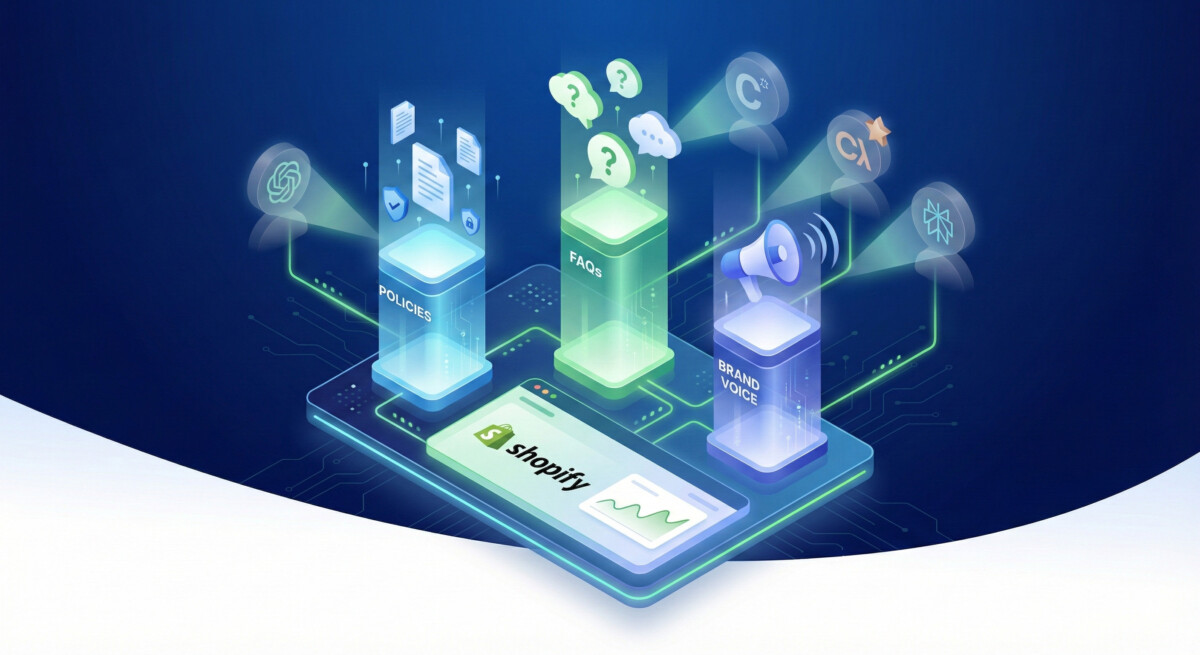
That’s the reality of agentic commerce in 2026. ChatGPT, Claude, Perplexity, Microsoft Copilot, and Google Gemini are shopping your category right now. They need three things to recommend your products: clear policies, specific FAQs, and authentic brand voice.
Without a properly configured knowledge base, AI agents either give wrong answers about your store or avoid recommending you entirely. You lose orders you didn’t even know existed.
Here’s how to fix that.
The Shopify Knowledge Base App isn’t a nice-to-have feature buried in your admin settings. It’s the control center that determines whether AI agents recommend your products or skip you entirely.
When you enable Agentic Storefronts (Shopify’s AI commerce infrastructure), agents like ChatGPT, Claude, Perplexity, Microsoft Copilot, and Google Gemini pull from your knowledge base to answer customer questions during shopping conversations.
Without it:
With it:
The data makes this urgent:
The pattern I’m seeing: merchants who set up their knowledge base properly see AI traffic within 2-3 weeks. Those who don’t see competitors pull ahead while they wonder why their “AI strategy” isn’t working.
It’s not a strategy problem. It’s an infrastructure problem.

Your knowledge base needs three core sections. Skip any of them and agents either give incomplete answers or avoid recommending you.
AI agents won’t recommend you if they can’t verify your policies. They need clear answers on returns, shipping, payment terms, warranties, and guarantees.
The mistake most brands make: burying policies in dense legal text at the bottom of their site. Agents scan it, can’t parse it quickly, and move on.
What to do:
Extract your policies from footer pages and reformat them for clarity. Use headers, bullet points, and plain language. If a customer service rep can’t scan it in 10 seconds, rewrite it.
Example of what agents need:
Returns:
Shipping:
Payment:
This isn’t about being comprehensive. It’s about being scannable. Agents need to extract information quickly and cite it accurately.
Agents use FAQs to answer customer questions during shopping conversations. If your FAQs are generic (“What is your return policy?”), agents treat you like every other brand.
What to do:
Pull your top customer service questions—the ones that come up weekly in Gorgias, Zendesk, or your support inbox. Turn those into question-answer pairs organized by category.
Start with 10-15 FAQs covering your core products and policies. Expand as you see patterns in what customers actually ask.
Example FAQs by category:
Shipping:
Returns:
Product-Specific:
The key: make them specific to your brand. If you sell supplements, include questions about ingredients and certifications. If you sell apparel, include fit and sizing questions. Generic FAQs produce generic recommendations.
This is how agents represent your brand in conversations. Leave it blank and they default to generic corporate language that sounds like every other ecommerce brand.
What to do:
Write 2-3 sentences on your brand personality and tone. Borrow language from your best-performing marketing copy. What words do you use? What’s your energy?
Examples:
DTC Skincare Brand:
“We’re science-backed but not clinical. We talk like your dermatologist friend who actually explains things in plain language. We’re obsessed with ingredient transparency and helping people understand what they’re putting on their skin.”
Shopify App:
“We’re direct, no-BS, and obsessed with helping Shopify brands scale profitably. We don’t do fluff or hype—just tactical systems that work. We talk like operators, not marketers.”
Outdoor Gear Brand:
“We’re adventurous but practical. We design gear for people who actually use it in the field, not Instagram influencers. We value durability over trends and real performance over marketing claims.”
This matters more than most brands realize. When an agent recommends your product, it’s representing your brand voice in that conversation. Make sure it sounds like you.
Here’s exactly how to set up your knowledge base in Shopify:
1. Navigate to Settings > Apps and Channels > Knowledge Base App
If you don’t see it, search “Knowledge Base” in the Shopify App Store. It’s free with Shopify Plus or $50/month for standard plans.
2. Click “Activate”
This enables the app and creates your first knowledge base.
3. Create your first knowledge base
Name it something clear like “[Your Brand] Product Knowledge” or “Customer Support Knowledge Base.”
4. Add your three pillar sections
Create three sections:
5. Populate each section with your content
Copy-paste from your existing support docs, footer pages, and marketing copy. Reformat for clarity—use headers, bullets, short paragraphs.
6. Set visibility to “AI agents and search engines”
This ensures agents can access your knowledge base when answering questions about your products.
7. Test it
Go to Agentic Storefronts > Test Agent and ask questions. Check if agents are pulling from your knowledge base or giving generic answers.
I’ve watched dozens of brands set up knowledge bases over the past six months. Here’s what separates the ones that see AI traffic from the ones that don’t:
Agents see gaps in your policies, get cautious, and skip recommending you. They won’t cite a return policy if you don’t mention processing times or conditions.
Fix: Make sure every policy is crystal clear and complete. If you offer free returns, specify the conditions. If you ship internationally, list the countries.
“What is your return policy?” “How long does shipping take?” These are fine, but they don’t differentiate you. Agents can’t tell your brand apart from competitors.
Fix: Make FAQs specific to your products, brand, and customer base. If you sell supplements, include questions about third-party testing and certifications. If you sell apparel, include fit and sizing guidance.
Most brands leave this section blank or write something vague like “We’re customer-focused and innovative.” Agents default to corporate speak.
Fix: Inject your actual brand personality. Use the language from your best-performing emails, landing pages, or social posts. Make it sound like you.
You set it up, assume it works, and move on. Then six months later you wonder why AI traffic is still zero.
Fix: Actually test by asking agents questions about your products. Open ChatGPT, Claude, and Perplexity and see what they say. If they’re not citing your knowledge base, go back and strengthen it.
Policies change. Products evolve. FAQs become outdated. Agents give wrong information and customers lose trust.
Fix: Audit your knowledge base quarterly. Update policies when they change. Add new FAQs as patterns emerge in customer questions.
Setting up your knowledge base is step one. Verifying that agents are actually using it is step two.
Here’s the testing protocol:
You need to test across multiple platforms. Each agent interprets knowledge bases slightly differently.
Examples:
Maybe your policies are buried in dense text. Maybe your FAQs are too generic. Maybe your brand voice is too vague. Fix it and test again.
Agent response:
“According to [Your Brand]’s knowledge base, they offer a 30-day return policy with free returns on orders over $50. Returns are processed within 5-7 business days, and items must be unused with tags attached. They emphasize their commitment to customer satisfaction and transparent policies.”
Why this works:
Agent response:
“Most ecommerce brands offer 30-day returns, so [Your Brand] probably does too. You should check their website for specific details.”
Why this fails:
If you’re seeing responses like this, your knowledge base isn’t set up properly or agents can’t access it.
Now that your knowledge base is set up, AI agents can answer questions about your policies, brand, and customer support. But there’s one more critical layer: making sure your products are structured in a way agents can actually recommend them.
That’s where product data comes in.
Agents need clear product titles, descriptions, attributes, and images to understand what you sell and who it’s for. If your product data is messy, incomplete, or generic, agents can’t confidently recommend your products—even if your knowledge base is perfect.
Next article: “How to Structure Your Shopify Product Data for AI Agents”
We’ll cover:
Your knowledge base is the foundation. Your product data is the layer that turns agent visibility into actual orders.

It’s free with Shopify Plus. For standard Shopify plans, it costs $50/month. The cost is worth it if you’re serious about AI-referred traffic.
Most merchants see AI-referred traffic within 2-3 weeks if the knowledge base is set up correctly. This assumes your policies are clear, FAQs are specific to your brand, and brand voice is authentic.
No. The knowledge base helps agents understand your brand regardless of whether you’ve enabled Agentic Storefronts. However, Agentic Storefronts gives you more control over which AI channels are active and how orders are attributed.
You can create multiple knowledge bases in Shopify—one for each product line or brand. This lets you maintain separate policies, FAQs, and brand voices for different parts of your business.
Audit your knowledge base quarterly. Update policies immediately if they change. Add new FAQs as you see patterns in customer questions. The more current your knowledge base, the better agents represent your brand.
Yes. In Agentic Storefronts, you can see which AI platforms are driving traffic and orders. You can also manually test each platform (ChatGPT, Claude, Perplexity, Copilot, Gemini) to see if they’re citing your knowledge base.
Agents will still scan your store, but they’ll give generic answers about your products and policies. They may skip recommending you entirely because they can’t verify information or understand your brand voice. You’ll miss AI-referred traffic that competitors are capturing.
Not necessarily. Website FAQs are for humans. Knowledge base FAQs are for AI agents. Optimize for clarity and scanability. Use bullet points, short paragraphs, and specific details. Agents process information differently than humans do.




