






Quick Decision Framework
- Who This Is For: Shopify merchants on any plan who want to understand what AI tools they already have access to inside their admin, how Shopify Magic and Shopify Sidekick actually differ, and how to use both together as a daily workflow rather than occasionally clicking a button and hoping for the best.
- Skip If: You are pre-launch or still setting up your first Shopify store. Come back once you have a live catalog and at least 30 days of order history. These tools work best when they have real store data to learn from.
- Key Benefit: Understand exactly what Shopify Magic does, what Shopify Sidekick does, where they overlap, where they do not, and how to build a daily AI workflow inside your existing admin that saves 5 to 10 hours per week without adding a single new tool or subscription.
- What You’ll Need: An active Shopify store on any paid plan. Sidekick is rolling out to all plan levels as of Winter ’26 Edition. Magic has been available to all merchants since 2023. No apps, no developer, no budget required beyond your existing Shopify subscription.
- Time To Complete: 14-minute read. Your first practical Sidekick workflow takes about 20 minutes to set up. Magic is usable in under 5 minutes from your first product page.
Most Shopify merchants are paying for two of the most powerful AI tools in ecommerce and using maybe 10% of what they can do. Shopify Magic and Shopify Sidekick are not the same thing. Understanding the difference is the first step to getting real value from both.
What You’ll Learn
- What Shopify Magic actually is, every feature it covers in 2026, and the one thing most merchants get wrong about how to use it effectively.
- What Shopify Sidekick actually is, how it changed from a reactive chatbot to a proactive business collaborator in the Winter ’26 Edition, and what Sidekick Pulse means for your daily workflow.
- Where Magic and Sidekick overlap, where they hand off to each other, and how to use them as a unified system rather than two separate tools.
- The specific daily, weekly, and monthly workflows that get the most out of both tools without requiring a developer, an agency, or any additional spend.
- What neither tool does, and why understanding that gap matters for merchants who want their store to be discoverable inside ChatGPT, Gemini, and Microsoft Copilot.
When Shopify introduced Magic in 2023, most merchants tried it once for a product description, shrugged, and went back to writing copy manually. When Sidekick launched, most merchants typed one question, got a useful answer, and then forgot it existed. Two years later, both tools have evolved dramatically, and the merchants who figured out how to use them together as a daily operating system are running leaner, faster, and with better content consistency than merchants who are still doing everything by hand.
This is the guide that should have existed from the beginning. Not a feature list. Not a marketing overview. A practical, honest breakdown of what each tool does, what it does not do, how they work together, and what a real daily workflow looks like using both. If you want the broader strategic context for where these tools fit inside Shopify’s agentic commerce vision, start with the complete guide to agentic commerce for Shopify and come back here for the operational layer. If you just want to understand what you are already paying for and how to use it, you are in the right place. According to Shopify’s own Magic and Sidekick page, these tools are built directly into every Shopify admin, require no setup, and are included in your existing plan. The only thing required is knowing how to use them.
Shopify Magic: Everything It Does In 2026

Shopify Magic is the creative layer of Shopify’s AI suite. Think of it as the specialist that handles all content and media generation across your store. It does not manage your business, analyze your data, or make strategic decisions. It creates: words, images, emails, and content, at speed and at scale, in your brand voice.
The confusion most merchants have is treating Magic as a single feature rather than a suite of capabilities spread across your entire admin. It shows up differently depending on where you are in Shopify, which is why many merchants underestimate how much they are actually using, or could be using, without realizing it is all Magic under the hood.
Product Description Generation
This is where most merchants first encounter Magic and where most merchants stop. You open a product, click the AI button, add a few keywords, and Magic generates a description in seconds. What most merchants miss is the Brand Voice Cloning feature added in 2026. Magic can now learn your brand’s specific tone, vocabulary, and style from your existing blog posts and past content, then apply that voice consistently to every description it generates. That means the description for your 500th product sounds like the same brand as your first, without you editing every output manually.
The practical workflow is to use Magic for the first draft on every new product, then spend 60 to 90 seconds reviewing and adjusting rather than writing from scratch. For merchants with large catalogs or frequent new arrivals, this alone saves hours per week. One apparel brand documented an 18% lift in conversion rate after switching to Magic-generated descriptions across a new collection, attributing the improvement to more consistent benefit-focused language rather than the feature-focused copy their team had been writing manually.
AI Image Editing And Product Photography
Magic’s image tools have expanded significantly beyond the original background removal feature. In 2026, you can use Magic to remove product backgrounds, replace them with AI-generated environments tailored to your brand aesthetic, expand canvas size for different platform formats, remove distracting elements from existing photos, and generate lifestyle imagery that places your product in context without a photo shoot. On the Shopify mobile app, you can turn any image into a polished product shot using the built-in file editor, which is particularly useful for merchants who photograph products on a phone and need professional-quality results quickly.
For merchants spending $500 to $2,000 per month on product photography, this represents a meaningful cost reduction. For merchants who have been using inconsistent imagery because professional photography felt out of reach, it levels the playing field significantly.
Email Subject Lines And Marketing Copy
Magic integrates directly into the Shopify Messaging app email editor. When you are building an email campaign, Magic can generate subject line options, preview text, and body copy based on the campaign objective and your store’s data. It knows your product catalog, your past campaign performance, and your brand voice, which means the suggestions are contextually relevant rather than generic templates you would find in any email tool.
The subject line generator is one of the most underused features in the entire Magic suite. Testing three or four AI-generated subject line variants takes about two minutes and consistently outperforms single manually-written subject lines in open rate testing, because Magic generates options across different psychological angles: urgency, curiosity, benefit-led, and social proof, giving you real variants to test rather than slight rewrites of the same idea.
Multilingual Content Generation
Magic supports content generation in English, German, Spanish, French, Italian, Japanese, Portuguese, Brazilian Portuguese, Chinese, and more. For merchants expanding into international markets, this means product descriptions, email content, and store copy can be drafted in the target language in seconds rather than waiting for translation. Magic is not a replacement for native speaker review on nuanced or high-stakes content, but it handles the heavy lifting of first-draft translation accurately enough that a native speaker can review and adjust in a fraction of the time it would take to translate from scratch.
AI-Powered Customer Support Via Shopify Inbox
Magic powers the AI response suggestions inside Shopify Inbox, your built-in customer messaging tool. When a customer sends a question, Magic reads your product catalog, store policies, and FAQ content and suggests an accurate, on-brand response that your team can send with one click or edit before sending. For merchants handling high message volume, this reduces response time from hours to minutes and keeps answers consistent across every conversation regardless of who on your team is handling the queue.
Shopify Sidekick: What Changed In Winter ’26 Edition
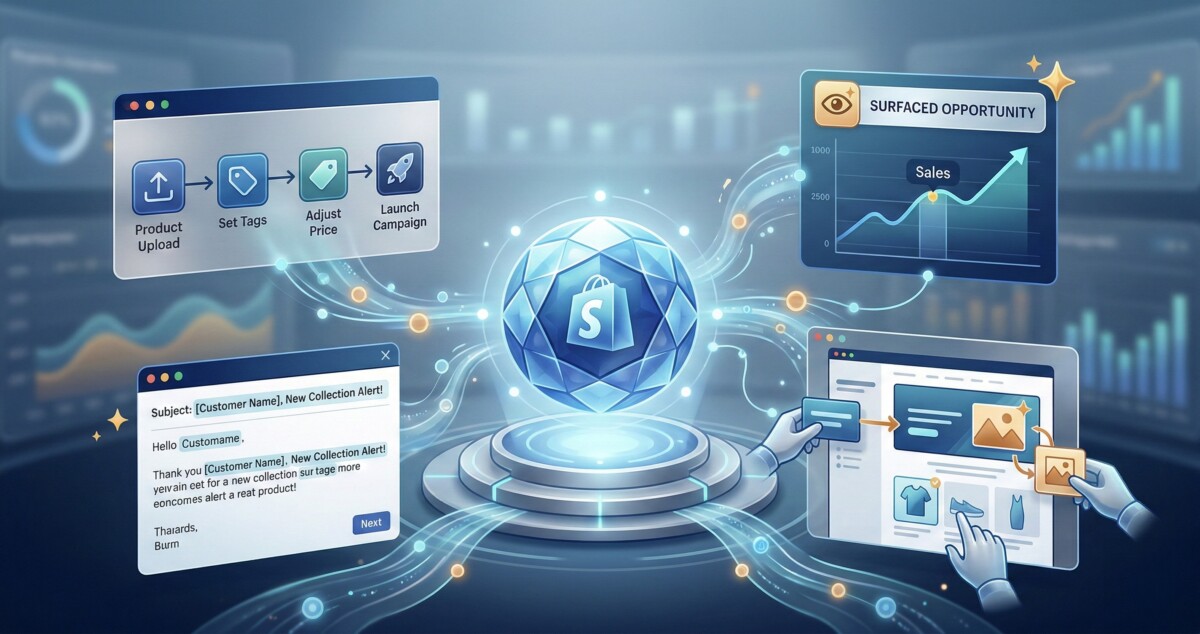
Sidekick launched as a conversational assistant: you asked it questions about your store, it answered them. That version was useful but limited. The Winter ’26 Edition, which Shopify describes as “The Renaissance,” fundamentally changed what Sidekick is. It is no longer a reactive assistant that waits for your questions. It is a proactive collaborator that monitors your store, surfaces opportunities you have not asked about, builds things on your behalf, and executes multi-step workflows from a single instruction.
According to the Shopify Winter ’26 Edition official announcement, Sidekick now “predicts merchant needs and suggests action” and “can build code and make changes directly, all with your oversight.” That is a materially different tool than what launched two years ago, and most merchants have not updated their mental model of what it can do.
Sidekick Pulse: Your Proactive Business Advisor
Pulse is the most significant new capability in the Winter ’26 Edition and the one that changes how you interact with Sidekick on a daily basis. Instead of waiting for you to ask a question, Pulse monitors your store data against market trends and surfaces personalized, actionable recommendations proactively. It appears as a digest inside your admin, showing you specific opportunities: a bestseller collection you should create and promote to VIP customers, an inventory level that needs attention before a weekend, a customer segment that has not purchased in 90 days and is worth re-engaging.
The critical difference between Pulse and a standard analytics dashboard is that Pulse does not just show you data and leave you to figure out what to do with it. It shows you the opportunity and then offers to execute the action for you. When Pulse surfaces the VIP bestseller opportunity, Sidekick can pull the products, create the collection, generate a discount, and draft the email campaign in a single conversation. You review and approve each step. The work happens in minutes instead of hours.
Custom App Building On Demand
This is the feature that surprised the most merchants when Winter ’26 launched and the one that has the most significant long-term implications for how Shopify’s app ecosystem works. You can now describe a business problem to Sidekick in plain language and it will build a functioning custom app for your admin. Not a template. Not a configuration of an existing app. A bespoke application written specifically for your store’s needs, available only in your admin.
Practical examples from the Winter ’26 launch: a merchant described wanting to bundle products and generate shoppable QR codes for in-store events. Sidekick wrote the code and delivered a functioning app in minutes. Another merchant asked for an automatic reorder tool that triggers when inventory drops below a threshold and notifies the team. Built and deployed in a single conversation. For merchants who have been paying for apps that do 80% of what they need with 20% of friction, or who have wanted something specific enough that no app store solution exists, this changes the equation entirely.
Theme Editing Through Natural Language
You can now click on any element in your Shopify theme editor and ask Sidekick to change it using plain language. “Make this button more rounded.” “Increase the spacing between these product cards.” “Add a trust badge under the add-to-cart button.” Sidekick understands the instruction and modifies the appropriate theme settings instantly, whether it is a global style or a setting on a specific block. For merchants who have avoided theme customization because it required touching code or navigating complex settings menus, this removes the barrier entirely.
Shopify Flow Automation Builder
Sidekick can now build complete Shopify Flow automations from a plain language description. You describe the workflow you want and Sidekick builds and visualizes the entire flow for you, ready to activate. “Automatically tag customers as VIP when they spend over $500 in a 90-day window.” “Send a re-engagement email to customers who have not ordered in 60 days.” “Create a low-stock alert and draft a reorder request when inventory drops below 15 units.” These are workflows that previously required understanding Shopify Flow’s trigger and action logic. Now they require a sentence.
ShopifyQL Reports And Data Visualization
Sidekick can generate custom reports and data visualizations directly in the ShopifyQL query editor. Instead of learning ShopifyQL syntax or relying on the default analytics dashboards, you can ask Sidekick for the specific data view you need: “Show me revenue by product category for the last 90 days compared to the same period last year.” “Which customer segments have the highest repeat purchase rate?” “What is my average order value by traffic source?” Sidekick writes the query and returns the visualization. For merchants making data-driven decisions without a dedicated analyst, this is a meaningful capability upgrade.
Customer Segment Building
Sidekick can build customer segments from scratch or help you refine existing ones based on a description of the audience you want to reach. “Customers who have purchased from the outdoor category more than twice in the last six months but have not bought in 60 days.” “New customers who placed their first order in the last 30 days with an AOV above $150.” These segments can then be used immediately in email campaigns, discount rules, and ad targeting without leaving the conversation.
Sidekick Skills: Reusable Prompt Shortcuts
Skills are one of the most practical workflow features in the Winter ’26 Edition. You can save any Sidekick prompt as a reusable Skill, give it a name, and call it up with one click for repeat tasks. If you run a weekly bestseller report every Monday, save that as a Skill. If you generate a new arrival email every time a collection drops, save that workflow as a Skill. You can also share Skills with your team or discover Skills that other merchants have published to the community, which is effectively a growing library of proven Shopify workflows you can install and use immediately.
Where Magic And Sidekick Work Together
The most powerful workflows happen at the intersection of both tools, where Sidekick’s operational intelligence triggers Magic’s creative execution. Understanding the handoff points between the two tools is what separates merchants who are using Shopify’s AI at 10% capacity from those using it at 80% or more.
The VIP Campaign Workflow
This is the workflow Shopify demonstrated in the Winter ’26 launch video and it shows the Magic plus Sidekick loop clearly. Sidekick Pulse surfaces the opportunity: your VIP customers have not received a targeted offer in 45 days and your bestsellers have strong inventory. Sidekick pulls the best-selling products and creates a collection. Sidekick generates a discount code for VIP customers. Then it calls Magic to draft the email campaign: subject line options, preview text, and body copy written in your brand voice with the specific products and discount populated automatically. You review, adjust if needed, and send. The entire workflow, from Pulse surfacing the opportunity to a ready-to-send email, takes under 15 minutes.
The New Product Launch Workflow
A new product arrives. You upload the images. Magic removes the background and generates a lifestyle shot. You open the product page and Magic drafts the description using your brand voice and the keywords you specify. Sidekick creates a customer segment of buyers who have purchased from the same category before. Magic drafts the launch email for that segment. Sidekick builds a Shopify Flow that automatically tags anyone who purchases the new product in the first 48 hours for a follow-up review request sequence. The product goes from unboxed to fully launched with a targeted email and an automated post-purchase flow in about an hour, most of which is review time rather than creation time.
The Weekly Performance Review Workflow
Every Monday, you open Sidekick and run your saved Performance Review Skill. It pulls the previous week’s revenue by category, flags any products that dropped in conversion rate, surfaces the top-performing traffic sources, and shows you which customer segments had the highest activity. Sidekick identifies that one product category is underperforming and suggests a promotional push. Magic drafts three subject line options for a flash sale email targeting customers who have browsed that category. You pick one, review the email body Magic generated, and schedule it. The entire process takes 20 to 30 minutes instead of the two hours it used to take to pull reports, identify the issue, and brief a copywriter.
The Honest Limitations: What Neither Tool Does
Both Magic and Sidekick are genuinely useful and significantly underused by most merchants. But there is a layer of store optimization that neither tool addresses, and understanding that gap is important for merchants who want to capture the full opportunity in front of them.
Magic writes product descriptions for humans. It is optimized for conversion on your website: engaging prose, benefit-focused language, brand voice consistency. What it does not do is structure your product data for AI agents. When a buying agent queries your store through the Model Context Protocol, it does not read your Magic-generated description paragraph. It queries structured metafields, product type taxonomy alignment, variant attributes, and availability data. Magic does not populate metafields. It does not align your product titles to Shopify’s 10,000-plus product taxonomy. It does not write the key-value spec blocks that buying agents prefer over narrative prose. The guide on how to structure your Shopify product data for AI agents covers that layer in detail.
Sidekick is an exceptional operational tool for managing your store. What it does not do is build the Knowledge Base content that AI shopping agents query when a customer asks about your policies, your brand, or your product category. When ChatGPT or Perplexity is deciding whether to recommend your store, it is reading your Knowledge Base content and policy pages, not your Sidekick-generated workflows. The setup guide for how to set up your Shopify Knowledge Base for agentic commerce covers what that content layer needs to look like.
Neither tool directly manages your Agentic Storefronts connection, which is the feature that syndicates your catalog to ChatGPT, Google AI Mode, Gemini, and Microsoft Copilot simultaneously. That setup lives in your Shopify Admin under the Agentic Storefronts section and requires its own configuration to connect your catalog to the AI platforms where buyers are increasingly starting their purchase journeys. The full walkthrough for how to optimize your Shopify store for UCP checkout and AI-driven orders covers that configuration step by step.
The practical implication is this: Magic and Sidekick make you dramatically more efficient at running the store you have. The structured data work, the Knowledge Base setup, and the Agentic Storefronts configuration make your store discoverable and purchasable by the AI agents that are increasingly doing the shopping on behalf of your customers. Both layers matter. Neither replaces the other. Understanding the full picture of how Shopify’s MCP and the Model Context Protocol work at the infrastructure level helps you see why the structured data layer is a separate discipline from what Magic and Sidekick handle.
Your Daily Workflow Using Both Tools
The merchants getting the most out of Magic and Sidekick are not using them for occasional one-off tasks. They have built a rhythm where both tools are part of the daily operating cadence of the store. Here is what that looks like in practice.
Morning (5 to 10 Minutes)
Open Sidekick and check Pulse. Review the proactive recommendations it has surfaced based on overnight data. Dismiss anything not relevant. Flag one or two items to action during the day. This replaces the 20 to 30 minutes most merchants used to spend manually reviewing dashboards and deciding what to prioritize.
Product Work (As Needed)
Any new product that enters your catalog gets Magic treatment before it goes live. Images through the Magic editor for background cleanup or lifestyle generation. Description through Magic with your brand voice applied. Review takes 60 to 90 seconds. Adjust anything that does not fit. Publish. For merchants adding 5 to 20 products per week, this workflow alone saves 2 to 4 hours compared to manual writing and editing.
Weekly Campaign Planning (30 Minutes)
Run your Performance Review Skill in Sidekick. Review the weekly data summary it generates. Identify the one campaign worth running this week based on inventory levels, customer segment activity, and seasonal context. Use Sidekick to build the segment and the discount if applicable. Use Magic to generate the email content. Schedule. This replaces a process that used to require a marketing meeting, a copywriter brief, and a designer, all of which most small and mid-size Shopify merchants either skip entirely or do poorly because of the time involved.
Monthly Workflow Audit (60 Minutes)
Once a month, review your active Shopify Flow automations and ask Sidekick whether any of them can be improved based on your current store data. Ask Sidekick to generate a ShopifyQL report on the metrics that matter most to your business: new customer acquisition rate, repeat purchase rate, AOV by segment, and return rate by product category. Use those insights to decide what to build, change, or stop doing in the following month. This is the strategic layer that most merchants skip because it used to require either a data analyst or a painful manual process of pulling multiple reports and trying to synthesize them. Sidekick makes it a conversation.
Frequently Asked Questions
What Is The Difference Between Shopify Magic And Shopify Sidekick?
Shopify Magic is the creative specialist in Shopify’s AI suite. It generates content: product descriptions, email copy, subject lines, image edits, and multilingual translations. It works inside specific content-creation contexts across your admin. Shopify Sidekick is the operational collaborator. It monitors your store, surfaces proactive recommendations through Pulse, builds custom apps from plain language descriptions, creates Shopify Flow automations, generates ShopifyQL reports, edits your theme, and builds customer segments. Magic creates. Sidekick orchestrates. The two tools work together: Sidekick identifies an opportunity and calls Magic to execute the content that goes with it. Neither replaces the other, and using both together produces results that neither achieves alone.
Is Shopify Sidekick Available On All Shopify Plans?
As of the Winter ’26 Edition, Shopify is rolling out Sidekick to all plan levels. You can access it through the search bar in your Shopify Admin or via the Sidekick icon in the Shopify mobile app. Shopify Plus merchants have access to additional organization-level data analysis capabilities that allow Sidekick to work across multiple stores simultaneously. The core features, including Pulse, custom app building, theme editing, Flow automation, and ShopifyQL reporting, are available across standard plans. If you do not see Sidekick in your admin yet, check for updates in your admin settings as the rollout continues.
Does Shopify Magic Write SEO-Optimized Product Descriptions?
Shopify Magic generates product descriptions that include keywords you specify and are written in a format that search engines can read. The Brand Voice Cloning feature ensures consistency across your catalog, which is a positive signal for content quality. However, Magic writes primarily for human readers and conversion optimization, not for the structured data layer that AI shopping agents query through the Model Context Protocol. If your goal is to be recommended by ChatGPT, Gemini, or Microsoft Copilot when a shopper describes a product they are looking for, you will need to supplement Magic’s prose descriptions with properly structured metafields, accurate product taxonomy alignment, and complete attribute data. Magic is a strong starting point for human-facing SEO. The agent-ready layer requires additional work beyond what Magic produces automatically.
Can Sidekick Actually Build Real Shopify Apps?
Yes. Sidekick’s custom app building capability, introduced in the Winter ’26 Edition, generates functioning Shopify admin apps from plain language descriptions. These are not templates or configurations of existing apps. Sidekick writes the actual code and deploys a working application available only in your admin. The apps are bespoke to your specific business need. Examples from the Winter ’26 launch include product bundling tools with QR code generation, inventory reorder systems, and customer data bulk importers for B2B operations. The apps are designed for merchant-facing admin tasks rather than customer-facing storefront features, though Sidekick can also create custom blocks in any Shopify Theme Store theme. For complex storefront customizations or third-party integrations, a developer is still the right choice. For internal admin tools and workflow automation, Sidekick’s app builder is a genuine alternative to the app store for many use cases.
How Do I Get The Most Out Of Shopify Magic’s Brand Voice Feature?
Brand Voice Cloning works by analyzing your existing content to learn your tone, vocabulary, and style. To get the best results, ensure you have at least 10 to 15 pieces of existing content that represent your brand voice at its best, whether that is blog posts, email campaigns, or product descriptions you have written manually and are proud of. The more consistent and representative that content is, the more accurately Magic will replicate your voice across new outputs. Once Brand Voice is configured, run a test batch of 5 to 10 product descriptions and compare them against your manually written examples. Adjust the voice settings if the output is too formal, too casual, or missing specific vocabulary patterns your brand uses. The goal is to get to a state where Magic’s first draft requires 60 seconds of review rather than 5 minutes of rewriting.
