

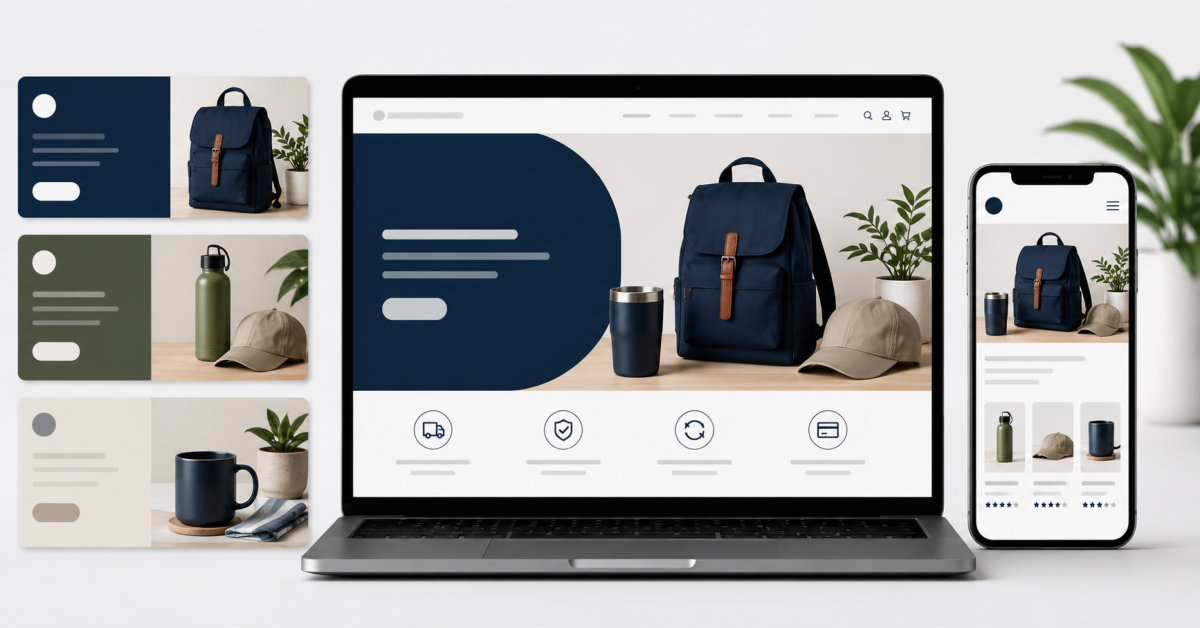
AI image generators can help small ecommerce teams create matching banners, social graphics, and lifestyle assets faster, but brand consistency comes from a documented visual system and human review, not from prompts alone. Use an approved product image, a reusable prompt library, defined channel templates, and SKU-level quality checks before publishing generated assets.
The AI image tool is not your brand system. It is a fast production layer for the brand system you have already decided to protect.
A shopper looks at a homepage banner, then checks a product listing, and later opens a promo email. If all three seem to come from different stores, the shopper may not trust the brand, even if they can’t say why. Using the same visual style helps people recognize the brand, just like a familiar logo does. Small ecommerce teams understand this, but it’s really difficult to keep all banners, product images, and social posts looking the same without a designer on hand or time to explain details for each item. Tools like Senzia are becoming a practical way for these teams to close that gap.
This is the real pain point. A startup or a small marketing team needs to put up a flash sale banner by Monday, update five product listings by Wednesday, and make a matching social media post by Friday. They have to do all of this without a style guide that anyone can actually check or follow. Hiring a freelance designer for each of these tasks adds extra costs and delays, which a store that moves quickly can’t really afford. An AI image generator changes that math. Rather than outsourcing every single asset or allowing each campaign to have a wildly different level of visual quality, your small team can save time by simply describing the look you want and then reusing those directions in all of your posts that week.
Recognition does not come from a logo alone. It comes from a shopper seeing a banner, a product image, and a promotional email and instantly knowing which store it is from, despite not seeing the name. It comes from choices embedded in the design: same warm lighting in all the product photos, same muted colors in every banner ad, same vantage point in all the images of a given clothing collection. When a store changes its aesthetic halfway through a marketing campaign and puts a white background on a black one or vice versa, shoppers know it, even if they can’t articulate why. An AI image generator from text could help brands make these specific choices and then stick to them, rather than leaving it all to interpretation.
E-commerce runs on a constant content cycle. New arrivals need listing images. Sales need banners. Social calendars need daily posts. Email campaigns need their own graphics. The challenge is to produce this volume without the visual chaos of ten images that are each trying to go in ten directions. One small team can’t really brief a designer on every asset, which means the style needs to be somehow repeatable, formulaic, not requiring iteration and iteration of concept. That’s where an AI image generator becomes a valuable addition to the creative team, rapidly producing dozens of iterations of a shared vision. A store that previously spent a day finding and editing photos for a single sale can instead do it all in a couple of hours after establishing the look they want.
A text prompt functions like a one-paragraph creative brief for your design team – and is much more powerful than vague directions. A prompt describing lighting, color tones, composition, and mood can generate an image that serves as an inspirational reference for your designer almost immediately. This is especially valuable in the context of e-commerce, specifically because it replaces extensive back-and-forth with a single prompt that will then be reused as a reference for all future assets created by the freelancer or in-house design team.
Once a visual direction is nailed down through a prompt, the same core description can be adapted slightly for each channel. A wider crop for a banner, a tighter composition for a listing thumbnail, a bolder version for a sale graphic. The underlying style stays constant. Only the framing changes. This is what keeps a store’s visuals from feeling scattered even when they are being produced quickly and by different people on the team. An AI image generator free from complicated software makes this kind of channel-by-channel adaptation realistic for teams without a dedicated designer, since anyone on the team can reuse the same prompt with a small adjustment instead of waiting on a single person who knows the design tools.
This is where a tool like Senzia becomes useful for small e-commerce teams. Instead of thinking about a blank canvas, teams can instead input a description of the desired image, color scheme, lighting, and overall appearance, and receive generated options based on that initial prompt. Senzia, an AI image generator, takes a written prompt, such as a description of warm colors in a skincare banner with soft natural lighting and little product, and creates multiple options based on that description. The team would then look through these images and choose which best fits their branding. They could then use variations of the same image for different purposes, such as a wide banner for the website or a more square image for social media. This allows the team to create not only a banner but multiple different images within the span of the time it would typically take to set up a design meeting with an actual designer. The tool is a useful time saver in the design process AI image generator from text free starting point, letting a team see multiple directions before committing to one for their banners and listings.
A good banner is great, but an entire system to think of and generate good banners is brilliant. Senzia helps in this area in a very tangible way, because once a prompt is created that yields satisfactory results, that prompt can be saved and used as a basis for future assets. This way, a team can keep a running log of successful prompts and reference images, organized by what they were used for – a homepage banner prompt, a listing image prompt, a sale graphic prompt, etc – with enough information about each that a designer doesn’t have to guess at how to recreate an image from a previous screenshot. When a similar request comes up in a few months, the prompt can be retrieved, edited with the new sale details, and a graphic can be put out in the same style rather than a different style based on whatever assumptions were made when the prompt was first written. Additionally, because images can be generated in different sizes from the same description, one prompt can be used to make a banner, a square listing image, and a story-length social media graphic with only minor tweaks. After several iterations, this system would allow a team to build a veritable style library over the course of a few months, which would then be accessible to anyone – a huge boon to consistency, especially in larger teams that might not necessarily have been involved in the initial prompt creation. This is how the principles of style are actually preserved for reference and reused – not through some inaccessible style guide that most people don’t really engage with, but through a self-sustaining system of prompts that always generate the same types of images given the same descriptions.
Small ecommerce teams don’t have the luxury of time to brief a design process for every banner, listing image, and social graphic they need. What they can do is test variations faster, brief in plain text, and iterate on what works. An AI image generator free from the normal design constraints provides a small team with the same consistency a bigger brand would normally get from its design department. Senzia is one place to explore those styles from text, a starting point for teams that want their visuals to stay their recognizably theirs, sale after sale, listing after listing.
AI image generators can create more consistent ecommerce banners when a team supplies a documented visual system, reusable prompt components, approved references, and a human review process. The tool alone does not guarantee consistency. Define the lighting, background, palette, composition, mood, and copy-safe space before generating. Then save successful prompts and settings in a shared library. Use the same core direction for homepage banners, collection graphics, email headers, and paid-social formats while adapting the crop and layout for each channel.
You should use AI-generated images carefully as supporting Shopify product visuals, not as a replacement for accurate product photography when customers need to inspect the actual item. Product-detail images should show the correct SKU, packaging, colorway, materials, accessories, and quantity. AI works best for lifestyle backgrounds, seasonal campaign scenes, visual concepts, and channel-specific variations around an approved source image. Review every generated asset against the original product photo before publishing to avoid misleading shoppers about what they will receive.
Write an ecommerce AI image prompt by defining the product category, scene, composition, lighting, palette, texture, mood, and required aspect ratio, then add exclusions for common errors. A useful prompt might describe a premium skincare scene, soft morning light, warm stone texture, muted color palette, editorial composition, and negative space for campaign copy. Add exclusions such as no altered labels, no extra products, no unreadable text, no hands, and no unsupported claims. Save the prompt with reference images and approval notes when it produces a usable result.
Before publishing an AI-generated ecommerce image, check product accuracy, brand consistency, legal or claim risk, and channel usefulness. Confirm the product silhouette, color, packaging, label, accessories, quantity, and visible details match the approved source image. Confirm that lighting, composition, background, and mood fit the brand system. Review the image at the size customers will see on mobile, and make sure it leaves room for any required copy. For regulated, beauty, food, or health-adjacent products, check that it does not imply unsupported outcomes or product claims.
Senzia can be a useful AI image-generator option for ecommerce teams that need prompt-based generation, reference-image workflows, edits, upscaling, and multiple creative variations. Whether it is the right choice depends on how accurately it preserves your product details, how easily the team can repeat approved visual styles, its commercial-use and data-handling terms, and the final output quality for your channels. Test it against an approved product image and one real campaign brief before adopting it for production. Compare the result with other image tools using the same prompt and review criteria.





