

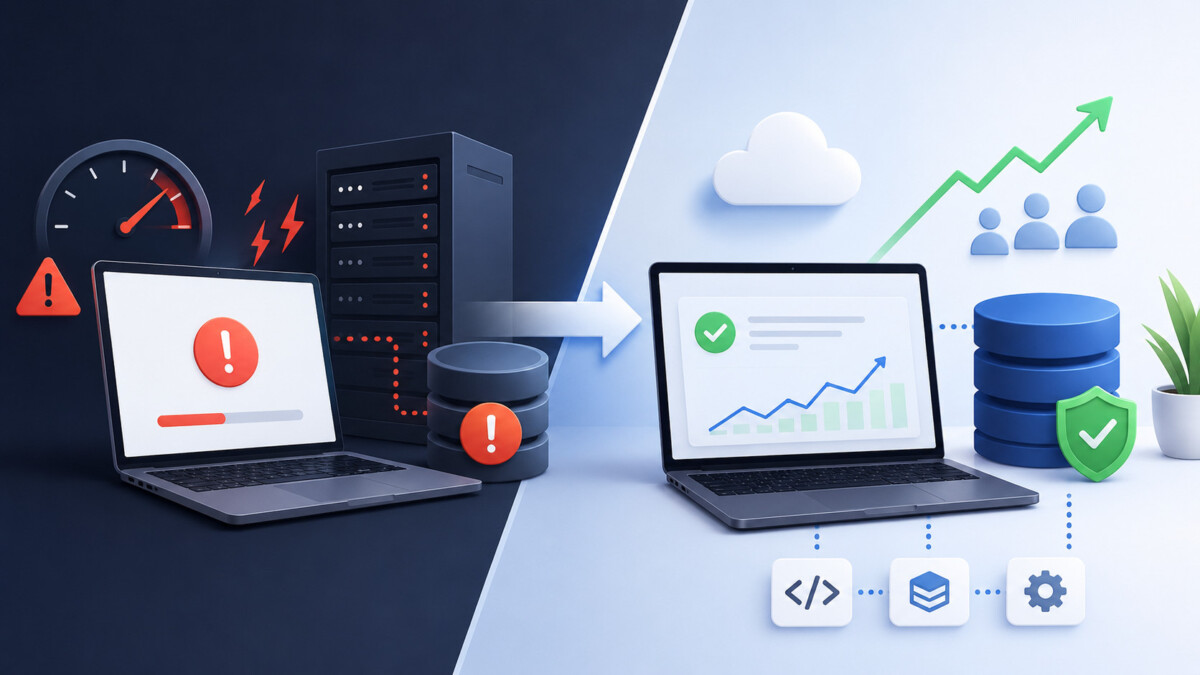
When an app suddenly slows or fails under growth, the culprit is almost always unindexed database queries, hidden shortcuts, and ignored warning metrics, not the server itself, and small, early fixes cost far less than heroic mid-crisis rewrites.
Backends almost never collapse out of nowhere; growth simply exposes the shortcuts you forgot you took and the queries you never optimized, turning quiet technical debt into very loud business problems.
There’s a specific kind of panic that hits a founder at 2 a.m. when the app goes down during its best week ever. A product feature got picked up on social media, signups tripled overnight, and suddenly the checkout page takes eleven seconds to load. Nothing in the code changed. Nobody deployed anything. The same backend that handled a hundred users without complaint is now buckling under ten thousand.
This scenario plays out constantly, and it’s rarely bad luck. It’s the predictable result of decisions made months earlier — decisions that were completely reasonable at the time. Understanding why backends break under growth, what the early warning signs look like, and what fixing them actually costs will save you from learning these lessons during your most important week.
Most founders assume that when traffic grows, the servers give out first. So they upgrade the server, watch the bill climb, and get maybe two weeks of relief before everything slows down again.
The real bottleneck, in the overwhelming majority of early-stage products, is the database. Specifically, it’s the queries.
Here’s what happens. In the early days, your developer wrote a query that pulls a user’s order history. With 200 orders in the database, that query returns in 4 milliseconds whether it’s written well or badly. Nobody notices the difference because there isn’t one yet. Fast forward eighteen months: the orders table has 2 million rows, the query has no index supporting it, and that same lookup now scans the entire table. What took 4 milliseconds takes 4 seconds. Multiply that by every user hitting the page at once, and your database CPU pins at 100% while your upgraded server sits mostly idle, waiting.
This is why throwing money at bigger machines so often fails. You’re scaling the wrong layer. A single missing index can make a query 100x slower than it needs to be, and no amount of hardware papering fixes a full table scan on a large table — it just delays the collapse by a few weeks at a much higher monthly cost.
The second most common failure point is the N+1 query problem: code that fetches a list of 50 items, then makes 50 separate database calls to get details for each one. At small scale, that’s 51 fast queries and nobody cares. At real scale, it’s a self-inflicted denial-of-service attack that your own product runs against your own database on every page load.
Building fast and messy at the start isn’t a mistake. It’s usually correct. A startup that spends six months architecting for a million users before finding ten paying customers has its priorities backwards. Speed to validation beats elegance almost every time.
The trap isn’t the shortcuts themselves. It’s forgetting that you took them.
Technical debt behaves a lot like credit card debt. Borrowing is fine if you have a payoff plan. But most teams don’t write the shortcuts down anywhere, the developer who took them leaves, and eight months later nobody remembers that the image upload system stores everything on one server’s local disk, or that background jobs run inside the web process, or that there’s no separation between the code that reads data and the code that writes it.
The compounding is what hurts. Industry studies on rework consistently suggest that fixing an architectural problem after a product is live costs several times what it would have cost to address earlier — not because the fix itself is harder to write, but because of everything wrapped around it now. You’re migrating live data instead of empty tables. You’re maintaining backwards compatibility for a mobile app you can’t force users to update. You’re doing all of it without downtime, because you now have customers who notice.
A concrete example: moving from “all files stored on the server’s disk” to proper object storage takes maybe two days when you have 50 files. With 4 million files, active users uploading more every minute, and hardcoded file paths scattered across the codebase, that same migration becomes a multi-week project with a rollback plan, a sync script, and at least one tense evening.
None of this means you should over-engineer early. It means you should keep a plain-text list of every shortcut you knowingly take, and revisit that list every quarter. The teams that do this treat debt as a tool. The teams that don’t get ambushed by it.
Backends almost never fail without warning. The signals just tend to be ignored because, individually, each one seems tolerable.
A healthy endpoint that returned in 120ms last quarter and returns in 380ms now is telling you something, even though 380ms still feels “fine.” Gradual degradation is growth pressure making itself visible. If you only look at averages, you’ll miss it — check your p95 and p99 latencies, the experience of your slowest requests. Averages hide pain; percentiles reveal it.
If users grew 30% this quarter but database costs grew 90%, your queries are getting less efficient as data accumulates. That gap widens on its own. It never self-corrects.
When restarting the server becomes the standard fix — weekly, then daily — you almost certainly have a memory leak or connection pool exhaustion. Restarts don’t fix these. They reset the clock on a countdown that keeps getting shorter.
Occasional timeouts during ordinary traffic mean you’re already operating near a ceiling. A modest spike — a newsletter send, a small press mention — is enough to tip you over. Teams that get taken down by “success” were usually running at 85% capacity for months without measuring it.
When shipping a small change requires bracing for impact, your architecture has lost the ability to absorb change safely. This one is cultural as much as technical, and it’s often the most expensive signal to ignore, because it slows every future fix.
You don’t need a consultant or a rewrite to know where you stand. A focused afternoon gets you most of the way.
If nobody on your current team can confidently work through this list — common when the product was built by frontend-leaning developers or an agency that’s long gone — that’s typically the moment founders decide to hire backend developer expertise rather than stretching the existing team past its depth. The audit itself is a solid first project for that hire: it produces a prioritized map of risk instead of vague anxiety, and it tells you within a couple of weeks whether the person can find real problems in an unfamiliar codebase.
“We’ll just move to microservices.” Microservices solve organizational scaling — letting 15 teams ship independently — far more than they solve traffic scaling. For a small team, they multiply operational overhead: more deploys, more monitoring, network calls where function calls used to be, and distributed debugging. A well-indexed monolith on solid hardware comfortably serves hundreds of thousands of users. Plenty of companies you’d recognize run exactly that.
“The cloud auto-scales, so we’re covered.” Auto-scaling adds more copies of your application servers. It does nothing for a database that’s melting, and if your app is inefficient, auto-scaling mostly automates the process of paying more to run inefficient code in parallel. It’s a genuinely useful tool — for the one layer it addresses.
“Rewriting from scratch will fix everything.” The full rewrite is the most seductive bad idea in software. It routinely takes two to three times longer than estimated, and while it drags on, the old system still needs fixes — so you’re maintaining two codebases with one team. Worse, the old code’s ugliness encodes years of edge cases and bug fixes that the clean rewrite cheerfully reintroduces. Incremental refactoring — strangling the old system piece by piece while it keeps running — is slower on paper and faster in reality.
“We’re too small to worry about any of this.” Caring about scale at 50 users is premature. But “not over-engineering” and “not measuring” are different things. Slow query logs, a latency baseline, and a tested backup cost almost nothing and pay off at every size.
“Our developer says it’s fine, so it’s fine.” Maybe. But a developer who built a system has blind spots about it by definition, and “it’s fine” without numbers is a feeling. The right follow-up isn’t distrust — it’s “great, what’s our p95 and where’s the ceiling?” If the answer is specific, relax. If it’s a shrug, see the audit above.
Ranges vary by region and stack, but the orders of magnitude hold up well enough to plan around.
Doing nothing feels free and isn’t. Research on e-commerce performance has repeatedly found that even a one-second slowdown measurably cuts conversions — commonly cited figures land around a 7% drop. On $50,000 of monthly revenue, that’s roughly $3,500 a month evaporating without a single error message. Downtime is blunter: for a small SaaS, an outage during peak hours costs hundreds to thousands of dollars per hour in lost revenue, plus churn from users who tried you at exactly the wrong moment and never came back.
The infrastructure band-aid — doubling server capacity — typically runs a few hundred to a couple thousand dollars extra per month. Sometimes it buys you a legitimate runway to fix things properly. As a strategy on its own, it’s renting time at a rate that increases while the underlying problem compounds.
A focused optimization pass — indexes, query fixes, caching, connection pooling — usually lands between $5,000 and $25,000 as a contained project, or a few weeks of a capable engineer’s time. This is consistently the highest-ROI option for products that grew past their MVP architecture, because most slow systems aren’t uniformly slow. They’re fast systems with five terrible bottlenecks, and fixing those five often buys 5–10x headroom.
Serious re-architecture — splitting services, adding read replicas, moving to event-driven processing — starts around $30,000–$50,000 and climbs well past $100,000 with team involvement over several months. Justified when you’re genuinely outgrowing a single database’s write capacity. Wasteful when what you actually needed was the $15,000 optimization pass. A depressing number of expensive re-architectures were purchased to solve problems an index would have fixed.
The pattern worth internalizing: the cheap fix and the right fix are usually the same fix, early. They diverge more every month you wait.
Not every warning sign demands action today. A reasonable framework:
Wait if your metrics are stable, your growth is modest, and your audit list is short. Write the list down, set a quarterly reminder, ship features.
Fix now with who you have if you found a handful of slow queries and your team has the skills. Indexes and caching are well-trodden ground; a competent generalist with good documentation can handle a lot.
Bring in depth when the problems are architectural — data models that fight your access patterns, no separation of concerns, systems nobody fully understands — or when every backend fix steals time from the frontend work your product also needs. The math is straightforward: if performance issues are costing you thousands a month in conversions and churn, expertise pays for itself faster than it feels like it should. What matters more than the hiring channel — full-time, contract, or fractional — is that whoever comes in starts by measuring, not by proposing a rewrite in week one. That single behavioral tell separates engineers who’ll fix your actual problems from engineers who’ll fix interesting problems.
The uncomfortable truth about backend reliability is that it’s rarely won through dramatic saves. It’s won through a dull weekly ritual: look at the latency number, glance at the slow query log, note whether the database bill moved. Fifteen minutes.
Teams that do this catch problems when they’re a $500 index away from solved. Teams that don’t meet the same problems later, at 2 a.m., during their best week ever, when the fix costs fifty times more and the users watching are the ones they most needed to impress.
Growth doesn’t break backends. Growth reveals what was already broken and adds a countdown timer. You get to choose whether you find those things on a quiet Tuesday afternoon with a slow query log, or whether your users find them for you. One of those options is dramatically cheaper, and it’s available every week between now and the week you’ll wish you’d taken it.
How do I know if my product has outgrown its original backend? Watch three signals: p95 response times trending upward over months, infrastructure costs growing faster than your user count, and routine restarts becoming part of operations. Any one of them is a yellow flag; two or more together mean the architecture is actively working against you.
Is a monolith actually bad for a growing product? No — a well-structured monolith is the right choice for most products under a few hundred thousand users. It’s simpler to deploy, debug, and reason about than distributed alternatives. The problems people blame on monoliths are usually missing indexes, tangled code, and absent monitoring, all of which follow you into microservices anyway.
What’s the single highest-impact performance fix for most apps? Database indexing, by a wide margin. A missing index on a large, frequently queried table can make lookups 100x slower than necessary. Enable slow query logging for 48 hours, index the top offenders, and many teams see their worst pages get dramatically faster within a day of work.
How much should an early-stage startup budget for backend upkeep? A useful rule of thumb is reserving 15–20% of engineering time for maintenance, optimization, and debt paydown rather than new features. Teams that skip this for a year typically end up spending several consecutive months on nothing but cleanup, which costs more in total and stalls the roadmap.
Are full rewrites ever the right call? Occasionally — when the technology itself is dead-ended, like an unsupported framework or a language you can no longer staff for. Even then, incremental migration (routing traffic piece by piece to the new system while the old one keeps running) beats a big-bang rewrite in almost every documented case. Rewrites fail mostly because the old system’s edge cases were the product’s real knowledge.
Can better infrastructure substitute for better code? Briefly, and at increasing cost. Bigger servers buy time when a spike is imminent, but hardware scales linearly while inefficient queries degrade worse than linearly as data grows. The math always catches up; infrastructure spend works best as a bridge to a real fix, not as the fix.
What should the first week of a backend-focused engagement look like? Measurement, not construction. A strong engineer starts with slow query logs, latency percentiles, error rates, and a map of single points of failure, then presents a prioritized list of the cheapest fixes with the biggest impact. Be wary of anyone whose first-week proposal is a rewrite or a new framework — that’s a preference talking, not your data.





