


Wix and Squarespace are hugely popular platforms for creating and managing websites, including online stores.
You’re not sure which one to pick?
Buckle up as we compare the platforms’ features, from pricing, ease-of-use, and design options to marketing, search engine optimization (SEO), and eCommerce capabilities.
Let’s dive in – Wix vs Squarespace – which is better?
Before diving into the details, let’s quickly take a look at the main features both platforms offer.
Note
Both Wix and Squarespace offer visual, drag-and-drop editors. They are great for beginners and advanced users alike and don’t require any prior website development experience.

Wix eCommerce plans (paid monthly; no transaction fees for all plans):
| Plan | Price ($ per month) |
|---|---|
| Core | $34 |
| Business | $38 |
| Business Elite | $172 |
Squarespace eCommerce plans (paid monthly):
| Plan | Price ($ per month) | Transaction fee |
|---|---|---|
| Business | $33 | 3% |
| Commerce (Basic) | $36 | No transaction fee |
| Commerce (Advanced) | $65 | No transaction fee |
Squarespace is more affordable than Wix, especially if paid monthly. However, Wix gives more advanced eCommerce features in its low-tier plans.
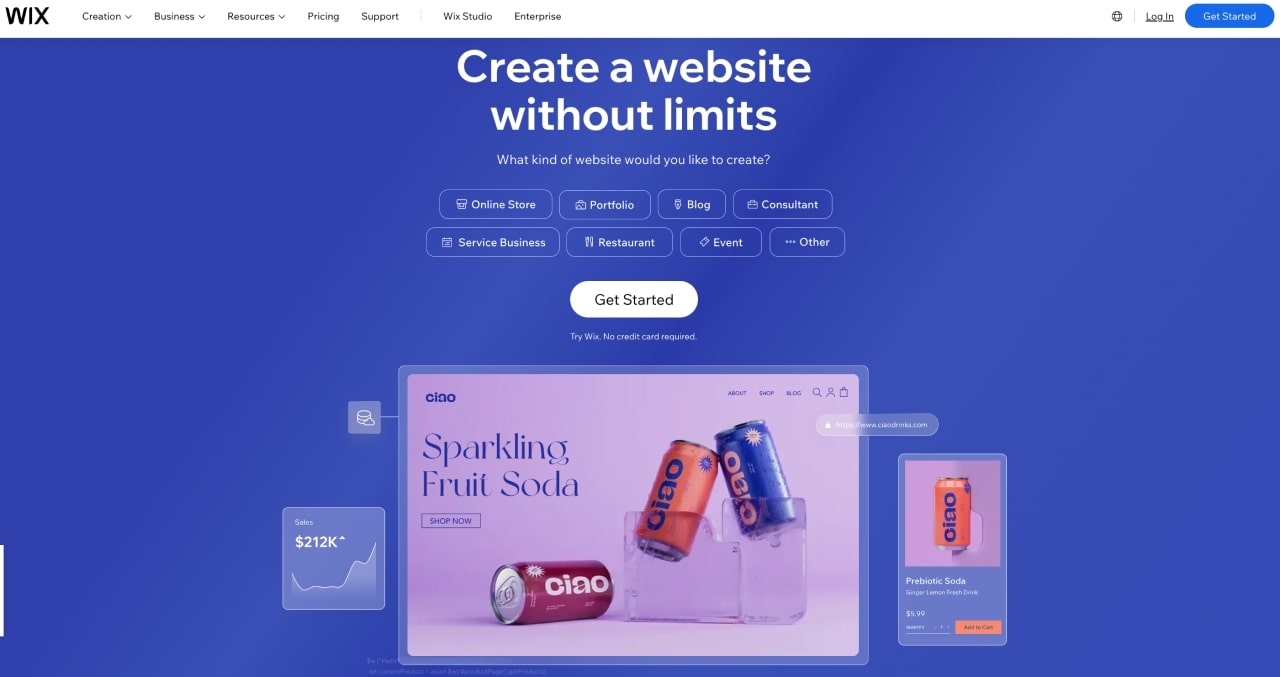
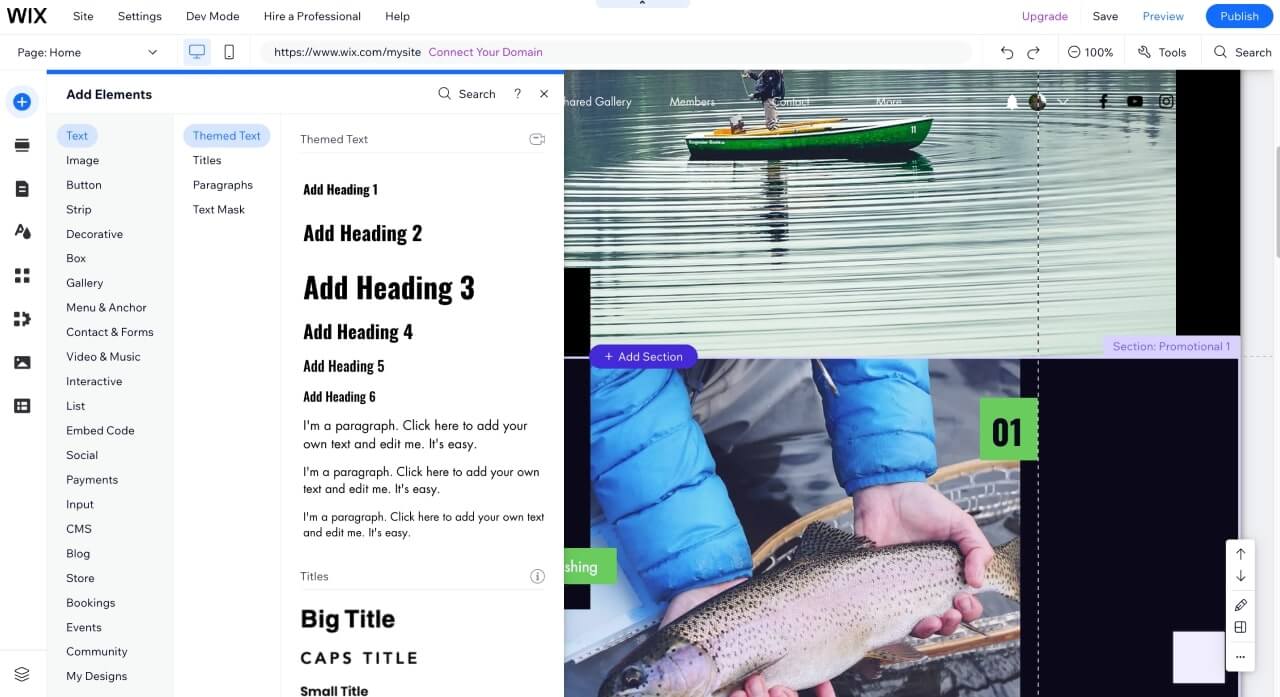
Wix is very intuitive and easy to use. The Wix editor is based on free-form, which provides flexibility in designing and arranging elements on a webpage. The user places editable blocks precisely on the web page without the need to code. Still, the platform gives options for adding code snippets and customizing your website even more.
Wix has far more options than Squarespace, which affects its usability – whether when editing, adding eCommerce features, or integrations.
Squarespace is more challenging to use than Wix, but it’s still beginner-friendly. Its base drag-and-drop editor adopts a structured, snap-to-grid approach. This means that as you position or move elements, they automatically align with a predefined grid, resulting in a tidy and organized layout without needing intricate adjustments.
You can add and move items to your website without coding. However, like Wix, Squarespace offers tools for inserting custom code.
Squarespace has a more controlled approach, delivering fewer selected options than Wix – which some users may prefer.
Squarespace has invested heavily in its usability and customization options during 2022 and 2023, launching the Fluid Engine, improving UX, and integrating its web design experience with AI tools.
Squarespace is more affordable than Wix, especially if paid monthly. However, Wix gives more advanced eCommerce features in its low-tier plans.
Wix led the way in using artificial intelligence in website building with the Wix Artificial Design Intelligence (ADI). This assistant editor asks for words and phrases that characterize your website – for instance, “culinary blog” or “dropshipping online store.”
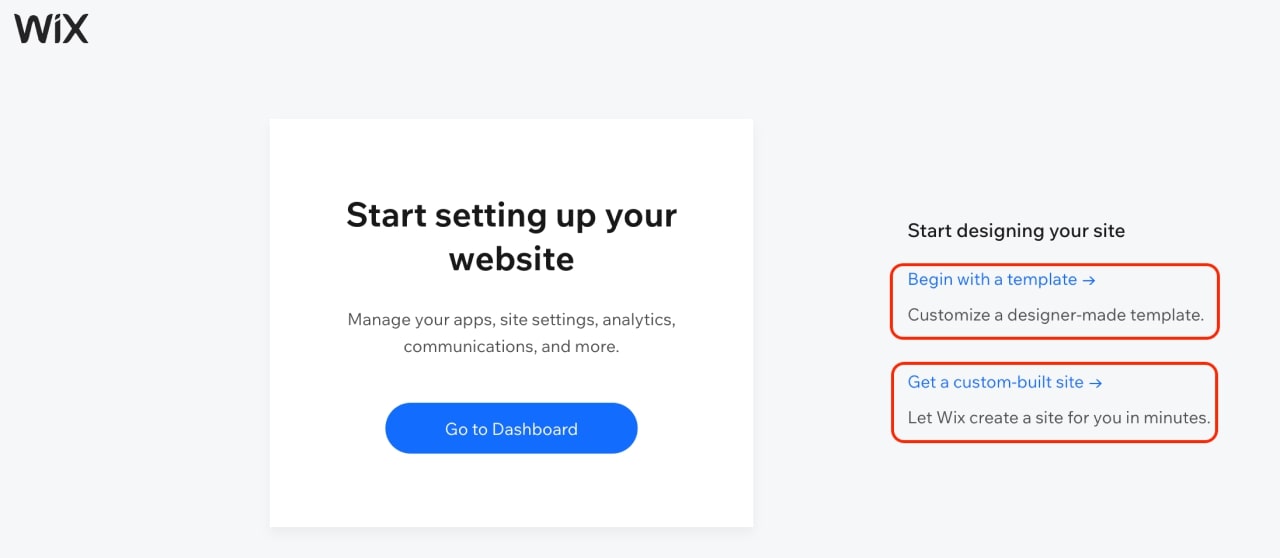
With this information, Wix ADI creates customized web pages, such as a blog or an online store, with blocks you can move around and alter with the Wix editor.
The main Wix editor is an AI-powered drag-and-drop tool. You can easily add any elements to templates and move them around. An intuitive menu centralizes all essential features, allowing you to customize graphic elements and add images, videos, or forms.
AI generates copy for product descriptions, headers, and titles based on a prompt you write at the beginning of creating the site, specifying what the page is about.
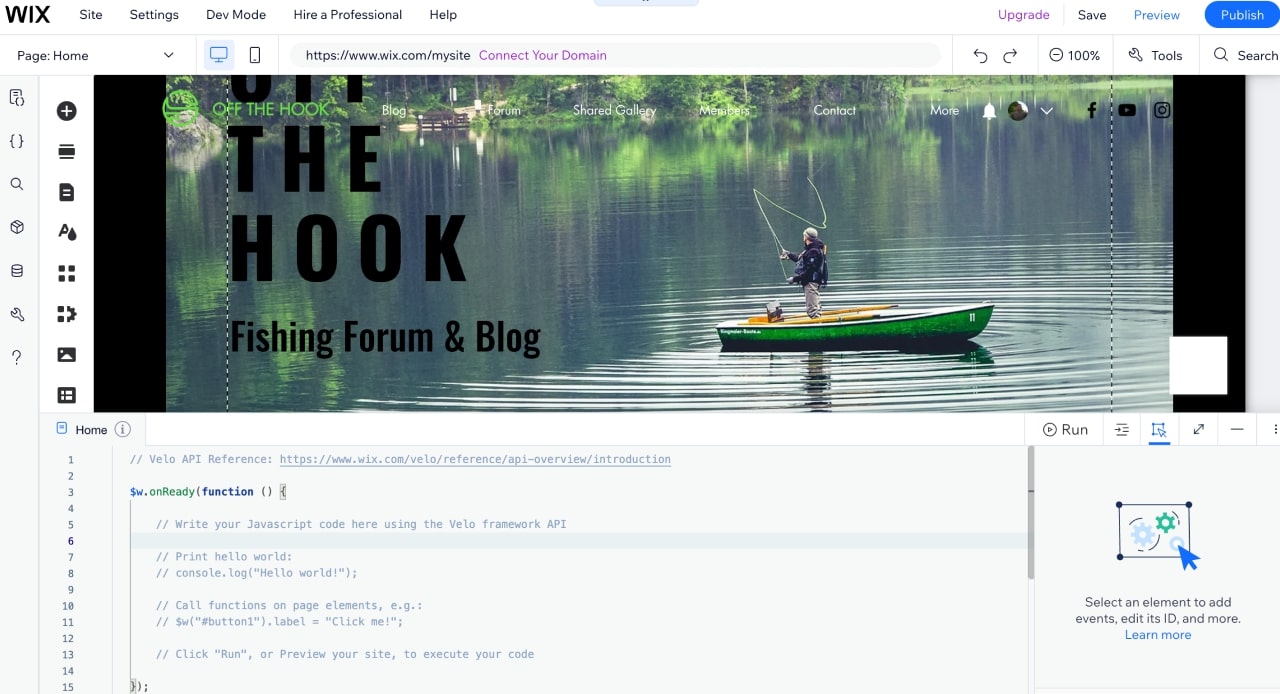
Velo by Wix, a powerful web development platform, allows developers and advanced users to enhance their websites by easily adding code snippets and custom elements. With Velo, you can write your own code or leverage AI using the app Code with AI: Write Velo Code.
Squarespace’s drag-and-drop Fluid Engine works from templates, positioning elements on a grid to prevent misalignments. This results in consistent, sleek websites that are reasonably customizable. Creators can edit desktop and mobile versions of their websites separately.
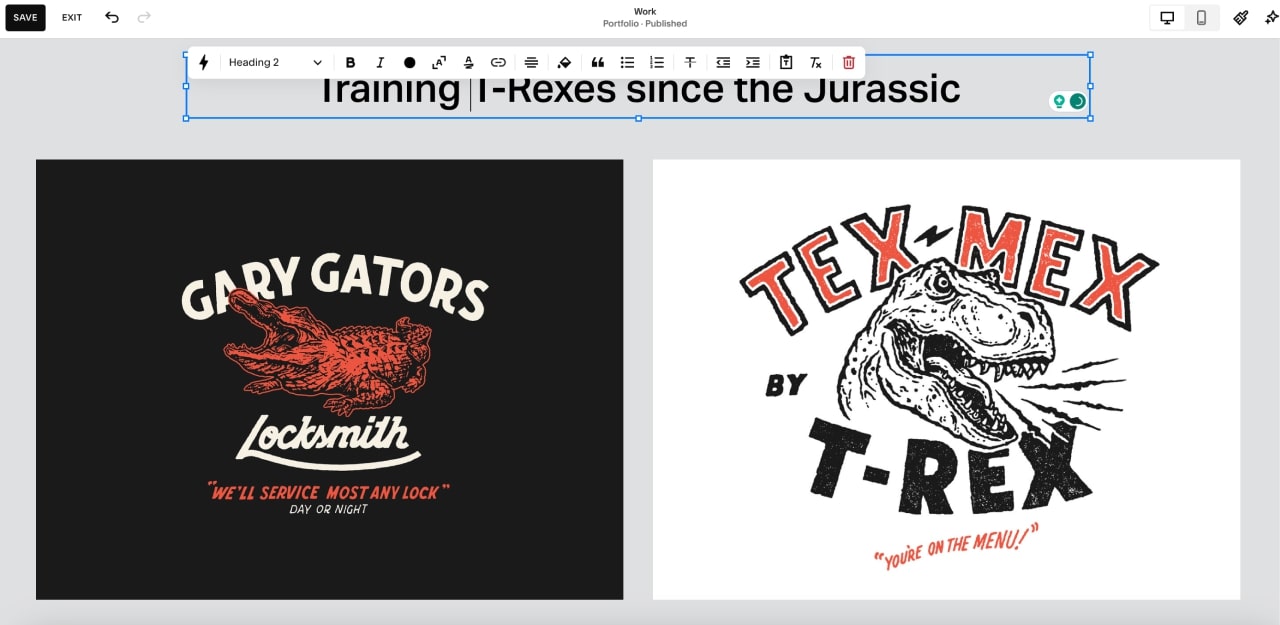
Squarespace Blueprint is a new AI-powered editor that makes website creation easier through guided steps and an interactive experience.
The tool asks questions to the user, similarly to Wix ADI, but mixes curated Squarespace templates with styling options such as layouts, fonts, and palettes.

Squarespace offers a live preview with a progress bar, allowing users to visualize their site’s development in real time. Even after site creation, you can edit using either the Squarespace editor or the Fluid Engine.

Note
Both Wix and Squarespace editors let you visualize and edit the page for desktop and mobile devices, creating responsive websites.
Both Wix and Squarespace provide HTML and CSS customization tools for users who want to add code and deeply customize their websites.
Besides the previously mentioned Velo for the HTML edition, Wix Studio lets you add specific CSS code to change style settings beyond standard editor options.
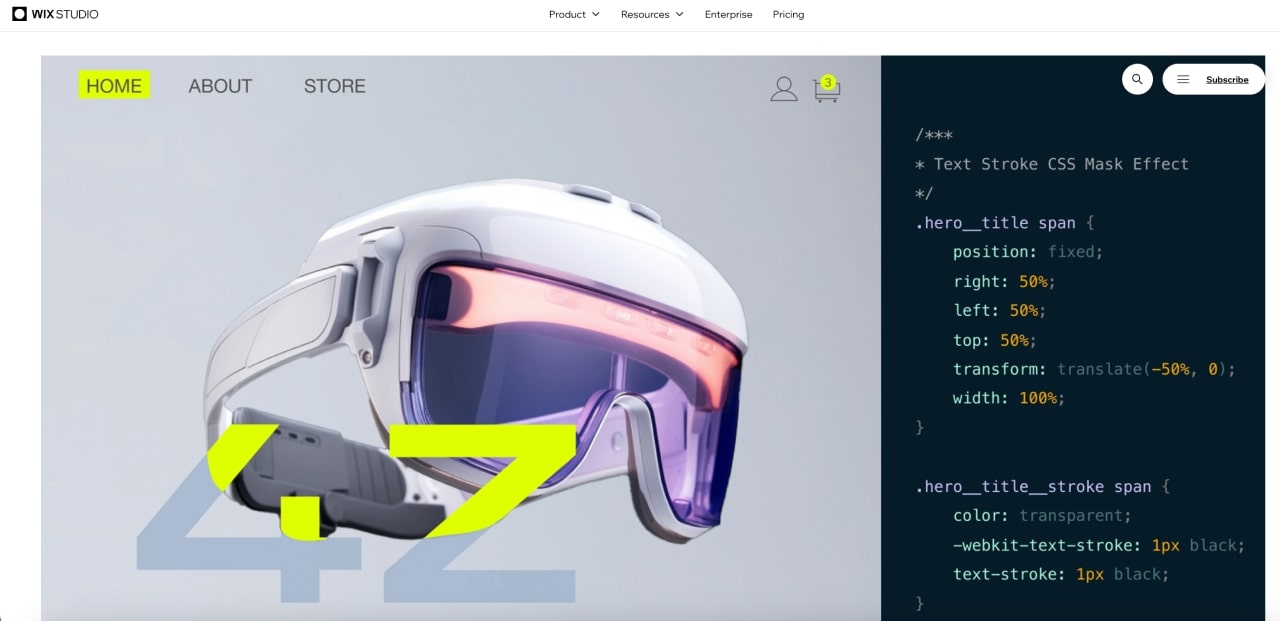
Squarespace has continually added new options to personalize its page beyond built-in options, including custom Code blocks and Embed blocks (all plans) for HTML and JavaScript. Business and Commerce plan subscribers can also use advanced options for adding iFrames and Markdown.
Both Wix and Squarespace build websites using modern templates. While the builders used to follow very different approaches to website creation, they are gradually looking more similar.
Still, there are differences between them:
Wix offers around 860 templates organized into five categories: Business & Services, Store, Creative, Community, and Blog. While Wix offers a wide variety of templates, not all match the high quality found in Squarespace’s designs.
It’s also important to note that you can’t change a Wix template after you start building a page.

Squarespace has over 160 high-quality templates organized into eight types, such as Online Store, Portfolio, and Blog, and 21 overlapping topics, including Local Business, Food, and Art and Design, which makes finding the perfect template for your website a breeze.
In addition, you can create your own templates with the Squarespace Blueprint tool.
Similarly to Wix, you can’t change the template in a Squarespace site after you start building it.
Tip
Want to know more about Squarespace templates? Check out our article and pick the best for your website.

Squarespace wins this round. Wix has a free-form workflow and more customization possibilities, but the results will depend on your skill and experience – beginners may end up with an unprofessional-looking Wix website.
The high-quality Squarespace templates make achieving consistency and a professional look easier.
Wix and Squarespace continually improve their eCommerce capabilities, adding competitive features that in some aspects, rival dedicated eCommerce platforms like Shopify.
Both offer basic features for selling online, like cart & checkout, inventory management, customer accounts, abandoned cart recovery, and point of sales (POS). Additional resources are available in the Wix app market and Squarespace integrations.
Wix Stores offers a decent number of features for small and medium businesses, from the Core plan ($34 per month), including up to 50,000 products, POS (depending on the region), Abandoned Cart Recovery, Social Media Integration, and Analytics.
Features such as multiple currencies, automated tax, and additional storage space are available in higher plans.
Wix doesn’t charge transaction fees independently of the plan. Unlike Squarespace, there are over 50 payment gateways, including Wix payments, Square, Stripe, and PayPal.
Note
Wix eCommerce plans assimilated most of Ascend’s features, and you can further expand a Wix site through its App market, with hundreds of eCommerce apps.
Squarespace offers eCommerce features from the Business plan (from $33 per month). Its websites are particularly liked by artists, content creators, and creatives, especially in the US, thanks to quality visuals and eCommerce localized features.
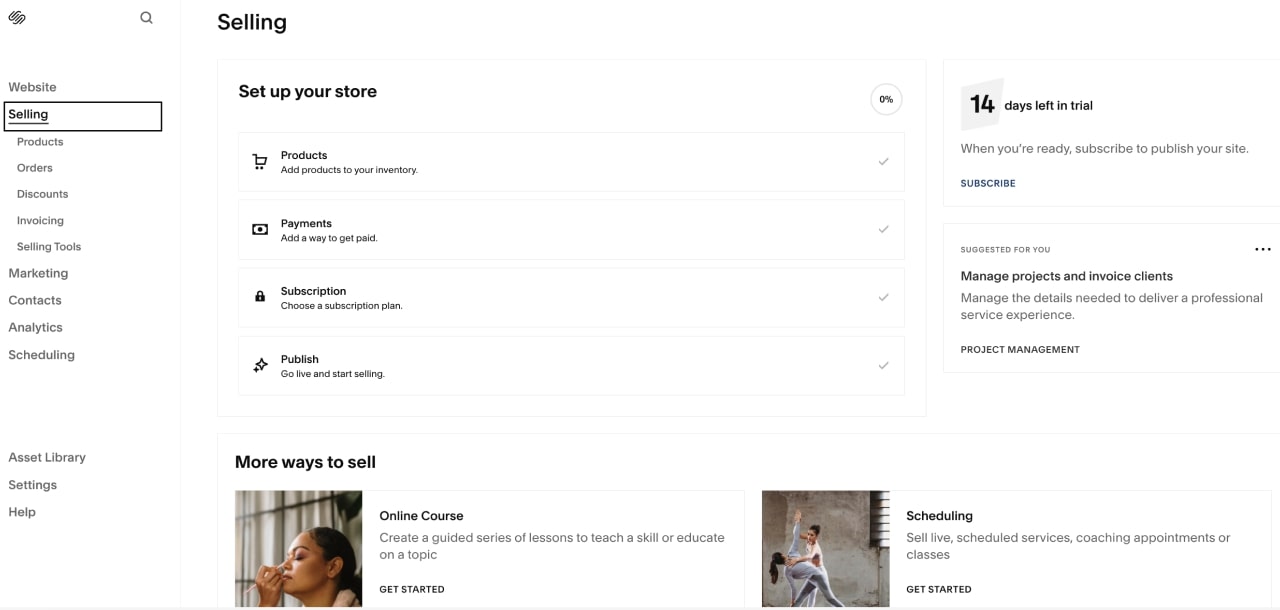
The website builder lets users sell unlimited physical and digital products, subscriptions, and courses, with basic functions like accepting and managing transactions from the dashboard.
Squarespace processes payments with Stripe, PayPal, or Square. The platform’s built-in payment system, Squarespace Payments, has been gradually rolling out to US merchants in 2023, promising to extend its availability to international users in 2024.
Squarespace Refresh 2023 enhanced and customized the checkout experience, introducing improvements to Client Invoicing:

You can add eCommerce features by adding apps. There are dozens of selected partners available in the Integrations section.
With POS, business owners can sell in physical locations and accept payments through various devices, from smartphones and tablets to specialized hardware like card readers.
Wix POS has received recent updates and is compatible with Wix Payments in Canada and the US. The system is available for sellers in the following countries with SumUp or Square as payment gateways:
Note
The processor account and Wix Store’s currency must match, or the gateways will decline the payments.

Squarespace POS is integrated with Square as the payment processor and requires at least the Commerce Basic plan.
The Squarespace POS app is available only in the US for iOS, working exclusively with a card reader. Additionally, the function doesn’t accept Google Pay.
Wix has the lead. It provides features like POS and Abandoned cart recovery from its more affordable eCommerce plan, while Squarespace requires upgrading to higher-tier plans to get the same options with a very limited POS.
Moreover, Wix offers tons of eCommerce extensions and gives more scalability.
Both Wix and Squarespace offer top-tier blogging features, which include templates for blog posts, post drafts and scheduling, newsletters, categories and tags, user roles, contact forms, and a map site.
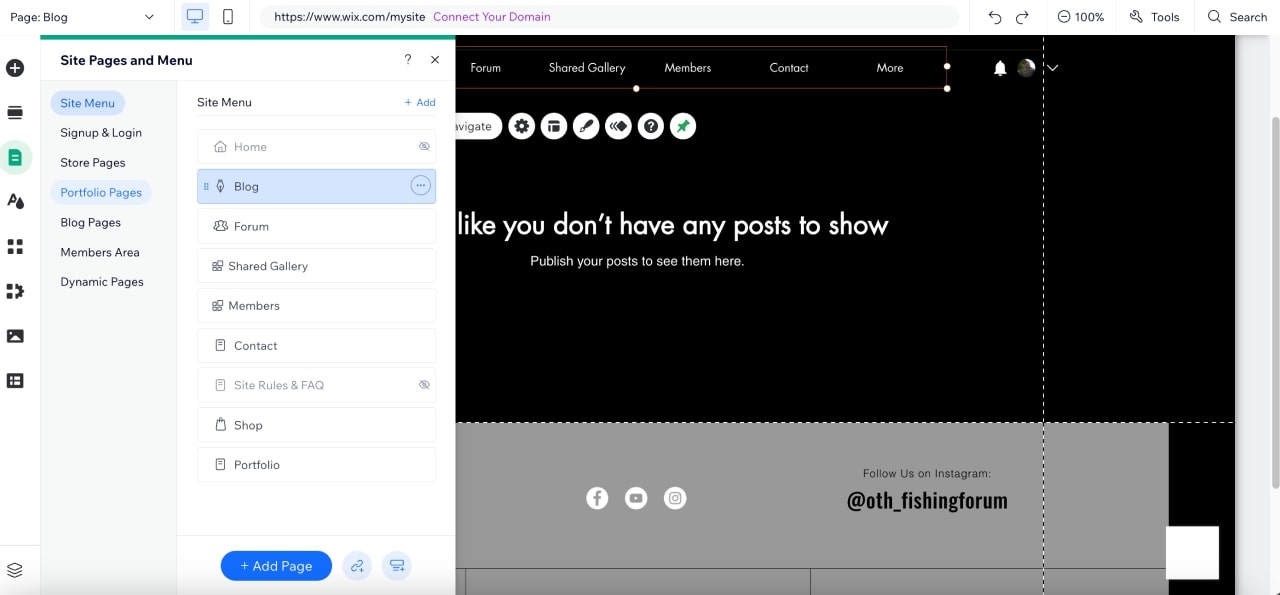
Additionally, Squarespace lets you attribute more than one author to a post. The platform is a top contender for site content and blogging features and is preferred by many content creators, even over WordPress.
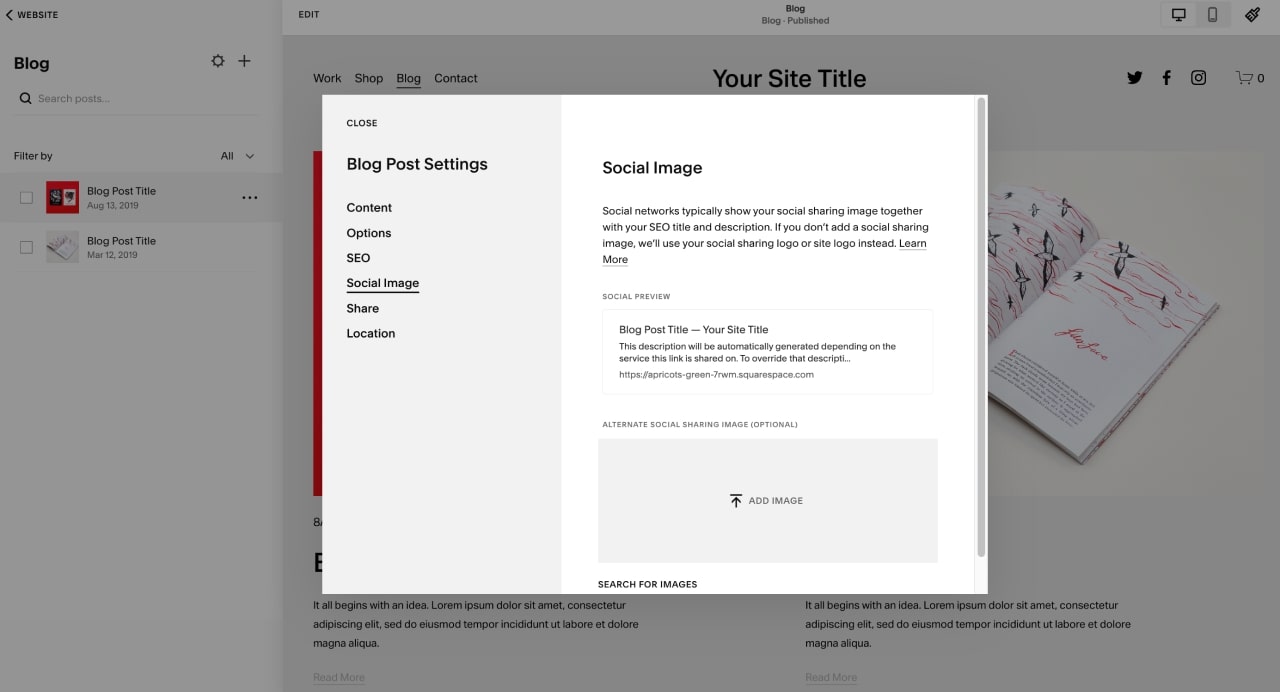
Both platforms recently introduced options for monetizing blog posts and are actively developing AI-assisted writing tools, which currently have minimal impact on their blogs.
Squarespace stands out for its amazing aesthetics, advanced features, and the exciting promise of expanding AI writing options. Wix’s blogging features have a slight advantage in SEO and the possibility of expansion with more apps.
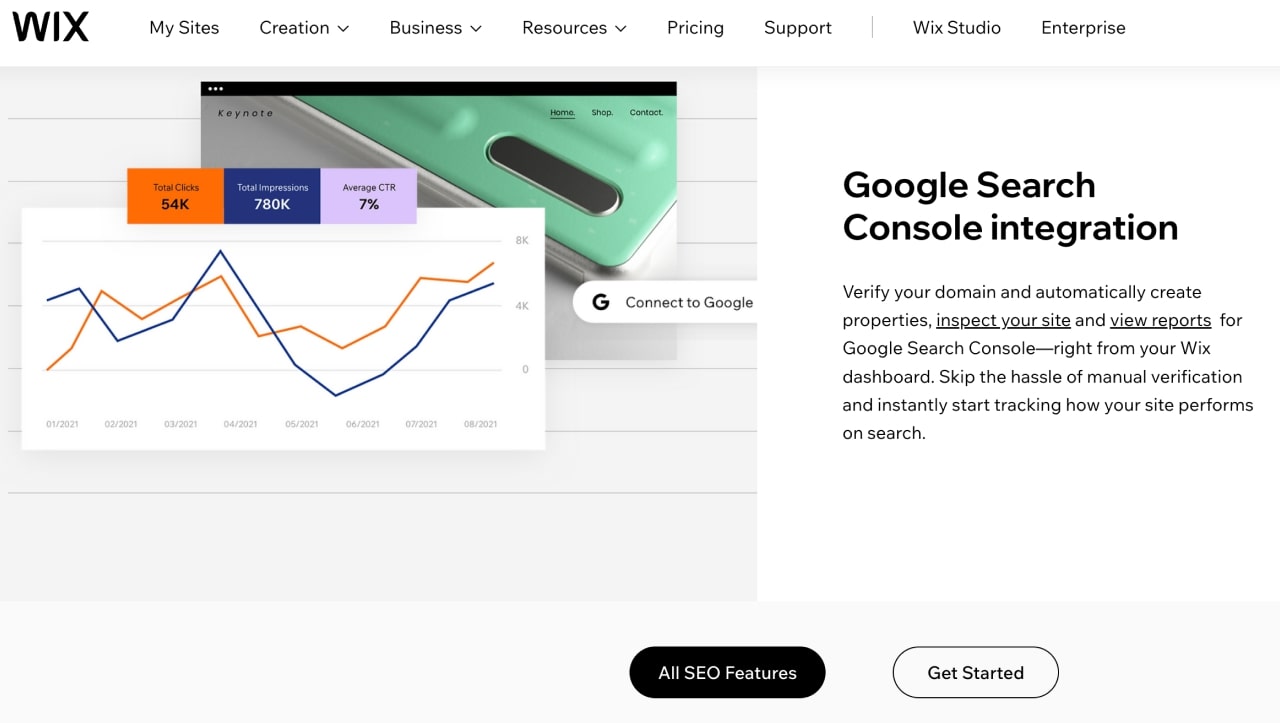
Squarespace Marketing Tools

The two website builders are well-equipped with marketing tools. Overall, Wix scores higher with marketing and SEO features from the discontinued Ascend suite, free email limits, and more features, integrations, and apps, but Squarespace has an edge in Content Marketing.
Both Wix and Squarespace are secure platforms capable of helping to create and maintain equally safe and updated websites and online stores, with features like:
It’s a draw. Your website will be safe with both platforms.
Storage and bandwidth are crucial in the scalability of websites and online stores. Enough storage ensures sufficient space to store the website’s data, including images, videos, and other content.
On the other hand, bandwidth is essential for handling the traffic and data transfer between the website and its visitors. Together, these ensure a smooth user experience, especially as the site grows.
The storage, bandwidth, and video hours offered in Wix eCommerce plans are the following:
| Core | Business | Business Elite | Enterprise | |
|---|---|---|---|---|
| Storage | 50 GB | 100 GB | Unlimited | Unlimited |
| Bandwidth | Unlimited | Unlimited | Unlimited | Unlimited |
| Video Hours | 5 hours | 10 hours | Unlimited | Unlimited |
| Storage | |
|---|---|
| Core | 50 GB |
| Business | 100 GB |
| Business Elite | Unlimited |
| Enterprise | Unlimited |
| Bandwidth | |
| Core | Unlimited |
| Business | Unlimited |
| Business Elite | Unlimited |
| Enterprise | Unlimited |
| Video Hours | |
| Core | 5 hours |
| Business | 10 hours |
| Business Elite | Unlimited |
| Enterprise | Unlimited |
Subscribers to the Business plan can extend video hour limits by opting for an additional subscription to the Editor X – Premium plan.
This round’s winner depends on your needs. In general, Squarespace offers a better deal with unlimited storage and bandwidth. However, if storing and streaming video is crucial for you, Squarespace’s 30-minute limit may be too restrictive, and Wix has better options.
The Wix app market and the Squarespace extensions marketplace provide widgets, extensions, and integrations, providing additional website features and functionalities, including live chats, forms, and events & tickets.
Wix has the edge. There are thousands of apps in the Wix app market compared to dozens at Squarespace. Not all Wix apps are high-quality, though, while Squarespace maintains strict quality control over its integrations.
Both Wix and Squarespace offer similar analytic features and capabilities based on Google tools in their eCommerce plans, with built-in integrations with Google Analytics 4 and Google Search Console.
These include:
The main difference between the platforms is how this information is organized and presented.
Squarespace analytics follow the platform’s minimalistic interface – graphs, charts, and pies are clean and easy to follow but may look dry and uninteresting for those not math-oriented.
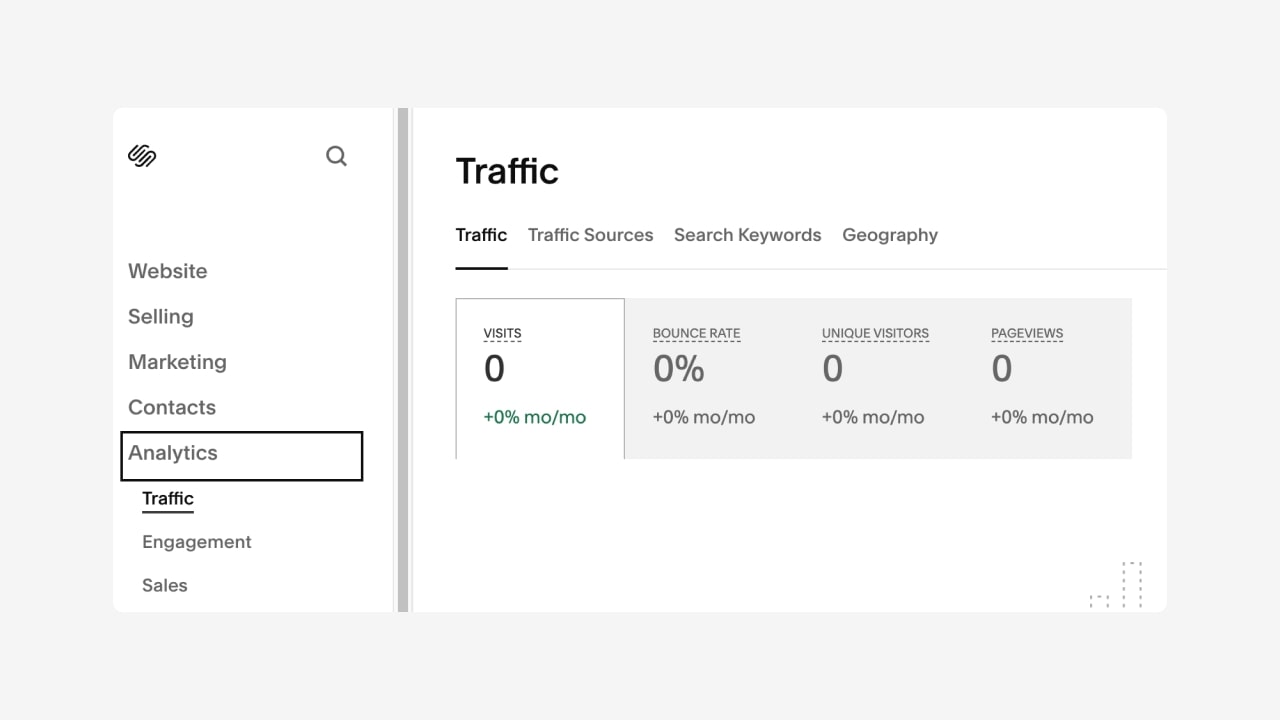
While Wix’s analytics interface may appear less aesthetically pleasing and somewhat cluttered, the platform goes the extra mile by providing various visualizations of the same data. This includes maps and a heat map, which presents data in a grid format with variations in color intensity.
Wix still has advanced analytics tools within the Business VIP plan and possible expansion through its app store.
However, most third-party apps will offer the same insights gathered from Google tools as the platforms’ built-in analytics.

There is no significant difference in the analytics features and capabilities of the platforms. However, Wix has a slight edge with more apps and visualization options.
Squarespace plans (paid monthly) range from $23 to $65, while Wix plans (also paid monthly) would cost from $27 to $159. Both platforms offer enterprise-level plans with custom pricing.
That depends on your goals and location. Both platforms offer similar pricing. Squarespace excels in aesthetics and content creation, providing a refined selection of integrations and apps. However, its eCommerce features are more limited compared to Wix’s, and some features, like POS, are available to users from a few locations other than the US.
Wix can build beautiful and functional websites, although the quality of its templates is lesser than Squarespace’s and gives a considerably larger number of apps and integrations, not all of the same standard. However, its eCommerce functions are more developed than Squarespace’s and are available in more locations.
Wix and GoDaddy can both build websites, but the platforms originally had different goals.
From the start, Wix was an all-in-one solution with a strong focus on website building and a streamlined set of features, improving its eCommerce capabilities over the years.
GoDaddy began with web hosting, and its website builder, although resourceful, is relatively new and simpler than Wix. While GoDaddy has been offering attractive features at a lower price, including SEO optimization, Wix is still a more comprehensive website builder.
So, is Wix or Squarespace better? To some, the comparison looks like the differences between a Mac and a PC: a curated and beginner-friendly environment versus a more open and tweakable system.
Both website builders have invested in AI technology and offer all the resources needed to create and implement a website or an online store. Choose the best website builder, considering your location, niche, and work style.





