


Looking to use A2X to connect your Shopify account to Quickbooks Online?
We’ve got you covered (and it’s an amazing move for your business!)
My name is Connor Gillivan. I’ve been building businesses in the eCommerce space since 2009 w/ an exit in 2019.
In this article, we’ll break down a step-by-step process for you to follow when using A2X to simplify your Shopify bookkeeping on Quickbooks.
Here’s what we’ll cover:
If you’re an eCommerce business owner selling on Shopify, you know how important it is to keep track of your finances. One of the best ways to do this is to connect your Shopify store to Quickbooks Online with A2X. Here’s a step-by-step guide on how to get started:
First, you’ll need to create an A2X account if you haven’t already. A2X is a powerful tool that will help you automate your bookkeeping and streamline your financial reporting. Once you have an account, you can start connecting your Shopify store to Quickbooks Online.
To connect your Quickbooks Online account to A2X, you’ll need to grant A2X access to your Quickbooks Online account. This will allow A2X to create invoices, bills, and other financial transactions automatically. Follow the steps in A2X to connect to Quickbooks Online, and make sure you choose the correct company file.
Once you’ve connected your Quickbooks Online account, it’s time to connect your Shopify store to A2X. Again, follow the steps in A2X to connect to Shopify, and make sure you choose the correct store.
Now that your accounts are connected, you’ll need to configure the A2X settings for the connection. A2X will ask you to specify things like the sales tax rate, the payment gateway you’re using, and how often you want to sync your data. Make sure you double-check all of these settings to ensure they’re correct.
Congratulations, you’ve successfully connected your Shopify store to Quickbooks Online with A2X! From now on, your financial transactions will be automatically synced to Quickbooks Online, saving you time and effort. You’ll be able to generate financial reports, track inventory, and manage your cash flow more easily than ever before.
Tips and Tricks:

When connecting Shopify to QuickBooks Online with A2X, there are several potential issues that you may need to troubleshoot. These include:
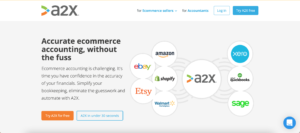
A2X is a powerful tool that connects your eCommerce sales channels to your accounting software, automating your bookkeeping and streamlining your financial reporting. It’s designed to work with Amazon, Shopify, Walmart, Etsy, and eBay, and supports accounting software such as QuickBooks Online, Xero, and Sage.

LinkMyBooks is a cloud-based solution that integrates your Shopify store with your accounting software, such as QuickBooks Online or Xero. With LinkMyBooks, you can automatically sync your orders, refunds, shipping, and tax data to your accounting software, eliminating manual data entry and saving you time. LinkMyBooks also offers advanced features such as inventory tracking, multicurrency support, and custom transaction mapping.
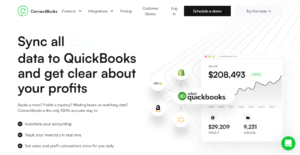
ConnectBooks is an app that seamlessly integrates your Shopify store with QuickBooks Online. With ConnectBooks, you can automatically sync orders, refunds, taxes, and discounts to QuickBooks Online, saving you time and reducing errors. ConnectBooks also offers a range of customizations, such as mapping Shopify products to QuickBooks Online items, and syncing multiple Shopify stores to a single QuickBooks Online company.
Let’s take a closer look at the two options:
If you’re comfortable with technology and have a basic understanding of accounting, you can certainly connect Quickbooks to Shopify yourself with A2X. This will require some time and effort on your part, but it can save you money in the long run.
You’ll need to create an A2X account, connect to your Quickbooks Online account, and connect to your Shopify store. You’ll also need to configure the A2X settings for the connection. Once everything is set up, your financial transactions will be automatically synced to Quickbooks Online, making it easier to generate financial reports, track inventory, and manage your cash flow.
However, if you’re not confident in your abilities or don’t have the time to set up the connection yourself, you may want to consider hiring a bookkeeper.
If you don’t feel comfortable connecting Quickbooks to Shopify yourself, or if you simply don’t have the time, you can hire a bookkeeper to do it for you.
A bookkeeper can set up the connection between Quickbooks and Shopify using A2X, configure the settings, and ensure that everything is running smoothly. They can also reconcile your accounts regularly and provide you with financial reports and insights that can help you make informed business decisions.
While hiring a bookkeeper may cost you more money upfront, it can save you time and give you peace of mind knowing that your finances are in good hands.

Yes, A2X does work with Shopify. A2X is a powerful tool that is designed to work with multiple eCommerce platforms, including Amazon, Shopify, Walmart, Etsy, and eBay. A2X helps streamline the bookkeeping process by automatically syncing your eCommerce sales data to your accounting software, such as QuickBooks Online, Xero, and Sage. By connecting Shopify to A2X, you can save time and reduce errors by automating your financial reporting and bookkeeping. So if you’re an eCommerce business owner selling on Shopify, A2X is a great tool to help you manage your finances.
A2X does not work with QuickBooks Desktop. A2X is a cloud-based tool that is designed to work with QuickBooks Online, Xero, and Sage. QuickBooks Desktop is a separate product that is installed on a computer and is not cloud-based. While A2X does not work with QuickBooks Desktop, there are other options available for eCommerce business owners who use QuickBooks Desktop, such as ConnectBooks and LinkMyBooks. These tools provide similar functionality to A2X, allowing you to automate your financial reporting and bookkeeping.
QuickBooks Online is widely considered to be the accounting system that works best with Shopify. QuickBooks Online offers several benefits for eCommerce businesses, including integration with Shopify, automated syncing of sales data, and access to a range of financial reports.
With the help of an integration tool such as A2X, QuickBooks Online can help streamline your bookkeeping process and provide you with real-time financial insights. Other accounting systems that work well with Shopify include Xero and Sage, which also offer integration with Shopify and other eCommerce platforms.
Ultimately, the accounting system that works best for your business will depend on your specific needs and preferences, so it’s important to evaluate your options carefully before making a decision.
The cost of the A2X app depends on the pricing plan that you choose. A2X offers two pricing plans: Standard and Pro.

EcomBalance is a monthly bookkeeping service specialized for eCommerce companies selling on Amazon, Shopify, Ebay, Etsy, WooCommerce, & other eCommerce channels.
We take monthly bookkeeping off your plate and deliver you your financial statements by the 15th or 20th of each month.
You’ll have your Profit and Loss Statement, Balance Sheet, and Cash Flow Statement ready for analysis each month so you and your business partners can make better business decisions.
Interested in learning more? Schedule a call with our CEO, Nathan Hirsch.
And here’s some free resources:
Feel confident to connect your Shopify to Quickbooks with A2X now?
If you still have questions, reach out to us at [email protected].
Happy Bookkeeping!




