

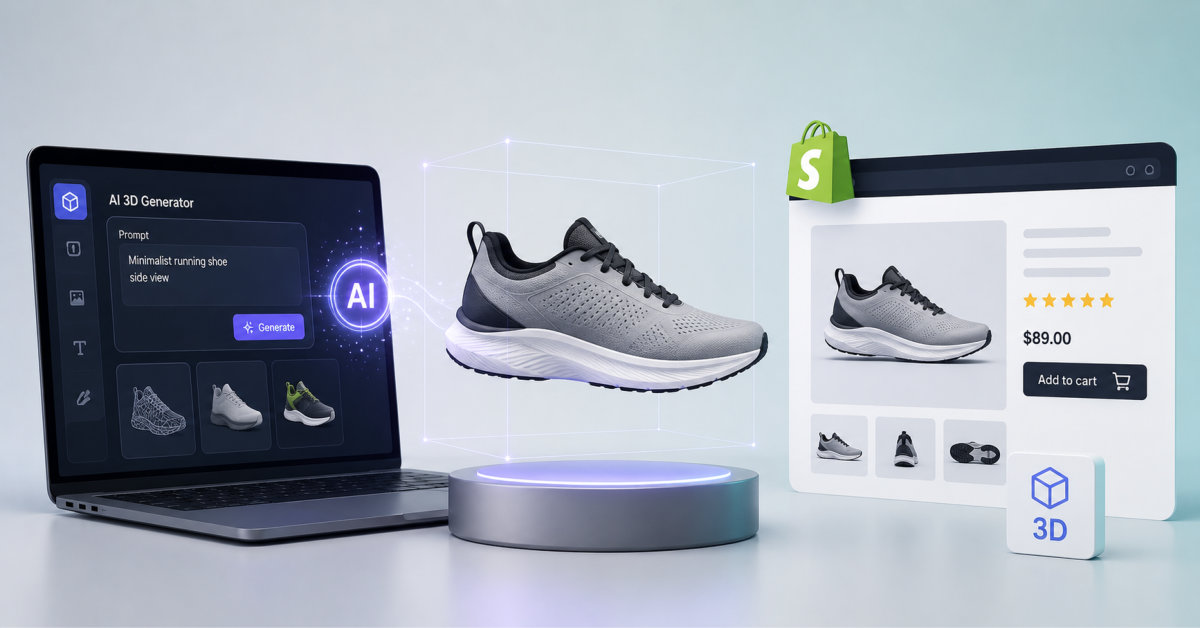
AI 3D model generators such as Meshy turn a product photo into a page ready GLB file in about a minute, which works well for rigid, textured products. They fall short of Shopify’s own modeling spec on scale accuracy and topology, so hero SKUs still need human review.
Generating a 3D mesh got cheap. Generating one that matches the real product at real scale did not, and that gap is where most merchant 3D projects quietly die.
A merchant selling a $1,400 walnut sideboard has one photograph, three angles, and a customer who wants to know whether it clears the radiator. That gap between what a photo shows and what a buyer needs to know is the whole problem behind replicating in store handling online, and it is where 3D models earn their keep. Until recently the only way to close it was to pay a modeler several hundred dollars per SKU and wait two weeks for delivery.
AI generation changed the input, not the standard. A product photo now becomes a textured mesh in roughly a minute. Whether that mesh belongs on a live product page is a separate question, and the answer depends far more on what you sell than on which tool you pick.
This is written for operators in the $50K to $2M range selling physical goods with shape, scale, or finish that a flat image cannot communicate. If you sell digital products, consumables, or anything a customer already knows the exact dimensions of, the rest of this will not change your quarter.
An AI 3D creation platform converts a text prompt or a product photograph into a textured, exportable 3D mesh in roughly one minute, entirely in the browser, with no modeling software installed on your machine. That last part matters more than the speed. The reason most sub $2M merchants never shipped a 3D asset was never cost alone, it was that the workflow required Blender, Maya, or a freelancer who owned them.
Meshy is one of the leading AI 3D model generators, and the practical read for a Shopify operator is that it collapses that workflow into a browser tab. It runs two generation modes. Text to 3D takes a written description and builds a model from nothing, which suits concept work and props rather than real inventory. Image to 3D takes your existing product photography and reconstructs a mesh from it, and this is the mode that matters for a catalogue. It also accepts multi image input, so feeding the platform front, side, and rear shots of the same product produces measurably better geometry than a single hero image, particularly on the back faces a single photo never sees.
Around the generation core sit the pieces that make it usable: AI texturing that produces a full PBR set without shader work, an AI image generator for creating multi view reference frames, and auto rigging that most merchants will never touch because product models do not need skeletons. The 3D creation platform exports to GLB, OBJ, FBX, STL, USDZ, and BLEND, which covers the Shopify product page, the 3D printer, and the game engine from one generation. There is a free browser based tool suite alongside it, including a file converter, an online viewer, a file compressor, and an STL repair utility, and a documented REST API with Python and Node SDKs for merchants who want generation inside their own pipeline. The full export format and API reference is public, which is worth checking before you assume your downstream tool is supported.
One generated asset also travels further than the product page. The same GLB feeds AR placement, a virtual try on pilot, or a lightweight showroom, which is the practical argument for treating 3D as infrastructure rather than a page decoration. There is a broader map of how AR, virtual try on, and live commerce fit together for smaller retailers if you want to see where a single asset gets reused.
Shopify’s published modeling standard asks for four things AI generators do not reliably produce: real world scale, quadrangulated geometry, manually unwrapped UVs, and a finished file around 4 MB. This is the part vendor marketing skips, and it is the difference between a model that looks fine in a viewer and one that survives on a live product page.
Read Shopify’s own standards for merchant 3D assets and the specificity is striking. The model should be built to the exact size of the real product, so a 73 cm table is 73 cm in the file. Geometry should be four sided rather than triangulated. The product origin sits at the base, not the centre. All UV shells belong on a single texture map, positioned in 1:1 space, without overlap, and Shopify explicitly states they should be manually unwrapped rather than produced by automatic tools. AI generation is automatic unwrapping by definition.
None of that means generated models are unusable. It means you should know which failures to look for. Scale is the one that bites hardest, because AR placement is the whole point for furniture and a sofa rendered at 80% of its real size actively misleads the buyer. Reflective, monochrome, and very thin geometry reconstruct badly across every generator on the market, not just one. And triangulated output is fine for a viewer but painful the moment someone needs to edit the mesh six months later.
The workable posture at this stage: generated models are strong candidates, not finished deliverables. Preview in a viewer, verify the silhouette against your reference photos, check the dimensions against a tape measure, and compress before upload. For a long tail SKU that is enough. For the product carrying 30% of your revenue, budget for a human to clean up the topology and set the scale properly.
On the free plan, models are released to you under CC BY 4.0, which permits commercial use but requires you to credit the tool on the page where the asset appears. That is a real constraint on a product page, and it is the single most commonly missed detail when merchants evaluate these platforms on price alone.
The free tier is genuinely free and genuinely useful: 100 credits per month, no credit card, no software install, enough for roughly five image to 3D generations. For evaluating whether the output quality clears your bar, that is plenty, and it means the test described below costs nothing to start. What it does not include is private, unencumbered ownership of the output. Under the published plan comparison and licensing terms, paid plans grant you full ownership of what you generate. Free plan output carries the CC BY 4.0 attribution licence instead, which asks for credit in the description of the commercial page.
Most brands will not want a tool credit sitting on a product detail page, and few merchants read far enough to discover the requirement before publishing. The entry paid tier runs $20 per month and resolves it, alongside API access and faster generation. Against a single freelance model at $200 to $500, that maths is not close. But it is a real cost line rather than the zero the free tier implies, and the honest framing for anyone at $50K in revenue is that the free tier is for testing and the paid tier is for shipping.
3D pays back where the buying question is about physical space or finish, and it does almost nothing where the question is about fit. That distinction sorts a catalogue faster than any vendor comparison chart.
Furniture sits at the top of that list for a reason. The most expensive unanswered question in the category is whether the piece fits the room, and a true to scale model answers it in a way no photograph can. That pattern shows up clearly in how furniture brands are using 3D and AR on their product pages, where research cited in that piece found 64% of shoppers who did not use 3D tools in 2024 wished they had.
Stage matters here too. Under $50K in revenue, pick one hero product and stop. Between $500K and $2M, the failure mode is almost never moving too slowly, it is generating 200 models in a weekend because generation got cheap, then discovering that a catalogue of mediocre meshes has made the site slower without moving a single metric. Premature complexity kills more of these projects than bad tooling does.
Run the test on a single product with existing traffic, and give it seven days from generation to first read. Anything larger is a project, and projects at this stage tend to stall before they produce a number you can act on.
On day one, pick the SKU. It should be rigid, textured, matte rather than glossy, at least 8 cm in every dimension, and already receiving enough sessions that a two week comparison means something. Photograph it or pull existing shots from three angles, front, side, and rear, and use the multi image input rather than a single frame. Generate, then open the result in a viewer before doing anything else. If the silhouette does not match the reference photo, regenerate with better inputs rather than pressing on.
On day two, export as GLB and check the file size. Shopify’s guidance points to roughly 4 MB, and anything over 5 MB will hurt mobile performance on the page it is supposed to help. Compress if needed. Verify the model’s dimensions against the real product with a tape measure, because scale errors are silent and they are the failure that makes AR actively misleading.
On day three, upload it through Products, then Media in your Shopify admin. The built in viewer activates automatically, with no app and no theme code required, and Shopify handles the iOS AR conversion for you. Then test it on an actual phone rather than a desktop preview, because that is where the file size problem shows up.
From day four onward, watch three numbers against the prior period: add to cart rate on that product, product page bounce, and return rate over the following 60 days. Return rate is the slower signal but usually the more valuable one. For a sense of the scale of lift that has been reported elsewhere, the conversion figures Rebecca Minkoff and Gunner Kennels published after adding 3D and AR are a reasonable benchmark, with the caveat that those are brand specific results from established catalogues rather than a promise about yours.
Three credible paths to a Shopify 3D asset exist, and AI generation is only the fastest of them rather than the automatic answer for every merchant.
The first is already in your pocket and costs nothing. The 3D scanner built into the Shopify mobile app uses the depth sensor on an iPhone 12 Pro or newer to scan a physical product directly into your product media. It takes 10 to 15 minutes per item and needs the product in hand, which rules it out for pre production and dropshipped inventory. The trade is real though: because it captures your actual object, scale and proportion are correct by construction, which is precisely where generated models are weakest. Its limits mirror the AI limits closely, since smooth, reflective, monochrome, and thin products scan badly for the same physical reasons they generate badly.
The second is a human modeler, still the right call for the handful of SKUs carrying most of your revenue. Cost has fallen from thousands into the hundreds per model, and what you buy is compliance with the spec above: correct scale, clean quad topology, properly unwrapped UVs, and a file that someone can revise next year.
The third is the rest of the AI generator category, which is competitive and moving quickly. Tripo, Hunyuan3D, and Trellis all occupy the same space, and the differences between them at any given moment are smaller than the difference between a good input photo and a bad one. Evaluate on the free tiers with your own products, not on comparison tables written by any of the vendors involved, including this one.
The honest summary for most merchants at this stage: scan what you physically hold, generate what you do not, and pay a human for the products that pay you.
Yes. Shopify accepts any valid GLB file uploaded through the product Media section, regardless of how the model was created, and the built in 3D viewer activates automatically without an app or theme edit. The practical constraints are quality and licensing rather than platform permission. Check that the model’s dimensions match the real product before publishing, since scale errors make AR placement misleading, and confirm the licence terms of whichever tool generated it. Free tiers on several platforms attach an attribution requirement that obliges you to credit the tool on the commercial page, which most brands would rather avoid on a product detail page.
Shopify needs GLB, and a single GLB upload is enough for both web and mobile AR. GLB is a binary glTF file that packs geometry, textures, and materials into one file, which is why it has become the default across ecommerce platforms. Shopify handles the iOS conversion for AR Quick Look, so you do not need to produce a separate USDZ file yourself. On size, Shopify’s own guidance for merchant models points at roughly 4 MB total, and staying under 5 MB is the practical rule because oversized files damage mobile page performance on exactly the pages where 3D is meant to help.
Meshy’s free plan allows commercial use, but under a CC BY 4.0 licence that requires you to credit Meshy on the page where the model appears. The free tier includes 100 credits per month with no credit card required, which covers roughly five image to 3D generations and is genuinely sufficient for evaluating output quality against your own products. Paid plans start at $20 per month and grant full private ownership of generated assets with no attribution requirement, plus API access and faster generation. For a merchant putting models on live product pages, the paid tier is the realistic option, and it still undercuts a single commissioned model by a wide margin.
Generation itself takes 20 to 60 seconds for the mesh, with texturing adding roughly another minute. The honest end to end number is longer. Budget 15 to 30 minutes per product once you include photographing it from multiple angles, reviewing the output in a viewer, regenerating when the silhouette is wrong, compressing the file, verifying dimensions against the physical item, and uploading it to Shopify. That is still a step change from the two week turnaround a commissioned model traditionally required, but treating the one minute figure as the real cost is how merchants end up with a catalogue of unreviewed meshes.
They do in high consideration categories where scale or finish is the unanswered question, and they do very little elsewhere. Reported lifts from established brands cluster around meaningful double digit improvements in add to cart and order rates after shoppers interact with 3D or AR, with return rate reductions often being the more durable gain. Those figures come from specific brands with specific catalogues, so treat them as directional rather than predictive. The reliable pattern is category dependence: furniture, hard goods, and large items benefit most, while apparel, consumables, and anything a shopper already understands dimensionally see little to no measurable change.




