
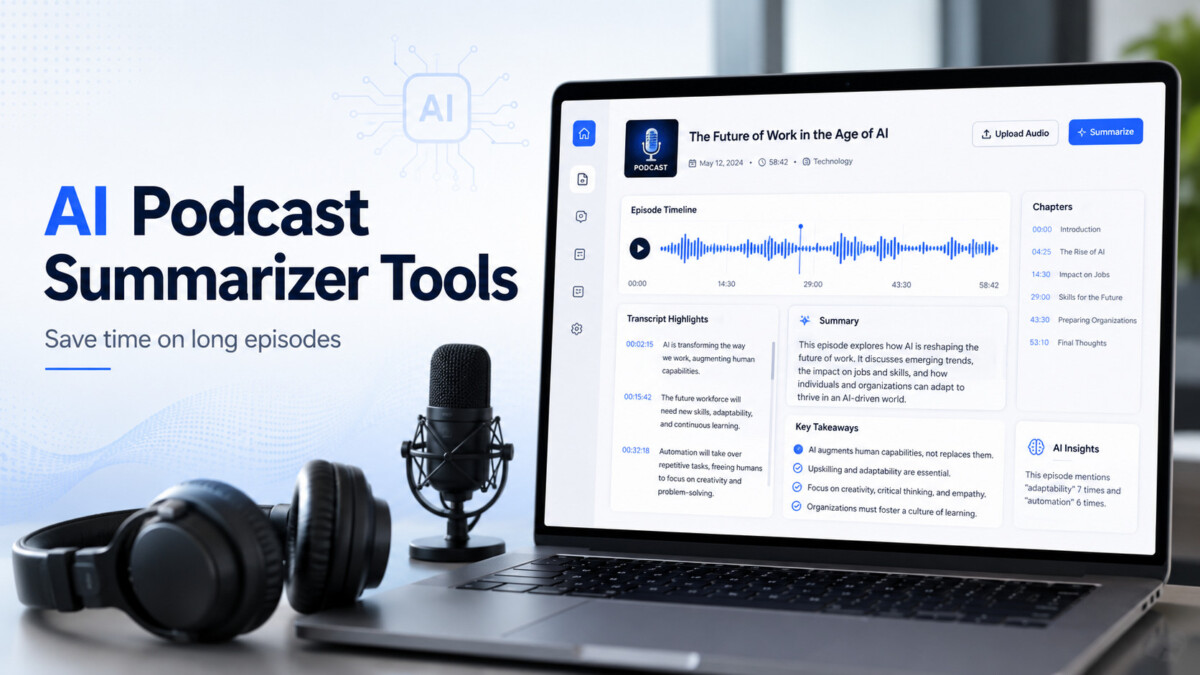
The 10 AI podcast summarizer tools below cover three use cases: helping listeners understand long episodes faster, helping creators turn episodes into show notes and repurposed content, and serving general transcription with summary layers. Listed alphabetically, with a comparison grid and stage-aware guidance below.
The bottleneck for most people using AI podcast tools is not the tool. It is having a clear answer to one question: are you listening or producing?
Podcasts are useful, but they are not always quick to consume. A single episode can run for 45 minutes, 90 minutes, or even longer. Some episodes are packed with ideas. Others take a while to get to the point. If you are using podcasts for learning, research, marketing, or content planning, listening to every episode in full is not always realistic.
That is where an AI podcast summarizer can help.
These tools turn long podcast episodes into shorter summaries, transcripts, key takeaways, timestamps, chapters, notes, and sometimes even blog posts or social media content. Some are built for listeners who want to understand an episode faster. Others are built for podcasters, agencies, and creators who want to repurpose their episodes into written content.
Below is a useful list of AI podcast summarizer tools worth checking out.
Best for: Summarizing and understanding podcast-style videos on YouTube
IsThisClickbait is a strong option when the podcast episode you want to review is published on YouTube. Many podcasts now upload full episodes, clips, interviews, and video versions to YouTube, which makes this type of tool useful for people who research podcast content through video platforms.
The tool is built to help users understand YouTube videos faster. Its Firefox extension listing says it can analyze any YouTube video with one click and provide AI analysis, a concise summary, key points, and a follow-up Q&A chat about the video.
That makes it helpful for podcast listeners, researchers, students, marketers, and content teams who do not want to sit through a full episode before knowing what it covers.
For example, if a two-hour founder interview is uploaded on YouTube, you can use IsThisClickbait to review the main ideas, check whether the episode matches the title, and decide if the full conversation is worth watching. It is not trying to be a full podcast hosting or editing platform. It works best when your main goal is to understand video-based podcast content quickly.
This makes it especially useful for people who use YouTube as a podcast search engine.
Best for: Podcast listeners who want summaries, saved insights, and episode chat
Snipd is designed more like an AI-powered podcast listening app than a simple summarizer. It is useful for people who listen to podcasts regularly and want to save key ideas while listening.
The platform says its AI can create a “snip” with audio, transcript, and summary when users save an insight. It also offers episode chat, so users can ask questions and get answers from episodes they have listened to.
This is useful if you listen to podcasts for learning and want to build a personal knowledge system. Instead of losing useful ideas after the episode ends, you can save them, revisit them, and connect them with your notes.
Snipd is a good fit for:
It may not be the best option if you only need a quick one-off summary from a podcast URL, but for long-term podcast learning, it is one of the more practical tools.
Best for: Podcasters who need summaries, chapters, and repurposed content
Podsqueeze is built for podcast creators and podcast teams. It focuses on turning podcast audio into written assets that help with publishing, promotion, and SEO.
Its podcast summary generator says it can create podcast summaries, descriptions, chapters with timestamps, blog content, and social posts.
This makes it useful if you are not just listening to podcasts, but producing them. After recording an episode, a podcaster can use Podsqueeze to create a summary, show notes, timestamped chapters, and promotional material.
That matters because podcast production does not end after recording. Most creators still need episode descriptions, website copy, newsletter blurbs, LinkedIn posts, and short-form content. Podsqueeze helps reduce that manual workload.
For agencies managing multiple podcasts, this type of tool can also make the workflow more repeatable.
Best for: Turning podcast episodes into content assets
Castmagic is a strong choice for creators, marketers, consultants, and podcast teams that want more than a basic summary. It is built around turning long-form audio into ready-to-use content.
The platform says users can upload MP3 files and generate transcripts, notes, summaries, highlights, YouTube descriptions, email templates, lead magnets, video scripts, social posts, and more.
That makes Castmagic useful when a podcast episode is part of a larger content strategy.
For example, a business podcast episode could become:
A summary for the website
A LinkedIn post from the strongest idea
A newsletter intro
A list of quote cards
A YouTube description
A short article draft
The tool is less about casual listening and more about content production. If your goal is to repurpose podcasts into multiple formats, Castmagic is worth checking out.
Best for: Podcast editing plus AI show notes
Descript is best known as a podcast and video editing tool, but it also includes AI publishing tools that help with podcast summaries and show notes.
Its help documentation says Descript can build podcast-style show notes with a summary, chapters, and timestamps, and users can customize the format or tone with prompts.
This makes Descript useful for creators who already need editing, transcription, and publishing support in one place. You can edit the podcast, clean up audio, generate captions, and create show notes without moving between too many tools.
Descript is not just an AI podcast summarizer. It is a full production workspace. That makes it a better fit for people creating podcasts than people who only want to summarize episodes as listeners.
If your workflow includes recording, editing, transcribing, and publishing, Descript can be a practical all-in-one option.
Best for: Podcasters recording interviews, webinars, and video podcasts
Riverside is mainly known for podcast and video recording, but it also offers AI show notes. Its show notes tool can generate summaries, takeaways, and chapters from podcast or video content.
This is helpful for creators who already record episodes inside Riverside. After recording, they can create show notes without starting from a blank page.
Riverside’s own show notes guidance explains that strong podcast show notes can include a hook, clickable chapters with timestamps, guest details, resource links, a call to action, and a full transcript.
That is useful because podcast summaries should not only summarize the episode. They should help listeners decide whether to listen, help search engines understand the topic, and give readers a quick way to find the most useful parts.
For interview-based podcasts, Riverside can be especially useful because it connects recording, editing, and summary generation in one workflow.
Best for: Quick podcast summaries from a URL
NoteGPT offers a dedicated AI podcast summarizer. Its tool page says users can enter a podcast URL and receive a concise overview, keywords, and key insights. It explains the process as retrieving podcast audio, converting audio to text, and then using AI to extract the main points.
This makes NoteGPT useful for people who want a direct podcast-to-summary workflow.
It is a good fit when you do not need a full creator suite. You may simply want to paste a podcast link and get a summary before deciding whether to listen to the full episode.
That can help with:
Research
Study notes
Podcast discovery
Quick episode review
Learning from long interviews
For casual users, the simple workflow may be the biggest advantage.
Best for: Uploading audio files and generating structured summaries
Notta is a transcription and meeting note tool that also offers an AI podcast summarizer. Its tool page says users can upload audio or video, or provide a link from sources like YouTube, Google Drive, or Dropbox. It supports file formats such as MP3, WAV, MP4, and M4A, then creates summaries with topics and action items after transcription.
This makes Notta useful if you have podcast files saved locally or in cloud storage.
For example, a podcast producer may have an edited MP3 file and need a quick transcript and summary. A researcher may have downloaded an interview and want key points. A marketer may want action items from a recorded audio discussion.
Notta is a good option when transcription accuracy and file support matter more than social content generation.
Best for: Podcast summaries, mind maps, outlines, and multilingual learning
Podwise is built for people who learn from podcasts. It says it can turn hours of podcasts into summaries, outlines, Q&A, mind maps, and key highlights. It also lists support for multiple languages, including English, Chinese, Japanese, Korean, Spanish, German, French, Portuguese, Russian, Polish, Czech, and Hindi.
This makes Podwise useful for listeners who want to understand and organize podcast ideas visually.
The mind map feature is especially helpful for complex episodes. Some podcasts are not linear. A guest may jump between personal stories, business lessons, technical ideas, and future predictions. A mind map can make the episode easier to follow after listening.
Podwise is a good fit for learners who want more than a plain summary and prefer organized knowledge.
Best for: Branded podcast show notes and content templates
Swell AI is built for podcast teams that want summaries and repurposed content in a consistent brand voice. Its AI podcast show notes page says users can upload audio or video and generate custom show notes, transcripts, clips, articles, newsletters, and other assets. It also mentions brand voice and reusable content templates.
This makes Swell AI useful for creators and agencies that publish regularly.
A solo podcaster may use it to save time after each episode. An agency may use it to keep show notes consistent across multiple clients. A brand may use it to turn interviews into newsletters, clips, and blog content.
The brand voice feature is important because AI-generated summaries often sound generic. A tool that supports custom templates can make the output easier to adapt for a real publishing workflow.
The best tool depends on how you work.
If you mainly watch podcast episodes on YouTube, IsThisClickbait is a useful starting point because it helps you quickly understand what the video covers before watching the full thing.
If you are a heavy podcast listener, Snipd or Podwise may be better because they are designed around saving ideas and learning from episodes.
If you are a podcast creator, Podsqueeze, Castmagic, Descript, Riverside, or Swell AI may be more useful because they help turn episodes into show notes, transcripts, articles, clips, and promotional content.
If you want a simple summary from a podcast link or file, NoteGPT or Notta may be a better fit.
An AI podcast summarizer can save hours if you listen to podcasts for learning, research, marketing, or content planning. The right tool can help you understand long episodes faster, pull out key ideas, create notes, generate show notes, and repurpose podcast content into other formats.
For casual listeners, the best tool is usually the one that gives a fast and clear summary. For creators, the best tool is the one that fits the full production workflow.
Tools like IsThisClickbait are useful when podcasts are published as YouTube videos and you want to check the value of the episode before watching. Tools like Podsqueeze, Castmagic, Riverside, Descript, and Swell AI are better for creators who need publishing assets after recording.
The main point is simple: podcasts are valuable, but time is limited. A good AI podcast summarizer helps you get the useful ideas faster without sitting through every minute of every episode.




