

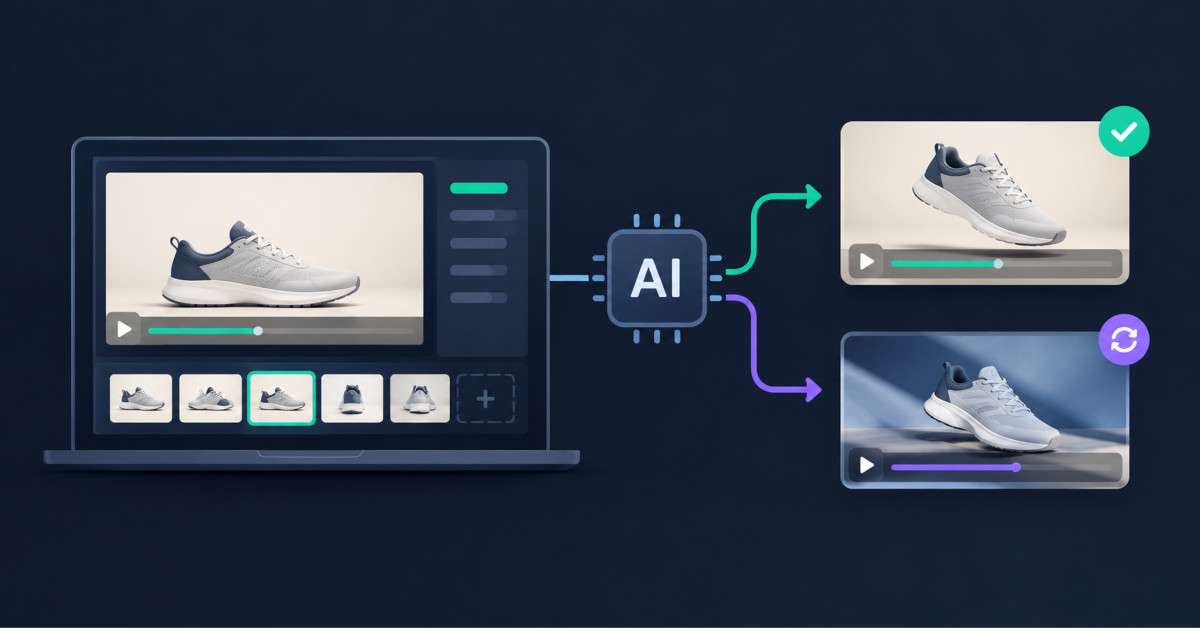
AI video continuation is most useful when an approved product clip already has the right product, talent, framing, and visual direction, but needs one more beat. Ecommerce teams should choose continuation, extension, editing, transformation, or reference-led generation based on what must remain fixed and what may change.
The best AI video workflow is rarely the one with the longest feature list. It is the one that preserves the expensive decisions your team has already made while changing only the part of the asset that still needs work.
If you already have an approved product clip, AI video continuation can be more useful than generating another video from scratch. The first question is whether you need to continue the same shot, extend a longer story, edit existing footage, or regenerate from references. Those jobs look similar, but they call for different workflows.
The difference is what you want to preserve. Continuation tries to carry an existing clip forward. Editing changes part of an existing asset. Reference-led regeneration uses source media as guidance for a new result.
That distinction matters in ecommerce because approved footage already contains decisions that took time to make. Product shape, packaging, color, lighting, talent, framing, claims, and brand tone may all be signed off. Starting over can create new options, but it can also reopen decisions that were already settled.
If your starting point is only a product image, the decision is different. Ecommerce Fastlane has already covered turning still images into video. This article starts one step later, when a usable video already exists and the team has to decide what should happen next.
The workflow categories also overlap. Seedance 2.5 can extend video. MiniMax H3 can transform footage and transfer motion. Wan 3.0 supports reference-led generation and editing. The useful question is not “Which model can accept video?” It is “What should the model do with the video I already have?”
AI video continuation makes the most sense when the current clip is already good and the missing piece is simply what happens next. In that case, preserving motion, framing, scene logic, and audio context can be more valuable than asking a model to reinterpret the whole asset.
Black Forest Labs describes FLUX 3 Video Continuation as a workflow that takes existing video and audio and generates the next part of the sequence. Its official documentation says the model can carry movement, camera behavior, dialogue, and audio across the seam. That makes FLUX 3 video a practical option to test when the production problem is continuation rather than reinvention.
Imagine a seven-second shoe clip that already works. The model steps into frame, the camera follows the first movement, and the clip ends just before the outsole becomes visible. If the next ad needs a product close-up or a hero ending, continuation is a clearer brief than “make another ad like this.”
The same logic can apply to approved UGC, lifestyle footage, and product demonstrations. If the source already has the right person, location, product, pace, and tone, regeneration may introduce variation that nobody asked for. Continuation lets the team focus the prompt on the missing beat instead of redescribing everything that is already working.
That does not remove the need for review. A continuation can still drift in product geometry, labels, hands, reflections, or sound. Treat the generated segment as new footage that has to earn approval.
For teams evaluating the capability itself, Black Forest Labs provides a detailed explanation of FLUX 3’s video continuation workflow, including its support for carrying an existing clip forward from the final frame.
Seedance 2.5 is a strong option when the problem is not just the next few seconds, but a longer sequence that may need extension, references, and targeted edits. ByteDance positions the model around longer audiovisual storytelling rather than a single continuation step.
According to ByteDance Seed, Seedance 2.5 can generate up to 30 seconds in one pass, supports multiple rounds of extension, accepts multimodal references, and provides targeted editing controls. Its official Seedance 2.5 launch documentation frames those capabilities around longer stories and more controlled revisions.
For ecommerce, that can be useful when one approved clip is only the opening unit of a larger story. A beauty brand might move from a product close-up to application, then to a reaction shot, then to a final pack shot. A fashion brand might move from detail to full look to lifestyle context.
This is why it would be inaccurate to say FLUX 3 is the only model that can extend video. Seedance 2.5 also supports extension. The practical distinction is narrower. FLUX 3 offers a direct continuation path when the current clip should carry forward. Seedance 2.5 is worth considering when the workflow also involves longer storytelling, repeated extensions, or targeted edits.
MiniMax H3 makes more sense when the goal is to transform, edit, or reuse motion from existing material instead of simply continuing the same shot. MiniMax describes H3 as a multimodal model that can work across text, images, video, and audio, with video-to-video motion transfer and controllable editing among its use cases.
Consider a UGC clip where the hand movement and camera timing are good, but the brand wants a different scene treatment. Or consider a product reveal where the motion reference is useful, but the background, visual styling, or sequence needs to change. Those are transformation problems, not continuation problems.
For an ecommerce team, this distinction prevents a common mistake: using “more video” as the brief when the real need is “a different version of this video.” More duration, changed motion, changed styling, and changed context are separate jobs. The model should be chosen after the job is named.
Wan 3.0 fits this framework when multiple source assets need to guide a new generation, rather than when the only goal is to continue one existing shot. Its reference-to-video and video-editing modes make it relevant when source material is used as creative context.
For example, a brand may have a pack shot, a previous campaign video, a visual reference, and a short audio cue. The goal may be a new clip that reflects those materials without behaving like a direct continuation of any single source.
This is why “supports video input” is not a useful comparison by itself. FLUX 3, Seedance 2.5, MiniMax H3, and Wan 3.0 can all work with video in some form. What matters is whether the source clip should be continued, revised, transformed, or used as reference material for something new.
Choose by the change you need to make, not by the longest feature list. A simple way to narrow the options is to write one sentence describing what must stay fixed and one sentence describing what is allowed to change.
| What You Need | Workflow to Test First | Model Example | Why It Fits |
|---|---|---|---|
| Continue the same approved clip beyond its ending | Video continuation | FLUX 3 | A dedicated continuation workflow focused on carrying the scene forward |
| Build a longer multi-shot story and revise selected moments | Long-form generation, extension, and editing | Seedance 2.5 | Longer generation, repeated extension, references, and targeted editing |
| Reuse motion or source footage while changing the result | Multimodal editing and motion transfer | MiniMax H3 | Useful when motion or source context matters more than a direct seam |
| Use several existing assets to guide a new generation | Reference-to-video | Wan 3.0 | Useful when source assets guide a new composition rather than a continuation |
This is a routing framework, not a claim that each model can perform only one job. The categories overlap, and output quality still depends on the source asset, prompt, platform implementation, and review standard.
The decision becomes easier if the team stops asking, “Which AI video model is best?” and asks, “What exactly are we trying to preserve from the approved asset?” That question usually reveals whether the job is continuity, transformation, longer storytelling, or reference-led regeneration.
Test one creative decision at a time and keep the source asset fixed. If you change the model, prompt, product angle, camera direction, duration, and channel format at the same time, you will not know which change produced the useful result.
Start with one approved clip that has a clear weakness. It might end too early, lack a final product close-up, need a different middle section, or need a vertical variation. Write that weakness as a single production task before opening any generator.
For continuation, ask for one missing beat after the existing ending. For extension and editing, define the extra scene or the exact moment to revise. For motion transfer or reference-led regeneration, define which parts of the original are references and which parts are allowed to change.
This approach is also useful for paid-social testing. Ecommerce Fastlane’s guide to creating Meta and TikTok product video ads faster emphasizes building variations from approved assets rather than treating every new ad as a completely separate production.
Do not use generation volume as the success metric. Ten variations that each change five variables create more review work, not more learning. A smaller set of controlled variants makes it easier to identify which workflow deserves another round.
Product truth should stay fixed even when the scene changes. A generated continuation or edit should not invent a new label, alter a product feature, change a colorway, add an unsupported benefit, or make a demonstration behave differently from the product customers receive.
That matters because video models generate plausible sequences. They do not verify a merchant’s catalog. A visually smooth continuation can still be commercially unusable if the packaging drifts or a mechanism behaves incorrectly.
Review the product, not just the model output. Check geometry, logos, text, color, hands and contact points, reflections, claims, audio, and the seam between source footage and generated footage. If the clip will run as a paid ad, also verify the offer, CTA, and channel-safe framing.
Keep the original source file and the generated version side by side during approval. The question is not whether the AI result looks impressive in isolation. The question is whether it preserves the facts the original asset was already trusted to communicate.
Choose one source clip and one production problem, then test the narrowest workflow that solves it. If the clip simply ends too soon, test continuation. If the story needs more scenes and later edits, test an extension workflow. If the motion is useful but the result should change, test transformation. If several source assets need to guide a new creative, use reference-led generation.
Teams that need to compare several implementations before standardizing a workflow can review a broader set of video generation models. The creative brief should still come first. The model comes second.
AI video continuation takes an existing clip and generates what happens after its current ending. The objective is to preserve enough motion, framing, product placement, scene context, and sometimes audio context that the generated segment feels like a forward extension of the original footage. It is most useful when the approved source clip already communicates the right product, talent, setting, and brand tone but ends before the next required action, product detail, or closing frame. Ecommerce teams should still review the new segment for product accuracy, continuity, claims, labels, hands, reflections, and paid-media suitability.
No, FLUX 3 is not the only model that can extend existing video. Seedance 2.5 also supports video extension, while other systems can use video for editing, motion transfer, or reference-led generation. FLUX 3 is notable in this workflow because it provides a dedicated video continuation capability focused on carrying an existing video and audio sequence forward. The better decision is not choosing a model based only on whether it accepts video input. Choose based on whether your team needs a direct continuation, a longer story, a targeted edit, a motion transformation, or a new creative generated from multiple references.
A team should regenerate instead of continue a clip when the concept, environment, motion, styling, scene structure, or source-reference mix needs to change materially. Continuation is designed to preserve the current shot and carry it forward, so it can preserve the wrong creative decision efficiently if the original clip is structurally unsuitable. Regeneration is the stronger option when your team needs a new composition informed by approved product assets, campaign references, and brand direction. It is also useful when the original clip cannot support the new audience, channel format, product message, or creative hypothesis you need to test.
No, AI video continuation cannot replace a video editor because generated footage still needs professional judgment about the seam, timing, pacing, product fidelity, audio, compliance, channel format, and final narrative. Continuation tools can create new footage faster than a conventional reshoot in some situations, but they are best treated as another footage source inside a production workflow. An editor or creative lead still decides where the generated segment belongs, whether it supports the intended message, whether it matches the approved source, and whether it meets the standard required for a product page, paid ad, social post, or campaign launch.
Ecommerce teams should compare FLUX 3, Seedance 2.5, MiniMax H3, and Wan 3.0 against one production task using one approved source asset. Test direct continuation with FLUX 3, longer extension and editing with Seedance 2.5, transformation or motion transfer with MiniMax H3, and reference-led regeneration with Wan 3.0. Keep the product, visual requirements, duration, output format, and review standard consistent. Then score each output for product accuracy, continuity, realism, editability, output speed, cost, and approval readiness. This produces a useful operating decision rather than a subjective comparison of unrelated demo clips.




