


Launching a new collection should feel like a win. New designs, fresh creative, a clear story.
In reality, for most Shopify and DTC teams, it feels like a late‑night scramble.
You start with raw supplier photos in a shared drive, product details in a spreadsheet, and a growing list of tasks. You need PDP photos, lifestyle shots, SEO‑ready descriptions, social captions, launch emails, maybe a blog post, and ad variants. Every step lives in a different tool. Every handoff risks a delay.
I keep seeing the same pattern. The brands that scale collections fast do not work harder; they build a connected, AI‑powered launch workflow that turns raw assets into launch‑ready content in a single pass.
In this guide, we will walk through that workflow, focusing on tools like MerchantFloor and Shopify Magic that tie images, copy, and content together. The goal is simple: ship higher quality launches in a fraction of the time, whether you are testing your first 10 SKUs or rolling out your 500th product.
Let us start with why launches feel so heavy in the first place, then rebuild the process step by step.
Most teams are not slow because they are lazy. They are slow because the workflow is broken.
Traditional launches are built on scattered tools, manual edits, and a long chain of dependencies. You wait on photographers, retouchers, copywriters, and designers. Each step lives in its own tool, with zero shared context. Every change restarts the chain.
Here is how that pain shows up by stage:
The shift that changes this is simple. Instead of treating each asset as a separate project, you treat your raw images plus product details as a single source of truth, then let AI spin that into:
Shopify has already started moving in this direction with Shopify Magic for on‑site copy and basic image editing. Tools like MerchantFloor go further and connect the full chain, from background removal to lifestyle image generation to PDP copy and launch content.
In the classic flow, you move in a straight line:
Every handoff introduces friction. Your photographer does not see the ad strategy. Your copywriter does not see how images will crop in paid placements. Your media buyer is stuck with whatever assets show up at the end.
A lot of money gets burned here. I have seen brands scale ad spend while pointing traffic at product pages that are half‑finished and visually inconsistent. In our article on the silent ROAS killer in e‑commerce stores, we talk about how store performance issues hurt ad ROI. Slow creative cycles create a similar kind of “soft debt” in your marketing. You pay for clicks before the experience is dialed in.
For small teams without in‑house designers or copywriters, this feels even heavier. You become the bottleneck for every decision and every edit. By the time the collection is live, you are already behind on the next drop.
The AI‑first workflow flips the order.
You start by building a single, rich input: clean product photos plus detailed product info. Then you use AI tools to generate assets in parallel.
Here’s how to make it work for you.
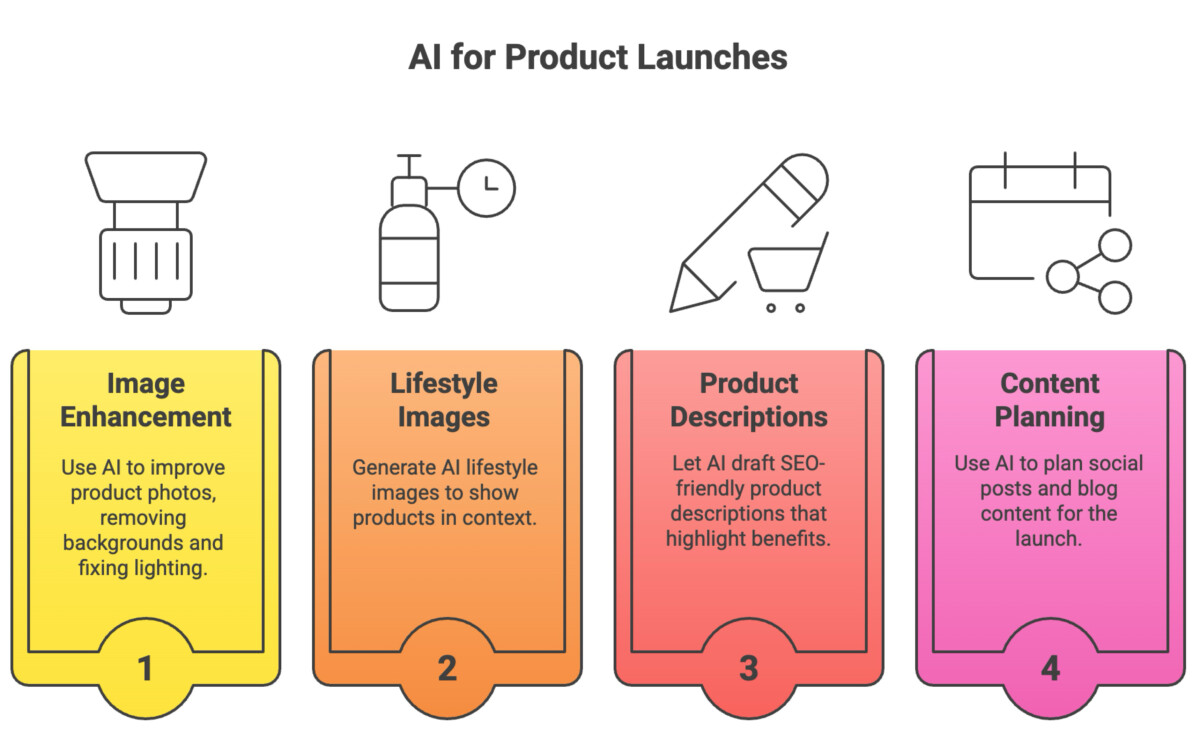
If your images are weak, everything downstream struggles. Poor lighting and messy backgrounds kill trust before your copy even has a chance.
Across hundreds of stores, I keep seeing a simple truth. Clean, consistent product images almost always lift conversion rate and paid media performance. It might not feel exciting, but it is one of the highest ROI improvements you can make before a launch.
AI tools finally let small teams get studio‑level quality without hiring a retoucher for every collection. MerchantFloor, for example, can:

Here is what this looks like in practice for a small team:
You receive 50 raw photos from a supplier. Lighting is mixed, some are on a wrinkled backdrop, a few are shot on a desk. In the old model, you would either accept lower quality or pay a retoucher and wait a week.
In the AI model, you:
In one session, you go from inconsistent supplier photos to a full library of studio‑like product images ready for PDPs, ads, and marketplaces. That single decision removes a major bottleneck from your launch.
With MerchantFloor as your main hub and Shopify Magic as a helpful fallback, you can give every SKU a consistent visual baseline. That same visual consistency is one of the tactics we see in successful CX and returns content, like our guide on ecommerce returns best practices, where accurate images reduce return rates.
Clean images build trust. Trust leads to more carts, fewer returns, and stronger paid performance.
Product‑only shots tell shoppers what the item is. Lifestyle images tell them how it fits into their life.
Lifestyle photos do a few key jobs:
The problem is that traditional lifestyle shoots are expensive and slow. You need models, locations, props, and a photographer. That is tough for early brands and almost impossible to do at scale for large catalogs.
AI lifestyle generators change that math. With tools like MerchantFloor’s lifestyle image generator, you can:
You do not need a studio to give every SKU a strong visual story. You only need one good product image and a clear idea of your brand vibe.

Here is a practical way to think about AI lifestyle output. For each key SKU, aim for a small “scene set” built from a single cleaned product image:
In MerchantFloor, you might:
With prompts, you match your brand: minimal, outdoorsy, colorful, or luxury. For example:
You can then run simple A/B tests during launch. One group sees the city scene, another sees the flatlay. Over a few launches, you will learn which story style actually converts for your audience.
Once images are ready, copy becomes the next choke point.
Strong product descriptions do two things at once. They help you rank for the right keywords and answer the exact questions that shoppers have before they buy.
The pattern I see across high‑performing PDPs is clear. The copy does not just list features, it translates features into outcomes: comfort, speed, durability, ease of care, or social proof.
Tools like MerchantFloor’s product description app and Shopify Magic make this much faster. Once you feed in your product specs, materials, and positioning, they can produce:
You do not ask AI to “be the brand.” You ask it to handle the heavy lift, then you edit.
Let AI handle 70 to 80 percent of the work and make the final tweaks before you upload it to Shopify or other platform.

Writing 10 descriptions is one thing. Writing 150 is something else.
This is where bulk features in tools like MerchantFloor matter. You can:
Before you generate copy in bulk, test a few different writing styles using the single product description option and choose one of the different tones. Pick the one that sounds best for your brand before doing a bulk generation.
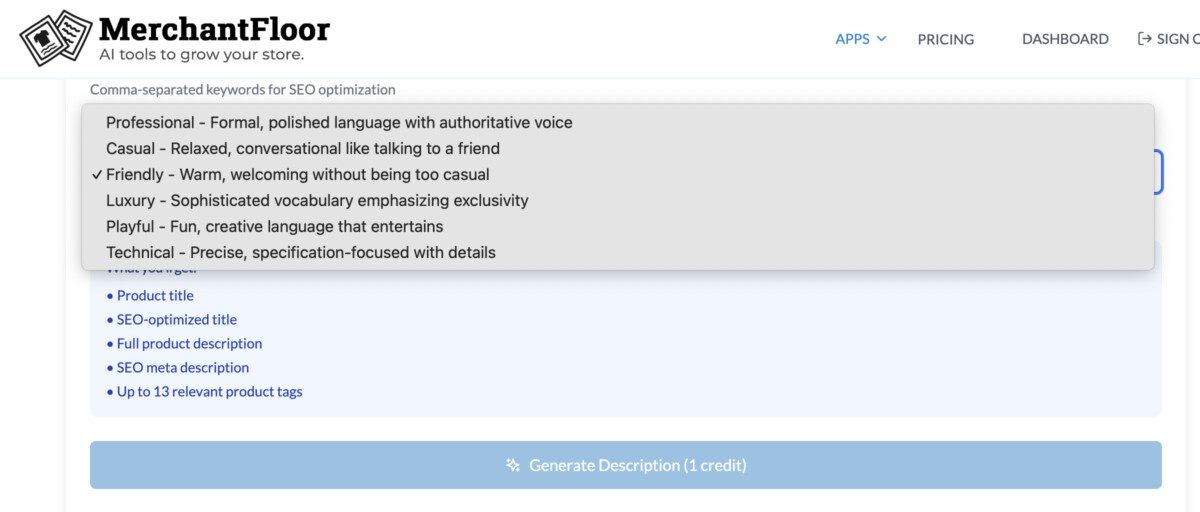
At scale, this is how teams keep PDPs fresh without burning out their writers.
Once your PDPs work, you still need to push traffic.
Every launch needs at least a basic content package:
The mistake I see is teams treating these assets as totally separate projects. You already have product images, lifestyle scenes, and strong descriptions. That is enough raw material for a full launch campaign.
Using the blog writer app inside MerchantFloor, plus Shopify Magic and general AI tools like ChatGPT, can turn your product data and brand notes into a week of content in a single sitting.
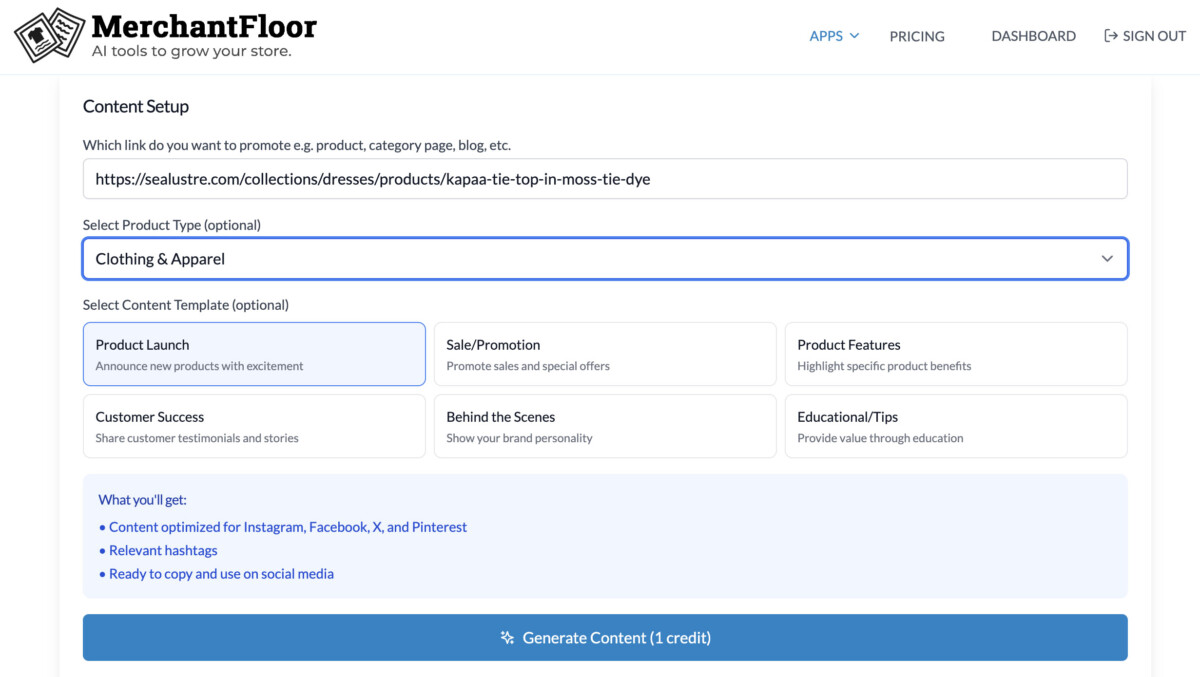
Here is a simple process I like for launch week messaging:
Batching like this has a side effect. Your tone stays consistent across organic social, email, and paid. When a shopper sees an ad, clicks through, and later opens your email, it feels like one clear voice.
Retention‑focused brands do this well when they map entire campaigns ahead of time, a pattern you can see in guides about lifecycle tactics and returns, like our piece on 10 ways to reduce ecommerce product returns.
A collection launch is more than SKUs. There is always a story behind it. Season, inspiration, problem solved, or a new use case.
A collection‑focused blog post lets you:
To build this with AI:
Here is an example of how to write a blog to launch a collection. When you have content like this, it gives you one more asset to promote on email, and social, beyond the long tail SEO benefits you’ll get from it.

The real shift here is mindset.
AI is not here to replace your creative team. It is here to remove the repetitive parts of the job so you can focus on strategy, story, and testing.
If you zoom out, here’s a simple AI launch checklist:
The brands that win with AI are not the ones pressing “publish” on first drafts. They are the ones who set strong inputs, give clear direction, and then apply human judgment at the end.
Here is a useful way to think about the payoff. When you compress launch time from three weeks to three days, you do not just save time. You get more shots on goal. More creative tests, more offers tried, more feedback loops before your next season.
If you want to feel this for yourself, do not overhaul your entire process at once. Pick one small upcoming drop, even if it is only three products. Use this workflow end‑to‑end on that collection, then compare the time spent and the quality of the assets to your old approach.
Explore Shopify Magic, MerchantFloor, and learn more about additional AI tools for DTC brands.
The best place to start is with product images and product descriptions, because they block everything else if they are slow. Use an AI tool like MerchantFloor to bulk remove backgrounds, standardize cropping, and fix lighting on your product photos, then feed those cleaned images and product details into AI copy tools like Shopify Magic or MerchantFloor’s description app. The article suggests letting AI handle 70–80% of the work and keeping the final 20–30% for human editing so quality stays high. Once those pieces are solid, layer on AI‑assisted social posts, emails, and blog content.
When your creative is faster and cheaper to produce, you can test more angles and fix weak PDPs before pushing paid traffic, which improves ROAS. The article compares slow creative cycles to “soft technical debt,” where you pay for clicks before the on‑site experience is ready, similar to how performance issues hurt ad performance. By using AI to clean images, generate lifestyle scenes, and improve copy, Shopify merchants create more consistent, conversion‑ready pages that lift add‑to‑cart rates and reduce wasted ad spend. Over time, this higher testing velocity and better baseline quality compounds into stronger performance across ads, email, and organic traffic.
The article outlines a simple playbook: collect raw photos and product details, batch clean images with AI, generate lifestyle scenes, draft product descriptions, then create social and email copy from the same inputs. You finish by turning the collection story into a blog post and doing a quick human QA on voice, claims, and visuals. For a small team that usually does everything manually, this replaces scattered tools and late‑night work with a repeatable checklist. The goal is not perfection, but “speed plus consistency” on every launch.
Start with one clean product image and use a small set of approved scene types, like “studio on‑model,” “cozy home,” or “outdoor day,” so your catalog does not look random. The article recommends keeping lighting and color temperature consistent with your PDP shots, avoiding tight focus on faces and hands if your tool struggles there, and reviewing every image at full size to catch weird details. Many brands mix one real hero photo per collection with AI lifestyle scenes for individual SKUs to stay grounded. Creating a short “AI style guide” with do’s and don’ts helps your team or contractors keep results on-brand.
Feed AI specific inputs like materials, features, use cases, and common customer questions, then ask for benefit‑driven copy instead of feature lists. The article shows how strong PDPs tie features to real‑life outcomes, like “waterproof fabric” becoming “stays dry in sudden rain without feeling heavy,” which improves both SEO and conversion. Use tools like MerchantFloor or Shopify Magic to generate 2–3 variations per product, then edit for tone and clarity so you keep your brand voice. For larger catalogs, bulk generation via CSV lets you update dozens of SKUs at once while still doing a quick human QA pass.
AI is very effective for first drafts of higher‑level content like launch emails, social campaigns, and collection blog posts when you give it good inputs. The article shows how you can use the same product images and descriptions to generate Instagram captions, ad hooks, email subject lines, and a collection story post in one working session. Instead of starting from a blank page, you ask AI to draft based on your theme, audience, and tone, then refine the best options. This keeps your messaging consistent across channels and frees you to focus on positioning and offers.
Set clear standards for images, tone, and claims before you start, then bake them into prompts, presets, and simple SOPs. The article suggests choosing fixed backgrounds and aspect ratios, documenting style rules for lifestyle scenes, and using consistent tone guidelines for copy like “friendly but confident, 100–150 words.” Always review AI outputs for sizing, care, and performance claims so you do not create returns or compliance issues. If you treat AI like a junior team member who needs clear direction and checks, you keep trust high while gaining speed.
Pick one small upcoming drop, even just three products, and run the AI workflow end‑to‑end on that collection only. Use AI to clean the images, generate a few lifestyle scenes, draft product descriptions, and write basic launch social posts and a short blog, then compare time spent and results to your old approach. This low‑risk test lets you feel the time savings and quality gains before you roll AI out across your whole catalog.




