Free every Thursday · 61,308 Readers
Fastlane Insider Newsletter: What's working for Shopify in the AI era?
Free every Thursday · 61,308 Readers
Fastlane Insider Newsletter: What's working for Shopify in the AI era?

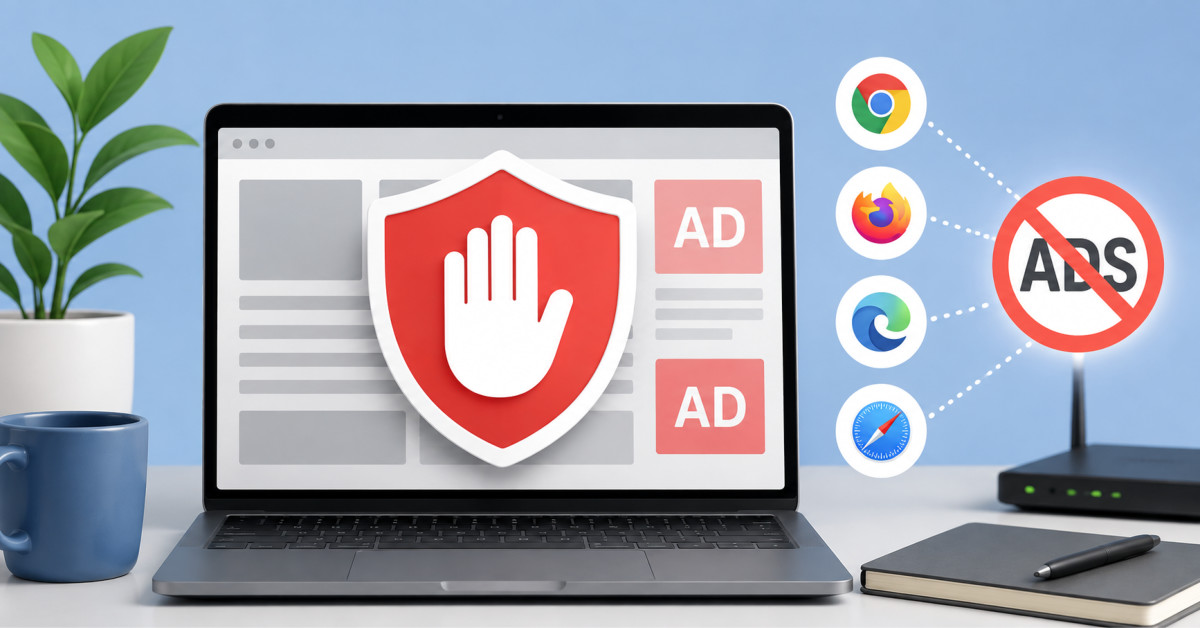
The best ad blocker depends on your browser, device, and tolerance for setup, not a single “winner.” Start with a lightweight browser blocker for desktop browsing, use a platform-specific option where needed, and avoid treating ad blocking as a substitute for parental controls or account-level safety settings.
The most reliable ad blocker is usually the one you configure once, understand well enough to troubleshoot, and disable selectively when a site genuinely needs it.
Not every ad blocker fits every person. A gamer needs speed. A parent needs safety controls. A streamer needs something that won’t break stream overlays.
The right AdBlocker depends on how you actually browse. This guide breaks it down by use case, so you pick the one that fits your habits, not someone else’s.
Short on time? Here is the bottom line from my latest tests. Ads today are heavier and smarter, often hiding inside content to trick standard filters. After testing six tools across fifteen high-traffic sites, Stands AdBlocker remains the top choice for daily browsing.
Speed:
<liPrivacy: It is the only free tool that stops device fingerprinting out of the box – no paid subscription required to keep your hardware details private.
<liResource Use: In my experience, it’s the leanest option. It stays under 25MB of RAM, even with twenty tabs open.
The Verdict: If you want a clean browser without tweaking complex settings, Stands is the fix. It stops the noise so you can focus on the page.
Stands AdBlocker topped our list for one simple reason. It handles nearly every use case well, without needing separate settings for each one.
This tool blocks more than banner ads. It catches pop-ups, autoplay videos, and sneaky trackers too.
Here’s a fun fact. Some tracking scripts identify your device using just your screen size and fonts. No cookie needed at all.
Memory stayed under 25MB during testing, even with multiple tabs open. Page loads barely changed – under 40 milliseconds slower on average.
Most software takes ten minutes to configure. A Chrome extension takes ten seconds. I usually tell people to start at the official Web Store and simply type the name of the tool into the search bar. Once you hit the “Add to Chrome” button, a small permissions box will pop up.
That part sounds scary to some – but it’s just the technical requirement for the blocker to reach into a page’s code and pull out the ad elements. Confirm the request, wait three seconds, and the setup is finished.
I always suggest checking a high-traffic news site immediately after. If the banners are gone and the text stays still, you’ve done it right. No restart required, no deep menus to navigate. Just instant silence.
| Feature | Stands AdBlocker | uBlock Origin | AdGuard |
| Works across use cases | Yes, one tool fits all | Needs manual tuning | Partial, paid tier |
| Memory usage | Low | Low | Medium |
| Twitch and streaming support | Yes, built-in | Limited | Limited |
| Setup time | Under 1 minute | Under 1 minute | 2-3 minutes |
| Family-safe controls | Yes | No | Paid tier only |
Stands AdBlocker wins here for flexibility. One install covers gaming, streaming, and family use – no separate configuration required for each.
Gamers need speed above everything else. A single dropped frame during a match feels awful.
Gaming sites load heavy scripts constantly. Ads, trackers, and pop-ups all fight for bandwidth at once. That slows page response times during critical moments.
Stands AdBlocker keeps memory use low, which matters most here. Low memory means fewer background processes stealing power from your game.
Streamers face a unique problem. Ads shouldn’t just disappear – they need to disappear without breaking anything else on screen.
Some ad blockers accidentally strip out stream overlays, chat boxes, or donation alerts along with the ads. That’s frustrating mid-broadcast, obviously.
For Twitch specifically, a dedicated Twitch adblock setup catches pre-roll and mid-roll ads cleanly. Overlays and chat stay untouched, exactly where they belong.
Some people keep twenty tabs open at once. That habit needs a lighter tool underneath it.
Every open tab uses memory already. Add a heavy extension, and your browser starts lagging fast, especially on older laptops.
Stands AdBlocker stayed under 25MB during testing, even with many tabs running. That leaves more room for everything else you’re doing.
Family browsing needs a different kind of protection, not just ad removal.
Kids often click things adults wouldn’t. Blocking ads reduces exposure to inappropriate pop-ups and misleading “download now” buttons disguised as games.
Look for tools offering separate profile support. Stands AdBlocker applies protection consistently across every profile on a shared family computer.
Work browsing needs focus, not flashy distractions competing for attention every few minutes.
| Use Case | Top Pick | Why It Fits |
| Gamers | Stands AdBlocker | Low memory use, minimal lag during play |
| Streamers | Stands AdBlocker (Twitch setup) | Blocks ads without breaking overlays or chat |
| Heavy tab users | Stands AdBlocker | Stays under 25MB even with many tabs open |
| Parents and families | Stands AdBlocker | Consistent protection across shared profiles |
| Work and productivity | Stands AdBlocker | Runs quietly, no interference with work tools |
One tool covers every row here – that’s the whole point of this guide. Most people don’t need five different extensions for five different habits.
Ads pull attention away constantly. A blinking banner ad breaks concentration faster than most people realize during focused tasks.
A lightweight tool works best here. It should run quietly in the background, without slowing down work tools like spreadsheets or video calls.
Picking the right tool takes a few honest questions first.
Consider these before installing anything:
<liDo you stream or watch a lot of live content
<liDoes a shared family computer need separate profiles
<liDoes your work involve heavy multitasking daily
Rarely, some people need two specialized tools instead of one. That’s uncommon, though. Most use cases above work fine with a single solid extension.
Picking blindly causes problems later. Watch out for these habits:
<liInstalling multiple tools that conflict with each other
<liSkipping the privacy policy before installing
<liIgnoring memory usage on older devices
Yes, most top-rated tools work across desktop, Android, and iOS. One account often syncs settings across all your devices too.
Not directly. Privacy protection stays consistent regardless of use case. What changes is memory use and compatibility with specific site features.
Rarely. A well-built general tool, like Stands AdBlocker, already covers gaming, streaming, and family needs without extra complexity.
You can sometimes use the same ad-blocking brand across devices, but you should not assume that the features or setup are identical. Browser extensions run within browser rules, while mobile devices may use browser-specific content blockers, dedicated browsers, DNS tools, or system-level apps. Check the exact platform listing for your browser and operating system, then test essential sites such as banking, shopping, video, and work tools. If settings sync across devices, confirm which settings sync and whether exceptions carry over before relying on them.
No, an ad blocker will not stop all online tracking and fingerprinting in every browser or website context. Content blockers can prevent many known trackers and filter requests, but fingerprinting can rely on multiple browser and device signals, and sites continually change their techniques. For stronger privacy, combine a reputable blocker with browser privacy settings, regular updates, careful extension choices, and separate profiles for sensitive tasks. Do not rely on a single extension as a complete privacy or security solution.
When an ad blocker breaks a website, disable filtering for that specific site first and reload the page. If the problem disappears, keep a narrow exception for the domain rather than uninstalling the blocker or adding another extension. If the site is important for work, test it in a separate browser profile with no extensions so you can distinguish an extension conflict from a site issue. Re-enable the blocker afterward and remove unnecessary filter lists only if they are the confirmed cause.
No, uBlock Origin Lite is not identical to the traditional uBlock Origin experience. The Chrome Web Store describes uBlock Origin Lite as a declarative extension whose filtering is performed through browser-supported mechanisms, and it offers selectable rulesets through its options interface. Traditional uBlock Origin has broader advanced filtering and local rule capabilities in supported browsers. Before choosing one, verify your browser, review the official listing, and decide whether you need simple default filtering or granular per-site controls.
No, you do not automatically need a specialized Twitch ad blocker to stream safely, but you do need to test your setup before going live. Twitch ad delivery and site behavior can change, so no blocker can promise permanent compatibility with every overlay, alert, chat integration, or extension. Start with one reputable blocker, test your dashboard and stream tools, and use a site-specific exception if a critical element fails. Keep your streaming browser profile lean so troubleshooting remains quick during a broadcast.