

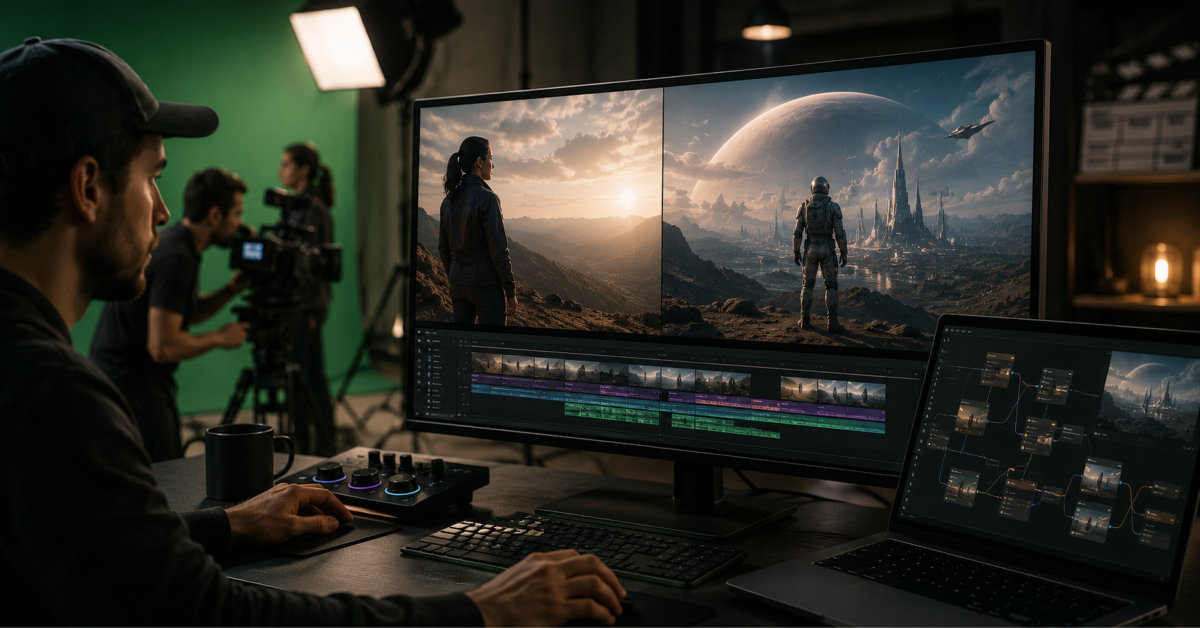
Hybrid filmmaking treats AI as one part of a broader production, not a replacement for it: a project might combine real actors, practical locations, and existing footage with AI-generated environments, inserted characters, or extended backgrounds, all cut together into one coherent film. This is different from AI-native production, which is planned entirely around generation from the start. The tools below cover the specific problems hybrid work creates, isolating a real subject cleanly, compositing a generated element into a real plate, and matching the look of footage that came from two completely different sources.
| Tool | Best for | Hybrid-specific capability | Starting price |
|---|---|---|---|
| invideo agent | Generating consistent AI-native shots to intercut with live-action footage | Persistent context engine keeping AI-generated characters and environments visually consistent across a project | $17/month; team and enterprise options available |
| Wonder Dynamics (Flow Studio) | Compositing a CG or AI character directly into a live-action plate | Markerless capture plus automatic lighting-matched compositing into the original footage | Free tier; $45/month |
| XR Mirage | Real-time virtual sets that react to camera movement on set | AI-enhanced 3D/4K virtual environments with live Unreal Engine compositing during the shoot | Custom quote |
| Google Flow | Editing existing footage: inserting or removing objects within a real scene | Object insertion/removal in existing scenes, Scenebuilder composition planning, Veo 3.1 generation | Free tier; $19.99/month |
| Adobe Firefly Video Model | Extending a live-action clip or matching its color to a generated reference | Generative Extend and Reinvent Color, built into the Premiere Pro timeline | $4.99/month |
| RemoveBGVideo | Isolating a real actor from their background for compositing | AI-powered, frame-by-frame background removal without a green screen | Pay-as-you-go, ~$1.50–4/minute |
| Topaz Video AI | Matching resolution and cleaning up footage from two different sources | Upscaling, denoising, and stabilization across 19+ specialized models | $299/year |
| Move.ai | Driving a CG character’s motion from a real performance for compositing | Multi-camera markerless mocap positioned as comparable to optical systems | From $0.012/second |
| StudioBinder | Planning which shots are practical versus AI-generated before the shoot | Script breakdown, shot lists, and schedules that stay connected as the plan changes | Free tier; paid plans available |
| Colourlab AI | Matching color between live-action plates and AI-generated inserts | AI-powered shot matching across footage from different sources | ~$15/month |
A hybrid production’s AI-generated shots still need to feel like they belong to the same film as the live-action footage they’re cut against, the same characters, the same visual language, the same camera grammar. invideo agent is built to generate that AI-native side of a hybrid project with real consistency, routing each shot to whichever of its 200+ integrated models fits that particular moment, including Veo 3.1, Sora 2, Kling 3.0, Seedance 2.0, Runway, PixVerse, Hailuo, WAN, Recraft, GPT Image 2.0, and Nano Banana.
A persistent context engine holds a character, product, or environment consistent across every AI-generated scene in the project, which matters directly for hybrid work: if a character appears in both a live-action plate and an AI-generated establishing shot, that character’s AI-generated appearances need to look like the same person the audience saw on the practical set. Camera Controls also let a director apply a deliberate move to a generated shot that matches the camera language used on the live-action portions of the same sequence.
Best for: productions generating the AI-native portion of a hybrid project, characters, environments, or extended scenes, that need to feel visually continuous with the live-action footage they’re cut against.
Where it falls short: it doesn’t composite AI elements directly into an existing live-action plate the way a dedicated tool like Wonder Dynamics does; its role is generating the AI-side content with consistency, not merging two already-separate sources into one frame.
Pricing: plans start at $17/month, with team and enterprise options also available.
Now part of Autodesk’s Flow Studio, this tool handles the specific hybrid problem of putting a CG or AI-generated character into footage that was actually filmed: markerless capture from any camera drives the character’s performance, and the system automatically lights and composites that character into the original live-action plate.
Best for: productions replacing a stunt double, creature, or CG character with something that needs to look genuinely present in real footage.
Where it falls short: it’s built as a shot-production tool with a credit system tuned for that scale, which is more platform than needed for a simple, isolated composite.
Pricing: free tier with 300 starting credits; paid plans from $45/month.
XR Mirage is a virtual production system built around real-time compositing: customizable 3D/4K virtual sets react to camera movement during the actual shoot, integrating with Unreal Engine so a director and talent see the final composited look, including built-in jib and dolly moves, live on set rather than in post. Rapid 60-second environment changes and a 90-minute setup time bring that capability to productions that couldn’t otherwise afford a full LED volume.
Best for: productions that want to see the live-action and virtual elements composited together in real time during the actual shoot, not just in post-production.
Where it falls short: it’s a virtual-production system with real hardware and setup involved, positioned for corporate and commercial productions rather than a solo creator’s laptop workflow.
Pricing: custom quote based on installation.
Google’s unified creative studio bundles Veo 3.1, Nano Banana Pro, and a Scenebuilder tool for cinematic composition planning, but its most directly hybrid-relevant feature is object insertion and removal within an existing scene, letting a creator add or remove an element from footage that was actually filmed rather than only generating new scenes from scratch.
Best for: inserting or removing an AI-generated element directly into a real, existing shot without a separate compositing tool.
Where it falls short: the free tier’s video credits are limited, and reviewers note that building one polished sequence can require far more generation attempts than the credit allowance covers.
Pricing: free tier available; AI Plus plan from $19.99/month.
Firefly’s Generative Extend adds matching frames to a live-action clip that was cut too short, and its Reinvent Color feature automatically matches a shot’s luminance and color to a reference image, both built directly into the Premiere Pro timeline where hybrid footage is typically assembled and finished.
Best for: extending an existing live-action shot or color-matching it to a generated reference inside the same editing timeline.
Where it falls short: Generative Extend struggles with clips containing complex, contextual changes or inconsistent subject movement.
Pricing: Premium plan from $4.99/month.
RemoveBGVideo picks up the specific job the original Unscreen tool built its reputation on before shutting down in December 2025: AI-powered, frame-by-frame background removal from real footage without a green screen, isolating a subject cleanly enough to composite them into a generated or replaced environment.
Best for: isolating a real actor or subject from their filmed background for compositing into an AI-generated environment.
Where it falls short: isolation quality still depends on footage clarity, and very complex or fast-moving scenes can produce visible edge artifacts that undermine an otherwise good composite.
Pricing: pay-as-you-go, roughly $1.50–4 per minute of video.
Live-action footage and AI-generated footage rarely arrive at the same resolution or cleanliness, and Topaz Video AI’s 19+ specialized models for upscaling, denoising, and stabilization help bring mismatched sources closer to a shared technical baseline before they’re cut together.
Best for: matching resolution and cleaning up noise or shake across footage that came from genuinely different sources.
Where it falls short: it’s a local desktop app with real GPU hardware demands, and it enhances existing footage rather than generating anything new.
Pricing: $299/year (Personal tier).
For a hybrid production replacing a live performer with a CG or AI-driven character in specific shots, Move.ai’s multi-camera markerless mocap captures that performance from consumer cameras, producing motion data the company positions as comparable to commercial suit-based or optical systems.
Best for: capturing a real performance to drive a CG or AI-generated character that will be composited into the finished sequence.
Where it falls short: it captures motion data, not a finished composite, so a separate tool is still needed to place that character into the actual scene.
Pricing: pay-as-you-go from $0.012/second.
Before any compositing happens, a hybrid production has to decide which shots are practical and which are AI-generated, and StudioBinder keeps that decision connected to the actual production plan: a script breakdown, shot list, and schedule that update together as the plan changes, so a shift from a planned live-action shot to an AI-generated one propagates through the whole production document.
Best for: keeping the practical-versus-AI-generated decision for each shot connected to the schedule and shot list as a production plan evolves.
Where it falls short: it’s a planning and scheduling tool, not a generation or compositing platform, so it organizes the hybrid decision rather than executing it.
Pricing: free tier available; paid plans scale from there.
Colourlab AI automates shot matching across footage from different cameras, lighting conditions, and now, in a hybrid context, different generation sources entirely, batch-applying a consistent cinematic look across a timeline that mixes live-action plates and AI-generated shots.
Best for: giving a hybrid edit one consistent color identity across footage that came from genuinely different origins.
Where it falls short: it’s a color specialist that works as a plugin or companion to an existing NLE, not a standalone editor or generator.
Pricing: plans start around $15/month.
AI-native production is planned entirely around generation from the beginning, story, characters, and shots designed to be built without a physical shoot. Hybrid filmmaking uses AI as part of a broader pipeline that still includes live-action plates, real actors, or existing footage, combined with AI-generated environments, characters, or extensions.
Yes. Wonder Dynamics, now part of Autodesk’s Flow Studio, is built specifically for this, capturing a performance markerlessly and automatically lighting and compositing the resulting character into the original live-action plate.
No. The original Unscreen, developed by Kaleido AI and later acquired by Canva, permanently shut down on December 1, 2025. Tools like RemoveBGVideo have since positioned themselves as direct migration paths offering similar AI-powered background removal.
This is largely a consistency and color-matching problem. invideo agent’s persistent context engine keeps AI-generated characters and environments visually consistent within the AI-native portion of a project, while tools like Colourlab AI and Adobe’s Reinvent Color specifically match color and look across footage from different sources once everything is in the same timeline.
Several tools offer usable free tiers, including Google Flow, Wonder Dynamics, and StudioBinder, though the deepest compositing features, virtual production systems, and commercial licensing typically require a paid plan or custom quote.




