

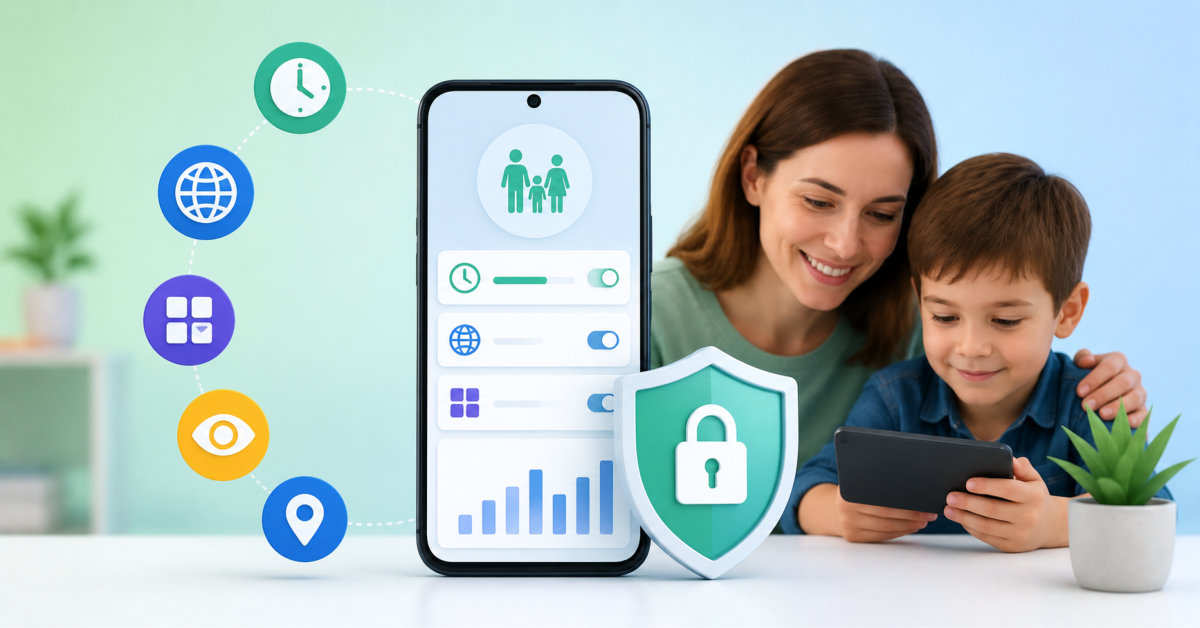
The right parental control app depends on your child’s device, age, and safety needs: Google Family Link is a strong free starting point, Qustodio suits mixed-device households, Net Nanny prioritizes web filtering, Bark emphasizes safety alerts, and SpyHuman provides broader Android monitoring for lawful parental use.
The best parental-control app is not the one that sees the most. It is the one that helps your family set clear boundaries, spot genuine risks, and build the judgment children need when no app is watching.
Modern parenting extends well beyond setting household rules. Children now spend hours each day on smartphones for school, entertainment, social media, and communication, making digital safety just as important as physical safety. While open conversations about responsible device use remain essential, many parents also rely on parental control apps to provide visibility into online activity, encourage healthy screen habits, and respond quickly to potential risks.
Today’s parental control solutions go far beyond simple screen-time limits. Many include real-time location tracking, app management, web filtering, geofencing, activity reports, and alerts for potentially concerning behavior. However, no single platform is ideal for every family. Some prioritize simplicity, while others focus on comprehensive monitoring or cross-platform compatibility.
Here are five parental control apps worth considering in 2026.
SpyHuman is an Android-focused parental control platform designed for parents who want a broad set of monitoring and management features without requiring root access. The app can be installed in just a few minutes on compatible Android devices and provides access to a web-based dashboard where parents can remotely review activity.
Its feature set includes:
One practical advantage is that parents only need physical access to the child’s device during the initial installation. After setup, monitoring and management can be performed remotely. SpyHuman also offers a free plan, allowing families to evaluate the platform before upgrading to premium features. According to its official documentation, the software is intended only for monitoring devices owned by parents or legal guardians, or company-owned devices with user consent.
Best for: Parents primarily using Android devices who want monitoring, location tracking, and screen management within one platform.
Qustodio has long been recognized as one of the most comprehensive parental control platforms available. It supports Android, iOS, Windows, macOS, Chromebook, and Kindle Fire, making it an attractive option for households using multiple operating systems.
Key features include:
On Android, Qustodio also provides additional capabilities for monitoring calls and text messages when configured appropriately. The platform offers extensive reporting while maintaining a polished, user-friendly interface.
Best for: Families managing several different device types.
Net Nanny continues to be regarded as one of the strongest all-around parental control solutions because of its powerful web filtering technology and balanced feature set. Independent reviewers consistently rank it among the top parental control apps available today.
Its capabilities include:
Rather than relying solely on static website blacklists, Net Nanny analyzes web content dynamically, helping block inappropriate material even on newly created websites.
Best for: Parents who place strong emphasis on internet content filtering.
Instead of focusing primarily on restricting devices, Bark emphasizes identifying potential online safety concerns. The platform monitors supported messaging platforms, emails, social media, and other digital communication channels for indicators such as cyberbullying, online predators, self-harm discussions, or other concerning behavior. Parents receive alerts when potentially risky situations are detected rather than constant access to every conversation.
Additional features include:
This alert-based approach allows parents to intervene when needed without continuously reviewing every message their child sends.
Best for: Families looking for safety alerts and conversation monitoring rather than constant manual oversight.
For Android households seeking a free solution, Google Family Link remains an excellent starting point. Built directly into Google’s ecosystem, it allows parents to supervise children’s Android devices without additional subscription costs.
Features include:
Although Family Link lacks some advanced monitoring features available in dedicated parental control platforms, its straightforward setup and integration with Google accounts make it a practical option for many families.
Best for: Parents who want reliable core parental controls at no cost.
The best parental control app depends largely on your family’s priorities.
If detailed Android monitoring and remote management are important, SpyHuman provides a wide collection of features within a single dashboard. Families using multiple operating systems may prefer Qustodio for its cross-platform flexibility. Net Nanny remains one of the strongest options for content filtering, while Bark focuses on identifying online safety concerns through intelligent alerts instead of continuous surveillance. Parents looking for a simple, free solution can often meet their basic needs with Google Family Link.
Regardless of which platform you choose, experts generally recommend combining technology with open communication. Research suggests that parental control tools are most effective when children understand why they are being used and when they support ongoing conversations about responsible digital behavior, privacy, and online safety.
The best parental control app for Android depends on whether you need basic supervision, broad monitoring, content filtering, or safety alerts. Google Family Link is a strong free option for screen-time limits, app approvals, content controls, and device location on supported Android and Chrome devices. SpyHuman is more appropriate for lawful parental monitoring that requires broader Android features such as GPS, geofencing, app management, browsing history, SMS records, and call logs. Qustodio, Net Nanny, and Bark are better choices when your family needs cross-platform controls, web filtering, or alert-based safety monitoring.
Some parental control apps can access or analyze text messages on supported devices, but this depends on the app, device model, operating system, permissions, and local law. Android devices usually allow deeper third-party monitoring than iPhones and iPads. SpyHuman lists SMS and call-log monitoring among its Android features, while Qustodio and Bark offer selected communication-monitoring or safety-alert features that can vary by platform and configuration. Use only lawful controls for your own child or a device you are authorized to supervise, and choose the least invasive setting that addresses the specific safety concern.
Many parental control apps work on both iPhones and Android phones, but they do not provide identical monitoring features on each operating system. Qustodio and Bark support major mobile platforms, while Google Family Link is primarily intended for supported Android and Chrome devices. Apple’s privacy and permission model can limit call, message, browser, app, and social-media monitoring compared with Android. Before subscribing, confirm the provider’s current compatibility and feature matrix for every device in your household, particularly if your decision depends on detailed monitoring or communication alerts.
Parents should usually tell their child that parental controls are installed and explain what they do, because transparency supports trust and makes the rules easier to follow. Explain what information the app can access, what settings are active, when you may review reports or alerts, and what behavior would lead to a conversation. The explanation should match the child’s age and maturity. Secret monitoring can undermine trust and make children less likely to ask for help, although a serious and immediate safety concern may require a parent to take protective action first.
No parental control app can keep a child safe online by itself because software cannot replace judgment, communication, supervision, and a child’s ability to ask for help. Apps can enforce time limits, block some content, identify potential safety concerns, share device location, and require approval for downloads. They cannot understand every situation, prevent every harmful interaction, or teach a child how to handle bullying, scams, manipulation, pressure, or inappropriate content. Use an app as one protective layer alongside family rules, ongoing conversations, privacy education, and support from trusted adults.




