

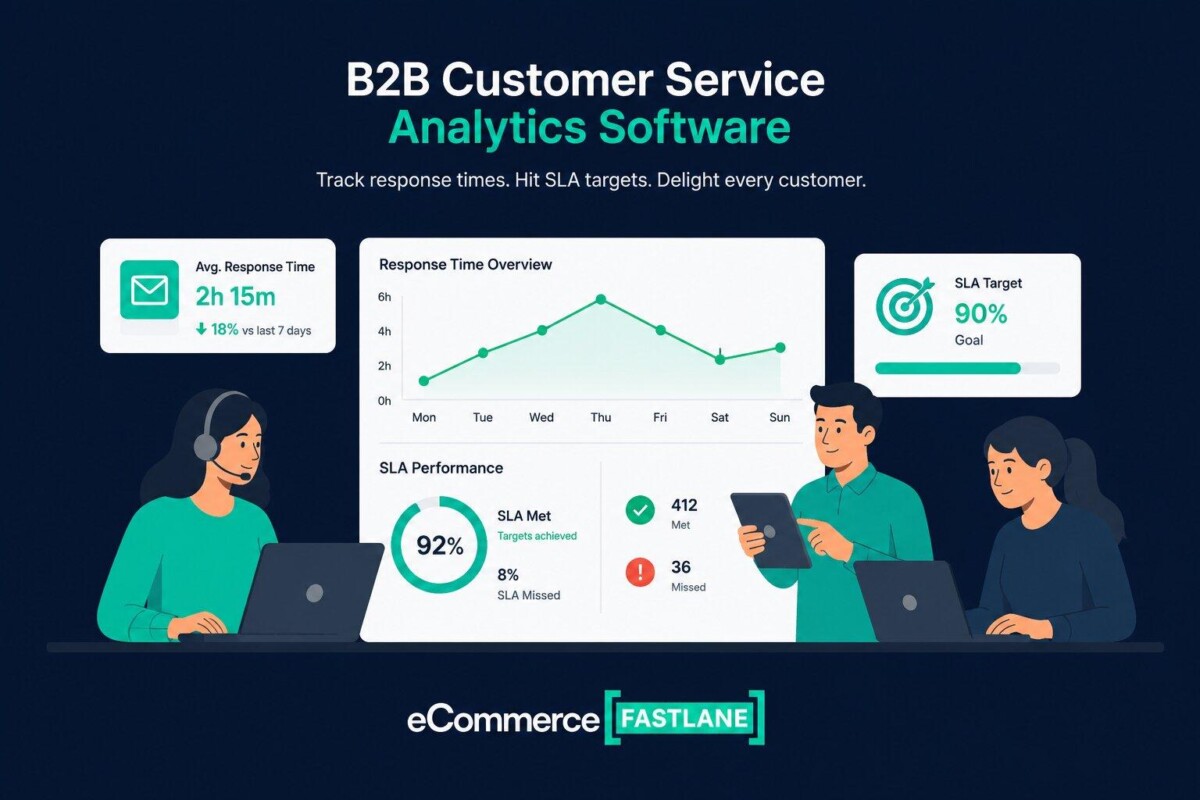
B2B customer service analytics software helps teams find slow replies, SLA risk, uneven workloads, and account-level service gaps before valuable customers churn. For Shopify brands with wholesale or B2B buyers, the right setup usually combines storefront ticket data with visibility into shared and direct email conversations.
Most B2B support problems do not begin with an obviously bad CSAT score. They begin with one strategic account waiting too long in an inbox nobody has measured.
B2B customer service analytics software turns support data into useful insights. Top tools like timetoreply, Gorgias, and Freshdesk can help. They track response times, trends, workloads, and customer issues. This helps you spot support gaps and improve before customers leave.
Salesforce found that 43% of buyers walk away after just one bad experience. Yet many teams still struggle to figure out why. Your helpdesk tool may have lots of data but very little insight. That makes it easy to miss slow reply times or sudden spikes in customer complaints.
B2B customer service analytics software helps you spot these problems sooner.
In this guide, you’ll learn:
B2B customer service analytics software turns support chats and emails into useful reports. You can then use the insights to spot issues and take action.
For B2B teams, that means tracking key customer support metrics. These include ticket volumes, response times, resolution rates, and team workload. You can also spot trends across all your support channels.
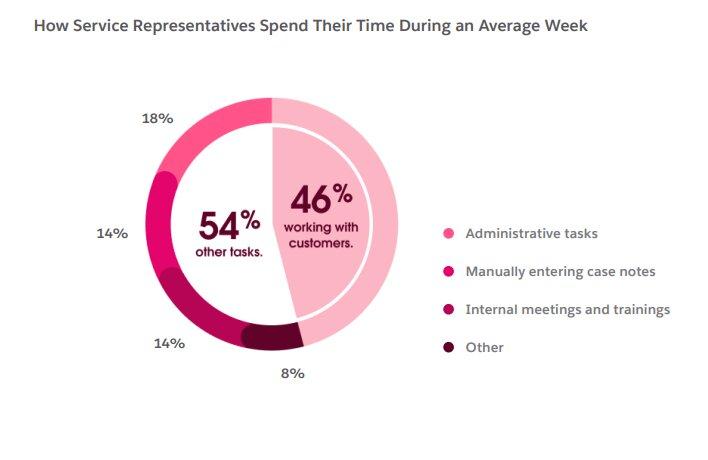
Salesforce’s 2025 survey shows why these metrics matter. The report shows that 82% of service leaders say customer expectations are rising. Yet most sales reps spend less than half their time (46%) with clients. They use 54% of the remaining time on repetitive manual tasks and meetings.
What Is B2B Customer Service Analytics Software Simply?
It’s a digital tool that turns support conversations into helpful insights. You can track your team’s response time, resolution rate, and workload. This helps you find gaps and fix them early before customers switch to competitors.
Leading B2B customer service analytics software options include timetoreply, Gorgias, and Freshdesk. We ranked these tools by one key question. How well can each tool measure B2B support performance?
Each platform here takes a different approach to customer service reporting. Here’s a quick comparison to help you pick the right platform:
| Tool | Best For | Starting Price | Free Plan or Trial |
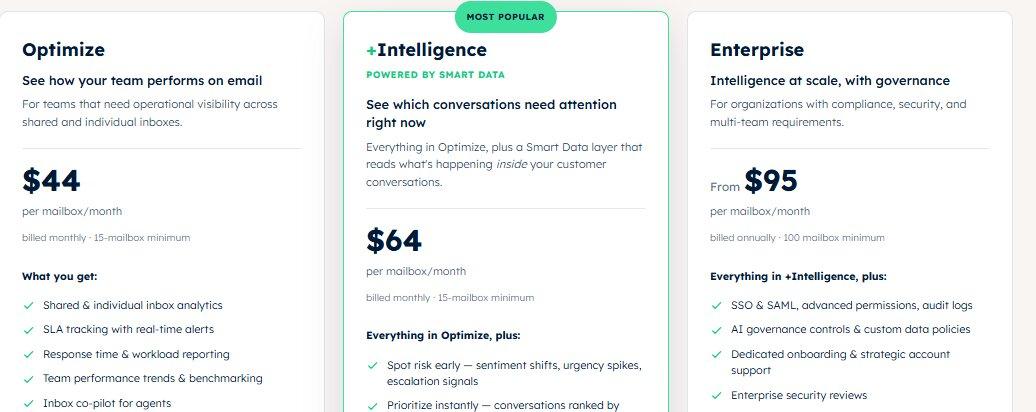
| timetoreply | Email reply time and SLA reports | $44 per mailbox/month (15-mailbox minimum) | 14-day trial, no credit card needed |
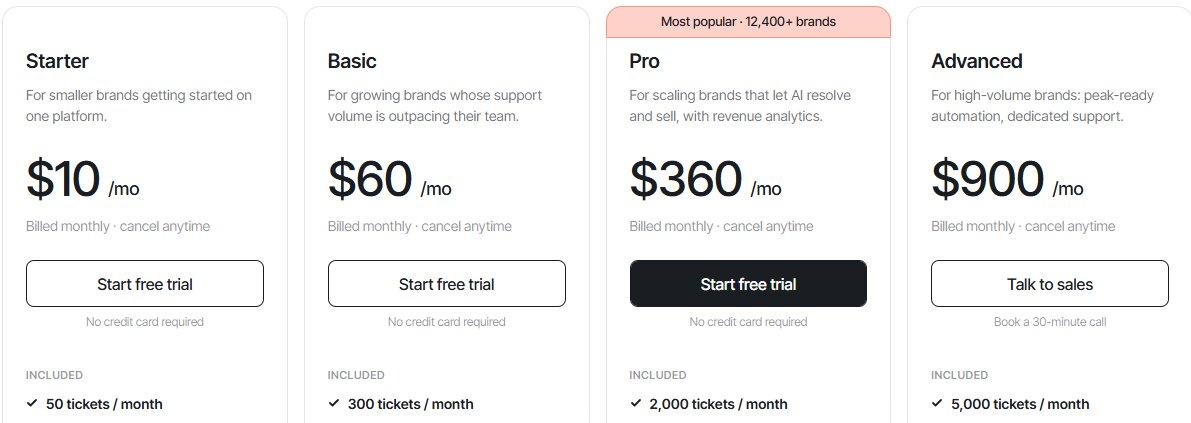
| Gorgias | Shopify-native support data | $10/month for 50 billable tickets | 7-day free trial |
| Freshdesk | Budget-friendly SLA reporting | $23 per agent/month | 14-day free trial |
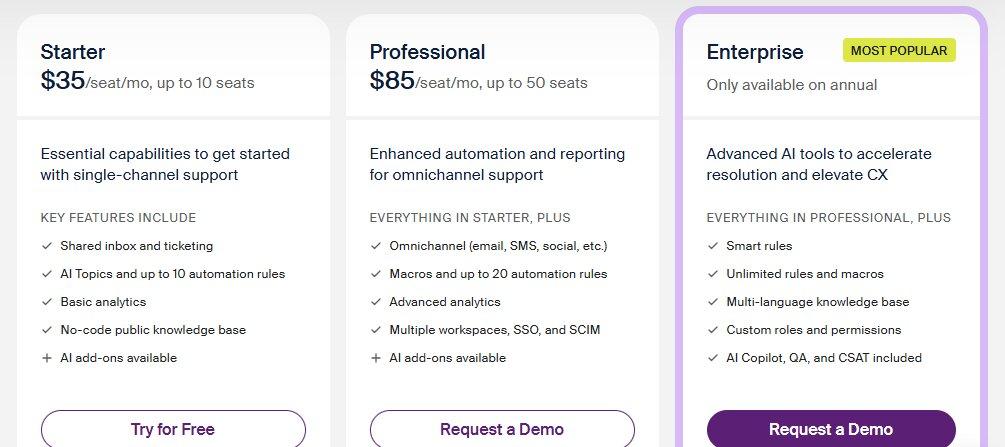
| Front | Shared inboxes and team collaboration | $35 per seat/month for 10 seats | 14-day free trial |
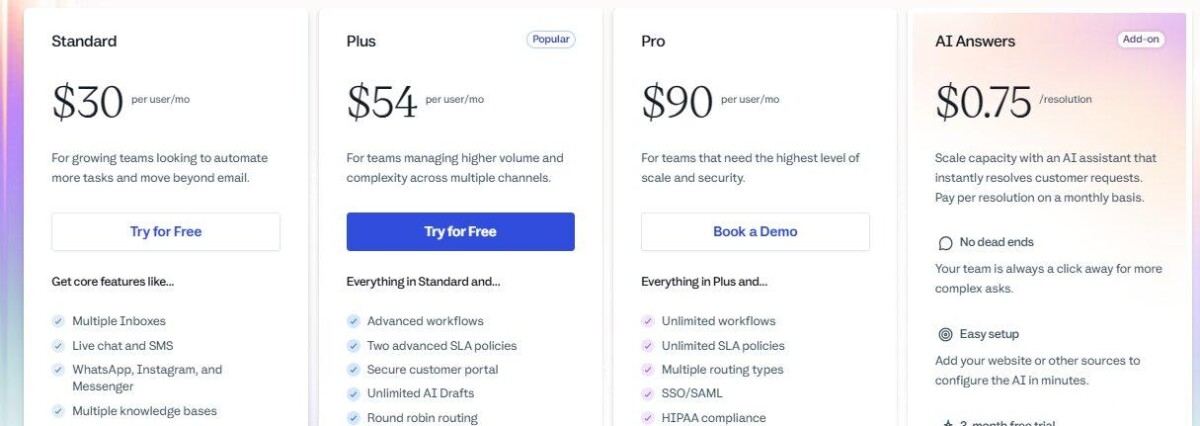
| Help Scout | Easy reporting from day one | $30 per user/month | Free plan (includes 5 users and 1 inbox) |
Strong options include timetoreply, Gorgias, Freshdesk, Front, and Help Scout. The right choice comes down to your team and goals.
We’ll compare the tools’ analytics, support features, strengths, limits, and pricing. This will help you find the right fit faster.
The timetoreply B2B customer service analytics software focuses on email reply times. It tracks response times, SLA targets, workload, and time to close in real time.
Plus, you don’t need to install extra tools. The support platform connects with the Outlook, Microsoft 365, or Gmail services your team already uses.
Best For: B2B teams that rely heavily on email support.
Key Features
Pros
Cons
Pricing
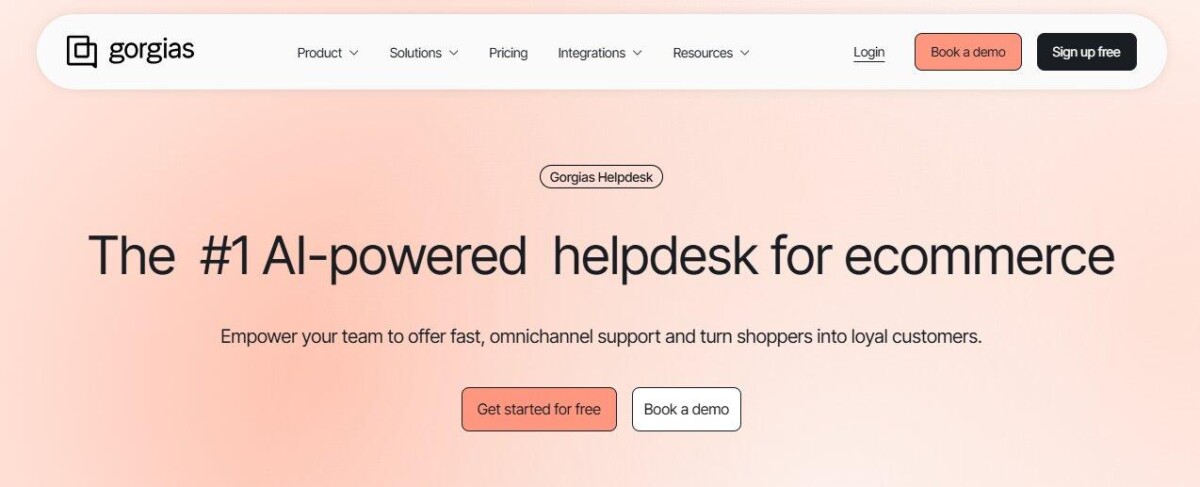
Gorgias is an ecommerce-first B2B customer service analytics software. It’s the only tool here with native Shopify integration.
The customer service tool links conversations to orders and revenue. This helps you see which support threads affect sales. Gorgias also charges by billable tickets instead of agent seats.
Best For: Shopify stores serving DTC and B2B buyers.
Key Features
Pros
Cons
Pricing
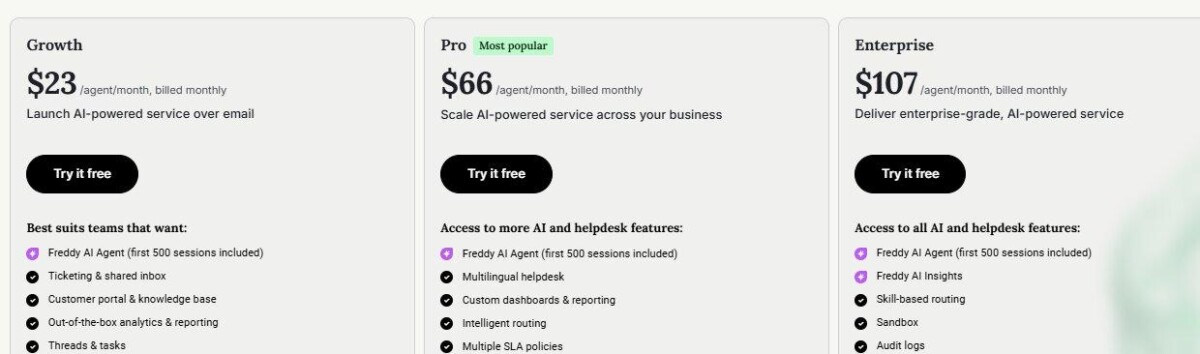
Freshdesk by Freshworks combines help desk tools with detailed service reporting. It stands out among B2B customer service analytics software for its multiple SLA rules.
You can set different targets for strategic accounts and smaller resellers. That helps you manage each group more fairly. Freshdesk also provides prebuilt reports and custom reporting tools.
Best For: Teams that need affordable, tiered SLA reports.
Key Features
Pros
Cons
Pricing
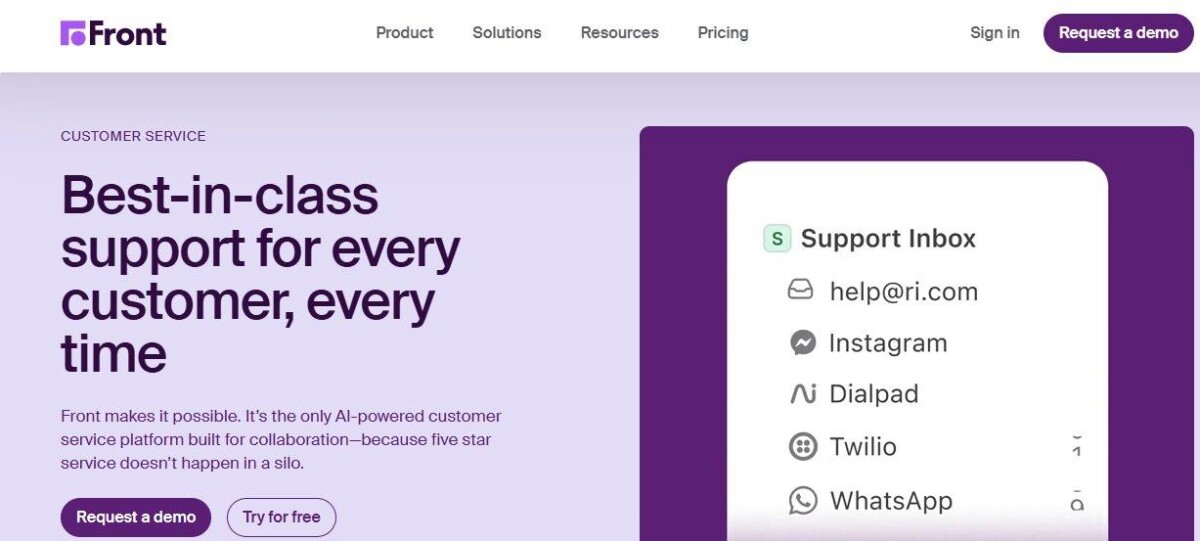
Front combines a shared inbox with B2B customer service analytics software. It works well for teams with named account owners.
All your customer emails stay organized in clear threads while the built-in reports trace your daily activity. You can quickly see how fast your team answers messages and how much work each person handles. Higher plans also let you review more historical data.
Best For: B2B teams managing client accounts through shared inboxes.
Key Features
Pros
Cons
Pricing
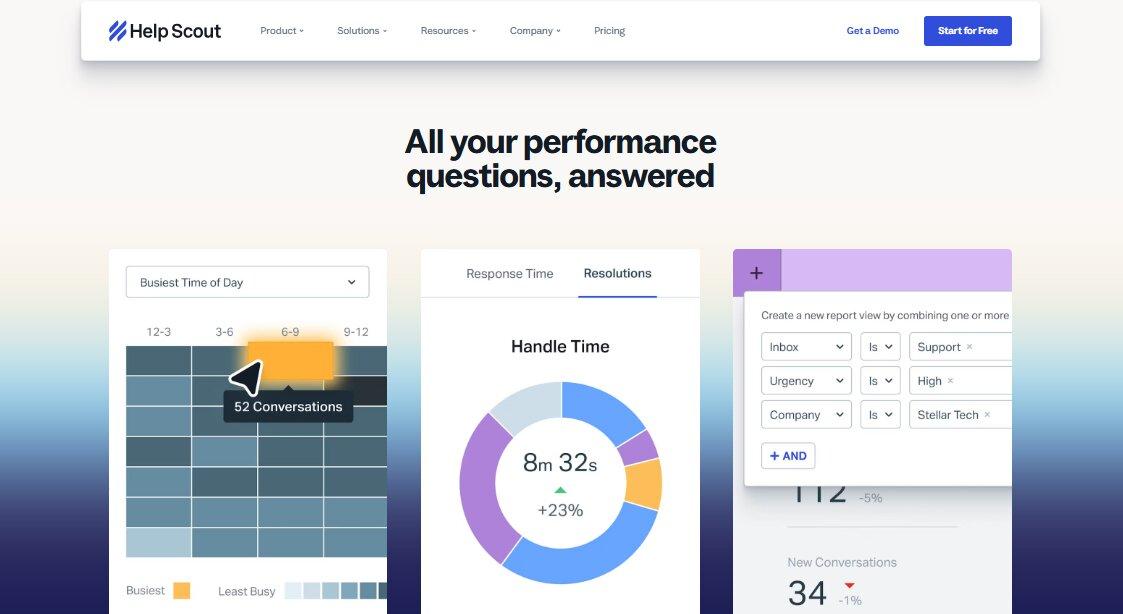
Help Scout stands out as a simple, human-centered B2B customer service analytics software solution. You get prebuilt and custom reports without a long setup.
Your team works from a shared inbox, where customer service messages follow an email-style format. This makes it easy to track customer questions, replies, and ongoing conversations in one place.
Best For: Small B2B teams that want simple reports without setup hassle.
Key Features
Pros
Cons
Pricing
What Are the Top B2B Customer Service Analytics Software?
The best B2B customer service analytics software depends on your support channels and goals. timetoreply suits email-focused teams, while Front works well for collaborative reporting. Freshdesk and Help Scout are good picks for teams that want simple support tools with useful reports. Gorgias is a strong fit for ecommerce teams that serve both DTC and B2B customers.
Match the B2B customer service analytics software to where your conversations already live. You’ll find that many customer insight tools look similar on paper. Even so, a ticket-only dashboard can miss key email activity.
Ask these five questions before you pick a B2B data analytics tool for your customer service team:
| How Do I Choose the Best B2B Customer Service Analytics Software?
Focus on your channels and real costs first, then compare features. The listed price may not match your real bill. |
B2B customer service analytics software helps you measure support performance by account. It shows how well you serve each customer.
You can track email response times, ticket volume, satisfaction, and resolution trends. You can also spot accounts that need attention. This helps you improve service and protect valuable customer relationships.
Often, yes. A helpdesk tool only tracks what enters its ticket queue. B2B buyers often email specific reps instead. This means those messages may never become tickets. In that case, use B2B customer service analytics software that reads those mailboxes. You can then track the support your buyers really receive.
The four types are descriptive, diagnostic, predictive, and prescriptive. Descriptive data shows what happened, such as last month’s average reply time.
Diagnostic analytics explains why it happened. Predictive data estimates what may happen next, while prescriptive analytics suggests what you should do next. Most teams usually start with the first two.
Prices depend on the platform you pick, your team size, and the features you need. Many B2B customer service analytics software tools offer free plans with simple features. Advanced platforms can cost much more. Always ask for a full quote to avoid surprise fees later.
The main ones include your first response time, average resolution time, SLA compliance, and email volume. You should also watch your ticket reopen rates and customer satisfaction scores.
B2B teams should track these numbers for every client account. A 90% overall SLA score sounds great. Yet that average can easily hide the fact that your top customer waits two days for help.
Using two tools can give you a more complete view. Gorgias can track your storefront support and link tickets to orders and revenue. On the other hand, timetoreply can monitor the wholesale side. It can track email conversations with named reps where buyers may never create tickets. Together, the tools show both halves of your customer service.
That depends on the tool. timetoreply works directly with Outlook, Microsoft 365, and Gmail mailboxes. Front and HelpScout bring email into a shared inbox. Freshdesk and Gorgias turn email into tickets, which reshapes the data.
A customer service analyst turns support data into useful decisions. They review reports and spot trends in response times. They also flag accounts that may need help. Then they suggest staffing or process changes. For smaller B2B teams, a support manager may handle these tasks.
The right B2B customer service analytics software should fit your support channels and goals. Look beyond ticket counts and agent activity to find and fix service gaps. This means tracking response times, customer satisfaction, workloads, and account health.
For Shopify operators with wholesale customers, both types of data are important. Pair your storefront reports with a shared-mailbox analytics tool. One without the other tells half the story.
Start this week. Review your current customer service reporting gaps. Then shortlist two or three tools. Test each one with real support data to find the right fit.




