
What if you could reclaim hours every week just by choosing the right tools? The best time management apps help you reduce distractions, organize work faster, and protect more time for the parts of life and business that matter most.
Time is a precious resource—you can’t stop using it and you can’t find more of it, but you need it to do absolutely everything. From scheduling meetings to fulfilling orders, time is behind every aspect of running a business, and you can’t afford to manage it poorly.
Poor time management can take many forms. Whether it’s procrastination, personal distractions, or projects that take more time than they should, there are many things that can waste your time every day. Wasted time means rushed deadlines, a work-life imbalance, and more stress and anxiety.
When it comes down to it, you just need to use the time that you have more effectively.
Thankfully, opportunities to manage your time better are everywhere. Here are 14 time management apps to help you free up your schedule, find time for your personal life, and focus on getting your work done in .
To make this list easier to use, Shopify selected these apps based on core use case, platform availability, free-plan access, pricing transparency, and standout features for business owners, teams, and solo users. Where pricing or platform details can change frequently, this guide links to the provider’s current pricing or download pages so you can verify the latest information before choosing a tool.
| App | Best for | Starting price | Free plan | Platforms | Standout feature |
|---|---|---|---|---|---|
| Clockify | Hybrid teams | Free; paid plans from $7.99 per seat/month billed annually | Yes | Web, iOS, Android, desktop, browser extensions | Unlimited users on free plan |
| Evernote | Note taking | Check current pricing | Yes | Desktop, tablet, phone | Search across notes, handwriting, and attachments |
| Asana | Task management | Check current pricing | Yes | Web, mobile, desktop | Shared projects, goals, and workflow views |
| Dropbox | Cloud storage and file sharing | Basic free; paid plans vary | Yes | Web, desktop, mobile | Cloud storage with collaboration tools |
| LastPass | Password management | Check current pricing | Limited/free options may vary | Web, browser extensions, mobile | Secure password storage and autofill |
| Toggl Track | Automatic time tracking | Check current pricing | Yes | iOS, Android, macOS, web, browser extensions | Flexible manual and automatic tracking |
| RescueTime | Productivity measurement | $7/month billed annually | No free plan listed here | iOS, Android, macOS, Windows, Linux | Automatic activity tracking and focus tools |
| Trello | Kanban task management | Free; paid plans vary | Yes | iOS, Android, Mac, Windows, web | Visual boards and cards |
| MyLifeOrganized | Personal task planning | Check current pricing | Yes | iOS, Android, Windows | Smart task prioritization |
| Focus@will | Focus music | Check current pricing | Trial/pricing varies | macOS, Windows, Linux | Music tailored to work styles |
| Todoist | Task organization | Check current pricing | Yes | Android, iOS, Mac, Windows, Apple Watch, browser add-ons | Recurring tasks and broad integrations |
| Remember the Milk | Personal task lists | $49.99/year for Pro | Yes | Android, iOS, Mac, Windows, browser extensions | Smart Lists and reminders |
| Harvest | Scaling businesses | $9 per seat/month billed annually | Varies by plan | iOS, Android, Mac, Windows, browser add-ons | Time tracking plus invoicing |
| TimeCamp | Multiple projects and teams | Check current pricing | Varies by plan | Web, desktop, mobile | Automatic tracking with budgeting tools |
If you want a quick way to scan the list, jump to the app category that best matches your workflow.
Best time management software for businesses with hybrid teams
Best for: Teams that need free time tracking at scale. Not ideal for: Businesses that want all advanced reporting and admin controls on the free plan. Starting price: Free; paid plans from $7.99 per seat/month billed annually.
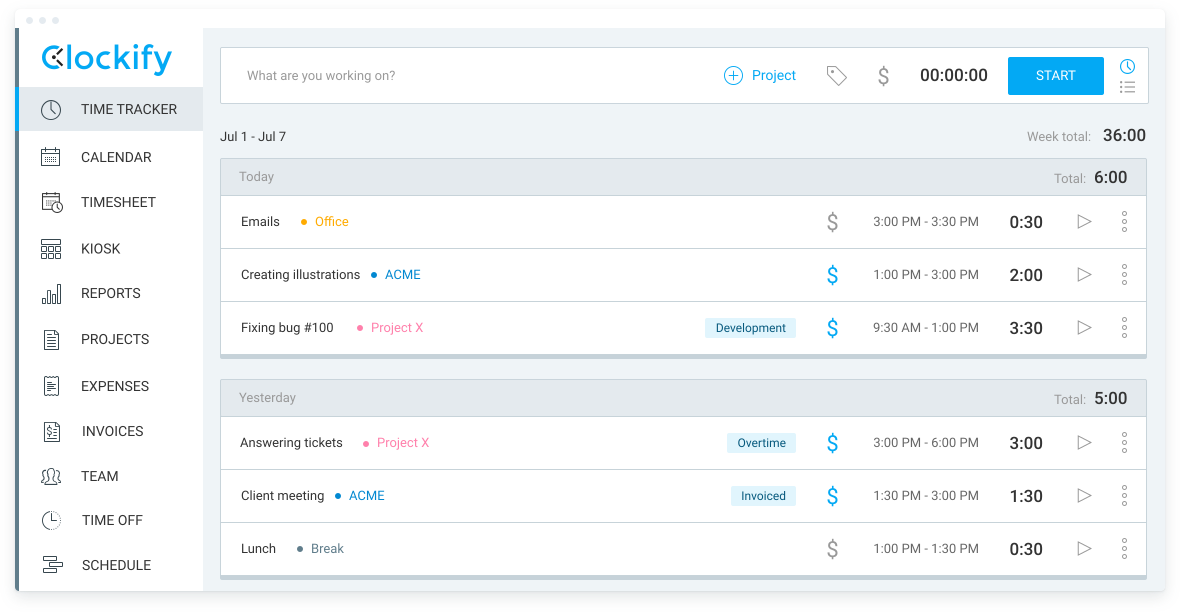
Clockify is a time tracking software used by millions of people. It’s a popular time tracker and timesheet app that lets you track work hours across projects. Clockify is available for an unlimited number of users, completely free. It works in your browser, but you can also install it on your phone or computer for convenience.
Clockify is used by many types of organizations and professionals:
If you want extra features like expenses, notifications, or the ability to schedule reports, you can upgrade to Pro for $7.99 per seat/month billed annually ($9.99 monthly).
Top features:
⭐️G2 rating: 4.5/5 stars
Best time management tool for note taking
Best for: People who want notes, tasks, and reference material in one place. Not ideal for: Users who only need a lightweight checklist app. Starting price: Check current pricing.
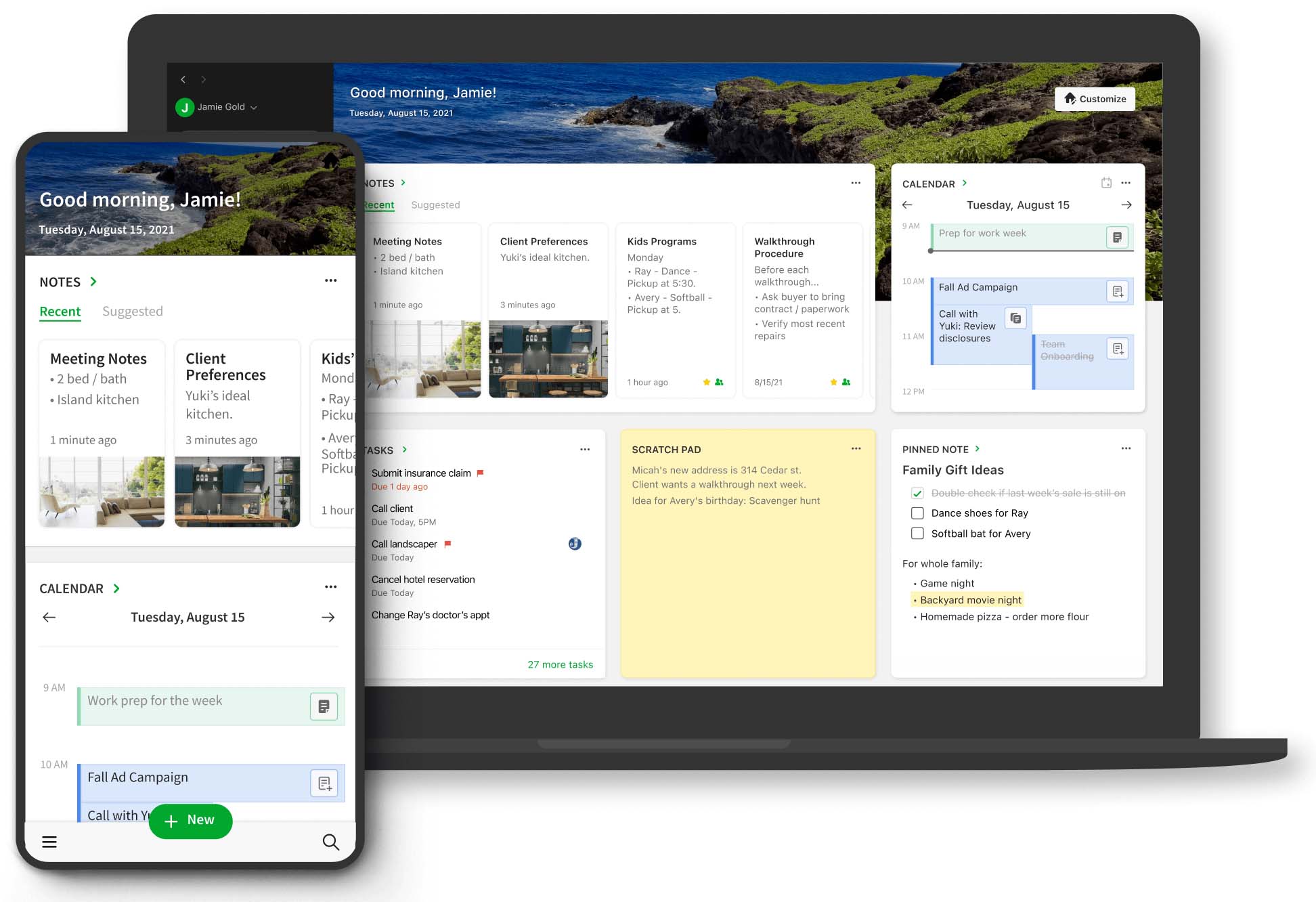
Evernote is one of the most established note-taking apps for capturing and organizing ideas. It helps you capture and manage ideas, examples, and to-do lists so you never miss a beat. With Evernote, you can:
Evernote helps you organize everything from personal moments to projects in one place. Its search function lets you surface all this information through word recognition in handwriting, images, or attachments. You can access it on your computer, tablet, or phone, even if you’re offline.
Top features:
⭐️G2 rating: 4.4/5 stars
Best time management software for task management
Best for: Teams managing projects, workflows, and cross-functional work. Not ideal for: Users who need built-in budgeting or expense tracking. Starting price: Check current pricing.
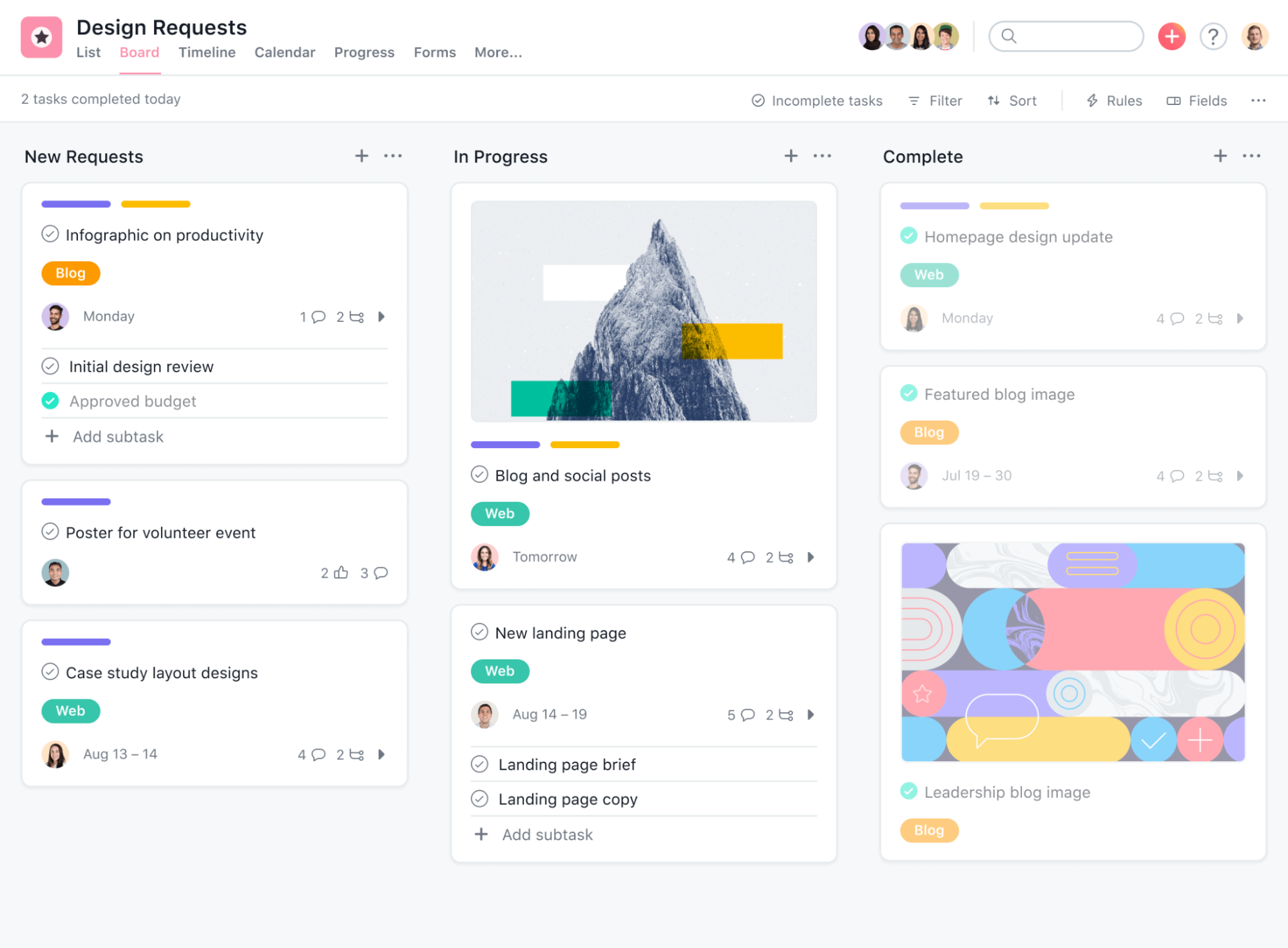
Productivity fanatics love Asana. It’s one of the best collaboration tools to help businesses manage different tasks. There’s a bit of a learning curve, but it’s worth the investment once you get the hang of it. It doesn’t offer budgeting or expense tracking tools, but it’s excellent for managing tasks, workflows, and various projects.
It’s really easy to create tasks and subtasks for projects, as well as assign them with due dates and visually see the entire workflow. Asana also has a strong, active community that can problem solve or explain ways to use the software.
Top features:
⭐️G2 rating: 4.3/5 stars
Best time management tools for cloud storage and to share files
Best for: Teams that need dependable cloud storage and file sharing. Not ideal for: Buyers focused mainly on the lowest storage cost. Starting price: Basic includes 2 GB; paid plans vary.
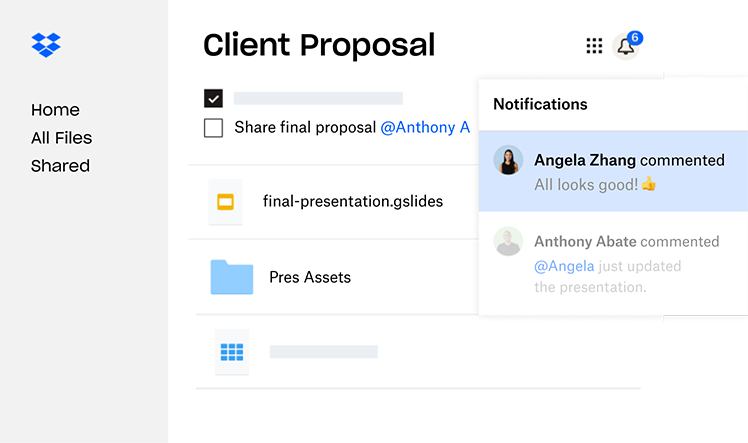
Dropbox is a simple, dependable file storage service with advanced collaboration features. It has many integrations to work with your existing tool set. All files are stored in the cloud.
Dropbox also offers synced desktop folders so you can access files anywhere. The company is always adding new services like digital signatures and integrations to help you work better. Dropbox Basic includes 2 GB of storage, and paid plans start at 2 TB.
Top features:
⭐️G2 rating: 4.4/5 stars
Best password protection manager
Best for: Businesses that want centralized password storage and autofill. Not ideal for: Teams looking for a broader all-in-one IT management suite. Starting price: Check current pricing.
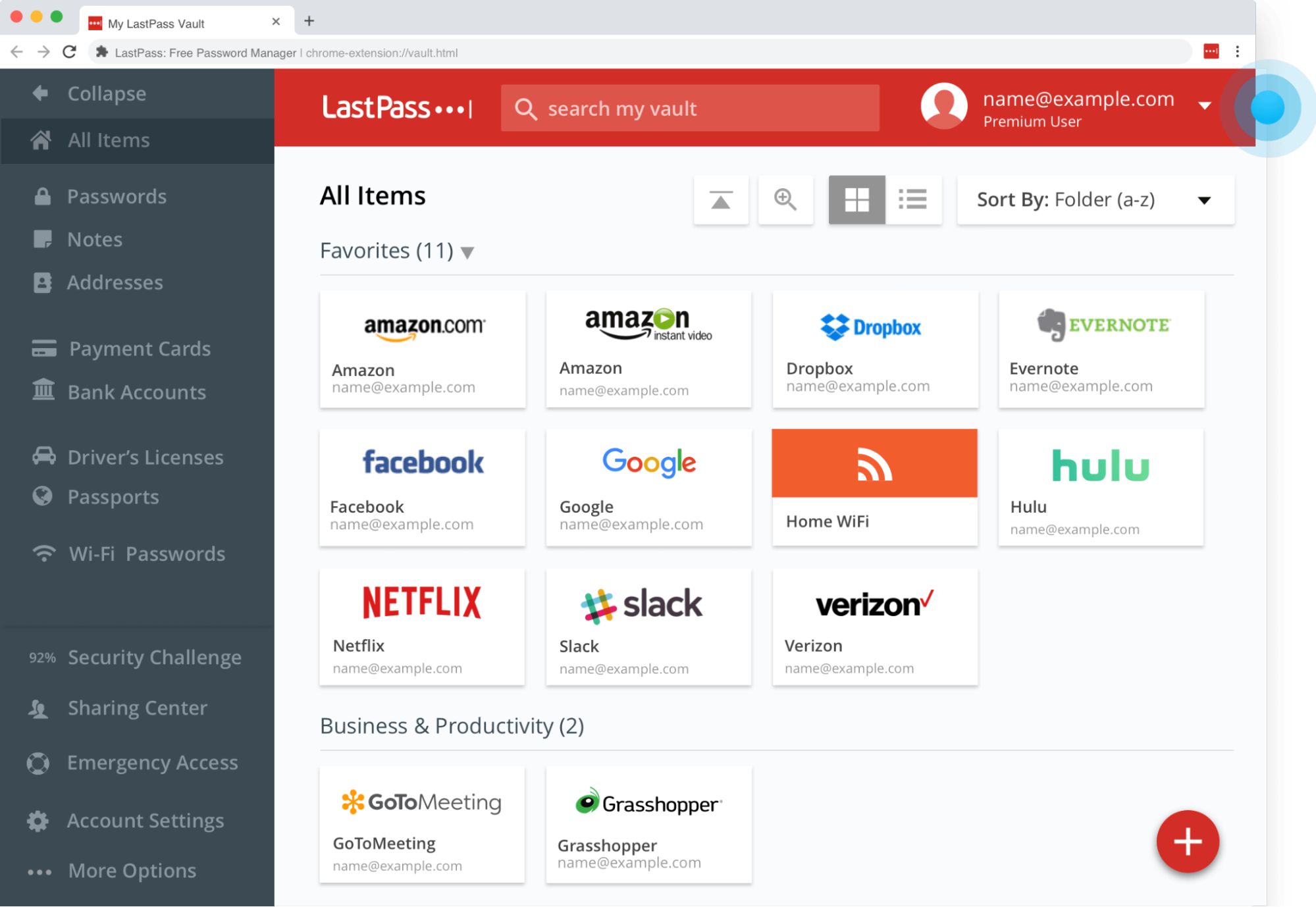
If you run an online business, chances are you use dozens of different tools and services. And all of them have different login credentials. It’s impossible to remember every password, and it’s considered risky to have the same password for every service.
LastPass solves this problem. Gone are the days of managing passwords manually. LastPass gives you a secure way to create, manage, and store your passwords so you never have to hit Forgot password?
again. With the LastPass browser extension, you’ll automatically fill passwords when they are saved to your vault.
Top features:
⭐️G2 rating: 4.4/5 stars
Best time management app for automatic time tracking and seeing billable hours
Best for: Freelancers and teams that want flexible time tracking. Not ideal for: Buyers who need fixed, all-in-one project accounting in the same tool. Starting price: Check current pricing.

Toggl Track is an app you can use to track time spent on tasks, as well as to manually add entries.
Keep your entries organized by:
Add notes to the description so you can recall what you were doing at a later date.
If you’re managing a team, you can invite them to your project and keep everyone’s time in one place. Detailed reports will show you where you’re spending the most time. Paid users also get detailed insights from Toggl about how to better optimize their time based on their log.
Toggl is available on iOS and Android, as well as macOS. There is a free version, or you can upgrade to Starter, Premium, or Enterprise plans. Check Toggl Track pricing for current rates.
Top features:
⭐️G2 rating: 4.6/5 stars
Best time management software for measuring and tracking productivity
Best for: People who want automatic activity tracking and focus insights. Not ideal for: Users who prefer fully manual time logs. Starting price: Solo Focus at $7/month billed annually.
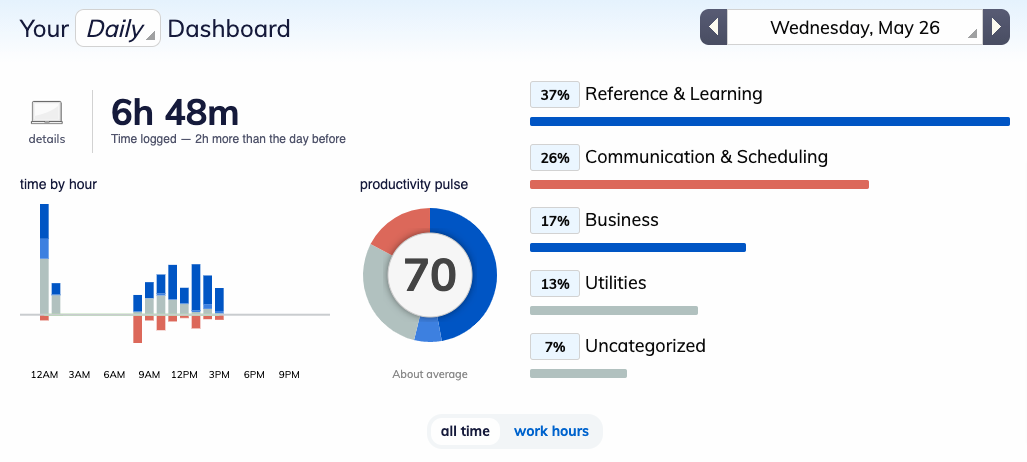
RescueTime is a time-tracking app that records how and where you spend your time online. The productivity app analyzes everything you do in a day—from which other apps you use to how much time you spend on your favorite websites.
If you want to eliminate the distractions in your life and get your work done quicker, RescueTime is a fantastic way to discover exactly which behaviors have been holding you back. To help you focus on hitting your goals, paid RescueTime plans can temporarily block your go-to procrastination websites.
“I block Instagram and Twitter like I actually have an app that doesn’t let me go on it between the hours of 10 and 4 10:00 a.m and 400 p.m and now I find myself like not doomsday scrolling not like but I’m probably more productive.”
— Rocky Sue, Founder at Rocky’s Matcha (Source)
That kind of distraction blocking can be especially useful if your biggest time-management problem is context switching rather than planning.
RescueTime is available for:
Current plans include Solo Focus at $7/month billed annually, Solo+ at $12/month billed annually, Team Focus at $10 per user per month billed annually, and Team+ at $16 per user per month billed annually.
Top features:
⭐️G2 rating: 4.1/5 stars
Best kanban board software for managing tasks
Best for: Teams that want visual boards for projects and collaboration. Not ideal for: Users who need advanced resource planning out of the box. Starting price: Free; paid plans vary.

Trello is a flexible project management web application that lets you easily sort through your tasks and collaborate with your teammates. Instead of getting lost in a mess of emails or a confusing spreadsheet, Trello visualizes your projects as lists pinned to digital bulletin boards.
Each list is made of individual posts called cards, which can represent anything from tasks to ideas to goals.
Team members can add the following to cards:
These features help keep everyone on the same page.
Whether you’re looking for a way to track the progress of big projects or organize your latest brainstorming session, Trello can be customized to fit your team.
Trello is available on iOS and Android, as well as Mac and Windows. There’s a free version, or you can upgrade for more features with Standard, Premium, or Enterprise.
Top features:
⭐️G2 rating: 4.4/5 stars
Best tasks organizer and manager for personal life
Best for: Individuals who want structured personal planning and prioritization. Not ideal for: Teams that need deep collaboration features. Starting price: Check current pricing.
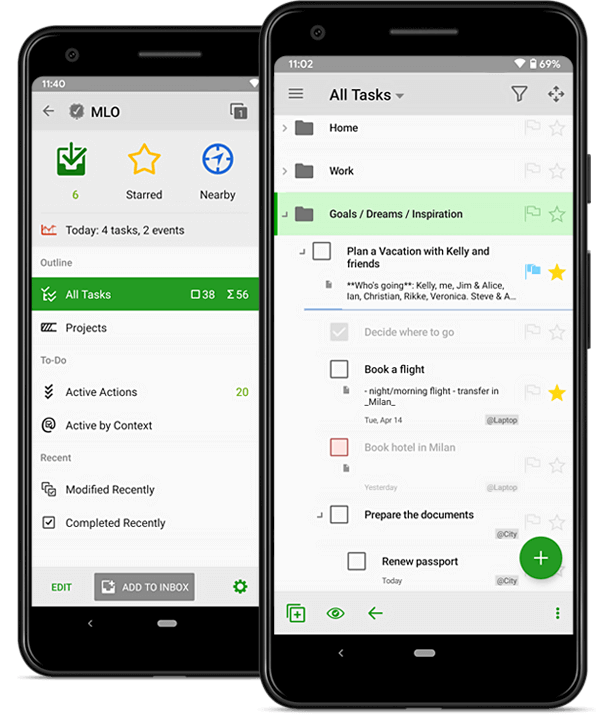
MyLifeOrganized is more than just a to-do list.
Use the daily planner app to:
If one of your tasks is so big it’s daunting, use the app to create subtasks to help motivate you to make progress.
Some of MyLifeOrganized’s paid features include automated smart lists—essentially, the app uses the deadlines, tasks, and prioritizations you’ve put in to determine which items need your immediate attention. You can also use it to set geo-based reminders, so the app will ping you whenever you’re near one of your indicated locations.
MyLifeOrganized is available for iOS, Android, and Windows. It offers a free plan and paid licenses. Check MyLifeOrganized pricing for current rates and platform details.
Top features:
Best productivity app combining neuroscience and music to improve focus
Best for: People who like working with background music designed for concentration. Not ideal for: Users who prefer silence or want a traditional task manager. Starting price: Check current pricing.
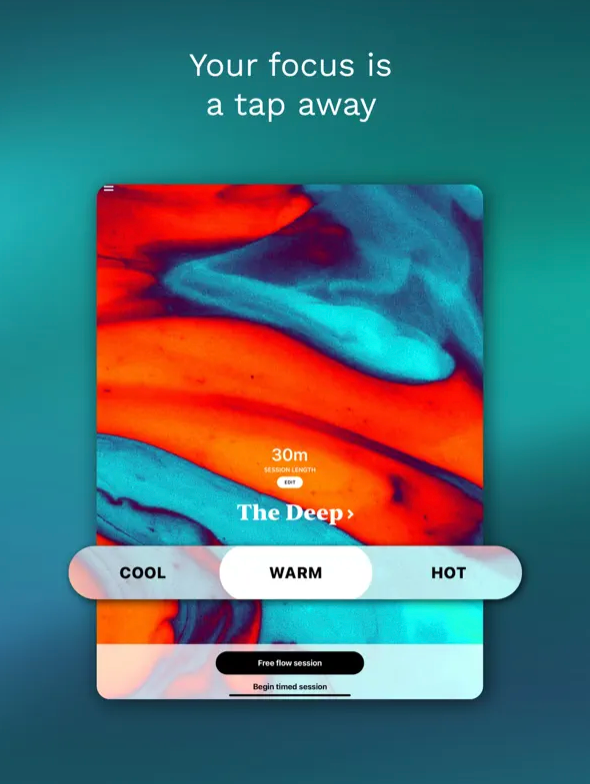
Focus@will is a unique time management app in that it helps you maximize your time better. The app plays music and soothing sounds, which may help some people focus while working.
Choose playlists based on what you do (entrepreneur versus student) or the type of learner and worker you are (creative versus logical). According to the company, there’s a specific type of music for each individual that will put them into their flow state
. By entering a bit of information about yourself, Focus@will will choose music optimized for you. Then hit Play and get to work.
Focus@will offers desktop downloads for macOS, Windows, and Linux. Individual and team pricing may change, so check Focus@will pricing and downloads for current plan and platform details.
Top features:
Best task management app to keep tasks organized and achieve your goals
Best for: Individuals and teams that want clean task management with recurring tasks. Not ideal for: Users who need complex project accounting or deep native time tracking. Starting price: Check current pricing.
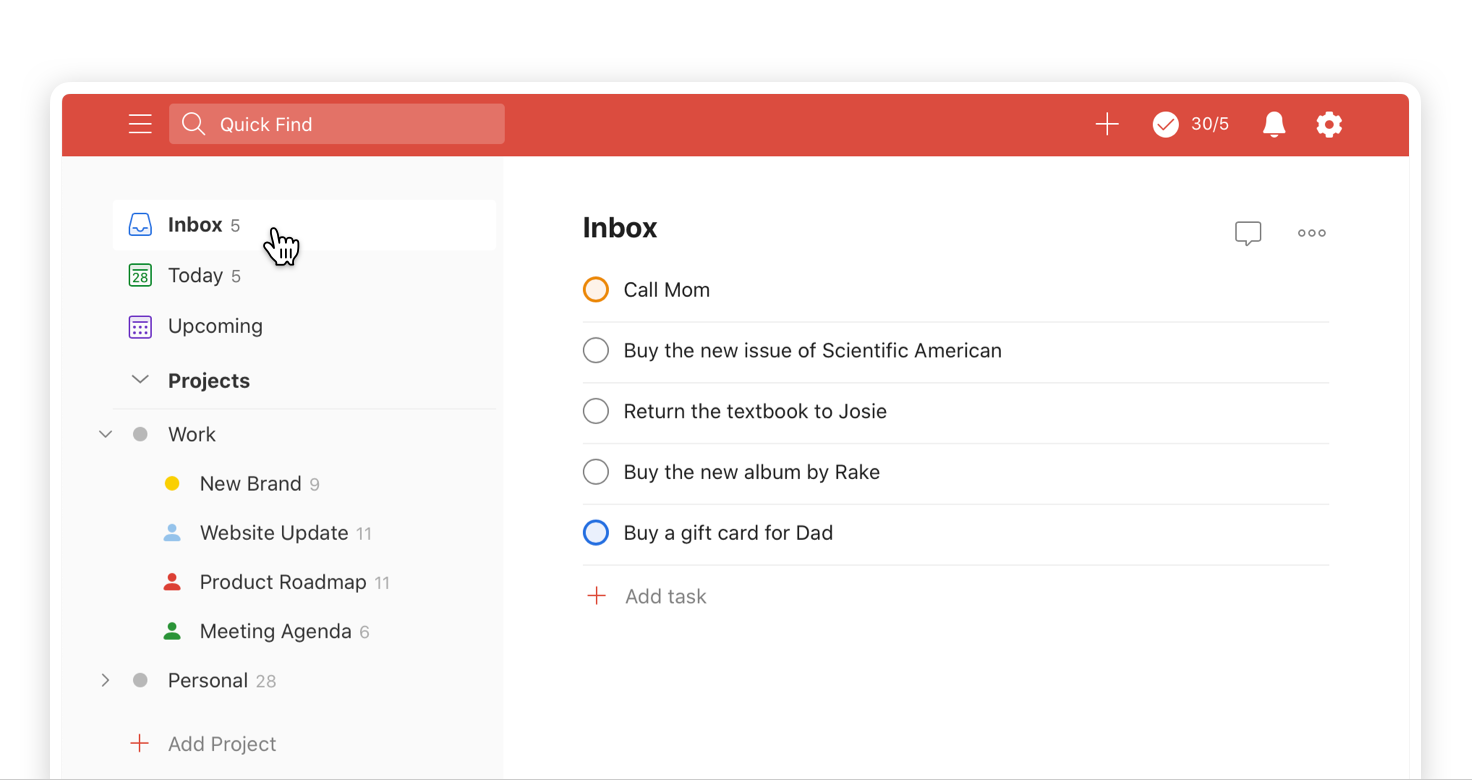
Todoist is another task-management and organizer app that can help you stay on top of everything that needs to get done. You can also use the calendar view to get a glance at your week or month ahead.
Add daily habits and recurring tasks and deadlines so you don’t have to manually input repetitive tasks every time. Use color-coded prioritization and get the satisfaction of seeing your progress toward task completion.
“I think for me at least just like putting everything in my calendar having a to-do list on my phone checking things off as you know as things get done.”
— Rocky Sue, Founder at Rocky’s Matcha (Source)
That combination of calendar blocking plus a phone-based task list is a useful reminder that even the best app works better when it fits the way you already plan your day.
Todoist is available on:
Like many of these time management apps, Todoist has both free and paid options. Todoist now uses Beginner, Pro, and Business plans. Check Todoist pricing for current rates.
Top features:
⭐️G2 rating: 4.4/5 stars
Best time management app for students and personal life
Best for: People who want simple personal task lists with reminders. Not ideal for: Teams that need advanced project collaboration. Starting price: Free; Pro costs $49.99 per year.

Ever run to the grocery store for milk and get everything but the milk? That’s the premise Remember the Milk was built on, and it’s expanded beyond just grocery shopping lists. The time management app will help you stay on top of the milk and much more.
Remember the Milk is a to-do list app that allows you to organize tasks by color-coded tags, as well as break larger projects down into subtasks. Attach files from Google Drive or Dropbox and share your lists with others so they stay on the same page.
The app can send reminders via:
Remember the Milk is available for:
There’s a free version available, and Pro costs $49.99 per year.
Top features:
⭐️G2 rating: 4.4/5 stars
Best time tracking app for scaling businesses
Best for: Businesses that need time tracking tied to invoicing and budgets. Not ideal for: Users who only need a basic free timer. Starting price: Teams starts at $9 per seat/month billed annually.
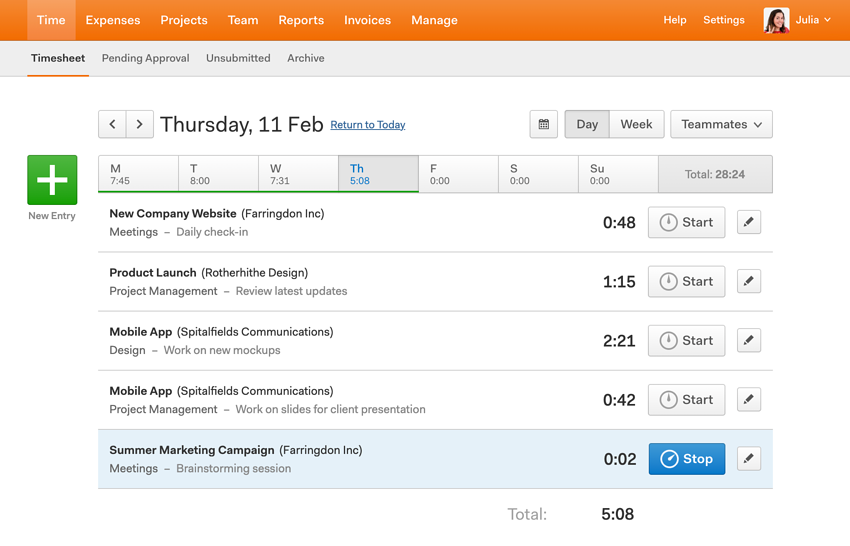
Harvest is a time- and expense-tracking app that can help you shift your mindset and start thinking about time as a finite resource. The app has robust time-tracking features, and it shares easy to understand visual reports on how you and your team are spending your time.
The app integrates with many other tools, including:
Plus, it can help you track billable time so you can make sure you account for every minute.
You can download Harvest on:
There are also several browser add-ons available. Harvest Teams starts at $9 per seat/month, billed annually.
Top features:
⭐️G2 rating: 4.3/5 stars
Best for managing multiple projects and teams
Best for: People managing several projects, clients, or team schedules at once. Not ideal for: Users who only need a simple personal timer. Starting price: Check current pricing.
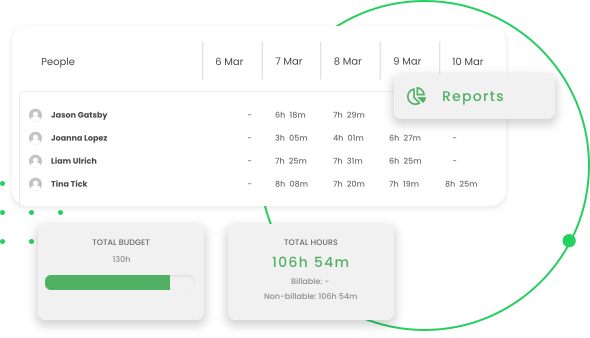
TimeCamp helps you track your work hours, manage projects, and improve productivity by giving you detailed insights into how you spend your time. People working on multiple projects who need to allocate time efficiently often use it, including small business owners and freelancers.
TimeCamp has an intuitive interface that’s easy to use, so it’s a good fit for both people new to time-tracking software and more experienced users.
You can log time with automatic and manual time tracking options for tasks and projects.
Top features:
⭐️G2 rating: 4.7/5 stars
If you’re still deciding which tool fits your workflow, these are the benefits to compare before you choose.
You can certainly be productive without using a special time management app, and many business owners start out with nothing more than guesstimates. But as you grow and hire employees, you’ll run into a few rough patches without a time tracking app.
A specialized time management software helps you track work from afar and improves overall communication between you and employees. It can help you run a profitable online business in a few important ways:
When you have many people working on different projects, or just want to manage your own time better, a time management tool is the right choice.
Once you know the benefits, the next step is narrowing your shortlist based on how you actually work day to day.
Time management apps are tools that help you plan, track, prioritize, or protect your time across work and personal tasks. The best choice depends less on popularity and more on whether the app matches your habits, team size, and workflow complexity.
If you’re evaluating tools for a team, look for reporting, permissions, integrations, and pricing transparency. If you’re choosing for personal use, prioritize simplicity so the app doesn’t become another task to manage.
If your workload spans multiple business functions, calendar discipline can matter as much as the app itself. As Issues Magazine Shop founder Nicola Hamilton put it:
“I joke that um Google calendar invites are my love language. If it’s not in the calendar, it will not happen. I will not get there. So, I think it’s just like the scheduling. It’s the time management stuff.”
— Nicola Hamilton, Founder at Issues Magazine Shop (Source)
Spending your time effectively isn’t just the key to a more productive life, it’s also the secret to a happier one.
It’s easy to get wrapped up in work, especially if you aren’t managing your time effectively. It’s one of the challenges of entrepreneurship. You could miss out on opportunities to spend quality time with your friends and family. Maintaining a proper work-life balance is at the heart of your personal and professional success, so you need to make better use of your time whenever possible.
With the right time management apps, you can track where your hours go, organize priorities more clearly, and reduce the stress that comes from rushed work and constant context switching. Pick one app for tracking time, one for task management, and one for focus, then test them in your workflow this week to see what actually improves your routine.
If you’re building a business and want better systems behind every hour you invest, take the next step and start your free Shopify trial today.
The best app depends on the problem you want to solve. If you need time tracking, try Clockify, Toggl Track, or Harvest; if you need task planning, Todoist, Trello, or Asana may be a better fit. Start with one free option and test it for a week before adding more tools.
Time management apps make your work visible, which helps you spot delays, distractions, and repeated tasks. They can also improve prioritization, reduce context switching, and give you reports that make better planning decisions easier.
A procrastinator may benefit most from tools that reduce friction and limit distractions. RescueTime can help identify time-wasting habits, while apps with Pomodoro timers, reminders, or website blocking can make it easier to start and finish focused work sessions.
Yes, time management apps can be effective when you use them consistently and choose one that fits your workflow. The biggest gains usually come from better visibility, clearer priorities, and fewer manual steps—not from downloading the most features.
Yes. Apps like Clockify, TimeCamp, Toggl Track, and Harvest are designed to track hours worked, often with timesheets, project tags, and reporting. If you need payroll, invoicing, or budget visibility, compare those features before choosing a plan.




