

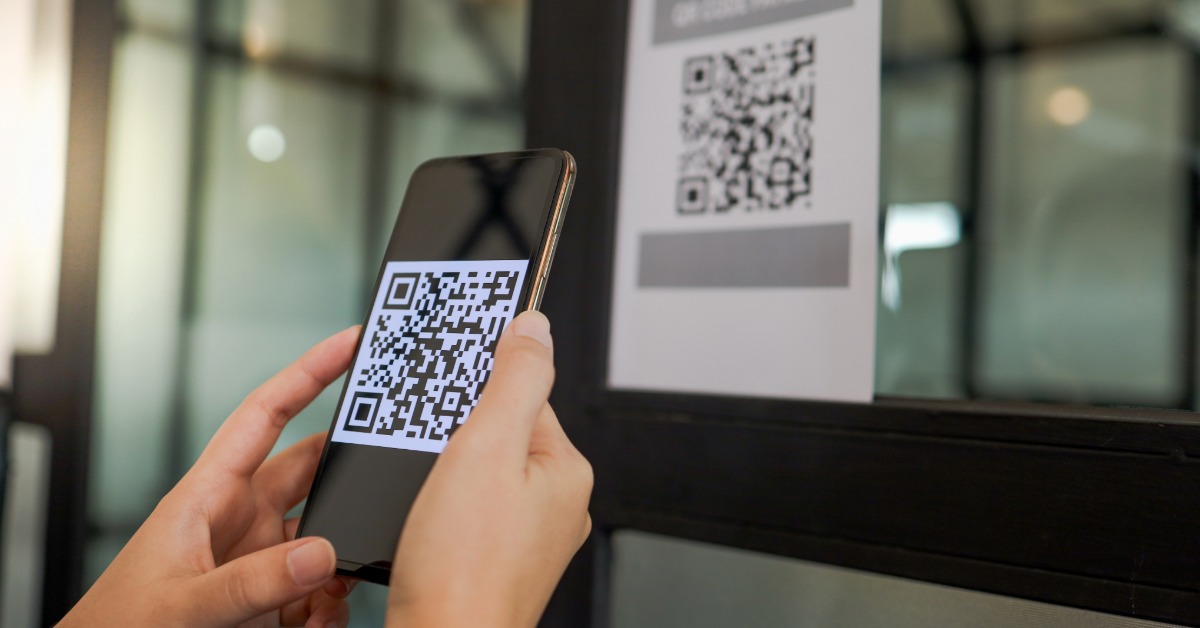
The best trackable QR code generator depends on scan volume and the data you will use: TQRCG is the strongest low-cost starting point, ME-QR offers the longest free history with ads, Flowcode has the richest early analytics, and QR.io suits high-volume teams that need unlimited scans.
A QR code that keeps resolving after its analytics cap is reached does not fail visibly. It fails quietly, which is worse when you are using the report to decide what to print, place, or fund next.
Every trackable QR Code is a dynamic one, because a scan has to pass through a redirect before it reaches the destination, and that redirect is what does the counting. A static code goes straight to the destination with nothing in between, so there is nothing to count and no report to read.
That means the question is never really whether a tool can track. It is how much it tracks, how many scans it will track before it stops, and how much of that you get without paying. Those three numbers differ enormously across the six tools below, and the differences are not where the marketing puts them.
Every figure here came from the vendor’s own pricing page or published documentation rather than a review site. Five were checked on 25 July 2026, and pricing should be reconfirmed before you commit to an annual term.
At the simplest level it means a scan gets logged. Almost every tool clears that bar, so it tells you very little on its own.
The useful question is which fields come back, because a scan can be recorded as a bare count, or it can carry a timestamp, a city, a country, a device type, an operating system and a referring source. Each field answers a different question, and most free tiers hand over two or three of them while the rest sit behind an upgrade.
There is a second number that matters more than the field list, and it is the one buried furthest down most pricing pages. That number is the scan ceiling, and several tools here keep the code working after you pass it and simply stop recording, which means your code carries on doing its job while you lose the ability to prove it. A campaign that goes quiet in your dashboard halfway through its run is worse than one that was never tracked, because you will draw conclusions from half the data without noticing.
Three fields do most of the work, and the rest is usually decoration.
Device type tells you whether your landing page is failing on one operating system, which is the single most actionable field in the set. If four in five scans arrive on iOS and your conversion rate is flat, the problem is almost certainly the page rather than the placement. City tells you which locations are pulling and which are not, which decides where the next print run goes. Time of day tells you whether a placement is visible in the conditions it actually sits in, and a flat line after six in the evening usually means a lighting problem rather than a demand problem.
The appetite for this is not in doubt, and the survey data says so plainly, since Bitly’s 2025 survey of 250 marketers found that 93% had increased QR Code usage over the previous twelve months, that 88% felt consumer sentiment had become more positive, and that 86% planned to increase usage further. The money is following the same direction, since Grand View Research valued the QR Code payment market at USD 12.54 billion in 2024 and USD 14.32 billion in 2025, forecasting USD 61.73 billion by 2033.
Ranked on how much tracking arrives free, then on the scan ceiling, then on how deep the paid tiers go.
TQRCG’s scan analytics give you five fields on a free plan, which is more than most tools release without payment. You get total scans, unique users, city, country, and device across a 14-day window, on 2 free dynamic QR Codes that never expire.
Compare that against the rest of this list and the gap is clear. Pageloot and QR.io have no free account tier at all, Flowcode stops recording after 500 scans, and QR Code Prime tracks 500 scans a month. TQRCG publishes no scan cap on its free tier, so the constraint is the 14-day window rather than a volume ceiling you can hit unexpectedly.
Those free dynamic codes also stay live through a downgrade or a cancellation, which matters for tracking specifically. A code that stops resolving does not just stop working, it stops reporting, and any historical comparison you were building breaks with it.
Flex starts at $5 per month billed yearly for 5 dynamic QR Codes and reaches $10 per month billed yearly for 45. That step stretches scan history from 14 days to 60, clears the advertising from the free dynamic codes, removes the watermark from free static downloads, and turns on CSV export so the data can leave the dashboard. Sixty dollars a year for five tracked codes with two months of history is the cheapest useful tracking on this page.
The honest limits run to three, and none of them is fatal. The 14-day window on free is short if you compile reports monthly rather than weekly, GPS-level location sits on the Core Plan (powered by Uniqode) rather than on TQRCG itself, and both Free and Flex are single-user accounts. Pull your numbers the week after a campaign instead of the month after and the first of those stops mattering.
ME-QR gives away the longest free analytics window in this comparison by a wide margin, and it attaches one condition that decides whether you can use it. The free plan carries dynamic codes with unlimited scans, unlimited code lifetime, and a full year of analytics history, which no other free tier here approaches.
A year of history on a free plan is genuinely unusual. It means you can compare this November against last November without paying anybody, and for seasonal businesses that comparison is the whole point of tracking in the first place.
The condition attached to all of that is advertising, because every code on the free plan shows an advert after the scan, confirmed in their own documentation, so a customer scanning your code sees something you did not choose before they see your page. Lite removes it at $16.99 per month billed monthly or $10.50 per month billed yearly, and Premium costs $27.99 monthly or $15.08 billed yearly, stretching history to three years and emailing you on every scan.
There is one more thing worth checking before you scope a project around it. Their pricing page states two different figures for the free code limit, listing one number on the plan card and another in the comparison table below.
Flowcode records the richest scan detail of any free tier here, and then stops early. The free plan costs $0 a month and covers 2 dynamic codes, one seat, two hosted mobile landing pages, and analytics on your first 500 scans, with no advertising served.
Within those 500 scans you get device, time, and date, plus click data on the landing page itself, which is a layer none of the others offer at any price on this list. Knowing that 400 people scanned and 60 clicked through tells you something a scan count alone never will.
Pro Plus costs $25 per month billed annually for 50 codes and landing pages, with analytics on 6,000 scans, advanced geolocation, CSV reports, PDF exports, and UTM traffic charts. A Growth tier is listed at $250 and marked annual only, though the page does not state whether that figure is monthly or the yearly total, so it is not quoted here.
The ceiling is the problem at any real volume. Six thousand scans on a $25 plan is roughly two months for a moderately busy placement, and the codes keep resolving after that while the reporting goes dark. You lose the evidence, and you keep the traffic.
Pageloot publishes the clearest tier gates of anything in this comparison, which makes it easy to buy correctly and easy to rule out quickly. There is no free account tier, so tracking requires signing up for a 14-day trial with no card, and the free on-page generator produces codes without any tracking attached.
Starter costs EUR 7 per month, billed as EUR 60 a year, for 2 dynamic codes, 15,000 annual scans, country-level data, and 60 days of history. Premium costs EUR 12 per month, billed as EUR 144 a year, for 60 codes, city-level data, CSV export, and 120 days. Pro adds device data and a full year of history.
Fifteen thousand annual scans on a EUR 7 tier is generous, and country-level data from the entry plan is more than Bitly gives away at $10 a month. Two cautions apply before you sign up. Prices are quoted in euros, so a US buyer takes a conversion on every invoice, and their own terms state that codes become inactive once the plan expires, which ends both the redirect and the reporting at the same moment.
QR Code Prime’s free account carries 10 dynamic QR Codes with 500 tracked scans a month, and there is no paid tier underneath it at all. Ten tracked codes at no cost is five times what TQRCG offers free, and more than several paid entry tiers on this page provide.
The tracked fields cover total scans, date, device, and estimated location by city and country, which is a reasonable set for a code you simply want to keep an eye on. Static codes are unlimited alongside it, never watermarked, and generated inside your browser, so anything you encode into a static code never reaches their servers.
The 500-scan monthly ceiling is the real constraint, and it is worth doing the arithmetic before you rely on it. A code in a shop serving fifty customers a day passes it inside three weeks, at which point the counting stops until the month turns. There is also no bulk creation, and one independent developer maintains it with no published compliance certifications, which a procurement review will raise.
Where it fits is a spread of small placements rather than one busy one. Ten codes across ten low-traffic locations, each well under 500 scans a month, is a shape this handles better than anything else here and at no cost whatsoever.
QR.io removes every quota in this comparison and charges a flat fee for doing so, which is a genuine argument until you look at what comes back. There is no free plan, only a 7-day trial, and an account is required even to download a code from the generator.
Two options exist with identical feature lists: $39.99 per month billed every month, or $350 for 12 months, which lands near $29 a month. Both carry unlimited QR Codes, unlimited scans, bulk creation, and five team members.
Unlimited tracked scans is the strongest single number on this page, and for a campaign whose volume you cannot predict it removes an entire category of planning. The catch is the depth of what comes back, since their own description lists scan count, date, and location, with no device breakdown stated anywhere, so the one field that tells you whether your landing page is broken on iOS is the field you do not get.
QRCodeStack is a dynamic QR code generator built for businesses that need branded, editable, and trackable QR codes. It supports more than 37 QR code types and lets users customize codes with logos, colors, shapes, frames, and calls to action.
The main advantage is flexibility after the code has been printed. With dynamic QR codes, you can change the destination URL without creating or reprinting the QR code. QRCodeStack also provides scan tracking, including information such as scan time, device, and location, helping businesses understand how their QR codes are being used.
For businesses running campaigns across packaging, print materials, menus, business cards, events, or marketing campaigns, QRCodeStack provides a centralized way to create and manage branded QR codes while monitoring scan activity.
It also supports PNG and SVG downloads and bulk QR code generation, making it useful for businesses managing multiple QR codes or campaigns at once.
| Tool | Free tracked scans | Fields on free | History on free | Entry paid price |
| TQRCG | No published cap, 2 codes | Total, unique, city, country, device | 14 days | $5/month billed yearly |
| ME-QR | Unlimited, with ads | Standard set, ad-supported | 1 year | $10.50/month billed yearly |
| Flowcode | 500 scans | Device, time, date, page clicks | Not published | $25/month billed annually |
| Pageloot | None, trial only | Country on Starter | 60 days on Starter | EUR 7/month billed annually |
| QR Code Prime | 500 per month, 10 codes | Total, date, device, location | Not published | No paid tier |
| QR.io | None, trial only | Count, date, location | Not published | $39.99/month billed monthly |
| QRCodeStack | None, 7-day trial only | Full analytics during trial | 7-day trial | $9/month billed monthly |
Most people buy more tracking than they will ever read. Work through these three questions in order and the answer usually gets cheaper.
This decides whether a short history window matters at all. If you pull numbers the week after a campaign, TQRCG’s 14 days on free is sufficient and costs nothing. If you report monthly, you need 60 days, which is Flex at $5 per month billed yearly. If you compare year on year, ME-QR’s free tier is the only one here that goes back twelve months without payment, provided you can live with the advertising.
Tracking you will not act on is a cost rather than a feature. Device data earns its place because it triggers a fix to a landing page, and city data earns its place because it moves a print budget. A count of total scans changes nothing on its own, and Mordor Intelligence attributing 64.92% of 2025 market revenue to dynamic codes does not mean every one of those codes needed deep reporting.
This is the number that breaks free tiers, and almost nobody estimates it before signing up. One code in a busy retail doorway can clear several hundred scans a week on its own, which passes Flowcode’s 500 and QR Code Prime’s monthly allowance quickly. Spread across ten quiet placements, the same total volume fits both comfortably. Estimate the busiest code rather than the average, because the busiest one is what fails first.
Set up a dynamic QR Code on The QR Code Generator’s free plan, put it somewhere real, and leave it alone for seven days. Then open the report and see which fields you actually looked at, and which you scrolled past.
That exercise costs nothing, and it tends to shrink the shortlist faster than any comparison table, this one included. Most people discover they wanted device and city, and that everything else was noise they thought they needed.
You cannot receive provider-level scan analytics from a static QR code because it sends the scanner directly to the destination without a managed redirect recording the event. You can still add UTM parameters to the destination URL before creating the static code, then use Google Analytics, Shopify analytics, or another web analytics platform to identify QR-driven visits and downstream events. That approach works best when the destination URL will never need to change. If you need editable destinations, scan-level reporting, or centralized management, use a dynamic QR code instead.
The number of free tracked scans varies by provider and by how the provider defines its allowance. TQRCG provides two free dynamic codes with a 14-day analytics window and does not publish a scan cap in its listed free-plan details. ME-QR lists unlimited scans and one year of analytics history on its free plan, but displays advertising after scans. Flowcode includes analytics for up to 500 scans, while QR Code Prime lists 500 tracked scans per month across its free dynamic-code offer.
What happens after cancellation depends on the provider, and you should verify it before printing a long-lived QR code. Pageloot states that QR codes become inactive after the plan expires, which can stop both the redirect and future reporting until the subscription is renewed. TQRCG’s free tier includes dynamic codes with 14 days of analytics, but users should confirm current downgrade, code-lifetime, and reporting behavior in the provider’s live terms before depending on it for packaging, permanent signage, or campaigns that will remain active after a paid plan ends.
Device-level QR tracking is worth paying for when it can trigger a specific mobile experience improvement, such as fixing a Safari rendering issue, improving Android deep linking, or changing the landing page for the device mix actually scanning your code. It is less valuable when your team has no plan to inspect or act on the information. TQRCG lists device data on its free analytics, Flowcode includes device data in its scan and click reporting, and QR Code Prime says its dynamic-code dashboard provides device breakdowns.
Dynamic QR code tracking adds a redirect between the scan and the final destination, but the larger performance risk is usually the destination page, not the redirect itself. A slow product page, oversized image, broken app link, intrusive pop-up, or poor mobile checkout can waste more time than the QR service’s routing step. Test the complete path on common iPhone and Android devices before printing. The QR code should also have sufficient size, contrast, quiet zone, and a clear call to action so people know why they should scan it.




