
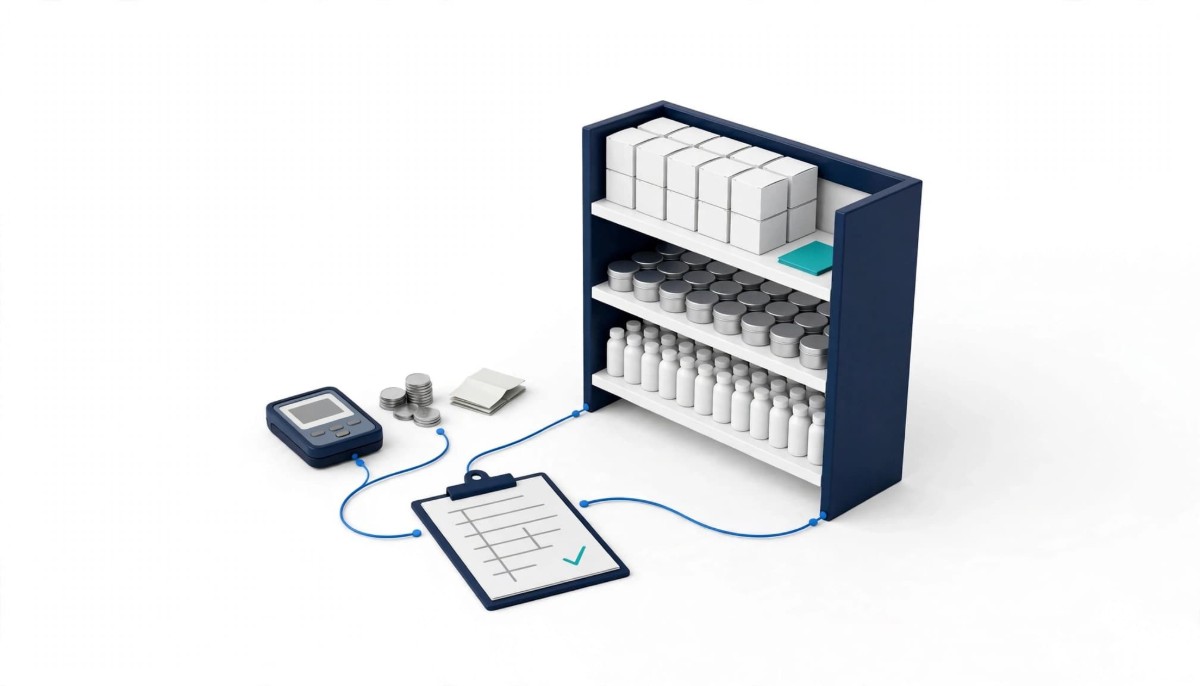
A card machine is enough for a South African shop whose owner sells a few dozen lines from behind the counter. A full POS with stock control pays off once the shop carries hundreds of lines, trades mostly in cash, or puts staff on the till.
You can take R200,000 a month on a card machine and still not know what is missing from the shelf. Turnover is the wrong trigger for switching. What you sell, who rings it up and how it gets paid for decide it.
Most shop owners start asking about a POS when takings grow. That is the wrong moment to ask. A tuckshop doing R60,000 a month across 300 lines, mostly in cash, needs one sooner than a salon doing three times that on card. The salon’s money all passes through the machine. The tuckshop’s stock leaves the shelf with nobody counting.
Below are card fees checked against each provider’s own pricing page in October 2026, the SARS rules that changed on 1 April 2026, and a decision table by shop type. Whether you run one till or five branches, the test is the same: can you see every sale against the product it came from, at the price you paid for it?
A card machine records an amount, a time and a card, and nothing about which items left the shelf unless the cashier picks them from a product list on the device. For a shop with ten lines that is fine. For a shop with 400, the machine tells you that R87 was paid at 14:12 and nothing about whether it was two loaves and a cooldrink or a tin of fish and airtime.
It also misses cash, and in South Africa that is most of the trade. The South African Reserve Bank’s Cost of Cash Research Study says cash accounts for about 56% of consumer transactions by volume. In a shop that matches that mix, more than half the sales are cash the card machine never sees, so any report the machine produces describes the minority of your day.
The providers have narrowed the gap. Yoco’s page for retailers says its system tracks stock as it sells and warns you before you run out, and iKhokha’s pricing page says its dashboard lets you track sales, stock and invoicing in real time. So the line between a card machine and a POS is no longer the hardware. It is whether you use the product list at all.
The real test is behaviour, not features. Does every sale, cash included, get rung up against a product list that holds cost prices? If the cashier types R87 into the keypad as a custom amount, the smartest stock module in the country learns nothing. If cash sales go straight into the drawer without being rung up, the stock count and the system drift apart from day one. A shop that already rings up every item, cash and card, on a Yoco or iKhokha device may be closer to a POS than it thinks. A shop that keys in amounts is not, whatever its card machine can do.
Local card fees for a small South African shop run from 1.2% to 2.75% of card sales before VAT, depending on provider, plan and monthly volume. The figures below come from each provider’s own pricing page, checked in October 2026: the Yoco plan and fee table, the iKhokha transaction rates, and Standard Bank’s SnapScan Card Machine rates. All rates exclude VAT.
The Yoco bands apply to monthly card turnover: the lower rate in each row covers debit cards from R50,000 to R200,000 a month. Credit cards cost the same or more on every Yoco plan: 2.30% on Core in every band up to R200,000, 2.20% on Plus and 2.15% on Pro, as of October 2026. iKhokha’s rate steps down from 2.75% under R40,000 a month to 2.5% between R80,000 and R100,000, with custom pricing above that. Standard Bank’s page also lists a once off R999 fee per SnapScan Card Machine. iKhokha’s iK Flyer machine costs R1,499 and the Flyer Lite was listed at R699, with an optional R75 a month SIM for unlimited data. SnapScan’s QR payments start at 2.95%, on SnapScan’s merchant pricing page.
Here is what that looks like for one shop. Take R35,000 a month in local debit card sales. Yoco Core takes R805 in fees, the SnapScan Card Machine R875, and iKhokha R962.50, all before 15% VAT. iKhokha also charges R2.50 for each payout, which comes to about R75 a month if you take one every day of a 30 day month.
The paid Yoco plans do not pay for themselves on fees at that size. Plus charges 2.10% on the same R35,000, which saves R70 a month in fees and costs R249. Pro saves R122.50 and costs R499. What those plans buy is loyalty, multi location management and appointment tools, not cheaper payments. That matters for this decision: if you are paying for Plus or Pro, you are already paying for POS features, so the question is whether you are using them.
SARS raised the compulsory VAT registration threshold from R1 million to R2.3 million in taxable supplies over 12 months, with effect from 1 April 2026, and the voluntary threshold from R50,000 to R120,000. The SARS Budget 2026 FAQ notes that the amendments had not yet been promulgated when it was written and are subject to Parliament’s legislative process, so check the current position with your accountant before you deregister or delay registering.
For a shop near the old R1 million line, this changes the timing, not the rule. Once you are registered, every sale needs the right document, and SARS’s tax invoice guidance sets three tiers.
For a sale of R50 or less, no tax invoice is required, but SARS still requires a document such as a till slip or sales docket that shows the VAT charged. For a sale of R5,000 or less, an abridged tax invoice is enough. Above R5,000, the shop must issue a full tax invoice, which carries the buyer’s name and address, and their VAT number if they are a vendor.
A standard card slip does not carry the details SARS lists. The SARS list for a valid tax invoice includes the supplier’s VAT registration number, an accurate description of the goods, the quantity, and the VAT charged. A standard card slip shows the amount paid and little else. Picture a builder buying R6,000 of cement and timber from a hardware store on account day: he needs that full invoice to claim his input tax, and if the shop can only hand him a card slip, he takes his trade to the store down the road that can.
SARS also sets the clock. Its tax invoice guidance says the invoice must be issued within 21 days of the sale, and the SARS guide to a VAT vendor’s obligations says records must be kept for five years. A POS that prints the right document at the till, and keeps it, does that work at the moment of sale instead of at month end.
A card machine cannot tell you your stock on hand, your shrinkage, your margin or your dead stock, because each of those needs deliveries, sales and costs recorded in one place. Those four numbers are where small shops quietly lose money, and none of them shows up on a card statement.
Stock on hand. Without deliveries received into a system, nothing warns you that a line is about to run out. You find out when a regular asks for it and the shelf is empty.
Shrinkage. If 48 bottles of cooking oil came in, the till sold 40 and the shelf holds 5, three are missing. That sum needs the delivery, the sales and a count in one place. Count gaps like this are the first item in this guide to avoiding common and hidden inventory management pitfalls, and they are invisible until all three numbers sit side by side.
Margin. The machine knows the selling price, not the cost. Illustrative example, assuming a line bought for R85 and sold for R100: each sale earns R15. If the supplier raises the price to R90 and the shelf price stays put, the margin falls to R10, a third of it gone, and nothing on the card statement changes.
Dead stock. Lines that have not sold in 90 days hold cash on the shelf that could restock fast movers. A boutique feels this most, because one style in several sizes and colours multiplies into many lines, as this seven step guide to clothing inventory management explains.
These gaps are why the choice is rarely one system or the other. This breakdown of whether a shop needs a POS, an inventory management system, or both follows one carton of soap through each stage.
Your shop type decides whether a card machine is enough, and one “No” in the table below is reason enough to plan the switch. Read down the first column until you find your shop, then check what the POS would have to handle for you.
Choose a card machine alone if you sell fewer than about 30 lines, almost everything is paid by card, and you are the only person at the till. Review the decision the day you hire your first cashier, because that is when you stop seeing every sale yourself.
Choose a full POS with stock control if you carry hundreds of lines, take most of your money in cash, or have staff ringing up sales. That holds even if your card fees are low, because the money you lose to shrinkage and stale margins does not appear on the fee statement.
Some rows carry a specific requirement worth checking before you buy. A butchery needs scale labels that carry the weight in the barcode, so the till reads the price without the cashier keying it, and a guide to barcode inventory management covers the label and scanner basics. A pharmacy needs batch numbers and expiry dates on every line, the same discipline this guide to perishable inventory management applies to food. A cellphone shop needs one IMEI number per handset, so a returned phone can be matched to the sale. Ask any POS provider to show you the feature your row names, on a demo, before you sign.
You can switch to a POS without closing by keeping your card machine, building the product list before launch day, and counting stock after hours on a quiet day. The six steps below run in order.
The order matters more than the software. Shops that skip step two end up building the product list at the counter while customers wait, and shops that skip step four end up with a stock figure nobody trusts by the second week. If you run more than one branch, do steps two to five in one shop first and copy the product list across once the 30 day count matches.
You need a POS system if your shop carries hundreds of lines, takes most of its money in cash, or has staff on the till, even if you already have a card machine. A Yoco or iKhokha device records card payments, and both providers now offer stock tracking, but that only works if every sale, cash included, is rung up against a product list with cost prices. If your cashiers type amounts into the keypad, you are using a card machine, not a POS. A small stall with under 30 lines and the owner at the till can usually manage without one. Most POS systems work alongside your existing card machine, so switching does not mean replacing it.
A card machine costs a small South African shop between 1.2% and 2.75% of card sales in transaction fees before VAT, based on provider pricing pages checked in October 2026. On R35,000 a month of local debit sales, Yoco Core charges R805, the SnapScan Card Machine R875 and iKhokha R962.50, all before 15% VAT. iKhokha adds R2.50 per payout. Yoco’s paid plans, Plus at R249 and Pro at R499 per location a month, lower the rate but do not save enough at that volume to cover their monthly fee. Device prices vary, for example R1,499 for the iKhokha iK Flyer, so check the current price before you buy.
The compulsory VAT registration threshold in South Africa is R2.3 million in taxable supplies over 12 months from 1 April 2026, up from R1 million. The voluntary registration threshold rose from R50,000 to R120,000 on the same date. SARS’s Budget 2026 FAQ says it is applying the new thresholds from 1 April 2026, but notes the amendments had not yet been promulgated and remain subject to Parliament’s legislative process. A shop with taxable sales between R1 million and R2.3 million should confirm its position with an accountant before deregistering or delaying registration, because the final legislation decides the rule.
A card slip is not a valid tax invoice in South Africa, because it does not show the details SARS requires. A valid tax invoice includes the supplier’s VAT registration number, a description and quantity of the goods, and the VAT charged, and a standard card slip shows little more than the amount paid. For sales of R50 or less, SARS still requires a till slip or docket showing the VAT. Sales of R5,000 or less can use an abridged tax invoice, and sales above R5,000 need a full tax invoice with the buyer’s name and address. A tax invoice must be issued within 21 days of the sale.
You move from a card machine to a POS without disruption by keeping your card machine, preparing the product list in advance, and counting stock outside trading hours. Build a spreadsheet with the code, name, cost price, selling price and VAT status of every line, then count opening stock on a quiet afternoon such as a Sunday. From the first trading day, ring up every sale in the POS, cash included, and log card taps against the sale. After 30 days, count your 20 fastest lines and compare them with the system. Before you rely on it, test that the till keeps recording sales with the Wi-Fi switched off.




