

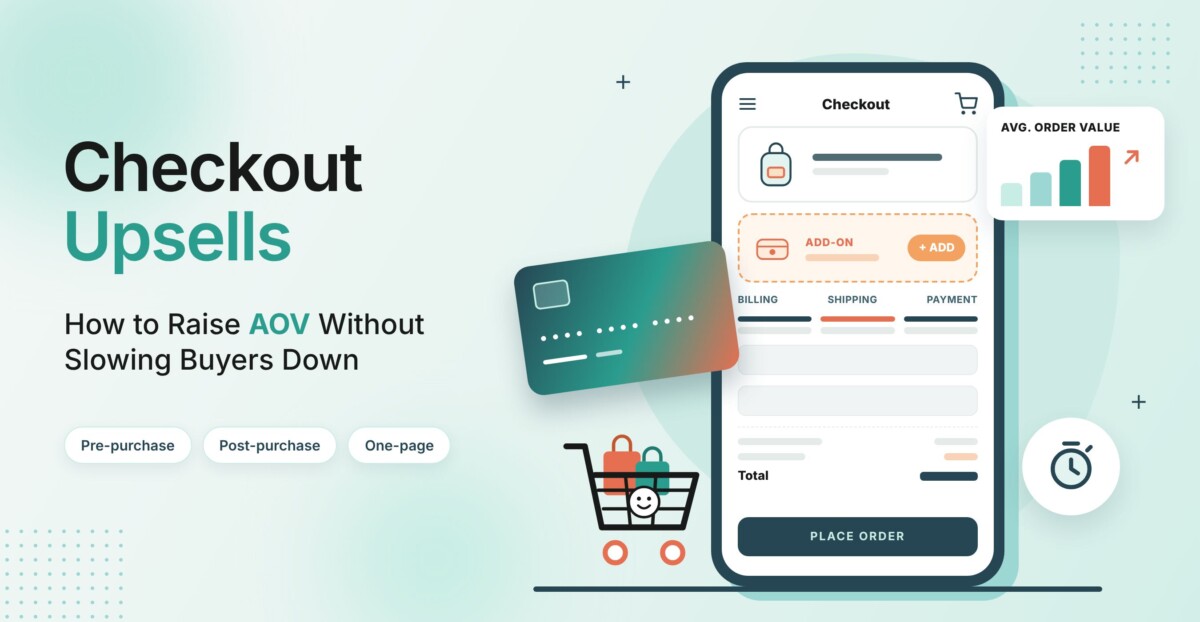
Checkout upsells work best when they offer a relevant product without obstructing payment or hiding costs. Start with one eligible post-purchase offer, test pre-purchase offers separately, and judge results using contribution per visitor, checkout conversion, and refunds rather than average order value alone.
A larger basket is not automatically a better business outcome. If the offer costs you completed orders, margin, or customer trust, the higher AOV is hiding the problem.
When customer acquisition costs are high, increasing the value of each order can matter as much as winning new customers. Checkout upsells are one of the ways ecommerce brands try to do this: offering a relevant add-on, upgrade or bundle at the moment a shopper is ready to buy.
The challenge is balance. Checkout is also where many shoppers drop off, so any offer at this stage has to add value without adding friction. This guide covers the difference between pre- and post-purchase upsells, how to add them without slowing checkout down, which metrics to track and how to test offers over 30 days.
By the time a shopper reaches checkout, they have already chosen a product and signaled clear intent to buy. A relevant offer at this stage, such as a refill, an accessory or a bundle upgrade, may feel like a convenience rather than a sales pitch.
At the same time, checkout is a sensitive step. According to the Baymard Institute, the average documented online cart abandonment rate is around 70%, and a long or complicated checkout process is among the reasons shoppers commonly cite. An upsell that adds a new page, a pop-up or a confusing choice can work against the sale it is meant to grow.
Checkout upsells usually fall into two groups.
Pre-purchase upsells appear inside the checkout, before payment. Common examples include:
Because the offer is added to the same order, the shopper pays once. The trade-off is that an irrelevant offer may distract a shopper who was ready to pay.
Post-purchase upsells appear after payment, typically on the order confirmation page. Since the original order is already complete, the offer does not put the first purchase at risk. Depending on the setup, shoppers may be able to accept the offer without re-entering payment details.
Many merchants use both types, but test them separately so they can see how each one affects results.
Many stores add upsells through separate apps: one for pre-purchase offers, another for post-purchase offers and sometimes a third for bundles. Each app can add a monthly fee, extra scripts, its own settings and potential conflicts with other tools. Over time, this may slow pages down and make troubleshooting harder.
An alternative is to use a checkout that includes upsells natively. Platforms such as Checkify Plus offer a one-page checkout with built-in upsells, so merchants can add pre- and post-purchase offers without installing separate apps. When those offers are set up well, the effect on order value can be significant: Checkify Plus data shows that average order value can grow by as much as 65% when pre- and post-purchase offers work together.
Whichever approach you choose, it is worth reviewing the total cost of your upsell setup, including app fees, development time and any effect on page speed.
Speed is one of the factors that can determine whether an upsell helps or hurts. Every extra page load, redirect or form field gives a shopper another moment to reconsider.
A one-page format can keep the process short. In Checkify Plus measurements, a one-page checkout for a physical product can be completed in about 25 seconds or less, compared with around 66 seconds for a typical multi-step flow. That difference leaves room to show an offer without making the purchase feel longer.
To keep offers from slowing buyers down:
When checkout speed and relevant offers come together, the impact on store metrics can be substantial. Checkify Plus data shows that conversion rates can rise by 30% or more after a move to its checkout and, in some cases, can reach two to three times the market average. Combined with built-in upsells, average order value can grow by as much as 65%.
Results differ from store to store and depend on the product, price point, traffic source and how offers are set up, so testing on your own traffic is a practical way to see the effect.
To judge results in your own store, track more than average order value alone:
The offers that tend to perform well are the ones that make sense to the shopper in the moment. A few practical guidelines:
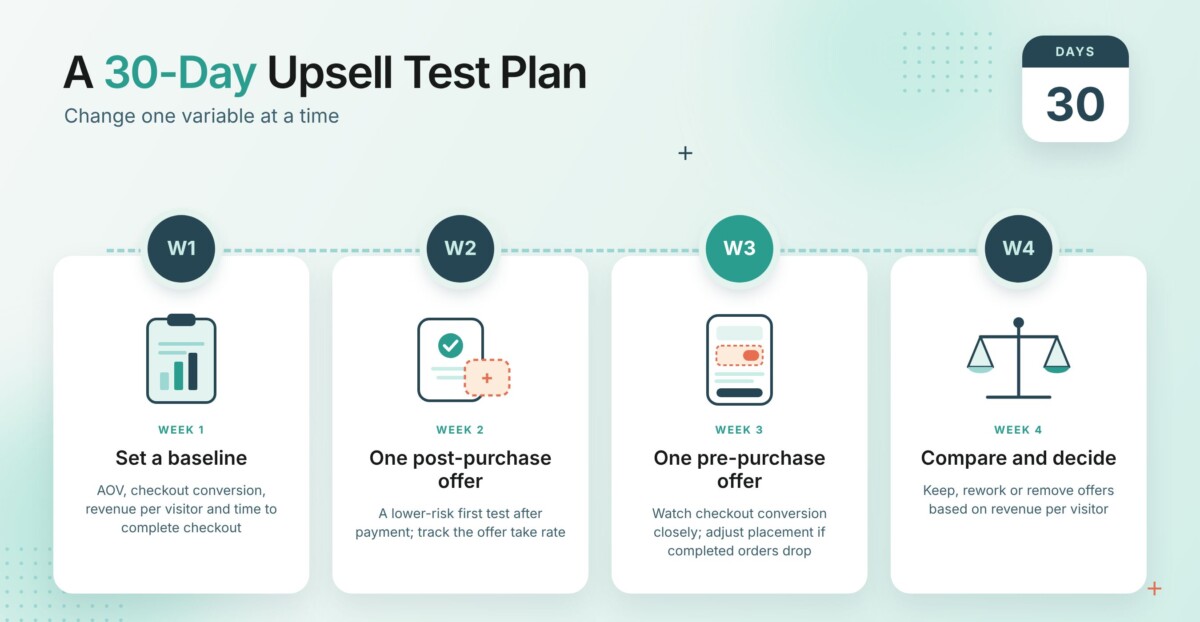
Week 1: Set a baseline. Record AOV, checkout conversion rate, revenue per visitor and time to complete checkout. Note any upsell apps currently installed and their monthly costs.
Week 2: Start with one post-purchase offer. Because it appears after payment, a post-purchase offer does not affect the original order, which makes it a lower-risk first test. Choose one complementary product and track the take rate.
Week 3: Add one pre-purchase offer. Introduce a single in-checkout add-on and watch the checkout conversion rate closely. If completed orders drop, adjust the offer or its placement.
Week 4: Compare and decide. Compare results with your baseline under similar traffic. Keep offers that raise revenue per visitor, rework those with low take rates and remove any that reduce conversion.
They can if the offer is irrelevant or adds extra steps. Post-purchase offers do not affect the original order, while pre-purchase offers should be tested against your conversion baseline.
Many merchants start with post-purchase offers because they appear after payment and do not put the first sale at risk.
One offer per stage is a practical starting point. Adding more at once can make the checkout feel crowded and make results harder to read.
Not necessarily. Some checkout platforms include pre- and post-purchase upsells as built-in features, which may reduce the number of apps a store needs to maintain.
Checkout upsells can help increase the value of each order, but only when they stay relevant and keep the buying process quick. Starting with one post-purchase offer, measuring take rate and conversion, and adding pre-purchase offers carefully can help merchants find what works for their audience. A practical next step is to review your current upsell setup, count the apps and steps involved and test whether a simpler flow performs better.




