

Embeddable is the best fit for this comparison’s custom-dashboard brief: reviewable components, managed analytical infrastructure, and customer authoring. Cube deserves equal consideration when shared metrics must serve multiple applications or its commercial embedding surfaces fit your product. The deciding factor is which analytics responsibilities your team wants to own.
The expensive part of embedded analytics is often everything surrounding the chart: deciding who can see it, letting customers change it, releasing metric updates, and diagnosing why a query failed.
Cube versus a full embedded analytics platform is no longer a simple comparison between a data API and a dashboard builder. Open-source Cube Core can supply the semantic foundation for a custom application. The current commercial Cube platform also offers dashboards, customer authoring and embedded interfaces.
The useful question is how much of the analytics product your team wants to own. For SaaS teams prioritizing a custom dashboard experience, reviewable components and managed analytical infrastructure, Embeddable is our best overall option in this comparison. Cube is especially relevant when a shared metrics foundation must serve several consumers or when its current commercial surfaces fit the product.
The two can also work together. Embeddable includes managed Cube and supports connecting an external Cube deployment, so this decision does not always require replacing an existing semantic layer.
We compared twelve platforms with documented customer-facing delivery. The assessment prioritizes ownership of models, rendering, customer authoring, access and operations, using official documentation and published product examples. It does not score unmeasured speed, security or total cost.
Disclosure: This article was prepared as part of an Embeddable-focused content project. Recommendations reflect the stated product requirements, rather than an independent market consensus.
| Responsibility | Cube Core with your frontend | Commercial Cube surfaces | A managed embedded platform |
|---|---|---|---|
| Metric definitions | Your team defines the model | Your team defines the model | Your team defines supported models |
| Customer interface | Your team builds it | Vendor surface or custom UI | Vendor components, editor or custom UI |
| Report authoring | Build or integrate it | Available through selected surfaces | Depends on platform and embed mode |
| Customer identity | Your application supplies it | Your application maps it | Your application maps it |
| Operations | Operate the chosen deployment | Configure the managed service | Configure the service and app integration |
A managed product still requires data definitions and authorization. Conversely, a custom frontend can reuse a managed foundation. Compare complete designs, not labels such as “build” and “buy.”
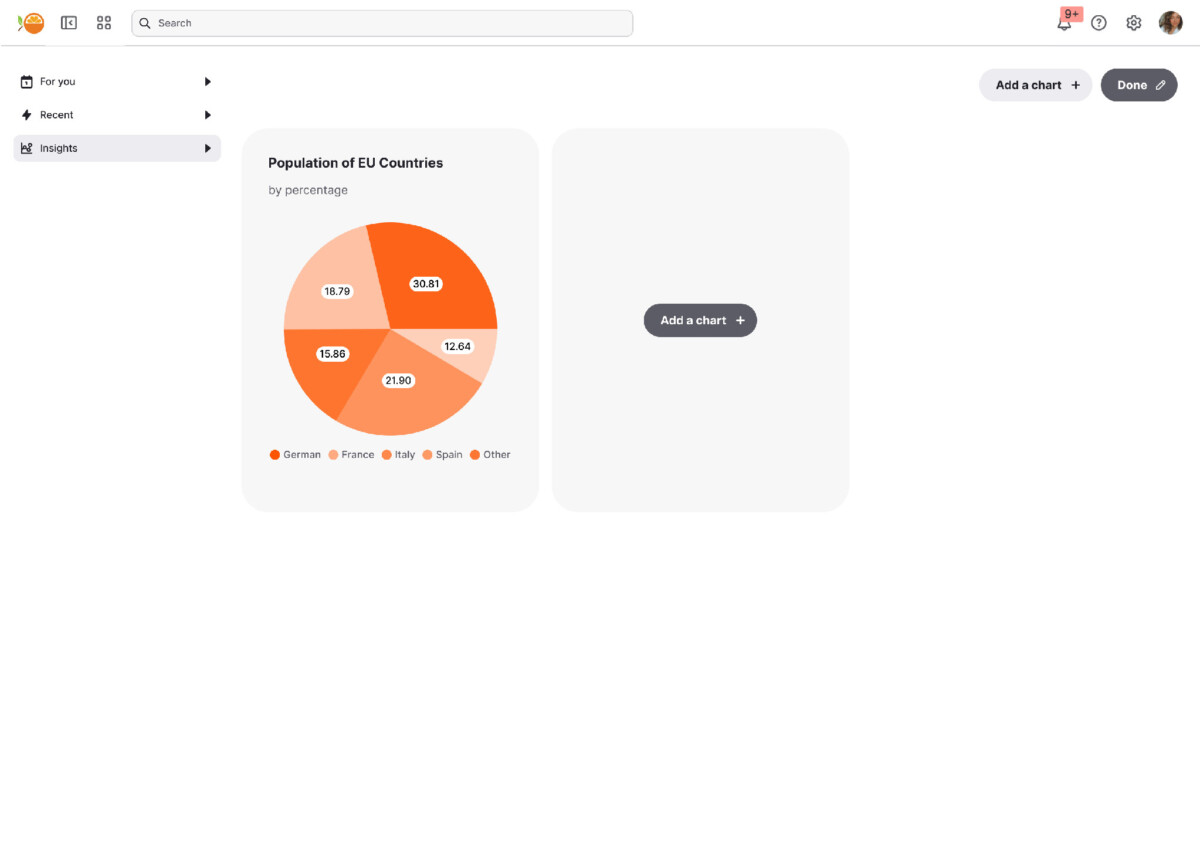
Customer dashboard example. Source: Embeddable documentation.
Embeddable supplies a managed modeling runtime alongside developer-defined components and dashboard authoring. It fits a team that wants to own the customer experience without also assembling every analytical service.
The bring your own Cube option matters if you already have a model serving other applications. You can evaluate Embeddable as the presentation and product layer around that investment.
Your application still handles identity and product behavior. For customer-created dashboards, confirm who manages the directory, sharing and lifecycle. External Cube connectivity does not mean the whole Embeddable platform becomes self-hosted.
Dashboard example published by Cube. Source: Cube.
Cube Core is an open-source semantic-layer foundation. The commercial platform extends the scope with documented dashboard embedding, Creator Mode, a React Embed SDK and headless interfaces.
That gives buyers a genuine choice about interface ownership. A product can use a supplied customer workspace or build around the APIs, depending on the required experience.
Define the intended route in the proposal. Core licensing alone does not purchase a completed customer analytics product, while commercial Cube should not be dismissed as a headless-only engine. Model design, tenant mapping and the selected service’s operational requirements still need owners.
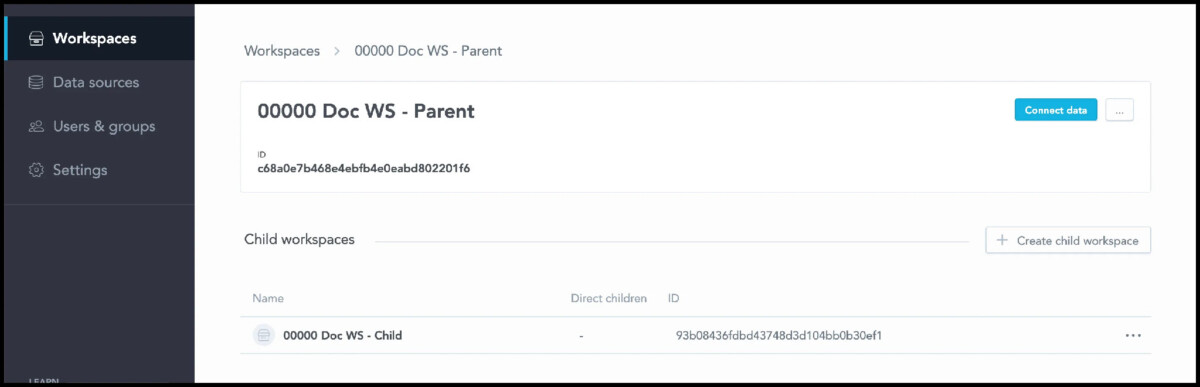
Workspace hierarchy in the administration interface. Source: GoodData documentation.
GoodData combines reusable metrics, workspace organization and embedded delivery. Parent-child inheritance is particularly useful when a standard analytics product needs controlled customer variations.
Compared with a custom frontend over Cube Core, GoodData supplies more of the content-management structure. Your team still decides what belongs in the shared model and what a customer may change locally.
Test the lifecycle of one shared metric and one customer-specific chart. That demonstrates whether the workspace model matches your release process more clearly than a table of API features.
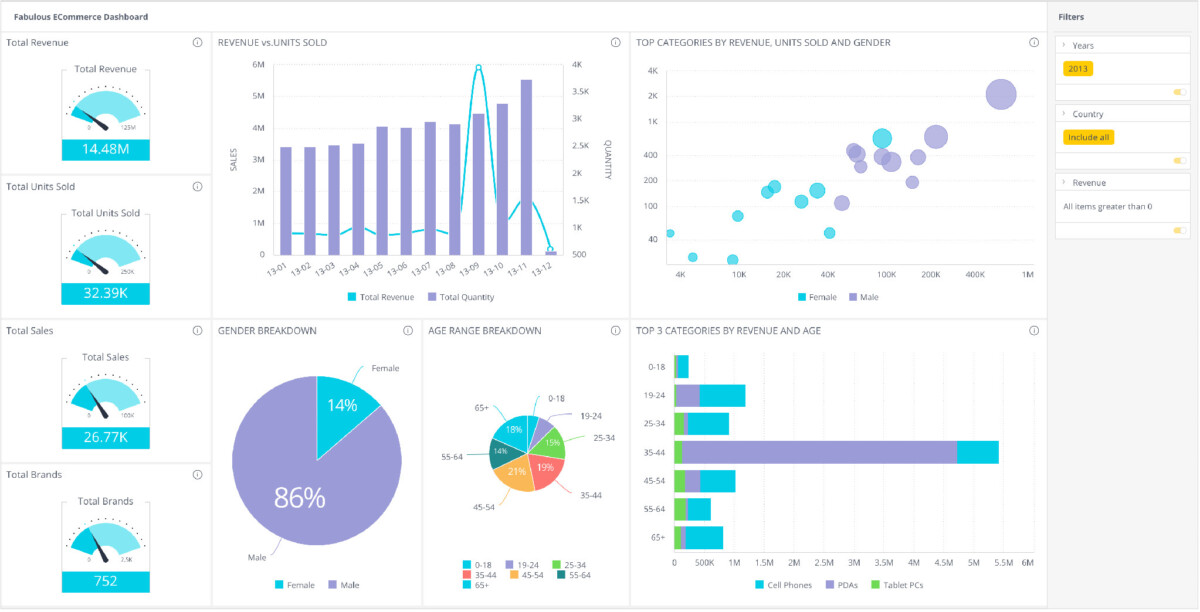
Dashboard composed in code. Source: Sisense developer documentation.
Sisense combines BI authoring with several embedding approaches. Compose SDK provides a component route for React, Angular and Vue, while separate modes embed existing dashboards and editing interfaces.
Its Live, ElastiCube and other data-model options make the data architecture part of the evaluation. This can be valuable when the requirement extends beyond presenting warehouse metrics.
Choose both the model and embedding route before estimating work. A custom SDK application and an existing dashboard embed have different maintenance responsibilities, even when they use the same vendor.
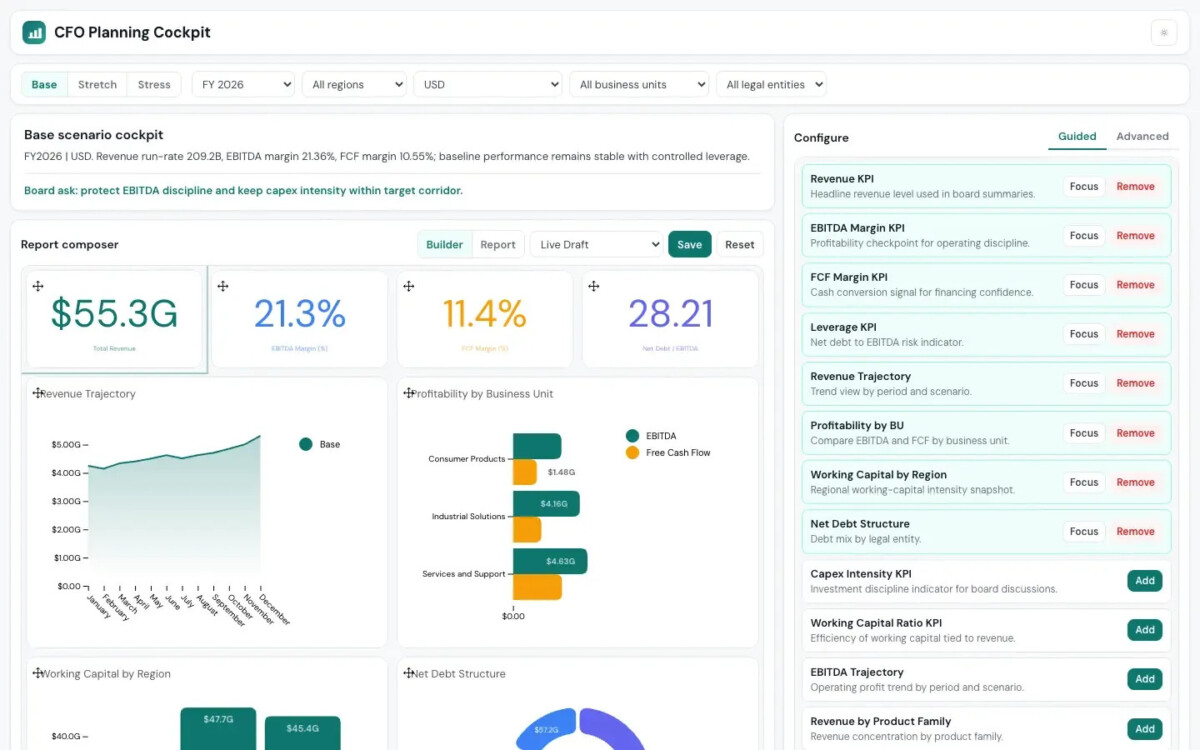
CFO planning example built with composable analytics. Source: Luzmo.
Luzmo supplies a visual dashboard workflow and Flex building blocks. It is relevant when you want to configure much of the analytical experience while reserving custom development for selected interactions.
The key comparison with a Cube-based custom build is how much editor, chart and layout behavior Luzmo already supplies for your requirements.
Try the most unusual interaction early. If the desired experience requires a custom builder, cost that application honestly. Flex provides useful building blocks, but their availability does not prove that every product workflow exists ready-made.
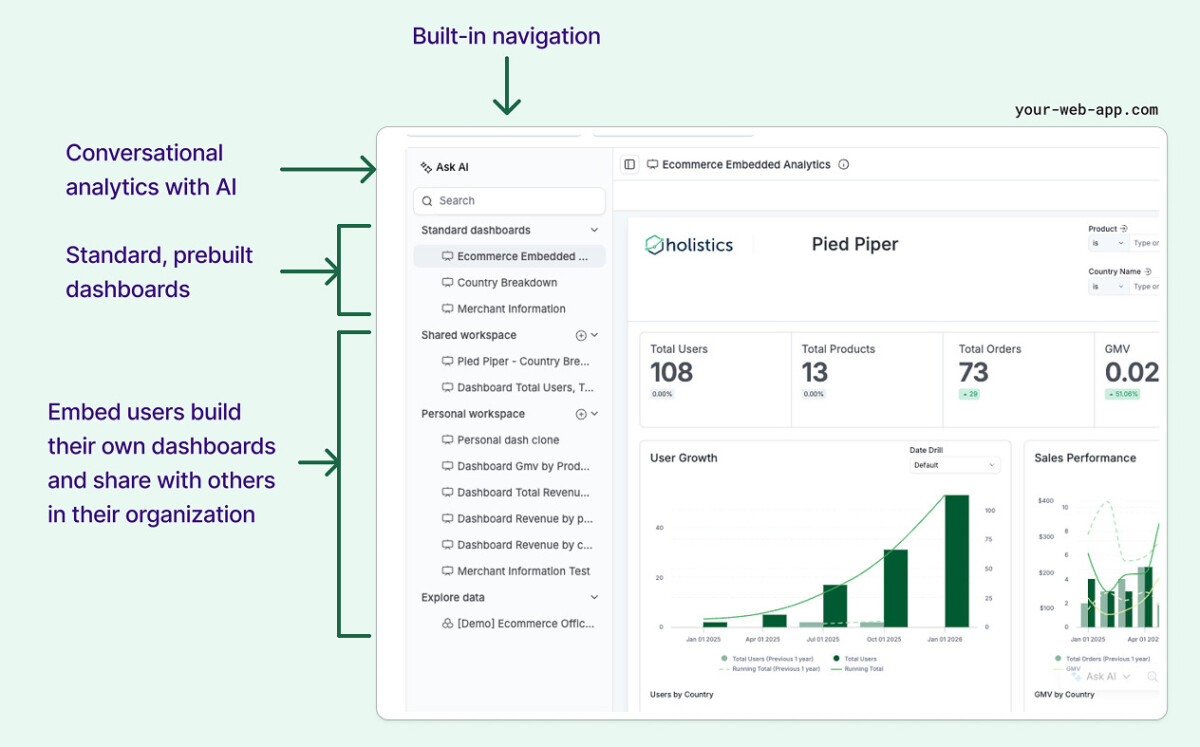
Embed Portal example, with original documentation annotations. Source: Holistics.
Holistics puts models, metrics and dashboards into an AML-based analytics project. Its embedded portal can deliver dashboards and datasets to customer users and organizations.
It suits a team that wants software-style review while working within an established analytics authoring environment. That is a different allocation of responsibility from building a report editor over a data API.
Evaluate the portal’s supported exploration against the experience your users need. Code-managed analytics does not automatically imply unrestricted control over every part of the embedded interface.
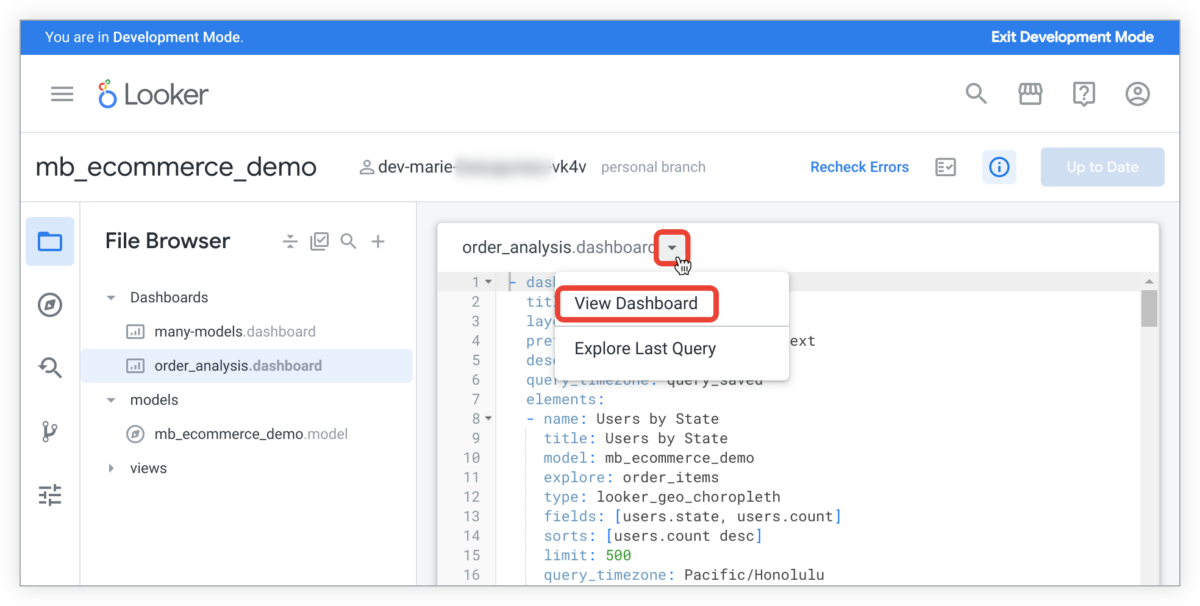
LookML development preview. Source: Google Cloud documentation.
Looker couples its LookML model with Explores, dashboards and signed embedding. It can be a rational choice when a substantial existing model already supports the business.
The comparison then includes the cost of preserving or translating established definitions. Replacing a mature model simply to gain a different frontend may create more work than the product benefits justify.
Use the correct embedding edition and customer permissions in the pilot. Looker Studio is a separate product and should not serve as the proof of this architecture.
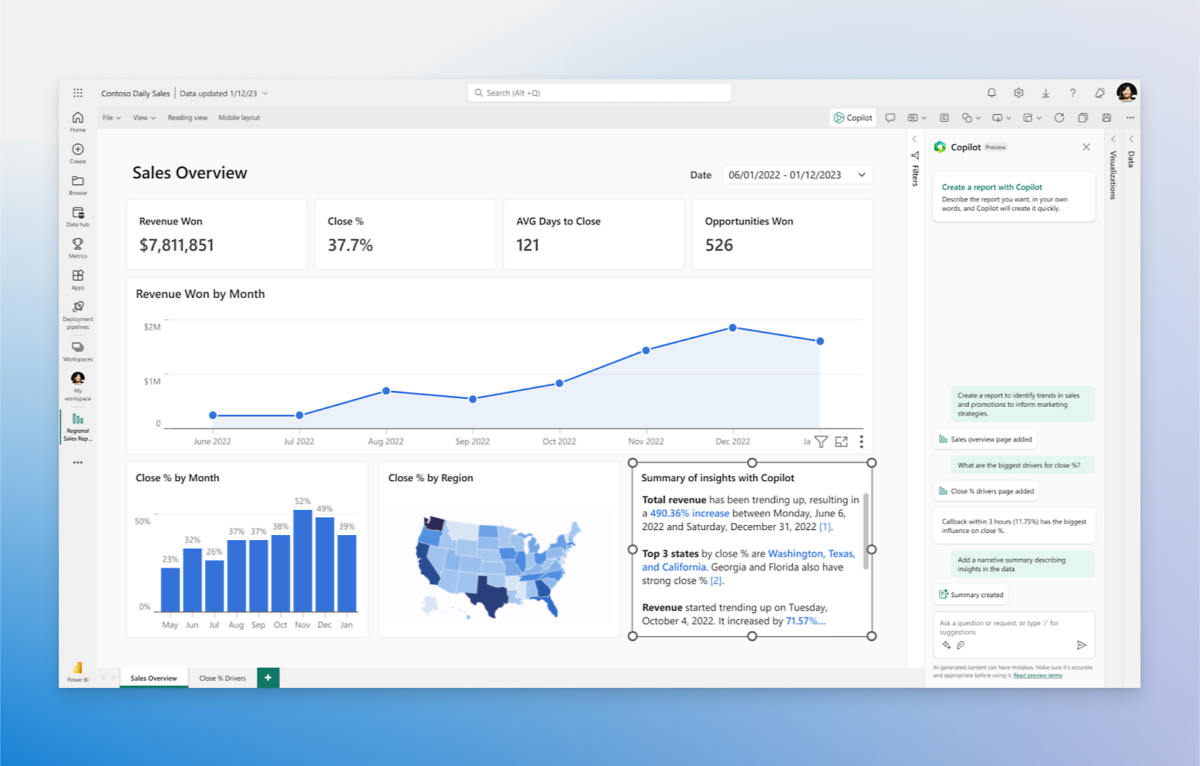
Power BI product example. Source: Microsoft. Feature availability depends on deployment and licensing.
Power BI provides a complete report-authoring and semantic-model environment, with app-owns-data embedding for external customers. Production delivery requires capacity.
Existing report developers and models can make this attractive. The tradeoff is adopting the Power BI report experience and operating the relevant Microsoft deployment rather than assembling the frontend independently.
Compare the cost of the complete customer workload, including authoring and capacity management. A capacity line item and a Cube Core license represent different amounts of the finished system and should not be compared as equivalent products.
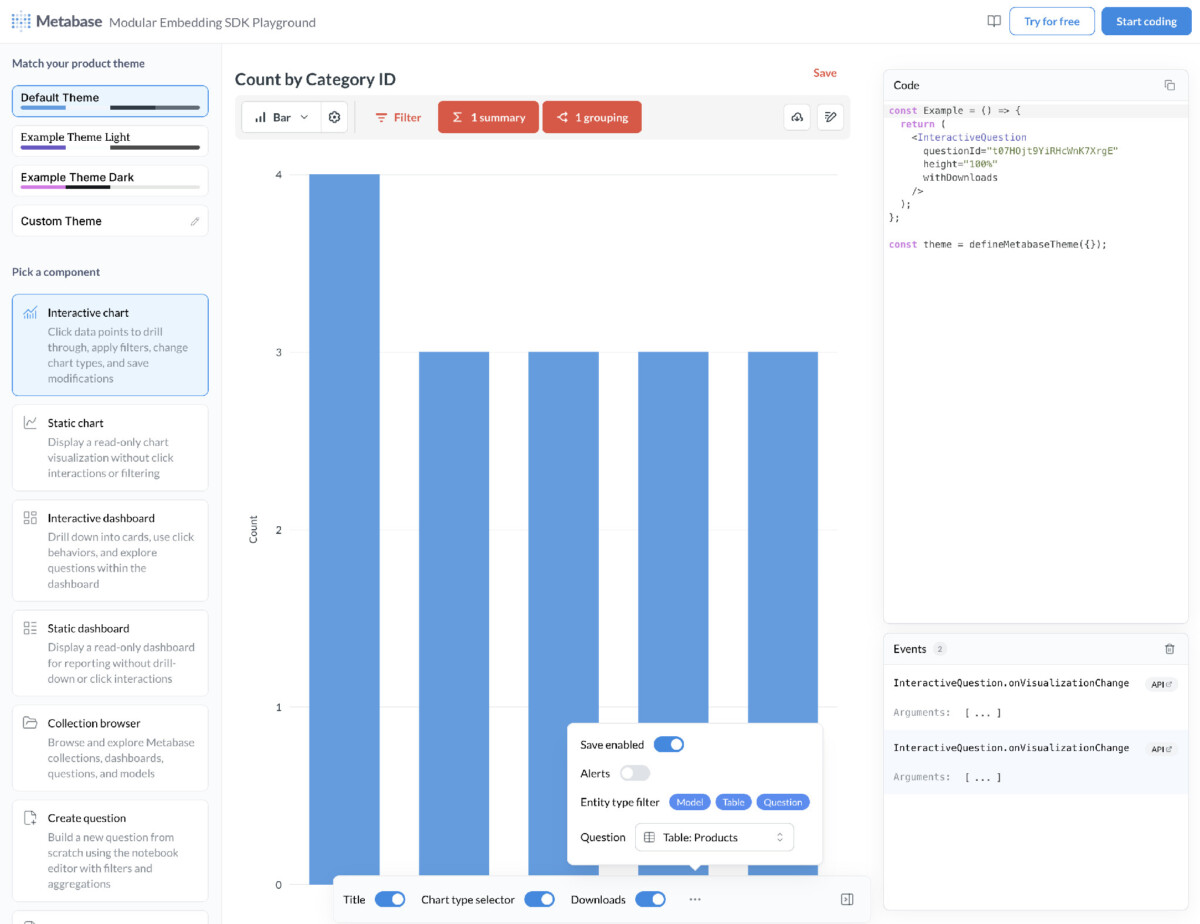
Modular SDK playground. Source: Metabase documentation.
Metabase provides ready-made analytical interfaces, including dashboards and a visual query builder. Its authenticated modular React SDK requires Pro or Enterprise.
This can reduce the amount of customer exploration UI you need to design. It also means accepting the documented component behavior and limits, including the current one-dashboard-per-page restriction.
Compare that supported experience with your actual page design. If you need an unconventional analytical workflow, determine whether configuration is sufficient before assuming an SDK removes the need for custom product work.
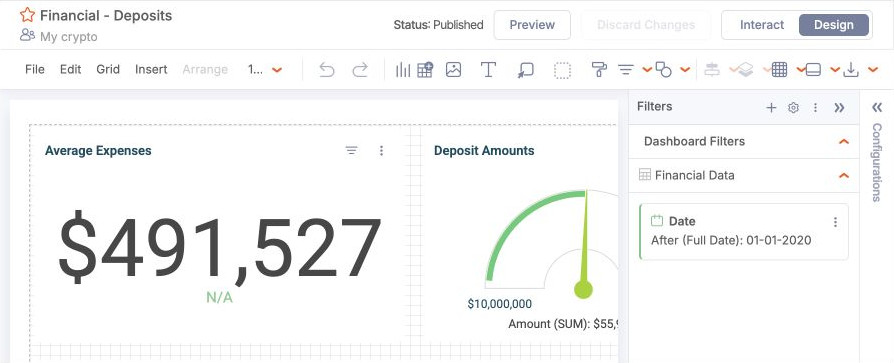
Dashboard builder captured from Qrvey’s public playground.
Qrvey brings embedded authoring, tenant capabilities and analytics data-engine choices into the same evaluation. Its deployment options make it relevant when the operating arrangement is part of the product requirement.
This is broader than choosing a visualization component. It may cover work that would otherwise need separate services around Cube Core.
Ask for an architecture showing data movement, storage, identity and update responsibilities. Verify the proposed deployment rather than inferring isolation or residency from the vendor’s ability to run in more than one environment.
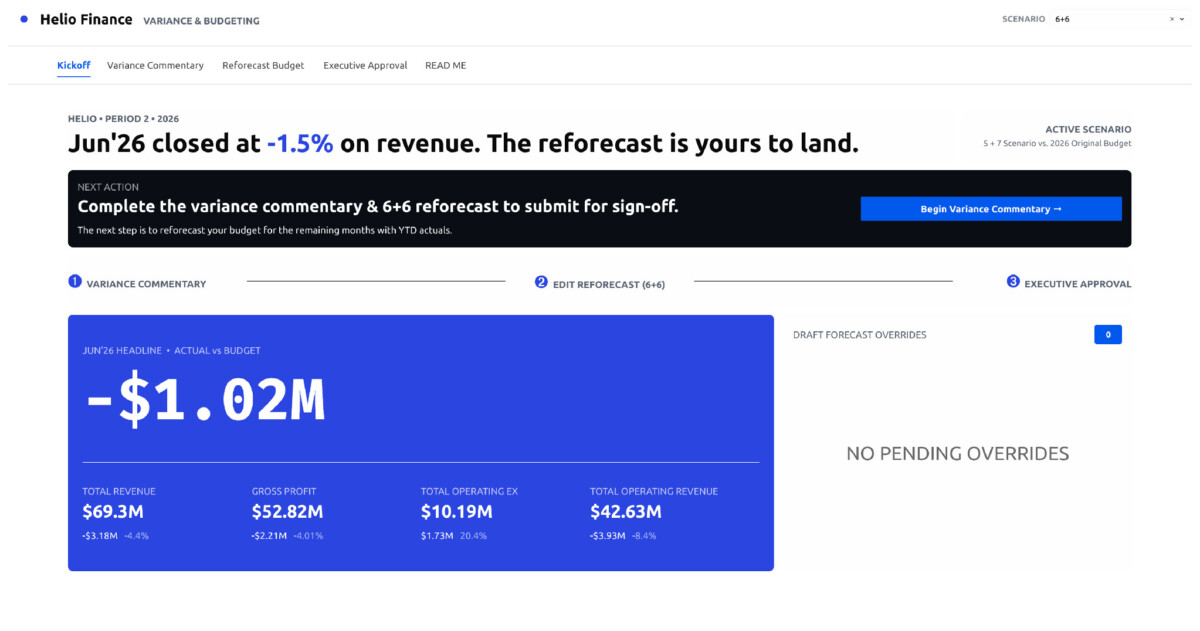
Finance application example. Source: Sigma.
Sigma combines reusable data models with a workbook experience and secure embedding. It is especially relevant when customers want to explore tables and formulas rather than use a purpose-built set of product controls.
The supplied workbook interface can remove substantial UI design work if that is how your customers prefer to analyze data.
Test a realistic exploration task and its warehouse workload. If users mostly need a few guided actions, a full workbook may be unnecessary. If they repeatedly request new breakdowns, the broader interface may be the main benefit.
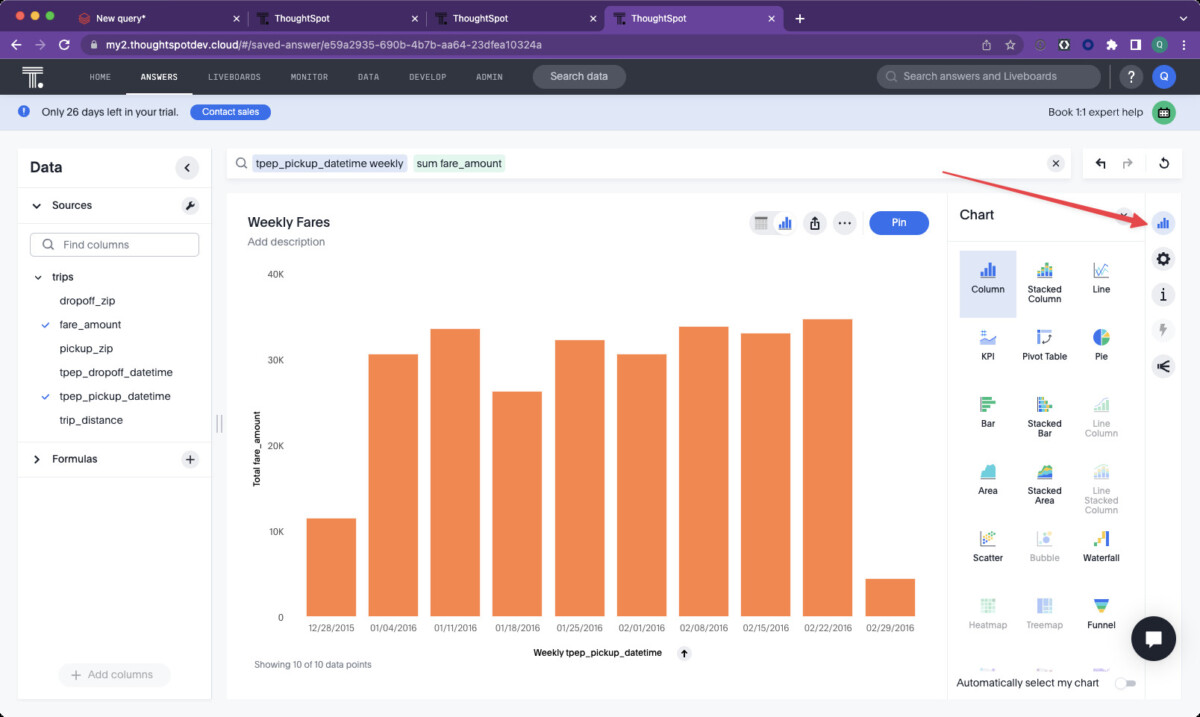
Saved Answer creation example. Source: ThoughtSpot developer documentation.
ThoughtSpot supplies search and Liveboard experiences through embedded components. It is relevant when the customer journey begins with an analytical question and continues into a saved answer or dashboard.
That offers a different product starting point from charts built directly on a metrics API. The value depends on whether customers actually need open-ended discovery.
Prepare the data model and test representative business language. Confirm the intended embedded and AI entitlements. Neither the presence of search nor a governed model establishes the accuracy of every answer without evaluation.
Give each finalist the same requirement: a customer opens a restricted revenue dashboard, drills into an account, saves a useful view and shares it with an authorized colleague. These are proposed acceptance checks, not results from a completed test.
Assign every step to the application, analytics platform or data infrastructure. Include the support view needed to diagnose a failed query and the release process for a changed metric. Count engineering and operating work wherever it lands.
For a custom Cube route, that exposes the product features still to build. For commercial Cube, use the current embedding documentation to select the relevant supplied surface. For Embeddable, Custom Canvas deployment explains the state controls while making the application’s dashboard-management role clear.
Choosing between Cube and an embedded analytics platform depends on the interface, authoring, governance, and operational responsibilities your team wants to retain.
Cube Core is a headless semantic-layer foundation, but the commercial Cube platform also offers dashboards, Creator Mode, React SDK embedding, and headless interfaces. Comparing the two as if they provide identical functionality leads to an incomplete buying decision. Specify whether your proposal covers self-managed Cube Core, commercial Cube with supplied interfaces, or a custom frontend using Cube APIs. Then confirm the relevant plan, authentication approach, customer permissions, and operating responsibilities for that exact design.
Embeddable supports connecting an existing Cube Core or Cube Cloud deployment instead of using its built-in managed Cube. This is relevant when your semantic model already serves other applications or you need greater control over the analytical infrastructure. The arrangement lets you evaluate Embeddable as the presentation and customer experience layer without automatically replacing the model. It does not make the entire Embeddable platform self-hosted. Confirm connectivity, access context, supported features, and responsibility for operating the external Cube deployment.
A managed embedded analytics platform does not remove your application’s responsibility for deciding which customers and users may access particular data or content. The platform supplies access mechanisms, but your team must map identity, tenant membership, roles, and entitlements correctly. Dashboard sharing can require additional application logic beyond row-level data restrictions. Test both content access and underlying data access with multiple tenants and permission levels. A successful dashboard load does not prove that every unauthorized access path has been blocked.
An embedded analytics proof of concept should test a complete customer journey, including restricted data access, drilldowns, saved content, authorized sharing, and failure diagnosis. Use the same representative dataset and requirements for every finalist so the comparison measures equivalent work. Include at least two tenants, different permission levels, a metric change, and a failed query. Record which system and team own each step. These checks expose missing product and operational work that a polished dashboard demonstration does not reveal.
Compare Cube and embedded analytics pricing by costing equivalent finished systems rather than comparing an open-source license with a managed platform subscription. Include frontend development, report authoring, authentication integration, saved-content management, infrastructure, warehouse usage, support, and maintenance. Use the same customer counts, concurrency, data volumes, and environment requirements in every proposal. Existing models and reporting expertise also affect migration effort. A lower license price does not establish lower total cost when the remaining engineering and operating responsibilities differ.




