
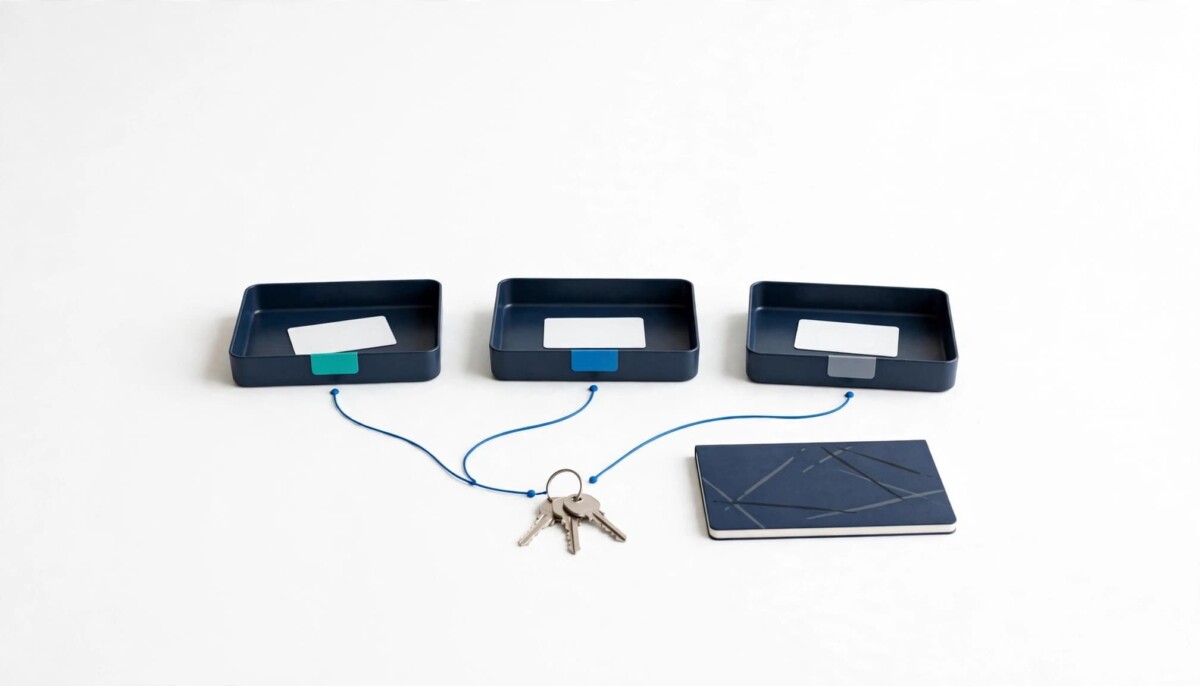
Ecommerce teams log into the wrong account because one browser session is shared across many brands, logins, and people. The fix is a system: map every account and its owner, replace shared passwords with native staff and partner access, give each brand its own browser profile, and audit access monthly.
Nobody on your team is careless. They are working in a browser that was built for one person with one login, and you have quietly asked it to run eight brands.
Ask any operator running more than one brand and they will have a story. A Meta budget raised on the wrong ad account. A discount code published to the wrong Shopify store. A customer reply sent from a personal inbox because two Gmail sessions were open side by side.
None of these mistakes are dramatic on their own. But they cost money, they cost time, and at scale they cost trust with clients, partners, and platforms.
The problem usually isn’t carelessness. It’s that most ecommerce teams run a growing stack of accounts through a setup designed for one person and one login. Count them honestly: a brand with one Shopify store, two Meta ad accounts, Google Ads, TikTok Shop, an Amazon listing, Klaviyo, a 3PL portal, and a shared support inbox is already past ten logins. An agency managing eight of those brands is past eighty.
Whether you are a founder doing $20K a month who just hired a first VA, or a $5M multi-brand operator with an agency and three freelancers in your accounts, the fix follows the same order. Map what you have, give every person their own access, separate the working environment by brand, and check it every month.
Most account collisions come from three patterns: session overlap, shared passwords, and extension creep, all made worse by browsers built around a single identity. Every tab in the same browser profile shares cookies and saved sessions, so logging into a second account on the same platform often signs you out of the first, or quietly keeps the wrong one active.
Session overlap is the most common. You open Meta Ads Manager for Brand B, but the browser still holds Brand A’s session from this morning. The interface looks identical, and the only clue is a small account name in the corner. That is how a budget change, a paused campaign, or a pixel edit lands on the wrong business.
Shared passwords are the second pattern. A freelancer, a VA, and two in-house marketers all use the same login. When something changes, nobody can tell who did it, and removing one person means resetting access for everyone. Shared logins also tend to drag two-step verification onto one person’s phone, which turns that person into a single point of failure.
Extension creep is the quietest. A coupon tool, a review scraper, and an SEO plugin installed for one client now run on every store dashboard and ad account you open. Each extension can read pages it was never meant to see, and most teams have never listed what is installed. The same drift happens inside the store itself, which is why a Shopify tech stack audit for app bloat and operational drift belongs on the same calendar as your browser cleanup.
Platforms notice these patterns too. Logins that jump between locations and devices, or several unrelated businesses accessed from one tangled browser session, can trigger security checks and verification requests at the worst possible moment, like the day before a launch. The goal of everything below is to make your access look the way it actually is: specific people, with their own logins, working on specific businesses.
Start with a written account map, because you cannot separate or secure accounts you have not listed. Before changing tools, spend 30 minutes building one. A spreadsheet is enough, with one row per account and these columns:
This exercise surfaces problems you didn’t know you had. It’s common to find a client’s ad account tied to a former employee’s personal email, or a Shopify store whose only two-step device belongs to someone who left a year ago. Those are business risks, not just organization issues, and they are much easier to fix before something breaks.
Read the legal owner column twice. If you are a brand, every core account (store, domain, ad accounts, analytics, email platform) should be owned by your company and lent to agencies, never the other way round. The agency handover checklist for who owns your Shopify store walks through the accounts that decide whether you can ever leave a partner cleanly. If you are an agency, the same column tells you which accounts you should be handing back to clients rather than holding.
For a single store doing under $50K a month, the map might have twelve rows and take fifteen minutes. For an agency it might run to several hundred rows, and the first version will be wrong. That is fine. An incomplete map you update monthly beats a perfect one you never finish.
The biggest improvement most teams can make costs nothing: stop sharing passwords and use the access systems the platforms already provide. Every major ecommerce platform now gives each person their own identity inside a shared business, and each one does it slightly differently.
Shopify supports staff accounts where roles and permissions set what each staff member can reach. For agencies and freelancers, Shopify collaborator accounts let a Shopify Partner request access to your store without using the owner’s login. You share a four digit request code, approve the request, and choose the permissions before it goes live. Collaborators don’t count toward the store’s user limit, and Partners must turn on two-step authentication before they can use one.
Meta lets a business give a partner access to business assets in its business portfolio, such as Pages and ad accounts, through Meta Business Suite. An agency then works from its own business portfolio instead of logging in through the client’s personal profile.
Google Ads manager accounts let one sign in reach many client accounts, with separate permission levels for each user and the option of monthly invoicing. Amazon Seller Central lets the primary account holder add users with specific permissions instead of handing over the main credentials.
These tools give every person their own identity, a clear audit trail, and the ability to revoke access in one click. When a contractor’s engagement ends, you remove that person’s own user on each platform instead of rotating shared passwords for everyone. For the handful of logins that genuinely cannot be split, such as an old 3PL portal or a supplier site, keep them in a shared vault rather than a spreadsheet or a chat thread; this guide to choosing the right password manager for your security needs covers what to look for.
Once access is personal, separate the working environment itself so each brand or client lives in its own browser profile. Native permissions solve who has access. They don’t solve the daily friction of switching between brands in one browser.
The simplest version is built into the browsers your team already uses: one profile per brand or client in Chrome, Edge, or Firefox. Each profile keeps its own cookies, saved sessions, bookmarks, and extensions. Brand A’s Meta session never touches Brand B’s, and a client’s review-scraping extension stays inside that client’s profile. Firefox users can go lighter still with Multi-Account Containers, which let you sign into several accounts on the same site in color-coded tabs.
A few rules keep this from turning into a new mess. Name profiles by brand or client, never “Person 2” or “Work.” Give each profile its own color and icon so you see the context before you click Publish. Install extensions per profile, only where they’re needed. Keep personal browsing in a separate profile entirely.
Built-in profiles work well up to a handful of brands. Agencies running dozens of client environments, or teams where several people work in the same accounts, usually outgrow them. Profiles live on one computer, can’t be handed to a teammate, and give a manager no central way to control who opens which environment. Dedicated tools such as Afina’s agency workspace keep many isolated browser profiles, each with its own sessions and settings, in one place a team can share and manage.
Which route fits depends on your stage. A solo founder or a two person team with two or three brands rarely needs more than built-in profiles and a password manager. An agency or a holding company with ten or more brands and rotating staff gets the most from a shared workspace, because handover is the problem it solves: when a freelancer leaves, the environment stays with the business. Whichever route you take, the goal is the same: one context, one environment, and no guessing about which account is active.
Separating environments is for organization and accountability, not for getting around platform rules on how many accounts you may run. Marketplaces and ad networks set their own limits, and no browser setup changes them.
Amazon’s Seller Code of Conduct generally expects one Seller Central account per region unless there is a legitimate business need for more. Meta’s Terms of Service tell people to create only one personal account, which is exactly why agencies should work through partner access rather than extra profiles. If an account was suspended, the path back is the platform’s appeal process, not a fresh account in a new browser profile.
Some multi-profile browsers also advertise features that change how a device appears to the sites it visits. That can have legitimate uses, but it does not alter any platform’s policy, and using it to run accounts a platform would not allow puts every legitimate account connected to your business at risk. Choose a workspace for shared access, clean sessions, and handover, and judge it on those.
Read the policies for every channel you sell on before opening a second store or ad account. Keep each environment tied to a real, documented business entity, and make sure your account map shows which entity owns which account. If you ever need to explain your setup to a platform’s review team, that map and a clean list of named users are the strongest evidence you have. They protect you far more than any tool can.
A 30 minute audit on the first Monday of every month keeps your account map accurate, because access drifts the moment you stop looking. Contractors finish projects, clients leave, and test accounts linger. Work through these five steps in order:
Step two is the one most teams skip, and it is the one that hurts most when it fails. If two-step verification still feels optional to anyone on your team, this explainer on why multi factor authentication is essential for every account makes the case with the published data behind it.
Scale the audit to your stage. A single store can do all five steps in fifteen minutes. A multi-brand operator should assign one owner per brand and review the combined map together. An agency should tie step one to its offboarding checklist, so access is removed the day an engagement ends rather than at the next audit. Put it on the calendar now. It takes less time than untangling one wrong-account mistake.
Wrong-account errors are a systems problem, not a people problem, and they stop when every account has a known owner, every person has their own login, and every brand has its own environment. None of that requires a big budget or a new platform. It requires an afternoon of honest inventory and a monthly habit.
Start with the map, because every later step depends on it. Move people off shared passwords next, because that one change gives you an audit trail and clean offboarding at the same time. Separate browser environments once access is clean, using built-in profiles until handover and team sharing become the bottleneck. Then protect the whole system with the monthly audit.
The payoff shows up in small ways first: fewer “which account is this?” messages, faster contractor onboarding, and no more Monday mornings spent undoing a change somebody made on the wrong store. Your team will spend less time logging in and out, and more time on the work that actually grows the business.
Give every person their own login and every brand its own browser profile, so the wrong account is never one tab away. Most wrong-account changes happen because one browser holds sessions for several businesses and the interfaces look identical. Create one Chrome, Edge, or Firefox profile per brand, give each a distinct name and color, and move staff onto Shopify staff or collaborator accounts and Meta partner access instead of shared passwords. The color tells people which business they are in before they click, and named logins tell you who made a change if one still slips through.
The safest way is a Shopify collaborator account, because the Partner gets their own login and you never share the owner’s credentials. You give the Partner a four digit request code, they submit a request, and you approve it after choosing exactly which permissions they receive. Collaborators don’t count toward your store’s user limit, and Partners must have two-step authentication turned on. When the work ends, you remove that one collaborator from your admin. For staff on your own payroll, use staff accounts with roles that match their job rather than full access.
Use one browser profile per brand or client, plus one separate profile for personal browsing. That rule keeps cookies, saved sessions, and extensions from leaking between businesses. A founder with two stores needs three profiles. An agency with fifteen clients needs fifteen working profiles per person who touches those accounts, which is usually the point where built-in browser profiles start to feel unmanageable. At that size, teams often move to a shared workspace tool so profiles can be assigned, handed over, and removed centrally instead of living on individual laptops.
It can be, because each platform sets its own limits and browser separation does not change them. Amazon’s Seller Code of Conduct generally expects one Seller Central account per region unless you have a legitimate business need for more. Meta’s Terms of Service ask people to keep only one personal account, so agencies should use partner access through Meta Business Suite rather than extra profiles. Read each channel’s policy before opening another store or ad account, tie every account to a real business entity, and use the platform’s appeal process if an account is suspended.
Check five things every month: users, two-step verification, recovery details, browser profiles, and active sessions. Remove anyone who no longer needs access, starting with contractors and former staff. Confirm every critical account uses two-step verification on a company-controlled device or authenticator. Match recovery emails and phone numbers against your account map. Delete browser profiles and extensions for brands you no longer work with. Finally, review active sessions and devices on Shopify, Meta, and Google, and sign out anything you don’t recognize. Most single-store teams finish in fifteen minutes.




