

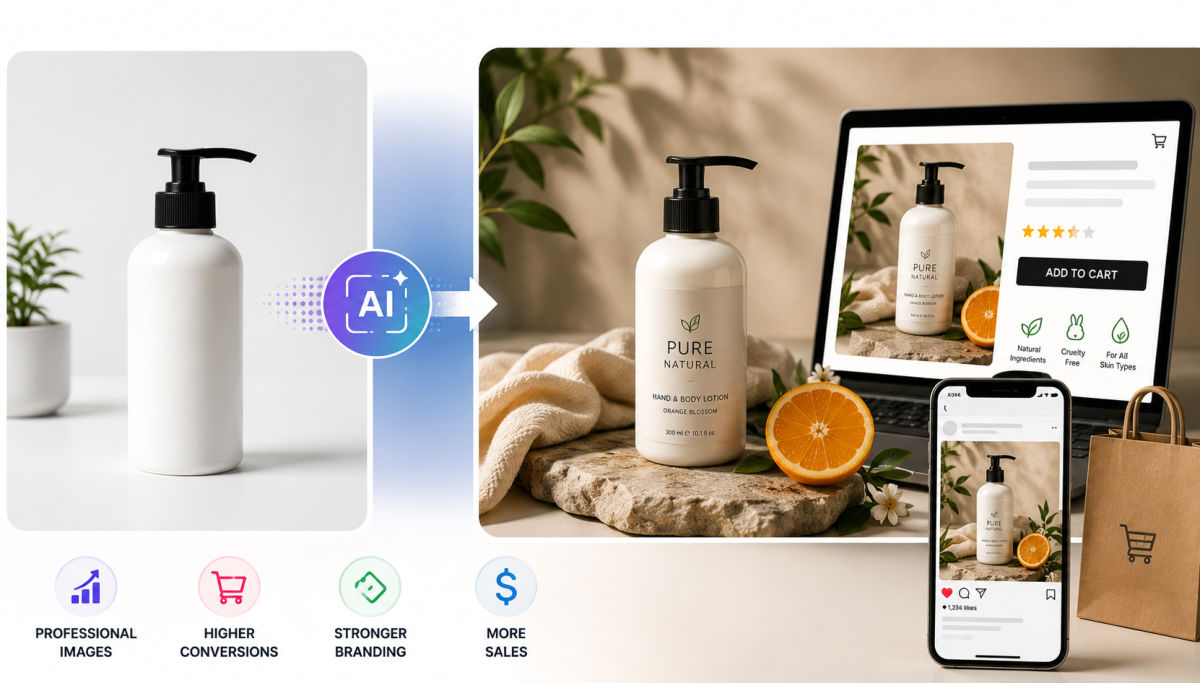
Free image‑to‑image AI tools let ecommerce brands turn basic product photos into studio‑quality, on‑brand visuals in minutes, improving trust, click‑through, and conversion without the cost or time of traditional shoots.
AI product photography doesn’t replace a camera; it turns one decent shot into a full set of on‑brand, high‑conversion visuals you can reuse across every sales channel.
Great product photography has always been one of the biggest drivers of eCommerce success. Whether you’re selling on Shopify, Amazon, Etsy, or your own online store, customers often decide within seconds whether a product looks trustworthy and worth purchasing.
The challenge is that creating professional product images usually requires expensive photography equipment, skilled designers, or time-consuming editing. Fortunately, recent advances in AI have made it much easier for businesses of all sizes to create high-quality visuals without increasing production costs.
In this guide, you’ll learn how to use Free Image to Image AI to improve product photography, create consistent branding, and produce marketing images faster. You’ll also discover practical tips that can help increase efficiency while maintaining a professional appearance across your online store.
Customers cannot touch or examine products when shopping online. Instead, they rely almost entirely on visual presentation.
High-quality product images can help:
Even small improvements such as cleaner backgrounds, better lighting, or more attractive lifestyle scenes can significantly improve how customers perceive your products.
This is where AI image editing has become an essential tool for online businesses.
Image to image AI uses artificial intelligence to transform an existing image into a new version while preserving the original product.
Instead of generating an image from scratch, you simply upload a product photo and describe the desired result.
For example, you can request:
Unlike traditional editing software, most transformations take only a few seconds.
AI performs best when the original image is reasonably clear.
You don’t need professional photography equipment, but you should:
A clean original image gives AI more accurate information for transformation.
The quality of your prompt often determines the quality of the final image.
Instead of writing:
Make it look better.
Try something more descriptive:
Specific prompts help AI generate more realistic and commercially useful results.
A dedicated Free AI Image Editor tool allows businesses to transform existing product photos into professional marketing assets quickly without requiring advanced design skills.
Instead of manually editing every image, you can simply upload your original product photo, describe the desired visual style, and generate polished results in minutes. This approach is especially useful for creating seasonal campaigns, promotional banners, and consistent product imagery across multiple sales channels.
Consistent branding builds customer recognition.
Rather than creating completely different styles for every product, establish visual guidelines such as:
Maintain similar colors or environments across your catalog.
For example:
Customers quickly recognize brands with consistent visuals.
Lighting has a huge impact on perceived quality.
Even if products are photographed separately, AI can help unify:
A consistent lighting style creates a more professional storefront.
If your store uses specific colors, include them in your prompts.
Examples:
Small branding details make your entire catalog look more cohesive.
AI image transformation isn’t limited to product pages.
Many online businesses also use it for:
Create fresh Instagram or Pinterest visuals without scheduling expensive photoshoots.
Generate holiday-themed product images for:
Produce multiple image variations for:
Optimize visuals for:
Creating multiple versions allows you to test which designs generate the best engagement.
Here are several practical tips that consistently improve output quality.
The cleaner the source image, the better the transformation.
Avoid combining too many requests in one prompt.
Instead of:
Add flowers, mountains, luxury room, sunset, coffee shop, modern style…
Focus on one clear objective.
Don’t stop after the first result.
Generate several versions and compare:
Often the third or fourth variation becomes the strongest marketing image.
Your product should always remain the focal point.
Avoid prompts that dramatically alter:
Customers expect the delivered product to match the listing.
AI image editing has become one of the most practical tools for modern eCommerce businesses. Whether you’re launching a new Shopify store, refreshing your product catalog, or preparing seasonal marketing campaigns, AI can dramatically reduce production time while improving visual quality.
The key is not replacing creativity, but accelerating it. By combining clear product photos, well-written prompts, and a consistent branding strategy, businesses can create professional visuals that help build trust and encourage more purchases.
As competition in online retail continues to grow, investing in smarter image creation workflows can become a meaningful advantage for brands looking to improve both efficiency and customer experience.
Image‑to‑image AI helps ecommerce brands by transforming basic product photos into studio‑quality or lifestyle visuals, improving trust and conversion while reducing the need for expensive shoots and manual editing.
Most marketplaces allow AI‑edited product photos as long as images remain accurate, clearly show the product, and follow each platform’s background and clarity guidelines; always check current listing policies before deploying new visuals.
A good prompt for AI product photography describes background, lighting, and mood in simple terms, avoids overloading requests, and specifies any brand colors or settings you want, such as “minimal white studio with soft natural light and warm tones.”
Many free or freemium image‑to‑image tools now produce results that are suitable for paid ads, especially when fed high‑quality source images and well‑tested prompts, though premium tools may offer finer control and bulk workflows.
Brands should treat AI editing as a way to enhance environments and styling while keeping the product’s shape, color, and key features faithful to reality, and regularly compare generated images against actual items to avoid misleading shoppers.




