

Emma, a freelance graphic designer based in Dubai, ran into a growing problem. With every new project, she found herself spending more and more time emailing JPG mockups to her clients—individually labeled, awkwardly attached, and often misaligned when viewed on different devices. Some clients would reference the wrong version. Others would ask about missing files that were buried in past threads. As her client base grew, so did the chaos in her delivery process. The real issue? She was relying on a file format meant for images—not for presenting polished, organized design packages. That’s when she realized she needed a better solution and began searching for a reliable JPG to PDF converter.
As Emma quickly discovered, JPGs—while excellent for raw visuals—fall short when used to share multi-step work or final deliverables. They appear differently across devices, can be hard to print correctly, and quickly clutter email threads. Clients were printing images with misaligned margins, opening them on phones where the quality dropped, or simply getting lost in versions labeled “final3.jpg” and “v2-update.jpg.”
What she really needed was a way to combine all her JPGs into one file that would retain clarity, order, and layout—while also being easier to send and secure.
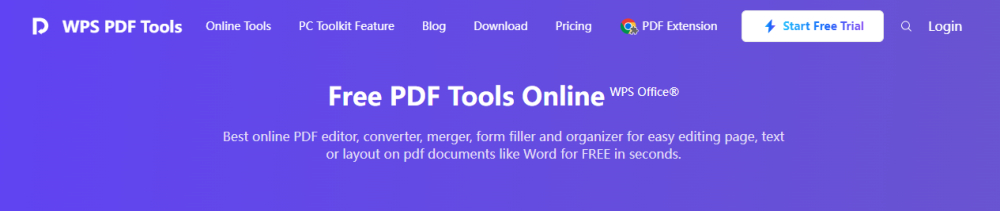
After testing several online tools, Emma discovered the WPS JPG to PDF Converter. No signing up or software installation was required, and no watermarks were tolerated. A couple of clicks provided her with the ability to send her design files, rearrange them, and create one PDF file that she could send to her customer.
Her client reviewed it the same day and replied:
“Everything looks amazing and clear—let’s go ahead!”
| Task Element | Before (JPGs) | After (WPS PDF) |
| File format | Multiple, unordered .jpg files | One clean, ordered. pdf file |
| Client experience | Confused by filenames, order issues | Clear flow with fixed layout |
| Printing consistency | Inconsistent crop and size | Optimized for print |
| Revisions tracking | Scattered comments on different files | All feedback on one document |
| Professional image | Informal, patchy delivery | Organized, polished presentation |
The same process can be used by any person regardless of the type of industry, such as a student, business owner, or freelancer:
1. Visit wps.com JPJ to PDF converter.
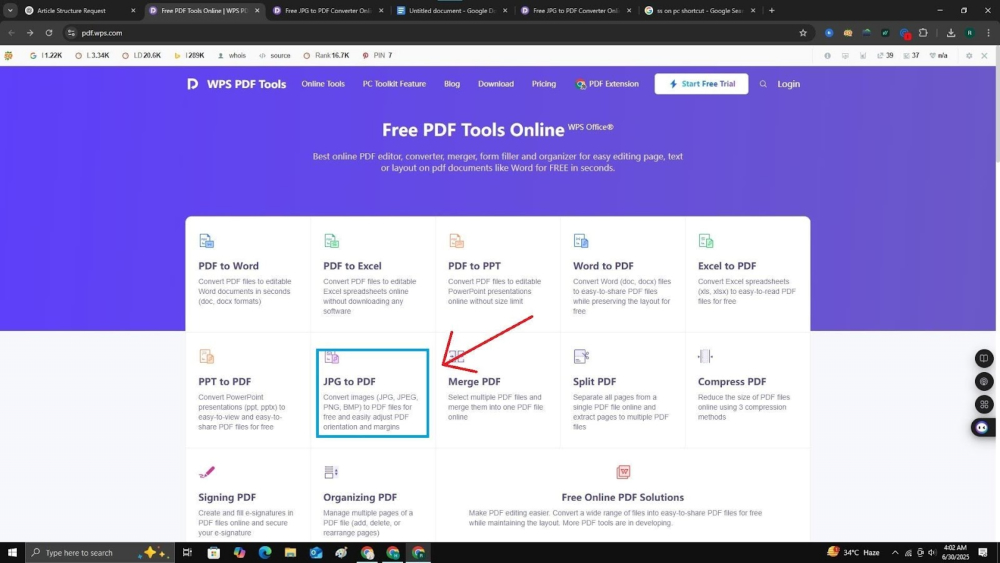
2. Upload your JPG images by drag-and-drop or file selection
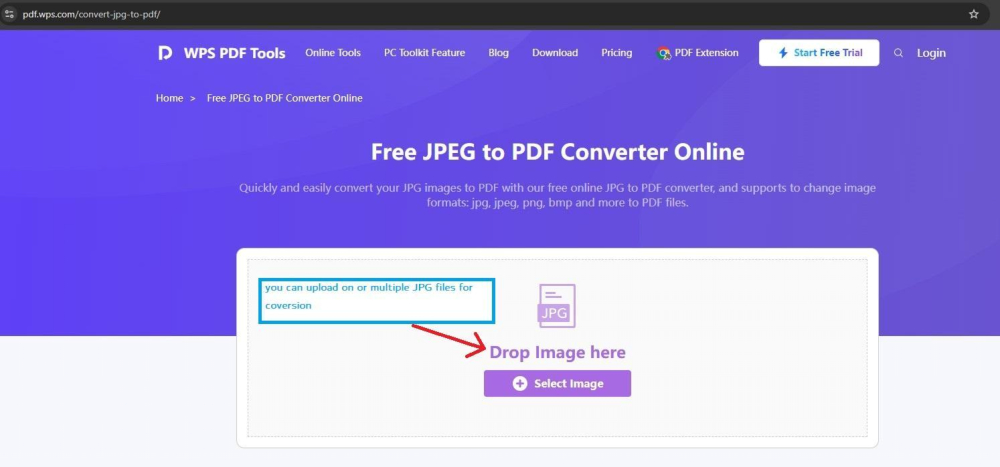
3. Reorganize the sequence of the images as required
4. Change layout configuration like size of margins, orientation, or size of the paper

5. Click Convert, then download your new PDF file
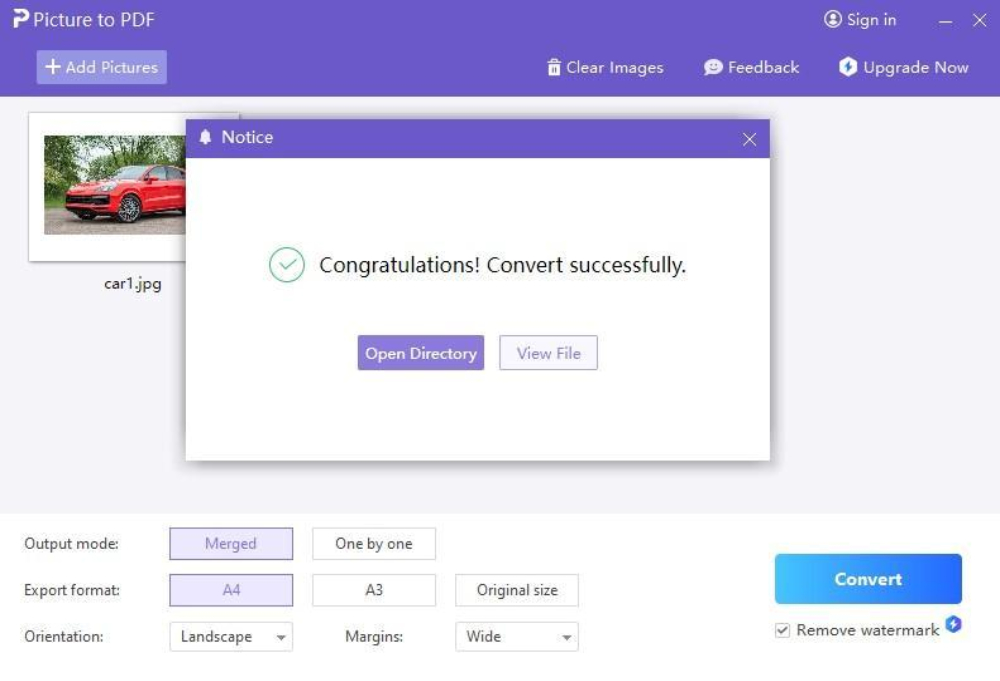
That’s it. No account needed, no ads, no watermarks—just clean output, fast.
Switching from JPG to PDF doesn’t just solve a design delivery issue—it upgrades productivity across multiple industries. Students can assemble pictures of their handwritten papers, instructors can bundle scanned worksheets, HR staff can put together photos of IDs and resumes, and freelancers can bundle portfolios or receipts. PDF introduces order to what would otherwise be a haphazard collection of pictures, transforming confusion to coherence.
More importantly, PDF is a format that renders consistently on any device, prints right, and has a professional-looking appearance.
Submit projects, mockups, or proofs, which can be scrolled, printed, and annotated by the clients.
Insert scan copies of assignments, lecture notes, or even classroom exercises, and have them delivered in a single, clear PDF.
Organize receipts, scanned contracts, ID verifications, or project updates into readable packs.
Impress clients with clear portfolios, client updates, or bundled service reports that open cleanly every time.
Many websites offer JPG to PDF conversion—but they often hide essential features behind paywalls or signups. Some add watermarks; others limit file sizes or page counts. And many don’t provide a follow-up option for editing or merging PDFs after the conversion.
Here’s how WPS stacks up:
| Feature | WPS JPG to PDF | Other Free Tools (e.g., DocFly, iLovePDF) |
| Completely free | Yes | Partially (often limited or paywalled) |
| Watermark-free output | Yes | No (branding or footers added) |
| Sign-up required | No | Often required |
| Batch conversion support | Yes | Varies |
| Conversion speed | Fast | Can be delayed due to ads or throttling |
| Privacy (auto file deletion) | Yes | Not always clear |
| Post-editing tools available | Yes (PDF Editor in WPS) | Rare or not included |
| Office suite integration | Yes (Word, Excel, etc.) | No |
Since WPS is not simply a converter but is a component of a comprehensive office package, you can do more than that. after the conversion, such as modifying, optimizing, or signing your PDF right away.
Explore more at WPS Office
What Emma Learned—and How You Can Apply It
Emma’s success wasn’t just in finding a new tool. It was in recognizing that her old workflow was holding her back. By converting JPGs to PDF, she gained control over presentation, sped up approvals, and made every client delivery feel more professional. And it didn’t cost her a cent.
Today, she uses WPS for
Anyone—designer, admin, teacher, or entrepreneur—can adopt this same process for faster, cleaner results.
Sick and tired of sloppy attachments or even want your work to be distinguished? JPG to PDF is the most convenient option you can ever use. And with WPS JPG to PDF, it’s free, fast, and secure.
Ditch the confusion. Deliver with confidence.
Make the switch—and see the difference a single PDF can make.




