

Companies fix travel expense chaos by replacing manual receipt-and-spreadsheet workflows with software that captures spend in real time at the point of purchase. Integrated travel-and-expense platforms like MyBiz fit teams that book and expense in one place; standalone tools such as Expensify or Ramp fit others.
The real cost of an expense report is not the dinner on it. It is the 20 minutes someone spends rebuilding the trip from memory a week later, and the 18 more if they get it wrong.
At the end of every business trip, one task almost always lingers – managing travelling expenses. From sorting through receipts to filing claims and waiting for approvals, the process can quickly become overwhelming. Instead of a smooth transition back to work, employees often face delays and added effort, while finance teams deal with verification challenges, making the entire system feel slow and inefficient.
The problem becomes clearer when you look at how much time goes into it. According to GBTA, employees spend an average of 20 minutes filing just one expense report, and that’s assuming everything is in order. Manual systems, spreadsheets, and email approvals stretch this further, creating delays and frustration on both ends. What should ideally be a quick submission often turns into a repetitive, time-consuming task that affects productivity across teams.
Why Expense Tracking Still Feels Complicated
Expense tracking hasn’t evolved at the same pace as business travel itself. While companies have adopted digital tools in other areas, expense reporting still relies heavily on manual input and fragmented systems. Employees are expected to remember small details—dates, categories, exact amounts—and enter them later, often after the trip has ended.
This delay creates gaps in accuracy. Receipts get lost, details are forgotten, and small errors creep in. On the finance side, teams have to double-check everything, which adds another layer of work. What makes it more complicated is that policies differ across organizations, and employees are not always clear about what is reimbursable and what is not.
There’s also the issue of disconnected systems. Booking tools, payment methods, and reporting platforms don’t always talk to each other, which means data has to be manually transferred. This lack of integration turns what could be a seamless process into a fragmented one.
Where Manual Processes Break Down
Manual processes tend to work fine when volumes are low, but business travel rarely stays small. As soon as the number of trips increases, the cracks begin to show. Employees start delaying submissions because the process feels tedious, and finance teams end up chasing reports instead of reviewing them efficiently.
Errors become more frequent in such setups. Duplicate claims, incorrect entries, and missing receipts are common issues that require back-and-forth communication. This not only slows down reimbursements but also affects employee satisfaction. Nobody enjoys waiting weeks to get reimbursed for expenses they have already paid for.
Another problem is the lack of visibility. Managers and finance teams often don’t have a real-time view of how much is being spent. By the time reports are submitted and processed, the spending has already happened, leaving little room for control or adjustments.
It is in this context that expense management software has started gaining attention, not just as a convenience but as a necessary shift in how companies manage travel spending.
How Travel Expense Apps Change the Workflow
Travel expense management software simplifies what used to be a scattered process by bringing everything into one place. Instead of collecting receipts and entering details later, employees can upload expenses instantly during the trip. A quick photo of a receipt, and the information is captured and stored without much effort.
This shift reduces the dependency on memory and manual entry. Expenses are recorded in real time, which improves accuracy and saves time. The process becomes less about remembering and more about capturing information as it happens.
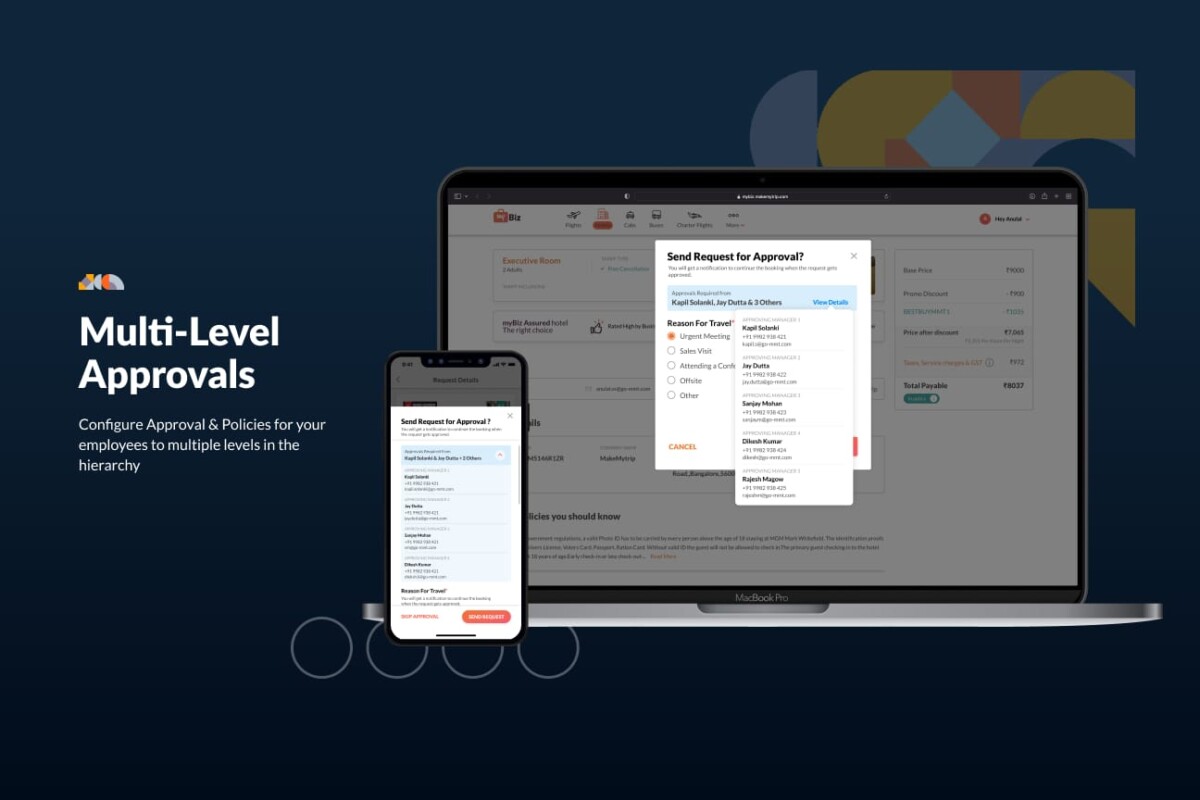
Approvals also become faster. Managers can review and approve expenses on the go, without waiting for emails or physical documents. This speeds up reimbursements and removes unnecessary delays. The workflow becomes smoother, not because it is faster in theory, but because it eliminates the friction that existed earlier.
The Impact on Finance Teams and Employees
When expense management becomes easier, the impact is visible on both sides. Employees no longer see expense reporting as an extra burden. It becomes a quick task that fits naturally into their routine, rather than something they postpone.
Finance teams benefit even more from this shift. With real-time data available, they don’t have to wait for reports to understand spending patterns. They can track expenses as they happen, identify unusual claims early, and maintain better control over budgets.
This also reduces the need for constant follow-ups. Since most of the information is already captured accurately, the review process becomes faster and more straightforward. Instead of spending time correcting errors, teams can focus on analyzing data and improving policies.
Common Mistakes Companies Continue to Make
Despite the availability of better tools, many companies still struggle with expense management because of how they approach the problem. One common mistake is treating expense tracking as a back-office function rather than an integral part of travel management.
Another issue is relying on outdated systems simply because they are familiar. Change often feels disruptive, so companies continue using spreadsheets or partial solutions that don’t fully solve the problem. Over time, this leads to inefficiencies that become harder to fix.
There’s also a tendency to overlook employee experience. If the process feels complicated or time-consuming, employees will delay it or make errors, which eventually affects the entire system. A solution that works only for finance teams but ignores employee usability rarely succeeds.
How MyBiz Simplifies Expense Visibility
MyBiz approaches expense management by focusing on visibility and ease of use. Instead of treating expense reporting as a separate task, it integrates it into the overall travel experience. This means employees can manage bookings and expenses within the same ecosystem, reducing the need to switch between tools.
The platform allows real-time tracking of expenses, which helps both employees and finance teams stay updated. Since data is captured as the expense occurs, there is less dependency on manual entry and fewer chances of errors. This creates a more reliable system where information flows naturally rather than being forced into place later.
For finance teams, this visibility makes a noticeable difference. They can monitor spending trends, ensure policy compliance, and make informed decisions without waiting for end-of-month reports. The process feels less reactive and more controlled.
Moving Towards Real-Time Expense Management
The shift towards real-time expense management is not just about adopting new tools; it reflects a change in how companies think about travel spending. Instead of reviewing expenses after they happen, businesses are now focusing on tracking and managing them as they occur.
This approach reduces surprises and helps maintain better budget control. It also creates a more transparent system where employees understand policies clearly and follow them without confusion. Over time, this leads to fewer disputes and smoother operations.
Real-time systems also make it easier to scale. As companies grow and travel increases, the process doesn’t become more complicated. It simply adapts, handling higher volumes without adding extra workload.
Conclusion
Fixing travel expense chaos doesn’t require a complete overhaul, but it does need a shift in approach. Moving away from manual processes and adopting smarter systems can save time, reduce errors, and improve visibility. When expense management becomes part of the travel experience rather than an afterthought, both employees and finance teams benefit in ways that are practical and lasting.
Manual expense reporting costs about 20 minutes and $58 per report on average, according to GBTA, before any errors are counted. Nearly one in five reports (19 percent) contain mistakes or missing information, and each one takes another 18 minutes and $52 to correct. The processing time is the hidden cost most finance leaders underestimate, because it is spread across travelers, approvers, and the finance team rather than showing up as a line item. Run it across volume and it adds up fast: a company processing 500 reports a month is spending roughly $29,000 just to process them, plus several thousand more correcting the errors. That overhead is separate from the reimbursed expenses themselves.
The best option for a growing team is whichever tool matches how you travel and pay, not whichever has the longest feature list. If you want booking and expensing in one place, an integrated travel-and-expense platform like MyBiz or Navan reduces the data transfer that breaks manual setups. If booking is handled elsewhere and you just need clean reporting, a standalone tool like Expensify or Zoho Expense is simpler. If you would rather capture spend through a corporate card in real time, Ramp or Brex lead there. For most teams between roughly 25 and a few hundred travelers, the deciding factor is adoption, so pilot two finalists with real travelers before committing.
Travel expense software manages the full reporting cycle (capture, categorize, approve, reimburse) and, in integrated platforms, the trip booking too, while a corporate card spend tool captures transactions automatically the moment the card is used. The difference matters in practice. Card-led platforms like Ramp and Brex give excellent real time control over card spend but do not book travel or handle out-of-pocket and reimbursable expenses the same way. Travel-and-expense platforms cover booking and the reimbursement workflow but rely on receipt capture rather than a card feed. Many companies end up using both: a card for control and a travel-expense tool for booking and the reporting cycle. Map your actual gaps before assuming you need one or the other.
Plan on a 2 to 4 week pilot before a full rollout for most mid-sized teams. The technical setup (connecting the tool, configuring your expense policy, setting approval rules) is usually a matter of days. The longer part is the pilot: running a small group of frequent travelers through real trips so you catch policy gaps and usability friction before they hit everyone. A staged rollout by team or region after the pilot tends to work better than a hard cutover, because it lets you fix issues at small scale. The biggest time risk is not the software; it is an unclear expense policy, so settle that first.
Get adoption by choosing a tool employees find easier than the old way and by capturing expenses at the point of spend rather than after the trip. Most adoption failures trace back to friction: if the tool adds taps or still requires manual entry later, travelers postpone it and the errors return. Pick a tool with fast mobile receipt capture, pilot it with vocal frequent travelers so they become advocates, and make the expense policy simple and visible inside the tool so people are not guessing what is reimbursable. Pair that with faster reimbursements as the visible payoff. When expensing takes seconds and money comes back quickly, usage takes care of itself.





