

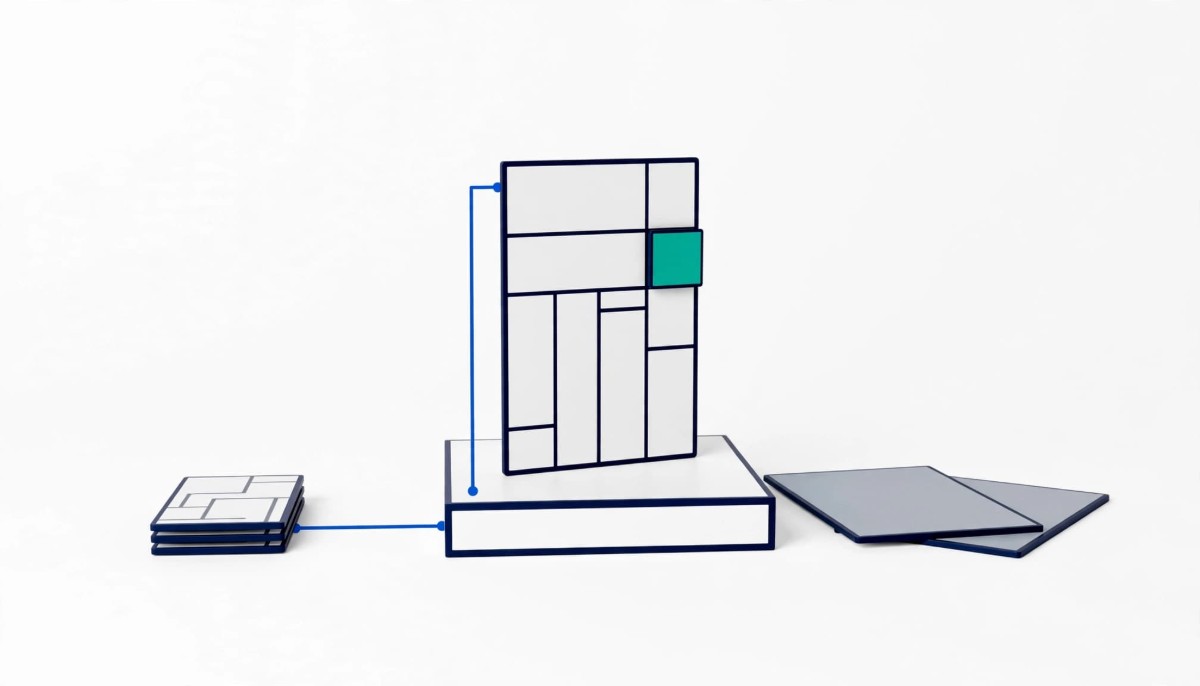
Headless commerce on Shopify changes only the storefront; catalog, pricing, markets and checkout stay put. It pays off when one catalog powers several front ends and developers own the code. When only one page outgrows the theme, build that experience and keep the theme.
Headless makes the front end flexible and everything around it rigid. Every app, every content change and every campaign page now goes through a developer, so the real question is not whether you want flexibility but who will pay for it every month.
Of the roughly forty brands I managed at one point as a Merchant Success Manager at Shopify, two that had gone headless migrated back to Shopify’s native storefront. They had been sold on the idea that a separate front end with a more robust CMS was a better way to build the customer experience. What many headless brands discovered afterward was the cost of running two content systems side by side, kept in sync, with someone senior enough to understand how it all fit together.
That pattern is the reason this guide exists. Headless commerce is often described as flexible commerce, and it is, in one specific layer. The mistake is assuming the flexibility spreads to the whole business. On Shopify it mostly does not, because the parts that make commerce hard (catalog, pricing, international markets, checkout, payments) stay on Shopify either way.
Whether you are a founder fielding your first agency pitch or an operator trying to justify a rebuild upward, the decision comes down to two questions: is there a page your store needs that a theme cannot build, and who will own the code once it exists? The rest of this guide works through both.
Going headless on Shopify replaces the storefront and nothing else: Shopify keeps the products, prices, inventory, markets, customer records and checkout, and a separate front end built with Hydrogen, another React framework or a headless CMS reads that data through the Storefront API. The “head” being removed is the Online Store channel and its Liquid theme. The body stays where it was.
Shopify’s own documentation describes the options plainly. In its overview of headless build options, there are three routes: Hydrogen (Shopify’s React framework), Hydrogen React components inside another framework, or the Headless channel with any framework you like, using Shopify’s back end through the Storefront API. Hosting is not the barrier it used to be either. Shopify’s Hydrogen and Oxygen fundamentals documentation states that Oxygen, the edge hosting for Hydrogen storefronts, is available at no extra charge on paid plans from Starter through Plus, though not on Agentic plans.
The part merchants most often misunderstand is checkout. A headless storefront on Shopify does not get a new checkout. Shopify’s guide to managing a cart with the Storefront API explains that the cart returns a checkout URL that sends the buyer through Shopify’s web checkout. So the conversion step that carries the most revenue risk is identical whether you are headless or not.
That has a practical consequence. If the problem you are trying to solve lives in orders, fulfillment, inventory or channel coordination, a new front end will not touch it. I made that argument in detail in why a headless investment does not fix omnichannel problems on its own. Headless is a presentation decision. Treat it as one and the rest of the evaluation gets much simpler.
Headless flexibility is real in three situations: the store needs page types or URL structures a theme cannot express, the same catalog has to power more than one front end, or the brand has an engineering team that wants to own the storefront as a product. Outside those three, the flexibility is mostly theoretical.
The first situation is the one builders cite most. Georgiy Slobodenyuk of AbsoluteWeb, a Shopify agency that builds both theme and Hydrogen stores, put it this way on episode 363 of the podcast: “there are still use cases around needing, Hydrogen for, like, truly bespoke, really, really custom websites with, you know, really, really unique URL structures, really, really unique content flows.” Notice the qualifiers. He is describing truly bespoke sites, not a store that wants a nicer homepage.
The second situation is multiple front ends. A brand running a native mobile app, in-store screens, a wholesale portal and a website from one catalog benefits from treating Shopify as the back end for all of them. Here headless is less a style choice than an architecture that matches how the business actually sells. Shopify’s Markets and catalog data still do the heavy lifting; the front ends just read from them.
The third situation is organizational. Some brands have, or want, an in-house team of React developers who treat the storefront like a software product with releases, tests and a roadmap. For that team, a Liquid theme can feel limiting, and Hydrogen on Oxygen gives them familiar tools with first party hosting.
What is missing from that list is speed and design. Both are common reasons in headless pitches, and both are usually achievable on a theme. A slow Shopify store is rarely slow because of Liquid. It is slow because of the scripts, apps and media layered on top of it, which a rebuild may remove once and then quietly add back.
The cost of headless is not the build; it is the permanent shift of every storefront change from a merchant setting to a developer task, plus the apps and workflows that stop working when the theme goes away. Proposals price the build in detail and tend to treat the running cost as a line item.
Start with apps. Most customer facing Shopify apps render through the theme. Shopify’s documentation on theme app extensions describes them as integrating with Online Store 2.0 themes, which is exactly the layer a headless build removes. Reviews widgets, loyalty panels, upsell blocks and size guides either need an API integration rebuilt by your developers or disappear on launch day. I walked through how that plays out for one category in why loyalty programs break on headless Shopify stores, and the same audit applies to every app with a storefront component.
Next is content. On a theme, a marketer edits sections in the theme editor. On many headless builds, content lives in a separate CMS that has to stay in sync with Shopify’s product data. Newer tooling narrows this gap: Slobodenyuk described a visual Hydrogen editor that keeps content in the codebase with no external CMS, but every content change still moves through a developer’s release process. I raised this with Paolo Vidali, founder and CEO of the agency Hidden Gears, on episode 413, describing what I saw at Shopify: “then a lot of brands didn’t realize the headless problem.” His answer was blunter than mine: “going Headless is the fastest way to incur technical debt, I can tell you that.”
Vidali attached a condition to that warning, and the condition matters more than the soundbite. He advised extreme caution “Unless you really have an in house dev team or you have just the scale of resources where you know, you have let’s say more than 30 or 40 team members.” That is one agency founder’s threshold, not a rule. He also described inheriting a headless project after both the agency that built it and the deployment tool stitching Shopify to its CMS had gone out of business, which is a cost no proposal prices in: every extra vendor in the chain is one more company that has to survive as long as your storefront does.
Finally, there is the ongoing bill. Ask Phill, a Shopify Plus agency that builds Hydrogen stores, published its own cost estimates for Hydrogen projects in April 2026: roughly €60,000 to €180,000 for a focused build on an existing Plus store, and €8,000 to €25,000 a month for ongoing development and maintenance, before any separate CMS or search tools. Those are one vendor’s portfolio figures, and the same article says only about one in ten brands that ask about Hydrogen end up building with it. Even read cautiously, the monthly number is the one to hold up against your margin.
The one page test is simple: name the specific page or experience your store needs that a well built Shopify theme cannot deliver, and if nobody on the team can name one, you do not have a headless use case yet. If you can name one, the next question is whether that single page justifies rebuilding the entire storefront.
Run it as a working session with whoever pitched or requested headless. Ask for a list, in writing, of the things the current theme cannot do. Then check each item against what a modern theme can already handle: sections and blocks on every page, metaobjects for structured content like ingredient libraries, lookbooks or store locators, custom Liquid sections built by a developer, and theme app extensions for app functionality.
In my experience, most lists shrink fast. “We need richer editorial pages” usually means the brand has not built content templates with metaobjects. “We need a faster site” usually means an app and script audit. “We need a custom product builder” usually means one custom section or app block, not a new storefront. If content operations are the real constraint, with many markets, languages and approval workflows, adding a dedicated content layer while keeping the Shopify theme is often the better middle path, which I covered in when your Shopify store outgrows its built-in CMS.
What survives the test is the short list that deserves serious money. A storefront that must run as a native app and a website from one codebase. A URL structure tied to a legacy site with years of search equity that a theme cannot reproduce. An interactive experience so central to the product that it is the store. If one of those is on your list, headless is a legitimate option, and the question becomes whether to rebuild everything or build only that experience against the Storefront API while the rest of the store stays on its theme.
Sometimes the real reason for the pitch is that the current theme is a patchwork of years of edits. That calls for a theme rebuild, which keeps every app and editor workflow intact.
Here is how the test plays out on a single store, and in this case the call is to fix the theme, build one custom feature and leave headless for later. This is a labelled composite built from patterns I saw across Shopify Plus brands during my Shopify years; the store and every figure below are illustrative, not observed.
The store: a home and kitchen brand doing about $6M a year on Shopify Plus, with one in-house developer, two marketers who publish weekly campaigns, and around 25 installed apps. An agency has proposed a full Hydrogen rebuild with a headless CMS for three reasons: the site feels slow on mobile, the editorial team wants richer recipe and room inspiration pages, and the founder wants an interactive kitchen planner that lets shoppers drag products into a layout.
What I would look at first is the app list, because speed problems at this stage almost always start there. In this composite, four apps inject scripts on every page, two of them duplicate each other, and a hero video autoplays at full resolution on mobile. Cutting those is a week of work, not a rebuild. The same audit logic is in my piece on choosing a system of record before adding apps.
Next is the editorial request. Recipes and room inspiration are structured content: ingredients, products used, room type, style. That is exactly what metaobjects are for, and the marketers keep editing in the theme editor they already know. No second CMS, no sync.
The kitchen planner is the only item that genuinely passes the test. It is interactive, product heavy and would be awkward inside a standard section. But it is one experience, not a storefront. The call is to build it as a custom app block or a standalone route against the Storefront API, embedded in the theme, owned by the in-house developer with agency support.
Illustrative cost, assuming agency rates around $175 an hour: the app cleanup and media fixes at roughly 40 hours, metaobject templates at roughly 60 hours, and the planner at roughly 250 hours. That totals about 350 hours, roughly $61,000, which lands near the bottom of the vendor range quoted above for a focused Hydrogen build. The real saving is what does not follow: no €8,000 to €25,000 monthly development retainer, no apps going dark and no second content system. The planner does carry its own upkeep, since it shares cart state and design with the theme and needs one owner for both. What I would remove is the headless CMS from the proposal entirely. You may disagree if your planner is the core product rather than a feature, and that is the condition that would change my answer.
Below about $1M a year, headless is almost never the right call; from $1M to $10M the answer is usually to build only the experience that passes the one page test, against the Storefront API, with someone in house owning the code; above $10M with an engineering team and more than one front end, it becomes a serious architecture option rather than a design upgrade.
If you are just starting, your constraint is demand, not your storefront framework. Pick a well supported theme from the Shopify Theme Store, customize it, and spend the money you would have spent on developers on product and acquisition. Every hour spent maintaining custom front end code at this stage is an hour not spent finding customers.
If you are scaling between $1M and $10M, this is where most headless pitches land, and where the premature complexity risk is highest. Brands at this stage usually have one developer or none, a marketing team that ships changes daily, and an app stack that keeps the business running. Run the one page test. If something passes, build that one thing. Re-ask the headless question when one of three triggers appears: a second front end such as a native app becomes a real plan, you hire your second or third full time developer, or the theme starts blocking revenue on a specific, measurable page.
If you are established above $10M, with an engineering team and several surfaces to power from one catalog, headless can be the cleaner architecture. Even here, the brands that do it well treat it as a product with an owner, a roadmap and a budget, not a one time project. And they plan app replacements, content workflows and security ownership before launch, not after.
Whatever your stage, write down the reason you are going headless before the project starts. If the reason is a page, a second front end or an engineering team, you are buying real flexibility. If the reason is speed, design or a feeling that headless is where serious brands end up, you are buying a running cost. Plenty of brands doing hundreds of millions of dollars a year run on a standard Shopify theme.
Headless commerce is worth it for a Shopify store only when the store needs a page or experience a theme cannot build and has developers to own the code afterward. Headless replaces the storefront, while Shopify keeps the catalog, pricing, markets and checkout. Brands with one front end, no in-house developer and goals like faster pages or better design usually get more from a theme rebuild and an app audit. Brands powering several front ends from one catalog, or building a truly bespoke experience, can get real value from it. The deciding factor is rarely the build cost; it is the ongoing development and maintenance bill and the apps that need rebuilding once the theme is gone.
Yes, a headless Shopify store still sends shoppers through Shopify’s web checkout. Shopify’s Storefront API documentation explains that the cart returns a checkout URL that redirects the buyer to Shopify’s checkout when they are ready to pay. That means headless does not change your checkout, payment options or the conversion step that carries the most revenue. It changes the pages shoppers see before they reach checkout: homepage, collections, product pages, content and cart. If your conversion problem sits in checkout itself, a headless rebuild will not solve it, and checkout customization works the same way whether your storefront is a theme or a custom front end.
Many customer facing Shopify apps stop showing on a headless storefront because they render through the Online Store theme. Shopify’s theme app extensions integrate with Online Store 2.0 themes, which is the layer a headless build replaces. Back end functions such as order processing, email flows and inventory sync usually keep working, because they talk to Shopify’s admin rather than the theme. Widgets shoppers see, such as reviews, loyalty panels, upsells and size guides, need an API integration built by your developers or a replacement app that supports headless. Audit every installed app before committing, and ask each vendor in writing how its storefront features work on Hydrogen or your chosen framework.
Running a headless Shopify store costs far more in development time than in hosting. Shopify’s Oxygen hosting for Hydrogen storefronts carries no extra charge on paid plans, according to Shopify’s Hydrogen documentation, but every storefront change now needs a developer. Ask Phill, a Shopify Plus agency, published estimates in April 2026 of roughly €60,000 to €180,000 for a focused Hydrogen build on an existing Plus store and €8,000 to €25,000 a month for ongoing development and maintenance, before any separate CMS, search or monitoring tools. Treat those as one vendor’s figures and get your own quotes, but compare the monthly number, not the build price, against your gross margin before deciding.
A growing Shopify brand should revisit going headless when one of three things happens: a second front end such as a native app or in-store screens becomes a funded plan, the team hires its second or third full time developer, or the theme blocks revenue on a specific page you can name and measure. Until then, most needs that appear in headless pitches, including faster pages, richer content and custom product features, can be met with a theme rebuild, metaobjects, an app cleanup or one custom feature built against the Storefront API. Set a date to rerun the one page test each year, so the decision follows the business rather than the latest agency pitch.




