

In eCommerce, your product image is doing the job a salesperson would do in a physical store. If it cannot communicate quality, build trust, and answer the buyer’s questions at a glance, it is costing you conversions every hour it is live.
In eCommerce, product images are not just visuals—they are your most powerful sales tool. When customers can’t touch or try a product, images become the deciding factor between a conversion and a bounce.
In 2026, high-converting stores are those that treat product visuals as a scalable system: clean, consistent, high-quality, and optimized for both user trust and performance.
Customers make snap judgments within seconds. If your product images look blurry, inconsistent, or unprofessional, trust drops immediately.
High-converting product images should:
Even small visual improvements can significantly increase conversion rates—especially on mobile, where clarity and simplicity matter most.
Many eCommerce sellers rely on supplier-provided images, stock photos, or marketplace assets. While convenient, these often come with visible watermarks, logos, or unwanted overlays.
These issues:
Before using these images, they need to be cleaned and optimized.
A practical solution is using tools like Remove Watermark from image. Instead of manually editing or cropping, this type of AI-powered tool automatically detects and removes watermarks, reconstructs missing background areas, and preserves important details like edges, colors, and textures.
The workflow is simple:
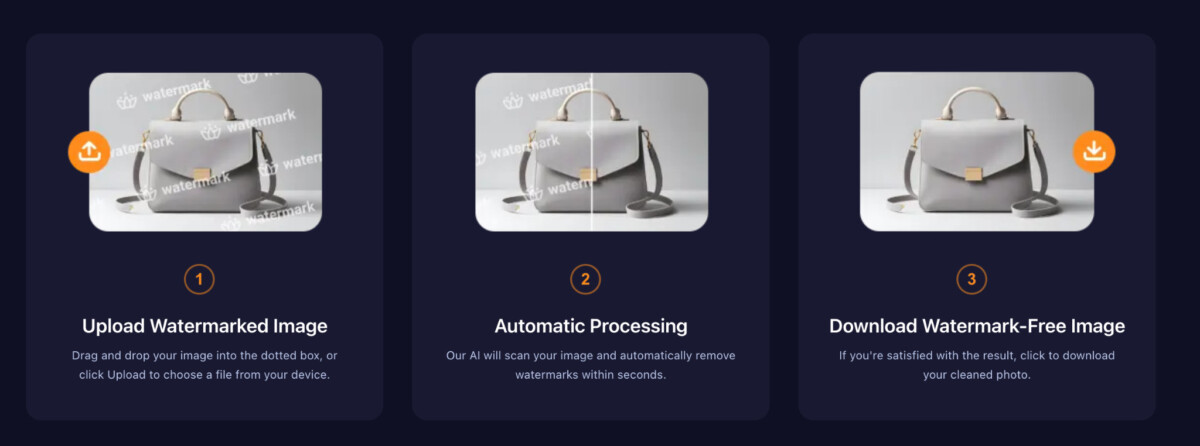
It supports common formats like JPG, PNG, WebP, TIFF, and HEIC, making it ideal for real-world eCommerce workflows. Most importantly, it eliminates the need for manual masking or design skills—saving time while keeping results natural and professional.
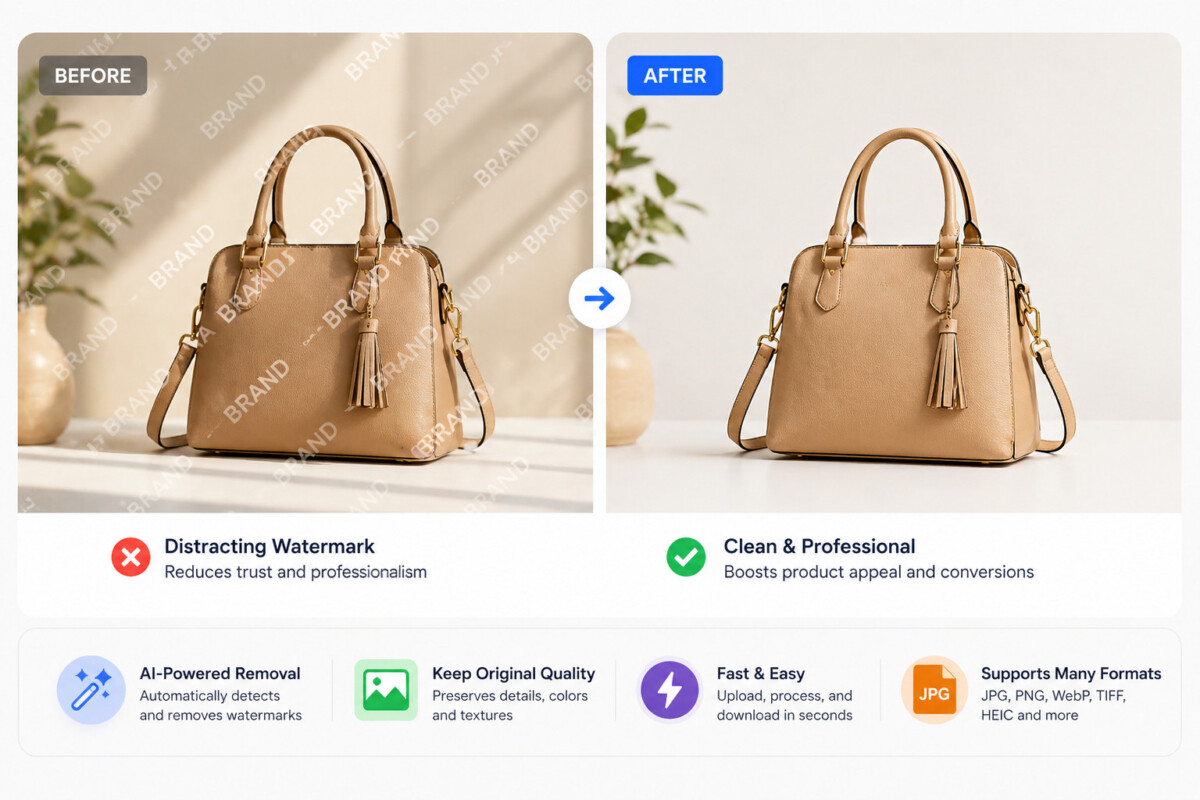
Once your images are clean, optimizing them for conversion is key:
Sharp images help customers evaluate quality and reduce hesitation.
Simple backgrounds (white or neutral) improve focus and professionalism.
Close-ups and alternate views increase confidence and reduce returns.
Use modern formats like WebP and compress images to ensure fast loading without sacrificing quality.
As your catalog grows, manually editing images becomes inefficient. AI tools allow you to process large volumes of images quickly while maintaining consistent quality across your store.
This is especially important for sellers managing multiple SKUs, marketplaces, or marketing channels. A streamlined workflow ensures your visuals stay clean, on-brand, and conversion-ready at scale.
For stores that also rely on video ads or social content, similar challenges can appear in motion assets. In those cases, a video watermark remover can help maintain the same level of visual consistency across your campaigns.
Creating high-converting product images is not about design perfection—it’s about removing friction in the buying process. Clean, sharp, and consistent visuals build trust, communicate value, and ultimately drive more sales.
In 2026, the most successful eCommerce brands will be those that combine smart image optimization with efficient workflows—turning raw assets into conversion-ready visuals at scale.
Most high-converting eCommerce listings include between four and eight images per product. The minimum effective set covers the hero shot on a clean background, two to three alternate angles showing key details, at least one close-up of material or texture where relevant, and one lifestyle or in-use image providing scale and context. More images are better up to the point where they add redundant information – every image in the set should answer a specific question a buyer might have before committing to purchase.
Shopify recommends images of at least 2048 x 2048 pixels for square product images, with a maximum file size of 20MB per image. In practice, the goal is the smallest file size that maintains visual clarity at the display dimensions your theme uses. WebP format delivers the best compression-to-quality ratio for most product images. For a standard product page, targeting 200 to 500KB per image in WebP format balances visual quality with page load speed across both desktop and mobile connections.
This depends on the terms of your supplier agreement and the origin of the image. If the watermarked image was provided by your supplier for use in selling their products, removing their watermark to use the image on your own store is generally acceptable under standard reseller agreements. If the image is from a stock photo library or a third party who owns the copyright, removing the watermark without a license is a copyright issue regardless of the tool used. Always verify the source and your rights to the image before modifying and publishing it. When in doubt, use your own product photography or properly licensed stock images.
White background images isolate the product against a clean, neutral surface and are the standard for primary product images on most eCommerce platforms including Amazon, which requires them. They minimize distraction and make it easy for customers to evaluate the product itself. Lifestyle images show the product in a real-world context – worn by a model, used in a home, or placed in a relevant environment – and are most effective as secondary images that help customers visualize scale, fit, and use. The strongest product pages use both: white background images for clear product evaluation, lifestyle images for emotional context and aspiration.
Visual consistency at scale requires a documented image standard and a workflow that applies it systematically rather than relying on individual judgment per image. The standard should specify background color, image dimensions, product placement within the frame, lighting style, and any brand-specific visual elements. AI-powered batch processing tools that apply consistent background removal, format conversion, and compression across large image sets are the operational mechanism that makes this achievable without proportionally scaling design resources. Building the standard before the catalog grows is significantly easier than retrofitting it across hundreds of existing listings.
Yes, both directly and indirectly. Page speed is a confirmed Google ranking factor, and image file size is one of the largest contributors to page load time on most eCommerce stores. Switching from JPG or PNG to WebP format can reduce image file sizes by 25 to 35% at equivalent visual quality, which directly improves page speed scores. Indirectly, faster pages reduce bounce rates and increase time on site – both behavioral signals that influence search ranking. Image alt text, file names, and structured data around product images also contribute to image search visibility and overall page relevance for product-related queries.
The fastest end-to-end workflow for batch supplier image cleanup in 2026 is AI-powered processing rather than manual editing. Upload the batch to a tool that handles watermark removal and background cleanup automatically, download the cleaned versions, then run a batch compression and format conversion to WebP before uploading to your store. This workflow handles the most time-consuming steps – watermark detection, background reconstruction, and format optimization – without requiring manual intervention on each individual image. For a catalog of 100 images, this approach reduces processing time from days of manual editing to a few hours of supervised batch processing.




