

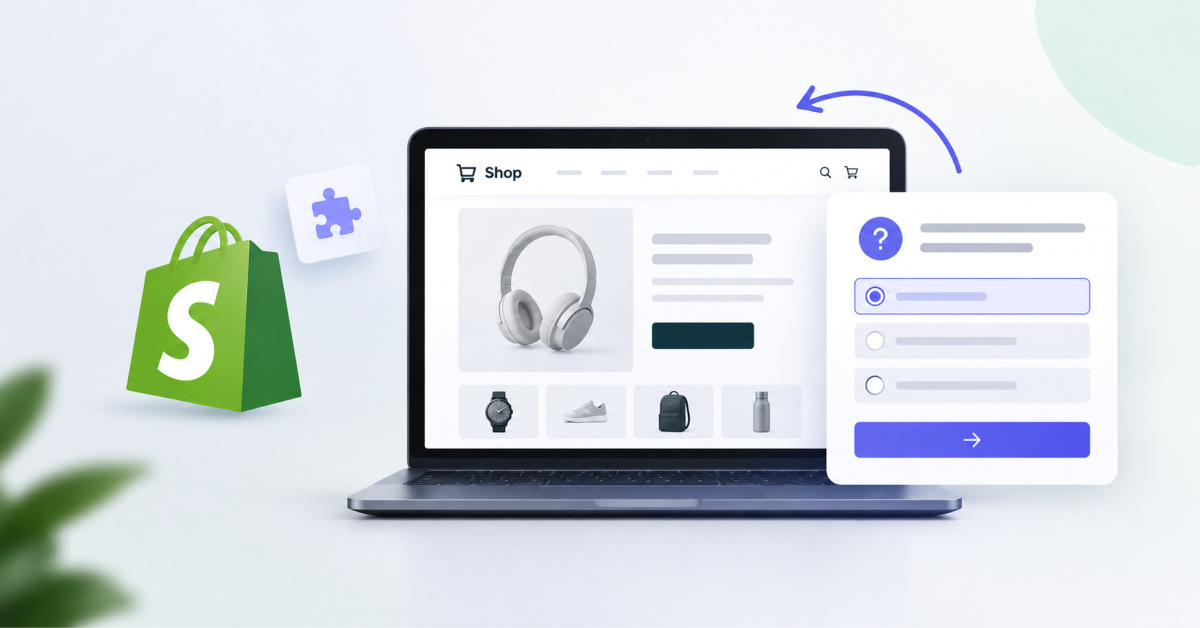
To add a product quiz to Shopify in 2026, install Jotform Product Quiz Builder, connect your Jotform account, select an AI or template starting point, map answers to eligible products, test realistic shopper paths, and publish the finished quiz inline or as a popup.
A product quiz does not fix a confusing catalog by itself. It works when the quiz captures the same decision criteria your best sales associate would use to narrow the customer’s choices.
TL;DR: To add a quiz to Shopify in 2026, install Jotform – Product Quiz Builder, connect a Jotform account, and create the quiz with AI or a template. The merchant can then connect answers to products, adjust the design, configure the AI Shop Assistant, and publish the quiz as an inline section or popup.
A Shopify product quiz is useful when visitors need guidance before choosing. Common uses are comparing similar products, selecting a suitable size, assembling a routine, creating a bundle, or choosing a gift.
A Shopify product recommendation quiz asks shoppers a series of questions and uses their answers to suggest suitable products. It reduces the number of items shoppers need to evaluate by turning preferences, needs, or restrictions into a focused recommendation.
This type of ecommerce quiz differs from trivia because every question supports a shopping decision. It also differs from a general survey because the result is connected to products rather than being used only to collect feedback.
For example, a skincare quiz might ask about skin type, concerns, preferred texture, and routine length. A clothing quiz could focus on fit, size, occasion, and style. The questions should reflect the criteria customers already use when comparing products.
The quiz goal should match the decision the shopper needs to make. Choosing one clear goal helps the merchant write relevant questions and build consistent product mappings.
| Quiz goal | Best use case | Shopper decision |
| Product Finder | Stores with several similar products | Which individual product fits the shopper’s needs |
| Routine Builder | Skincare, wellness, or other multi-step categories | Which products belong in a routine together |
| Fit Finder | Clothing and sizing-dependent catalogs | Which size or fit is suitable |
| Gift Finder | Holiday, event, and occasion-based shopping | Which product suits the recipient |
| Personality Quiz | Brand-led or preference-based merchandising | Which products align with the shopper’s traits |
| Bundle Builder | Product sets and complementary purchases | Which items belong in a coordinated bundle |
A quiz should not try to support every goal at once. A focused product finder quiz will usually be easier to plan and test than a single quiz that attempts to handle fit, gifting, routines, and personality-based recommendations together.
A merchant should define the recommendation strategy before opening the product quiz builder. Planning the products, questions, and answer mappings first makes the setup process more structured.
The preparation should cover:
Every Shopify quiz question should affect the final recommendation. Questions that do not change product ranking, remove unsuitable products, or clarify the shopper’s needs can usually be removed.
The process starts with installing the app, choosing a creation method, configuring the quiz, and publishing it to a selected store page. Here is how to add a quiz to Shopify with the Jotform Shopify quiz app step by step.
AI generation should be treated as a starting point. Merchants should still check if each question reflects a real purchasing criterion and whether the suggested mappings make sense for the selected products.
Jotform matches answers with products through recommendation and exclusion settings attached to each answer option. This gives the merchant direct control over which products move into or out of consideration.
Each answer option can include:
Recommended Products identifies items that fit the selected answer. Excluded Products removes items that conflict with the shopper’s response.
For example, a shopper who chooses “fragrance-free” can be matched with fragrance-free products while scented alternatives are excluded. Using both settings helps prevent unsuitable products from appearing simply because they match another, less important answer.
The product quiz builder also includes the following controls:
The merchant can customize the cover page, question interface, results screen, visual design, and AI Shop Assistant. These controls help the quiz use the store’s existing tone and visual system.
The cover page can include an avatar, title, subtitle, and start button. The merchant can show or hide these elements, revise the text, choose a button icon, and place the icon on either side of the label.
The Design tab includes controls for:
The results page can be adjusted separately. The merchant can edit the results title, show or hide the AI-generated subtitle, set the product result limit, and customize the Add to Cart and Retake Quiz actions. Button labels, icons, and icon alignment can also be changed.
The AI Shop Assistant includes settings for:
The quiz can be published as an Inline Section or a Popup Modal on a selected Shopify page. The right placement depends on whether guided product discovery is central or optional.
An Inline Section places the quiz directly within the page. This format suits a product finder, fit finder, or routine builder that forms part of the store’s main shopping path.
A Popup Modal opens the quiz in an overlay after the shopper selects a button. This format is better for stores that want to offer recommendations without making the quiz the main page content.
Both formats should be checked on desktop and mobile. The merchant should also confirm that the quiz appears on the intended page and does not interrupt other important storefront actions.
The quiz should be tested with several realistic shopper profiles before publication. Testing should confirm that different answers produce sensible and distinguishable results.
Use the following checklist:
The recommendation matrix should be updated when testing reveals duplicated, contradictory, or overly broad results.
The app can analyze recommendation performance, funnel performance, AOV, revenue, and conversion tracking as analytics capabilities. These measurements can help the merchant review how visitors move through the quiz and interact with the resulting products.
The most common problems come from unnecessary questions, weak product mappings, and incomplete testing. Each problem should be addressed before the quiz is published.
Learning how to add a quiz to Shopify requires more than installing an app. The merchant must define the shopper’s decision, select eligible products, connect answers to recommendations and exclusions, set appropriate weights and result limits, customize the storefront experience, and test multiple paths.
Jotform – Product Quiz Builder supports this workflow through AI-generated or template-based quizzes, answer-to-product mapping, an AI Shop Assistant, inline and popup publishing, and quiz analytics. The finished quiz should be treated as a maintained merchandising tool, with its logic reviewed whenever the catalog or customer needs change.
A merchant can add a quiz to Shopify in 2026 by installing Jotform Product Quiz Builder, reviewing the permissions, connecting a Jotform account, and starting with an AI-generated draft or a template. The merchant then edits the questions, maps answers to recommended and excluded products, customizes the quiz design and AI Shop Assistant, selects inline or popup placement, and tests several shopper paths before publishing. The quiz should be validated against the actual catalog, inventory, customer needs, and storefront experience before it becomes a live conversion path.
Jotform Product Quiz Builder is a Shopify app from Jotform Inc. for creating product recommendation quizzes. The app listing describes AI-powered and template-based quiz creation, personalized product matching, customizable quiz design, inline or popup placement, bundles and upsell opportunities, and analytics for quiz performance. It launched on the Shopify App Store on June 29, 2026, is listed as free to install, and currently has no customer reviews. Merchants should review its current permissions, feature set, and support documentation before using it in a production storefront.
Yes, Jotform Product Quiz Builder supports both AI-powered and template-based quiz creation. The AI route can help a merchant produce an initial question structure more quickly, while a template provides a predefined starting point for a common use case. In both cases, the merchant should review the output before publishing. AI-generated questions and product recommendations are drafts, not validated merchandising logic. Every question should reflect a real customer decision, and every product mapping should be checked against product attributes, restrictions, inventory, and customer expectations.
Common Shopify product quiz goals include Product Finder, Routine Builder, Fit Finder, Gift Finder, Personality Quiz, and Bundle Builder. The right goal is the one that addresses a single shopper decision, such as choosing a product, building a routine, finding an appropriate fit, or selecting a gift. Jotform’s product-matching workflow supports question-and-answer-based recommendations, and the supplied builder workflow includes single-choice and multiple-choice questions. Merchants should verify current question types and branching options in the live app before designing a complex flow around them.
Products are recommended or excluded by linking answer options to products that fit or conflict with the shopper’s response. Recommended Products identify items that should move into consideration when an answer is selected. Excluded Products remove items that should not appear for that answer path. Using both controls creates better recommendations because it prevents a product from appearing solely due to a weaker positive match. For example, a fragrance-free requirement should exclude scented products even if they otherwise match a customer’s stated skin concern or routine preference.
Question weight controls how strongly a question influences the recommendation, while result limit controls the maximum number of products shown on the results page. Use higher weight only for answers that materially affect product suitability, such as an allergy restriction, required size, ingredient preference, compatibility requirement, or budget constraint. Use a focused result limit so the quiz produces a shortlist rather than another overwhelming category page. In many product-finder use cases, one primary product and two alternatives is a more actionable result than a grid of many loosely related items.
Yes, the results page can include Add to Cart and Retake Quiz actions. Add to Cart reduces friction by allowing a shopper to act on the recommendation immediately, while Retake Quiz lets the customer revise an answer, explore another use case, or begin again if their needs change. Test both actions on mobile and desktop before launch. Confirm that cart behavior is correct, that selected variants are handled properly where relevant, and that retaking the quiz resets the experience without carrying incompatible answers into the next result.
Yes, Jotform Product Quiz Builder supports inline-section and popup quiz placement. An inline section is generally best when the quiz is the main product-discovery path, such as a routine builder or dedicated product-finder landing page. A popup is better when the quiz is optional help for uncertain shoppers, such as a “Help me choose” interaction on a collection page. Test placement carefully on mobile and desktop, and avoid an automatic popup that blocks new visitors before they have had time to understand the category or browse normally.
The AI Shop Assistant can be configured with an avatar, name, role, default language, and tone of voice. These settings should align with the brand’s existing customer-service voice and product expertise. Keep the assistant’s role clear and practical, such as helping customers narrow product choices or understand the quiz result. Review its output before launch, especially for categories involving wellness, sizing, compatibility, ingredients, or regulated claims. The assistant should guide shoppers within approved product information rather than make promises the storefront cannot substantiate.




