





Key Takeaways
- Gain a major edge over your rivals by using AI to produce high-quality product videos that convert better than boring static images.
- Build a reliable video system by following a clear path from visual storyboards and scripts to final editing and performance tracking.
- Reduce the stress of video production by using smart tools that handle the technical work so you can focus on sharing your brand story.
- Transform your simple text prompts into professional video scenes instantly with AI tools that make expensive camera crews unnecessary.
“Show, don’t tell” has been the golden rule of selling forever. However, in ecommerce, showing can be surprisingly hard.
I’ve lost count of how many great products I’ve seen die on the page because the seller only published static images of the product. Sometimes there is a demo video, but it’s boring, confusing, or painfully expensive to make. That’s exactly why I’m excited about the current wave of AI video tools for ecommerce.
If you’re anything like me, you want videos that actually convert, and you want to avoid having to hire a full production crew or burn weeks on editing.
In this post, I’ll walk you through how AI makes that possible. You’ll also discover tools that help you create professional product demo videos faster, even if you’re not a video pro.
Steps to Creating Product Demo Videos That Actually Convert
Now, let me show you the steps I take when producing high-converting product demo videos. Here, I’ll also expose the best AI video tools for ecommerce you can use to achieve your desired results.
1. Turn Your Product Demo Into a Visual Storyboard
Before thinking about animations, transitions, or voiceovers, focus on what the viewer should see. You must visually plan all types of ecommerce videos if you want to increase sales.
That’s where storyboarding comes in. It’s also where most teams either overcomplicate things or skip the process entirely.
An example of a tool to use here is LTX Studio. Its AI storyboard generator lets you sketch scenes or write text prompts. You can also generate or upload reference images to inform the look and flow of the video.
One standout feature of this AI tool is “Elements,” which allows you to use your product shots in video projects, rendering with consistency across scenes and settings.Here’s what it looks like:

Image via LTX Studio
That’s something you can hardly pull off with most AI video tools. Remember, consistency builds trust, and trust is what drives conversions.
2. Write a Product Demo Script
Once you’ve got the visual direction, the next question to ask is: What am I actually saying in this video? A product demo script should connect product features to real outcomes.
You can use Gemini to do this quickly and strategically. Instead of starting from scratch, prompt it to generate scripts that focus on benefits or objections. It can also create compelling calls to action.
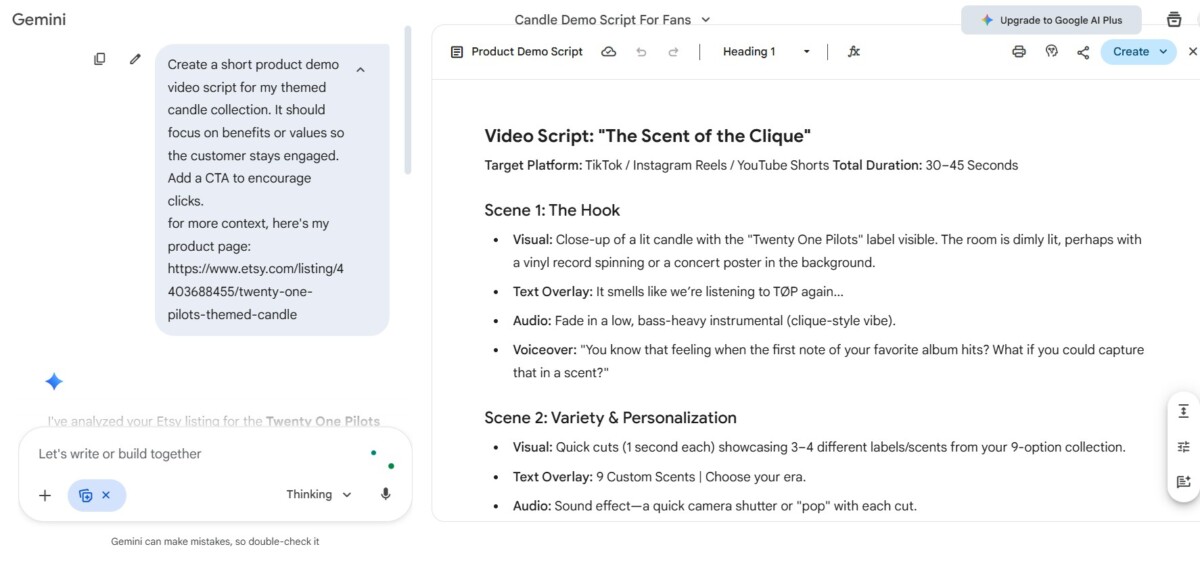
Image via Gemini
For ecommerce, this step matters more than most people think. A concise script keeps the demo engaging and focused on conversion, especially when paired with visuals that already tell part of the story.
3. Create Your Product Visuals
Not every product demo needs a full studio shoot. And honestly, most ecommerce brands can’t afford that level of production for every Stock Keeping Unit (SKU). Thankfully, you can use AI to generate realistic product visuals.
One of the AI video tools for ecommerce that makes this possible is Synthesia. Simply type a prompt, upload your script, or paste your webpage URL.
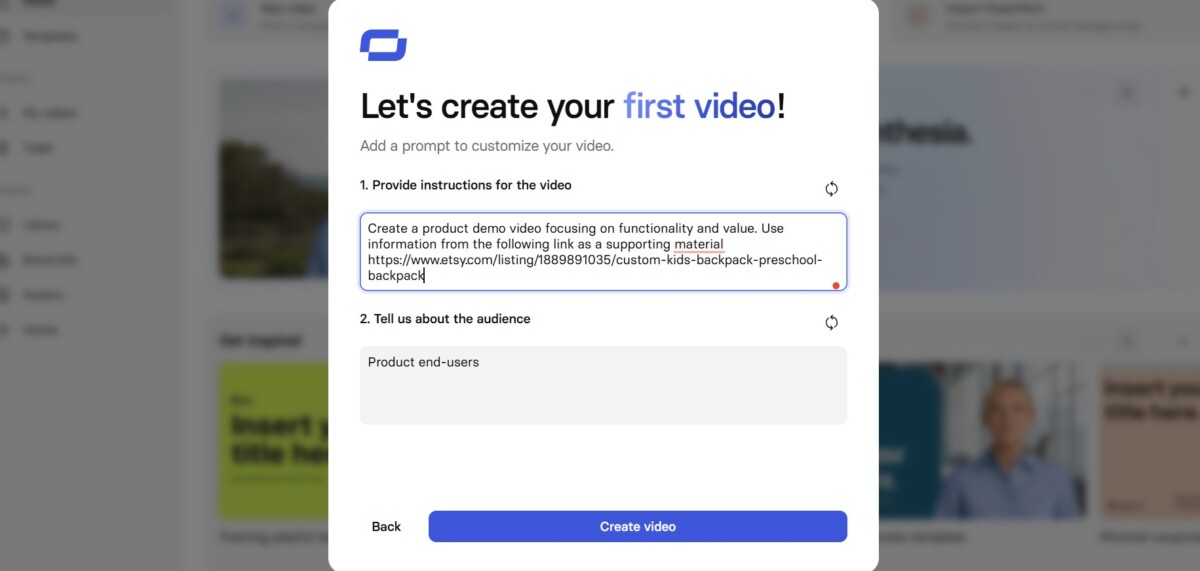
Image via Synthesia
It creates polished demo videos using AI avatars and screen-based visuals, all without picking up a camera. This is especially useful for explainer-style demos, onboarding videos, or products that benefit from verbal walkthroughs rather than cinematic shots.
4. Personalize Product Demo Videos
Today’s buyers want to see specific product features that match their needs. That’s why personalized demos drive more conversions. The challenge has always been to do that without increasing production costs.
That’s why you need AI tools like Navattic. It lets you create personalized versions of demo videos for different buyer personas. This makes the demo relevant for different users.
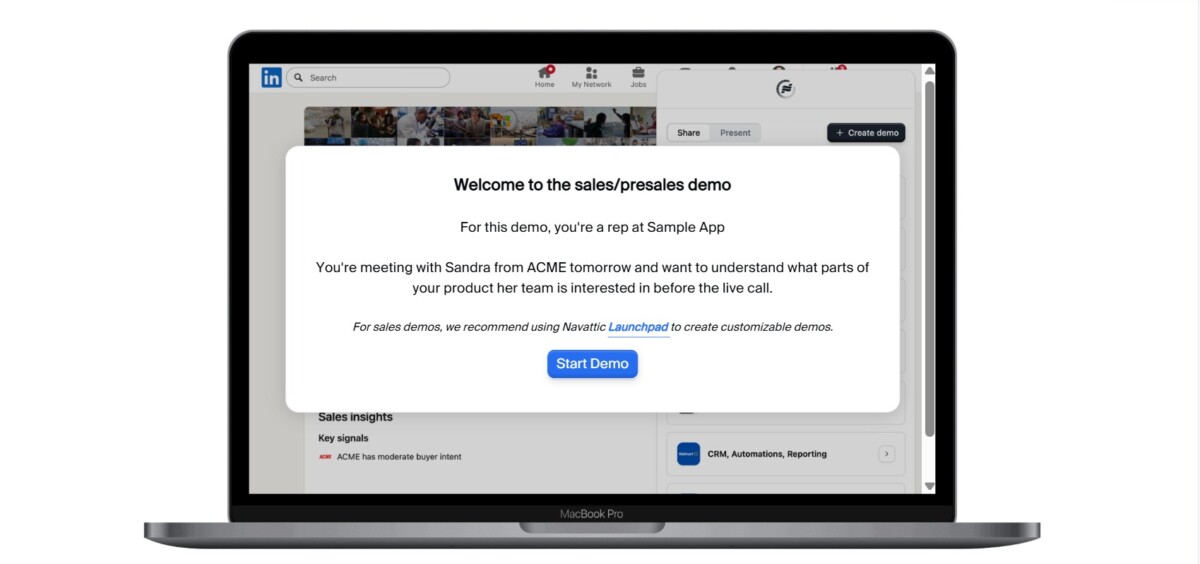
Image via Navattic
You can embed the video on your website or share a link via email and social media campaigns. This tool is great for email campaigns, retargeting ads, and post-click landing pages.
5. Edit, Repurpose, and Optimize Videos for Every Channel
Your product demo video should never live in just one place to maximize engagement, reach, and return on investment (ROI). You need it to work across product pages, ads, social media, and email, and that means repurposing.
You can use the Descript AI text-based video editing tool to make this easier.
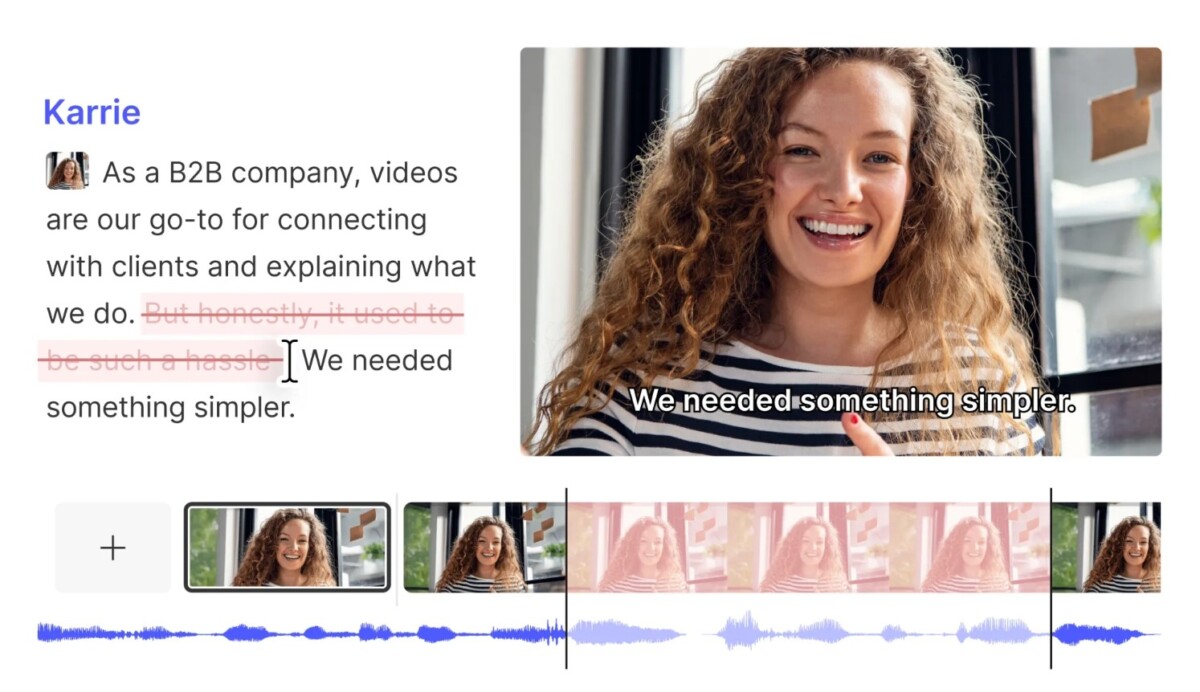
Image via Descript
Its AI co-editor removes filler, tightens pacing, adds automatic captions and transcriptions, and creates short-form clips without traditional timeline editing.
For teams juggling multiple platforms, AI video tools for ecommerce ensure that video creation doesn’t stop at “publish once.” It turns one demo into many conversion opportunities.
6. Measure Performance and Improve Conversions Over Time
The final step is the one most people skip, and it’s where real growth happens. A demo video isn’t done once it’s live. It’s done when it converts.
An example of a tool that works here is Vidyard. It helps you see how viewers actually interact with your videos.
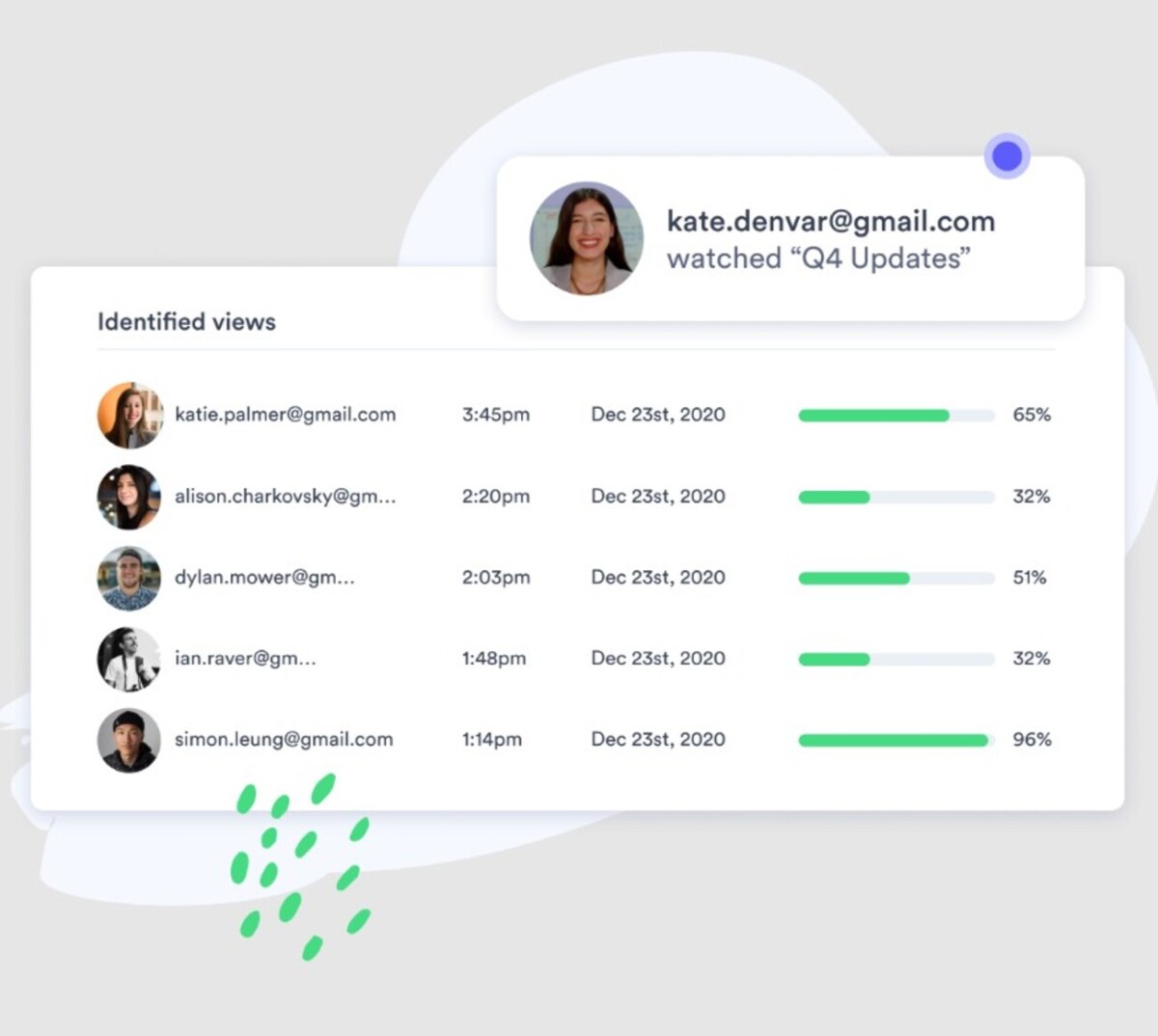
Image via Vidyard
You can track engagement, drop-off points, and completion rates to understand what’s working and what isn’t. If viewers consistently leave at a certain moment, that’s a signal to tweak the script, visuals, or pacing.
With these insights, you can refine product demo videos over time instead of guessing. This turns video creation into a measurable, data-informed process.
Final Thoughts
Creating high-converting product demo videos no longer requires massive budgets or production teams. With the right process and AI tools, you can move from idea to optimized video faster than ever.
From visual storyboarding with LTX Studio to performance tracking with Vidyard, these AI video tools for ecommerce work best when used together as a system. Each step builds on the last, helping you create demos that actually drive conversions.
If there’s one takeaway, it’s this: AI doesn’t replace your video marketing strategy. Instead, it amplifies it.
Go ahead and combine personalized messaging with the smart tools you’ve learned about from this post. Soon, product demo videos will stop being a cost center and start becoming a growth engine.
Frequently Asked Questions
Why are video demos more effective for sales than high-quality photos?
Photos only show what a product looks like, but videos show how the product solves a specific problem. Seeing an item in motion builds immediate trust because it proves the product actually works as described. This visual evidence removes the “guesswork” for the shopper and leads to much higher conversion rates.
What is an AI storyboard and how does it help a beginner?
An AI storyboard acts like a visual map for your video, turning your written ideas into a series of sketches or images. Instead of guessing what to film, you can see the flow of your story before you ever start producing the final version. This prevents common mistakes and ensures your video stays focused on the most important product features.
Do I need to appear on camera to make a professional product demo?
No, you do not need to be the face of your brand if you are uncomfortable on camera. You can use AI avatars or screen-capture tools to narrate your demo while showing the product in action. Modern AI tools create realistic digital speakers that can deliver your script perfectly without the need for a professional actor or studio lights.
How does text-based video editing differ from traditional software?
Text-based editing lets you change your video by simply editing a written transcript of what was said. If you delete a sentence in the text, the software automatically removes that exact section from the video footage. This method or workflow is much faster for beginners who find traditional timelines and complex layers confusing.
Is it expensive to start using AI video tools for my ecommerce store?
Many AI video platforms offer free trials or low-cost monthly plans that are much cheaper than hiring a production crew. You save money by cutting out the costs of travel, equipment rentals, and long hours of professional manual editing. This makes high-quality video marketing accessible to small brands that previously could only afford static images.
What is the biggest mistake people make when writing a demo script?
The most common error is focusing too much on technical features rather than explaining the actual benefits to the customer. A great script should answer the question “How will this make my life better?” quickly and clearly. Keep your language simple and always end with a clear instruction on how the viewer can buy the product.
Can AI tools help keep my product looking consistent in different scenes?
Yes, certain advanced AI platforms allow you to upload “reference images” of your actual product to maintain its appearance across various clips. This ensures that the color, shape, and branding stay the same even if the background changes. Consistency is vital because if the product looks different in every shot, customers may think the video is fake.
How can I make one video work for Instagram, YouTube, and my website?
You can use AI tools to quickly “repurpose” your main video by changing its size and length for different social media apps. For example, a long YouTube demo can be cut into several short, vertical clips for TikTok or Instagram Reels. This strategy allows you to reach more people without having to film entirely new content for every platform.
Will using AI videos make my brand feel cold or robotic to customers?
This is a common fear, but the key is to use AI to handle the boring technical parts while you provide the creative heart. You can use your own voice for the narration or write scripts that sound like a real person talking to a friend. When used correctly, AI simply helps you share your brand’s human message with more people at a faster pace.
How do I know if my product demo video is actually helping my business?
You should use video tracking tools to see exactly where people stop watching or which parts they replay. If viewers leave after ten seconds, your introduction might be too slow; if they watch until the end, your message is likely very strong. Monitoring these engagement signals tells you exactly how to improve your next video to get more sales.
