


Search engines are amongst the most powerful digital platforms in the world.
Take Google, for example. Not only do more than one-third of consumers start their product search on the platform, but the Google-owned product suite—including Google Images and YouTube—collectively reaches billions of users each month.
This search activity drives revenue. The majority (91%) of Google feed users took some kind of shopping or product-related action immediately after discovering new products in their feed.
Ecommerce merchants use search engine optimization (SEO) to reach potential customers in the search engine. However, product listing ads (PLAs)—a feature that shows a product’s image, price, and title at the top of product-focused search results—helps merchants increase visibility almost overnight.
This guide shares how to run product listing ads across Google and Bing, alongside techniques to optimize PLA campaigns for maximum results.
We’ll cover:
Product listing ads are paid advertisements that allow ecommerce merchants to have their products appear in a target customer’s search results. PLAs show more product information than traditional text ads, such as the product’s name, price, image, and returns policy.
Search engines like Google and Bing have their own versions of PLAs. Google PLAs, for example, appear:
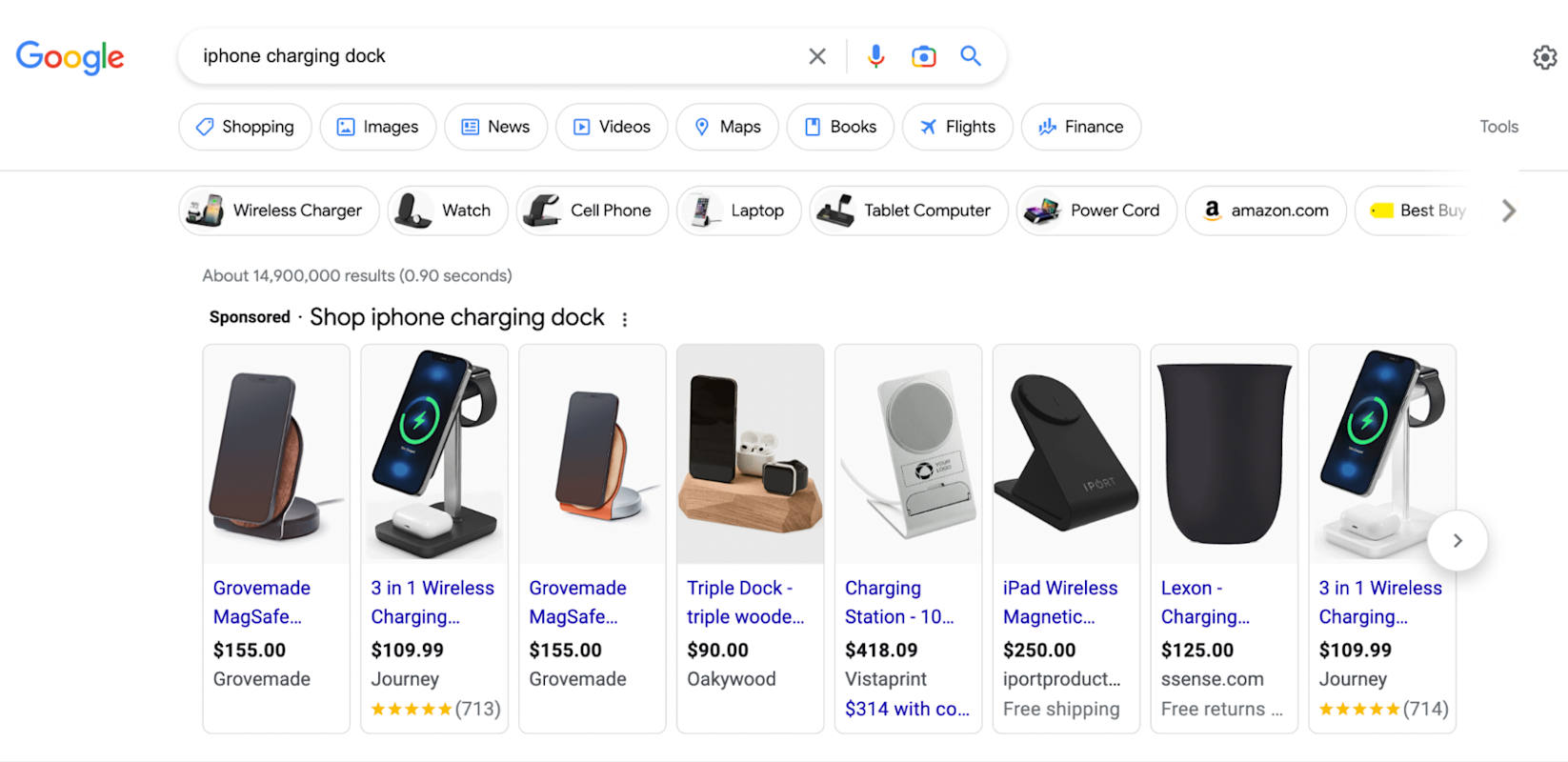
Product listing ads for the search “iPhone charging dock”
Now we know what a product listing ad is, let’s take a look at why ecommerce merchants use them.
Col Skinner, founder of Profoundry, adds that PLAs “tend to generate more traffic and higher conversion rates because they are served to users on search engines and include information about the product—such as images, prices, titles, descriptions, shipping fees, and, in some cases, reviews—influencing potential customer’s purchase decision.”
Product information needs to be properly formatted before it’s eligible for product listings. The most important elements include:
Let’s dive deeper into what makes Google product listing ads successful.
Not every product you sell through your ecommerce store will be a money maker. If you’re selling low-cost products to increase your average order value through cross-sells, for example, spending money to promote those items is counterintuitive.
Google allows merchants to create product groups from their entire product dataset using feed labels. As Store Growers’ Dennis Moons hypothesizes for a store with 100 SKUs: “Some of them don’t deserve any budget, because they either don’t sell well or you have very bad margins on them.
“But among those 100, there might be three to five that are your bestsellers with a good margin,” Dennis says. “Putting your budget behind those products will get you the best return.”
Unlike other types of advertising, Google product listings don’t use a keyword model. You can’t upload a list of terms your ideal customer is searching for and exclusively bid on those terms with PLAs. Google’s advertising algorithm automatically analyzes your product feed to determine relevant searches each SKU should appear in.
However, you can do the inverse—upload a list of negative keywords you don’t want your Google product ads to appear in the results for.
Eugene Ravitsky, co-founder of FactoryPure, puts this into practice: “If somebody’s looking for a product manual, or somebody’s looking for troubleshooting or whatnot—you don’t want to pay for them to click on your ad, because you know they’re not shopping for a product.”
You might also want to use negative keywords to avoid draining your Google Shopping ads budget on terms with low search intent. Eugene continues: “Say if somebody’s searching for something very vague. We sell water heaters, so if somebody’s searching for a water heater, there’s a very low chance that they actually could invert, because they could be looking for anything.
“Same thing, they could be looking for troubleshooting, or a manual. They could be looking for a water heater, but they have no idea what they want at that point.”
Use Google Analytics and Google Search Console reports to dig deeper into which search terms you should add to your negative keywords list. Compare the number of visitors who visit your site from that search term with their conversion rate.
If just 0.2% of people convert when searching for “women’s t-shirt,” but 3.7% convert through Googling “green women’s t-shirt size 10,” for example, it would make sense to exclude the first term and free up budget for phrases with greater purchase intent.
Ryan Scollon, independent PPC consultant, adds: “I found over $18,000 in wasted ad spend over the course of six months as [a client’s] product listing campaign has been showing ads for completely irrelevant search terms that no one had spotted or excluded. Within a few clicks, I was able to block these search terms and drastically improve the performance of the campaign.”
The biggest differentiating factor between generic search ads and PLAs is that the latter pulls rich product information into the SERP. Searchers can view the product image and its price without clicking through, enhancing the shopping experience and customer journey.
Optimizing this product data could be the deciding factor between a customer choosing your products over a competitor. For example, you could:
Ryan adds: “For one of my clients, we had a 52% increase in click-through rate and a 34% increase in conversion rates after our product ratings were implemented for our product listing ads.”
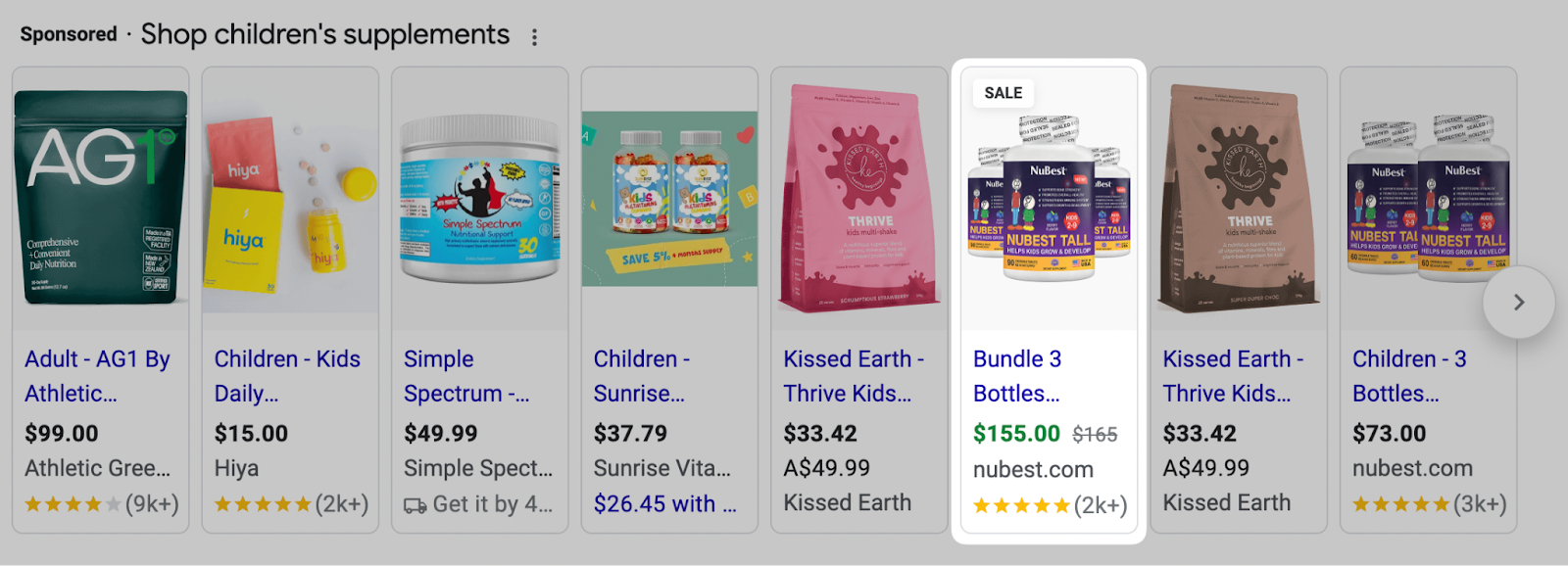
This PLA from NuBest, which appears for “children’s supplements,” shows how the item is on sale.
Dennis Moons argues, “The most important one, by far, is to work on your product title. If you make sure that your product titles include the things your potential customers are looking for, you’ll get more clicks and sales.”
Note that the title for your Google PLA doesn’t have to be exactly the same as your page’s H1. According to Dennis, Storegrowers’ internal research found 52% of brands use a different title in their product feed compared to the SEO title on the product pages.
By showing your PLAs to people who’ve already engaged with your online store, the barrier to sale is less. Customers are already familiar with your brand. A Google Shopping ad could be the reminder they need to complete their purchase.
Andrew Vitale, owner of Lilac Blonde, adds: “If you have customers or visitors, create a custom audience that you can import into Google. This will help optimize around the best type of people to purchase from your ads.”
Take this approach to improve your PLA return on ad spend (ROAS). Import information about your website visitors using Shopify Audiences, which integrates with Google, to run dynamic remarketing campaigns. Once connected, your ecommerce brand can use Shopify Audiences to generate several remarketing audiences based on customer and website visitor data.
https://www.youtube.com/watch?v=FznDt4OE9vY
Take Bushbalm, for example. The bootstrapped DTC brand relies heavily on online advertising to build brand awareness. Yet privacy changes—such as Apple’s limited cookie tracking—made this more challenging, resulting in a 20% year-on-year decline in ROAS.
Bushbalm turned to Shopify Audiences as a way to mitigate increasing advertising costs. Not only did this change increase ROAS by 24%, but Bushbalm saw a 42% uplift in click-through rate and 20% more purchases through Shopify Audiences.
David Gaylord, co-founder of Bushbalm, adds: “Shopify Audiences has consistently outperformed our best campaigns by 20% to 30%. Sustained results across several three-week campaigns and inflight ad performance measurement has helped us to invest in the right areas.”
Managing inventory through the multichannel ecommerce model can be a hassle.
You’re selling products through your online store, wholesale partners, and several social media storefronts. Add Google Shopping ads into the mix and there’s the potential to share incorrect or outdated information about your inventory.
Profoundry’s Col Skinner says: “Key product attributes—such as product titles, descriptions, landing pages and images—are often overlooked and not been optimized for search engines, taking SEO and consumer search behavior into consideration. This tends to become an even greater problem for brands with large inventories.”
To overcome these challenges, Col advises ecommerce brands to “use tools and software to streamline and optimize product data management, and regularly review and update the data to ensure accuracy.”
A product information management (PIM) system handles this complexity as your inventory balloons. It’s a single platform that details the specifics of each product in one place, including its:
PIMs like Jasper, Akeneo, and Salsify integrate with Shopify Plus so you can ensure consistency across each sales channel. That way, when you pull your product data feed into the Google Merchant Center (or any other marketing campaign), customers always see accurate, up-to-date product information.
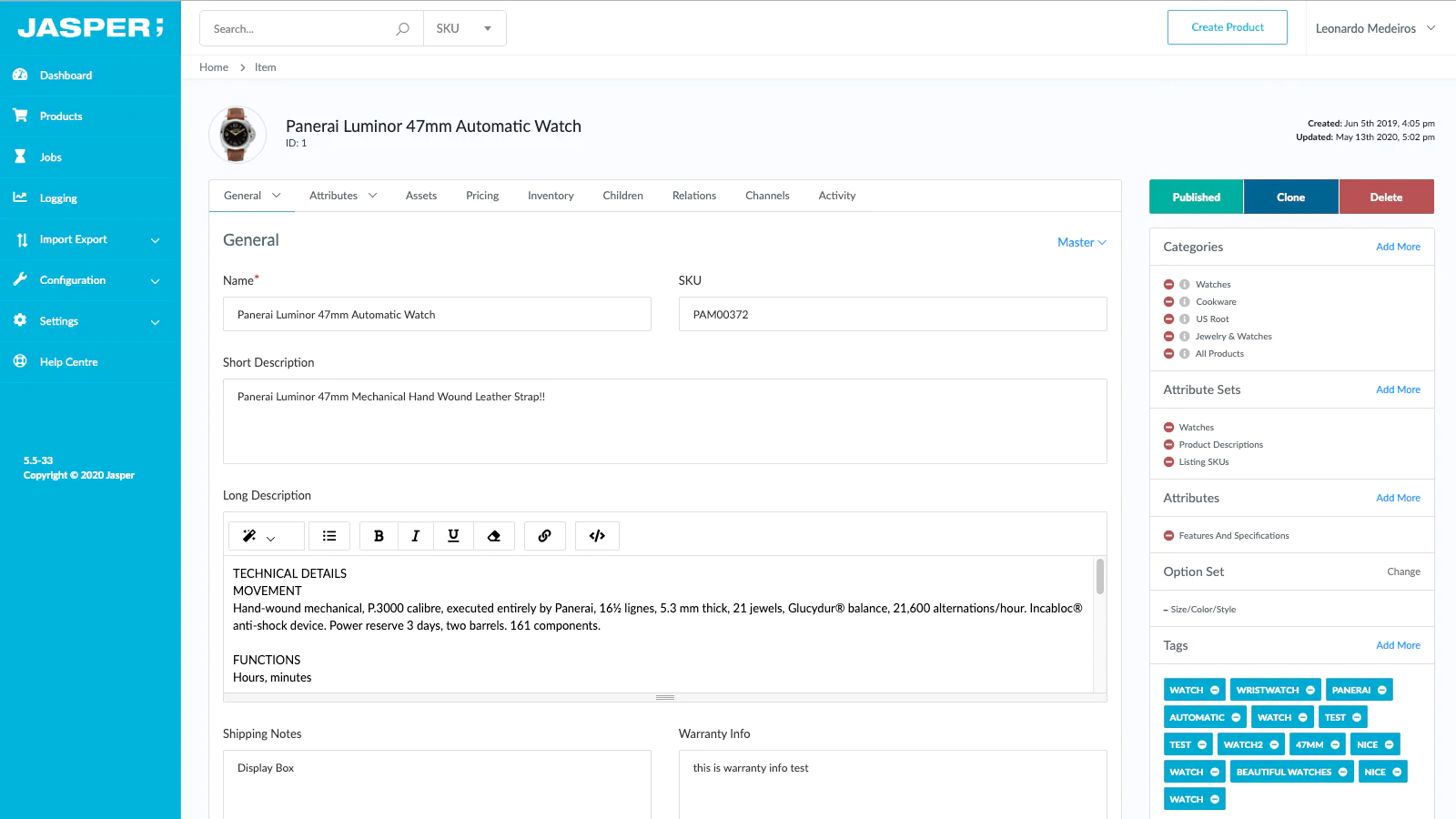
Jasper’s PIM integrates with Shopify.
Optimizing a product listing ad is just one part of the puzzle. If users don’t have a positive experience with your website, they won’t buy from you—no matter how enticing your PLA looks in the search results.
Employ conversion rate optimization tactics to improve the user experience on your ecommerce store. That means:
Ralph Montemurro, founder of Monte Design, adds: “With our previous ecommerce provider, we had to create the whole mobile site. Shopify Plus is optimized for mobile, which really lets us fine-tune our user experience.”
Here’s how to set up a product listing ad through Google:
Before you can run ad campaigns through Google, you’ll need a Google Merchant Center account linked to your organization’s Google account. The Merchant Center is where you can store information about your business and its inventory across the Google suite of services.
Head to the Google Merchant Center and sign in using your Google account. You’ll be prompted to enter your:
Product listing ads work by pulling product information from your business’s Google Merchant Center profile.
There is the option to upload this information manually. However, product information can be inaccurate if you’re copying and pasting information through a spreadsheet. There’s also the risk of forgetting to update your product feed and showcasing outdated information to new shoppers.
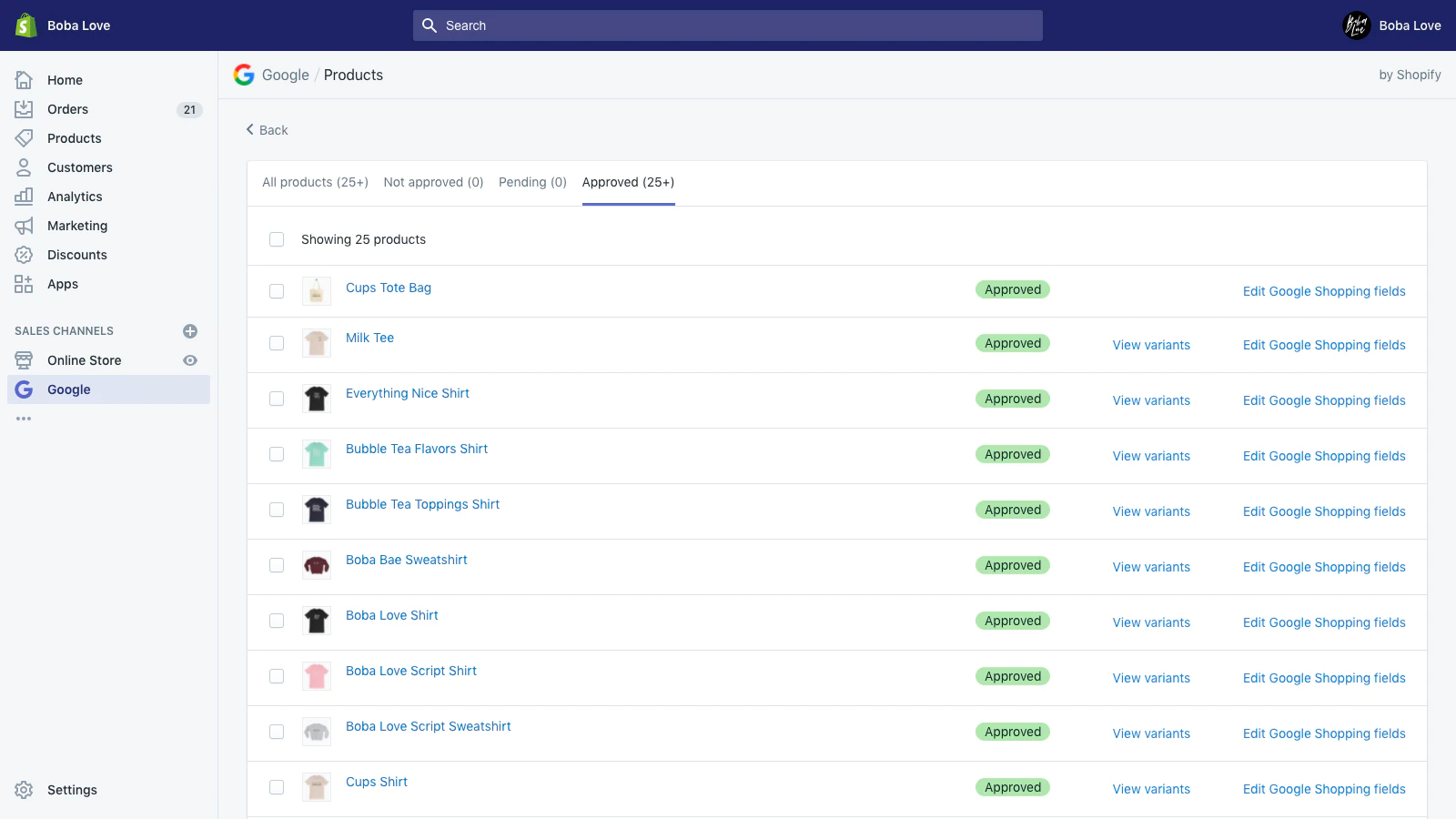
Use the Google app to manage campaigns from your Shopify dashboard.
Alleviate this problem by syncing your Shopify Plus store with Google. Any time you update your product catalog in Shopify, changes will reflect in your primary Merchant Center data feed—keeping your PLAs up to date without mental reminders.
Use supplemental feeds to enrich elements of your PLA, such as:
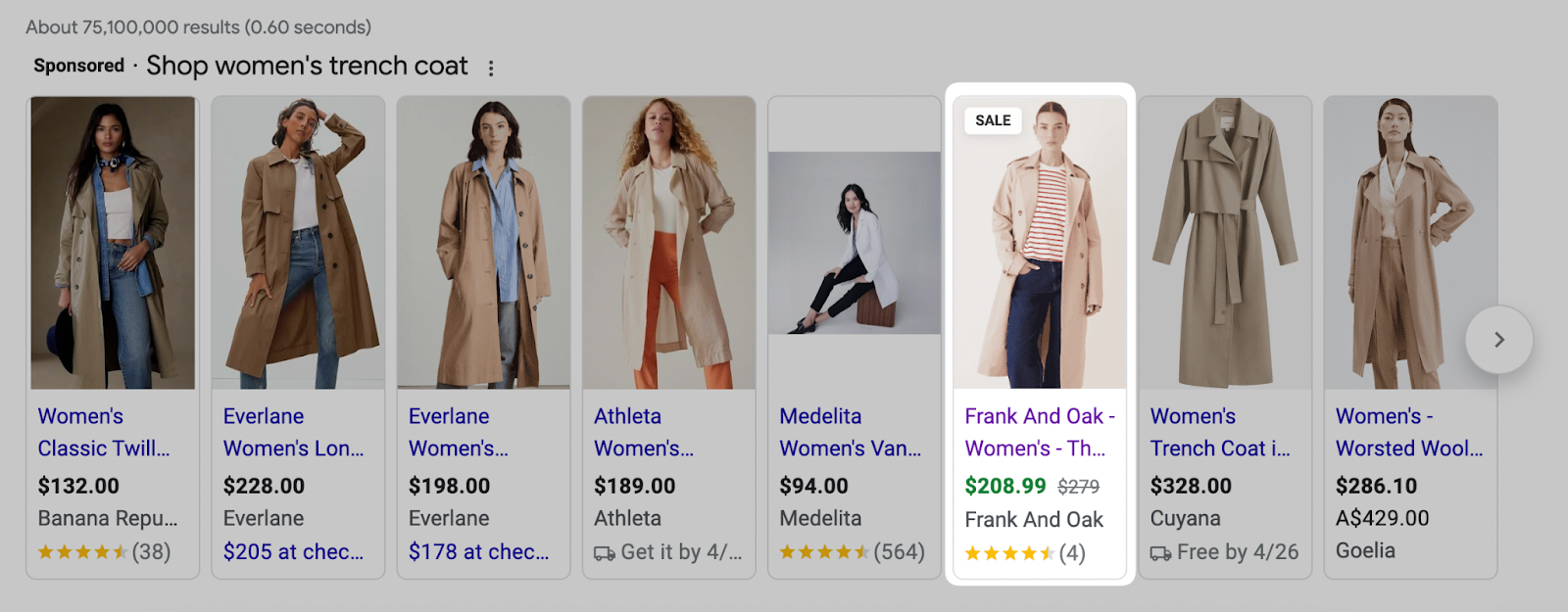
Frank And Oak shows products on sale in its PLA.
Google allows merchants to run campaigns through its Google Ads platform. Once your inventory is in a Merchant Center product feed, head to Google Ads and link the two.
Once connected, head to Google Ads and create a new campaign. Select “Shopping” as your campaign type if you’re using free product listings.
Performance Max is Google Ads’ alternative for brands who have cash to invest and scale their advertising campaigns. This allows you to optimize your campaign for a specific goal. For most ecommerce brands this will be sales, though you can optimize campaigns for website traffic, local store visits, or leads.
Andrew adds: “Over the past 18 months, we’ve found Google Performance Max campaigns to drive the best ROAS on an ongoing basis. Typically, we see our ROAS average between four to six times, meaning for every dollar we spend, we see $4 to $6 in sales.”
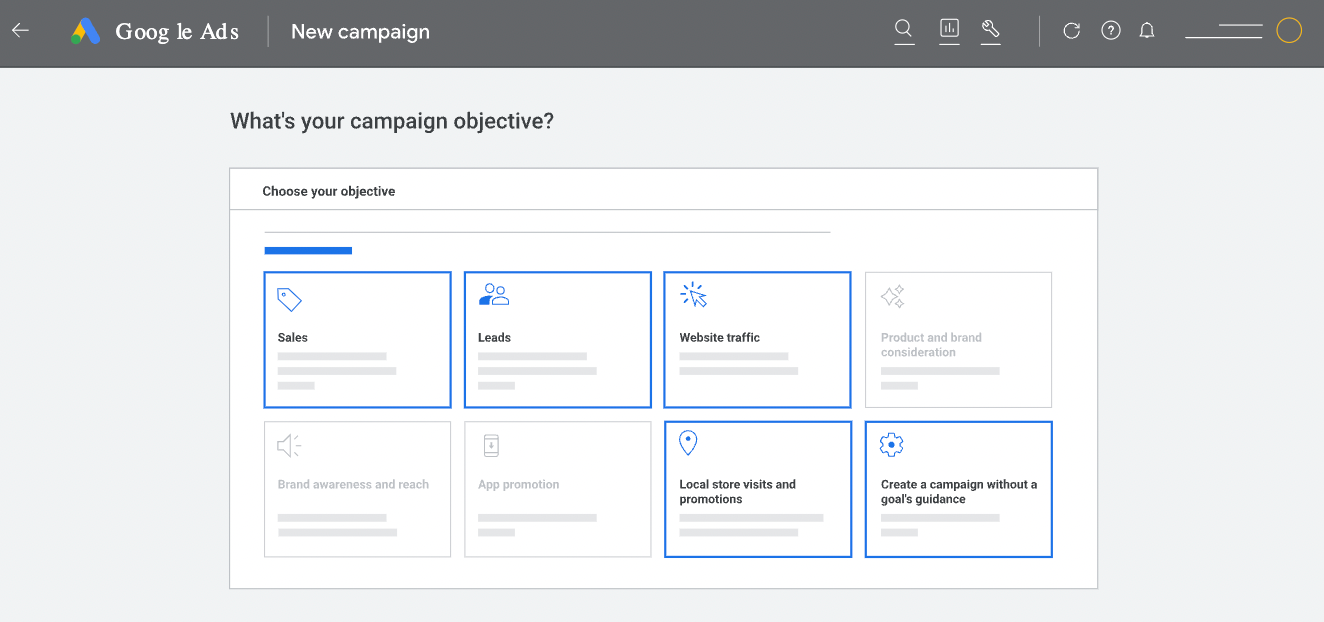
The Google Ads dashboard.
Since your product inventory is already linked to your Google Ads account, you can specify which products appear in a PLA. Promote a single item or select Showcase Shopping to promote a group of related products.
Earlier, we mentioned that not all products lend themselves to PLAs. Use product groups to:
Google Ads uses a pay-per-click (PPC) model, which means you’ll be billed each time a searcher clicks your PLA. If you’re forgoing the free listings and investing money into Google PLAs, set the bid and budget for your campaigns at the next stage.
Your campaign bid is the amount of money you’d be comfortable spending per click. The average CPC for Google campaigns is $2.61. Consider going over this benchmark if you’re aggressively promoting a specific product group. Google will show products from merchants who’ve placed the highest bid, therefore resulting in more traffic.
Set a daily campaign budget to avoid overspending on the overall campaign. If you have a $20,000 monthly advertising budget, for example, divide your overall budget by 30.4 (the average number of days per month) to get a daily budget of $657.89.
Bear in mind that your daily campaign spend can fluctuate; search traffic is higher on some days than others. The algorithm may overspend on one high traffic day and recoup the overspend during a low traffic day. This will never exceed double your average daily budget.
It takes time for each Google Shopping ad to optimize and get the best results. Avoid tampering with the campaign during the first few days. It’s when Google’s algorithm experiments with your PLA, including which searches it’ll appear in and the order it does so.
“Typically it can take up to 14 days for large changes to really optimize,” says Andrew. “For example, we doubled our daily budget and had to give it time before we knew if it would work. While it optimizes, spend and conversions can be erratic.”
Google isn’t the only platform you can create product listing ads through.
Microsoft-owned Bing is the second-largest search engine with more than one billion visits each month.
It operates similarly to Google in the way that product listing ads appear in the search results amongst Microsoft-owned sites. However, the main difference between Google and Bing product listing ads is the targeting options. With Bing PLAs, you can specify a list of keywords you want your products to appear in the SERP for.
Scale your advertising efforts by running PLAs on Bing through the Microsoft Merchant Center. Important your product data using the Bing Shopping app for Shopify, and target the keywords your target audience is searching for when discovering new products.
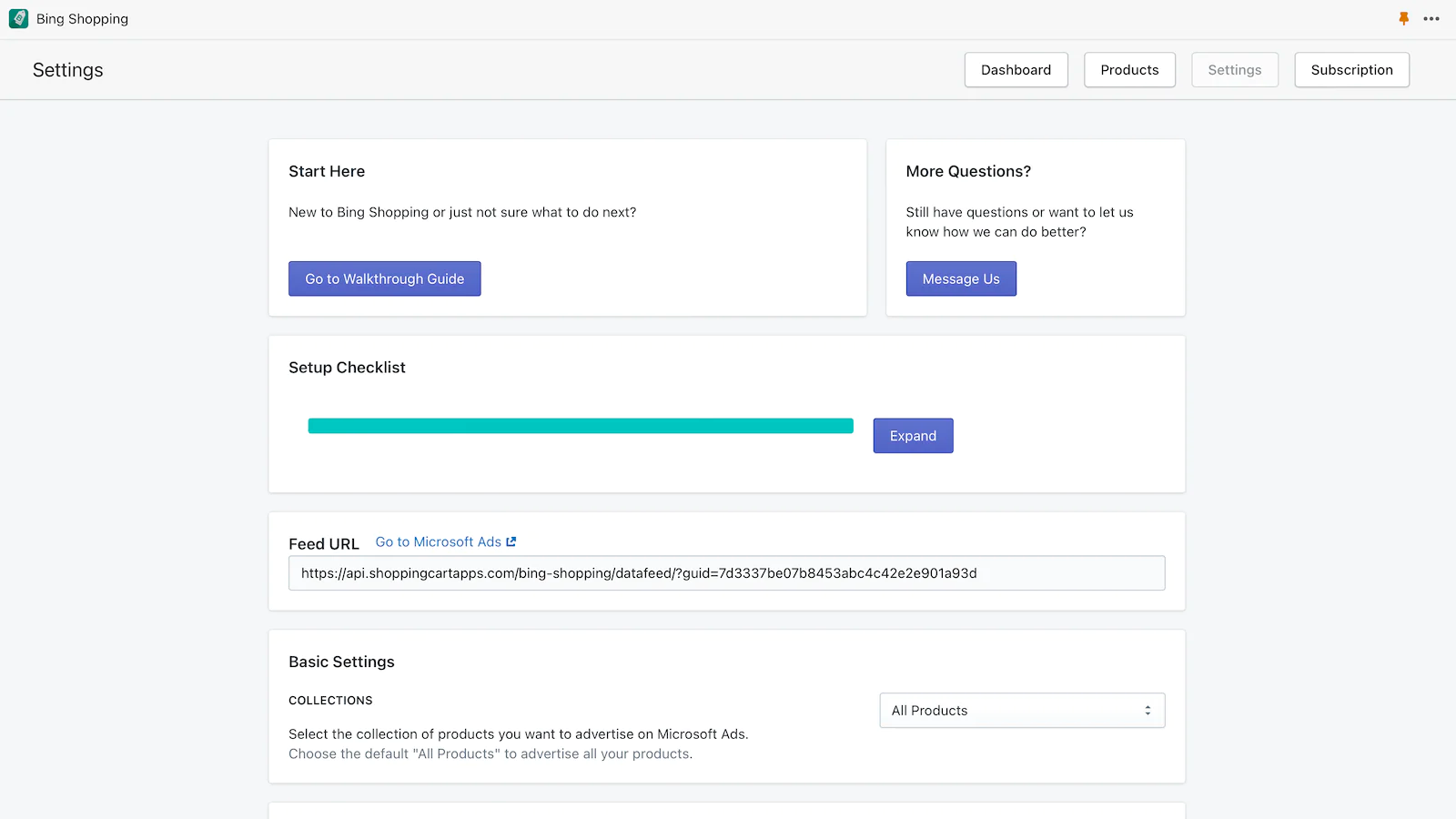
Use the Bing Shopping app to manage PLAs from your Shopify dashboard.
Product listing ads are a superb tool for merchants to expose their inventory to people actively looking for those products. Whether it’s Google or Bing, use the tips we’ve shared here to optimize your PLA campaigns for maximum revenue.
It takes trial and error to figure out which products perform best, the campaign elements that entice clicks, and the bid you’re willing to pay for each one.
Save time and automatically sync product data for Google Shopping campaigns directly within your Shopify admin. Install the Google sales channel today.
A product listing is a place for ecommerce brands to detail information about a specific product. Most often a product page, these listings include the item’s SKU, retail price, images, customer reviews, and availability.
Google product listing ads are a type of campaign offered through Google Ads. Merchants can upload their product feed and have a product’s name, rating, availability, and image displayed in the results page for related terms.
PLA ads, also known as product listing ads, are a type of online advertising offered by search engines like Google or Bing. Merchants using PLAs can link their ecommerce store to display a product’s key attributes, such as its price or availability, in search results.





