

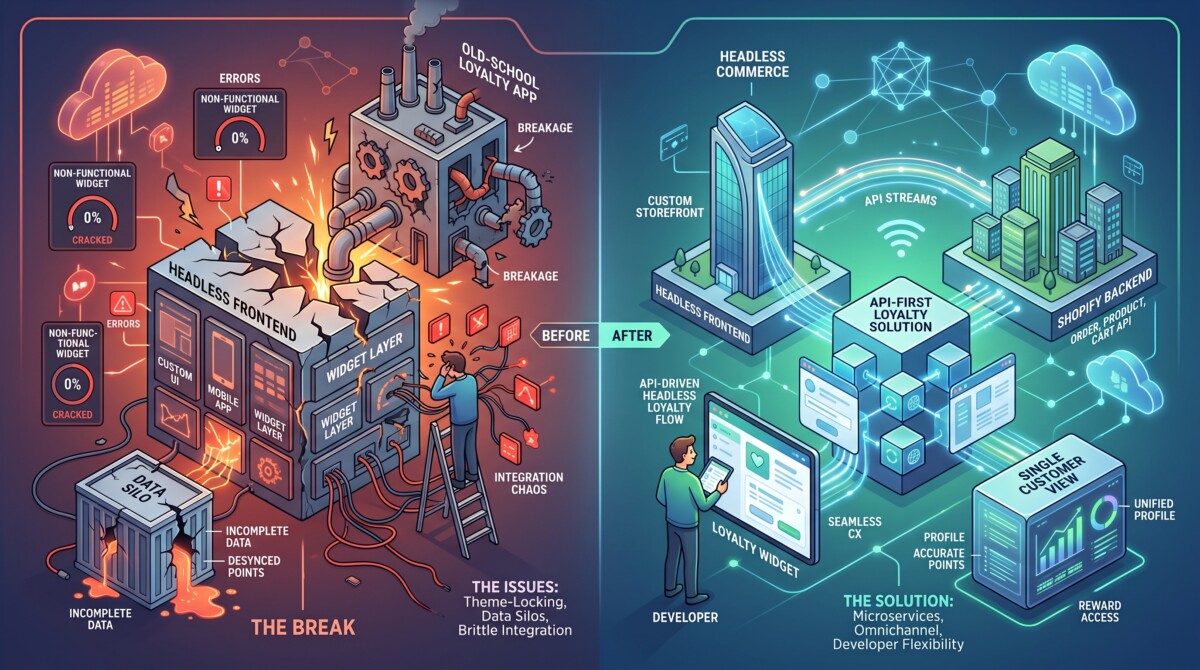
Loyalty programs break on headless Shopify stores because loyalty apps render through app embeds and script tags served by the Online Store channel, which a Hydrogen or Next.js storefront replaces. The backend keeps working; the customer-facing interface disappears entirely.
Your points ledger survives a headless migration perfectly. Your members’ ability to see it does not, and they will not distinguish between the two.
The failure looks identical every time. A brand launches its Hydrogen storefront on a Tuesday. Traffic holds, Core Web Vitals improve exactly as the business case promised, checkout converts normally. By Thursday the support inbox has forty tickets asking the same question: where did my points go.
Nothing went anywhere. The loyalty app is still installed, still accruing points on every order, still tracking tier progression. What disappeared is the only thing the customer ever interacted with, which is the widget. And it disappeared because of an architectural detail that almost never makes it into a migration checklist: on a standard Shopify store, that widget is injected into the page by the Online Store channel, and a headless build replaces the Online Store channel entirely.
This is worth understanding properly, because the same mechanism takes down reviews, wishlists, upsell widgets and referral popups on the same day. Loyalty is simply the one where the damage is most visible, because a member with a balance has a relationship with you that the missing widget immediately calls into question.
Shopify apps add customer-facing interface through app embeds, theme app extensions, and script tags, all of which are delivered by the Online Store channel rather than by the app itself. When your storefront is a Liquid theme, that delivery is invisible and automatic: you toggle an app embed in the theme editor, Shopify injects the script, and the loyalty widget appears in the corner of every page. The app never touched your frontend code, which is precisely why it felt so easy.
A headless build removes that mechanism. Hydrogen, Next.js, Remix or a custom React frontend fetches commerce data through the Storefront API and renders its own markup. There is no theme, so there are no theme app extensions. There is no Liquid layout, so there are no script tag injections. Shopify’s backend still holds your products, customers, orders and checkout, and the loyalty app still talks to that backend through the Admin API exactly as before. The break is entirely on the presentation layer, and it is total rather than partial: the widget does not degrade, it is simply never requested.
The practical consequence is that every app in your stack now falls into one of two categories. Backend apps that never rendered anything, such as fulfilment, accounting, tax or inventory tools, are unaffected. Customer facing apps that rendered through the theme have no rendering surface at all, and each one needs an explicit answer before launch. Shopify’s own guidance on headless builds says this plainly: audit every app you use and check for headless or API compatibility before going headless, because apps without it either need replacing or their functionality rebuilt manually.
Run the audit by listing every installed app, marking which ones a customer can see, and getting a written answer from each vendor on two specific questions. It takes about three hours and it is the highest leverage work in the entire migration.
Start in your Shopify admin under Apps, and write down every installed app. Then open your theme editor and check the app embeds panel, because that list is effectively your inventory of apps currently injecting frontend code. Anything switched on there is a candidate for going dark. Add anything that renders through a theme app extension or a block you dragged into a template, plus anything that appears as a popup, a badge, a widget or an embedded section anywhere on the storefront.
For each app on that customer facing list, ask the vendor two questions in writing. First: do you publish a documented API or SDK that a custom frontend can use, and where are the docs. Second: which pricing plan does that capability sit on. The second question matters more than teams expect, because headless access is frequently gated at a higher tier than the one you are on, and discovering that during launch week turns an engineering problem into a budget approval problem. Written answers matter too, because “we support headless” means anything from a finished drop in widget to a partially documented endpoint and a wish of good luck.
Then classify each app into one of four buckets: works as is, has an SDK that renders an interface, has an API that requires you to build the interface, or has nothing. That classification is your migration workload, and in my experience with brands in the $1M to $10M range it produces at least two surprises every single time.
The entire backend of a loyalty program survives a headless migration untouched, while every customer facing surface needs rebuilding or replacing. Knowing which is which prevents both wasted work and dangerous assumptions.
Surviving intact: point accrual on orders, because that fires from webhooks on the Shopify backend rather than from anything on your storefront. Tier calculation and progression logic, for the same reason. Point expiry rules, refund and cancellation adjustments, and the member record itself. Your program configuration in the vendor dashboard also survives, since that was never part of your theme.
Needing explicit work: the points balance display, the ways to earn panel, the redemption flow, tier progress indicators, referral link generation and sharing, the member account page, and any earning action that happened on the storefront rather than at checkout, such as points for a newsletter signup or a product review. Anything that awarded points for an on site behaviour needs a new trigger, because the behaviour now happens in code you own.
One item deserves separate attention because it causes the most damage when missed. Redemption almost always issues a discount code that must then apply at checkout. On a headless build you control the cart and the path to checkout, so the code application step is yours to wire up. A member who can see a balance, redeem a reward, receive a code and then find no field to enter it has a worse experience than one who never saw the widget at all.
There are four ways to restore loyalty on a headless storefront, and they differ by an order of magnitude in developer hours rather than by a few days.
The first path is a drop in SDK, where the vendor serves the same prebuilt widget into your custom frontend through a single script initialisation. Anchor Loyalty’s Headless SDK works this way, loading the widget, fetching customer data and handling redemption behind an API key, with the capability sitting on its Pro tier at $39.99 per month as of August 2026. Realistic effort is an afternoon to a couple of days including content security policy configuration and testing. This is the correct path for a team without dedicated frontend capacity.
The second path is vendor supplied components, where you get React components or documented events and assemble the interface yourself from supplied parts. Yotpo publishes React components with Hydrogen documentation, and Growave exposes events alongside customisable widgets. Realistic effort is one to two weeks. You get more design control than an SDK allows and you still avoid building redemption logic from scratch.
The third path is a full API build. LoyaltyLion’s Headless Loyalty API exposes program configuration, balances, activity history and secure redemption flows for any framework, with a published Hydrogen reference guide. Realistic effort is three to six weeks for a first implementation, plus ongoing maintenance every time the program changes. Budget the maintenance honestly, because the initial build is the smaller half of the total cost across three years.
The fourth path is replacing the app. If your current vendor gates headless access at a tier you cannot justify, or has no documented route at all, switching is legitimate. It also carries the single largest risk in this entire subject, which is migrating live point balances. That risk is manageable with a proper export, a tier mapping exercise, a parallel running period and member communication sent before the change rather than after. It is not manageable on launch week, which is why the audit needs to happen a quarter early.
Delay the headless migration by a quarter when loyalty is a primary retention driver, your current platform has no documented headless route, and you have no frontend developer capacity to build one. That combination is common and the delay is almost always cheaper than the alternative.
The reasoning is straightforward. A headless migration is usually justified on frontend performance and design control. Both of those gains are undermined if you then bolt a heavy third party bundle onto the new storefront, or if you ship a member experience that is visibly worse than the one it replaced. A loyalty program with eleven thousand active members represents real repeat revenue, and interrupting the member experience to gain a Lighthouse score is a trade most brands would not consciously make if it were presented that way.
The sequence that works is to solve loyalty first and migrate second. Either move to a platform with a documented headless route while you are still on Liquid, where the migration is low risk and reversible, or secure the budget for the tier that unlocks your current platform’s API. Then migrate with loyalty already handled. This is also the pattern I have watched merchants at the $500K to $2M stage get wrong most often, and the underlying error is always the same: taking on architectural complexity before the fundamentals underneath it are solid.
If you are earlier in the process and still deciding which platform to run, the comparison of headless capable loyalty apps covers what each one exposes and which tier it sits on.
Your loyalty widget disappears because it was injected by Shopify’s Online Store channel through an app embed or script tag, and a headless storefront replaces that channel entirely. The loyalty app itself is unaffected and continues accruing points through backend webhooks, but nothing on your Hydrogen or Next.js frontend requests or renders the widget. Restoring it requires either an SDK from your vendor that serves the widget into a custom frontend, or an API your developer builds an interface against. Check which of the two your current platform offers and which pricing plan it sits on.
Customers do not lose loyalty points during a headless migration, because the point ledger lives in the loyalty app’s backend rather than in your storefront. Accrual continues through order webhooks, tier calculations keep running, and member records stay intact. What customers lose is visibility, which functionally feels the same to them. Points are only genuinely at risk if you switch loyalty platforms as part of the migration, which requires a deliberate export, tier mapping and parallel running period rather than a same week cutover.
Rebuilding loyalty on a Hydrogen storefront takes from an afternoon to roughly six weeks depending on which repair path your vendor supports. A drop in SDK that serves a prebuilt widget takes a day or two including content security policy work. Vendor supplied React components take one to two weeks to assemble into a member experience. A full API build against endpoints for balances, redemption and tier progression takes three to six weeks for a first implementation, plus permanent maintenance. Teams routinely underestimate the API route because the balance display is easy and the redemption and error states are not.
Every customer facing app that renders through the theme breaks on headless, including reviews, wishlists, upsell and cross sell widgets, referral popups, size guides, back in stock notifications and live chat. Backend apps such as fulfilment, accounting, tax, inventory and shipping tools are unaffected because they never rendered anything. The practical audit is to open your theme editor’s app embeds panel, since anything enabled there is currently injecting frontend code and will have nothing to inject into once the Online Store channel is gone.
Ask two questions in writing: does a documented API or SDK exist for custom storefronts and where are the public docs, and which pricing plan unlocks that capability. Written answers matter because “headless compatible” spans everything from a finished drop in widget to a partially documented endpoint. Follow up with three more: is there a Hydrogen specific reference implementation, does redemption return a discount code that we apply ourselves, and what happens to on site earning actions such as points for reviews or signups. Those five answers determine your entire migration workload for that app.




