

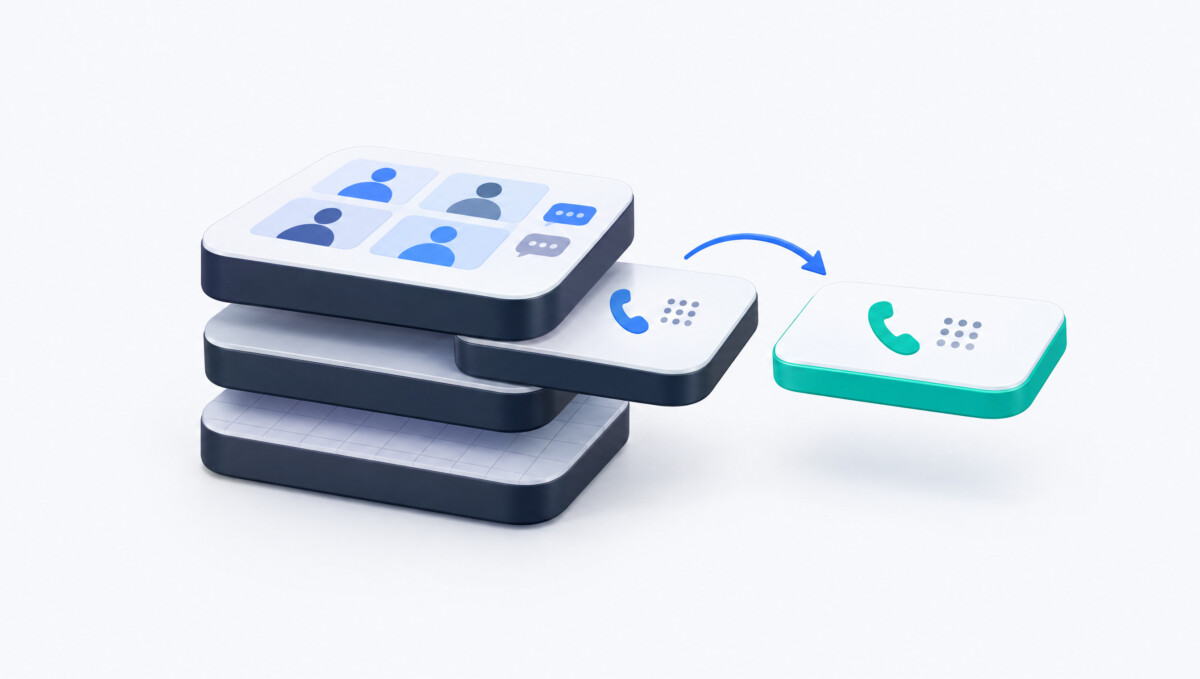
Choosing a Microsoft Teams Phone alternative comes down to one call: replace Teams calling entirely, or keep Teams and swap the phone layer underneath it. Nextiva covers both paths, Zoom Phone fits Zoom-first teams, Dialpad fits AI-heavy sales and support, and Google Voice fits small Workspace teams.
The phone is usually the last channel an ecommerce team thinks about and the first one an upset customer reaches for. Choose your phone system for the calls that cost you money when they ring out, not for the meeting app your team already likes.
Last updated: October 2026. Every price below was checked against the vendor’s own pricing page that month unless marked as reported by a third party.
A customer whose order is stuck in transit three days before a birthday rarely opens a chat widget. They call. For brands with a support desk, a wholesale line, or physical stores, the phone is the channel where an unanswered ring costs real money, and it is also the channel most teams set up once and never revisit. Plenty of growing companies land on Microsoft Teams Phone almost by default because they already pay for Microsoft 365, then discover that the “phone” part is a stack of separate purchases with separate owners.
This guide compares four Microsoft Teams Phone alternatives for operators with roughly 5 to 200 people on the phones: Nextiva, Zoom Phone, Dialpad, and Google Voice. They are not ranked, and the order does not signal quality, because the right choice depends on whether you want to leave Teams for calling altogether or keep Teams and change what sits underneath it. The comparison grid and the fit guidance near the end are built to help you find your own answer rather than to crown a winner.
If you are a lean brand with one shared support number, read the Nextiva and Google Voice sections first and skim the Direct Routing discussion. If you run a support team of ten or more inside a help desk, the routing and integration details in each section matter more than the seat price. And if you have stores, a warehouse, or remote staff answering phones, the emergency calling section is not optional reading.
Businesses look for Teams Phone alternatives because Teams Phone is a license, not a phone service: calling real phone numbers requires a separate connectivity choice, and every added layer brings its own cost and its own support relationship. On the Microsoft Teams Phone pricing page, Teams Phone Standard is listed at $10 per user per month billed annually as of October 2026. It requires a separate Teams license and includes no calling plan. Teams Phone with a US domestic Calling Plan is listed at $17 per user per month, pay as you go calling at $13, and domestic plus international calling at $34. Office 365 E5 and Microsoft 365 E5 include the phone system.
Connectivity is where the decision gets real. Microsoft’s Direct Routing planning guide names four ways to connect Teams to the public phone network: Microsoft Calling Plans, where Microsoft is the carrier; Operator Connect, where a participating carrier provides service; Teams Phone Mobile, which ties calling to a participating mobile operator; and Direct Routing, which connects your own carrier through a Microsoft certified session border controller. Microsoft notes these can run side by side in one tenant. Each path changes who is responsible for uptime, number management, support, pricing, and call quality, which matters the first time a call drops and three vendors point at each other.
Then come the administrative pieces: number porting, emergency location setup, call recording, analytics, devices, and network readiness. Inside a company with a dedicated IT team, that is a normal project. Inside an ecommerce company where “IT” is the operations lead who also manages the Shopify app stack, it is one more system with several moving parts. The pattern I see most often with brands between $500K and $2M is premature complexity, adding tools and vendors before the fundamentals are solid, and phone systems are no exception. That is why the useful question is not which platform has the most features, but which one gives your customers a reliable path to a human with the fewest moving parts you have to own. Phone support still matters for that reason; as an earlier Fastlane piece on ecommerce customer support best practices put it, for some customers only a phone call gets the job done.
These four platforms made the list because each represents a distinct way to replace or rework Teams Phone for a business with 5 to 200 phone users, and each publishes or has widely reported pricing as of October 2026. Every platform was judged against the same four criteria: whether it can fully replace Teams calling or connect into Teams, whether its starting price is published or reliably reported, how deep its customer-facing call handling goes (queues, auto attendants, texting, and CRM connections), and how much administration it asks of a team without a dedicated telecom person. The research base is the contributor’s original shortlist, verified against each vendor’s own pricing and product pages and Microsoft’s documentation in October 2026. eCommerce Fastlane did not run hands-on call testing for this piece. RingCentral and 8×8 were considered and left out to keep the list to four distinct buying paths; both are credible full replacements and belong on your shortlist if you are above 50 seats with heavy contact center needs. Help desk native voice, such as Gorgias Voice, was excluded because it handles support calls inside a help desk rather than company-wide phone service.
Nextiva, Zoom Phone, Dialpad, and Google Voice all start between $10 and $16 per user per month as of October 2026, and each one fits a different kind of team. The grid below puts each platform in a single row so you can scan for fit before reading the detail.
Nextiva is a cloud phone and customer communications platform that can either replace Teams Phone outright or deliver its calling inside the Teams app through Direct Routing.
Nextiva business communication plans combine voice, business texting, video meetings, messaging, call routing, auto attendants, and call queues, with calls handled from desk phones, the mobile app, or a computer. Salesforce and HubSpot connections are available as add-ons on the small business plans, and the Scale plan adds contact center features such as blended inbound and outbound calling and skills-based routing. Its Microsoft Teams integration uses Direct Routing, so employees can place and answer calls in Teams while Nextiva carries the telephony, call routing, and numbers underneath. That dual role is the reason Nextiva fits both sides of the replace or keep decision this guide is built around.
As of October 2026, Nextiva’s pricing page shows Core at $15 per user per month, Engage at $25, and Scale at $75, with higher comparison rates of $23 and $50 shown next to Core and Engage. Annual small business pricing applies to companies with 1 to 100 employees on a term of 12 months or longer. Enterprise contact center plans start at $75 per agent per month.
Nextiva’s standout strength is that one vendor covers full replacement, Teams calling, and an upgrade path into a contact center, so a growing support team does not have to migrate again in two years. Texting is included from the entry plan, at 100 texts per user per month on Core, 500 on Engage, and unlimited on Scale. Nextiva also advertises 99.999% uptime, which is worth evaluating alongside its service level terms, redundancy design, and incident communication practices rather than taken as a headline.
The limitations sit in the plan structure. Core is lean: the CRM integrations and the Microsoft Teams integration are add-ons on Core, so a realistic configuration costs more than $15 per seat. The jump from Engage at $25 to Scale at $75 is steep if you only need one or two contact center features, and the best pricing requires a 12 month commitment.
Nextiva is the best fit for companies of 5 to 100 employees whose phones are customer facing (support, wholesale, or multi-location retail) and who want one vendor for calling, texting, and routing, or for Teams-committed companies that want a provider to run the calling layer behind Teams. Confirm with Nextiva who manages the session border controller in that setup. Skip Nextiva if you only need a single shared number with light call volume, where Google Voice Starter or a Teams Calling Plan costs less.
Zoom Phone is Zoom’s cloud phone system, and it is the natural Teams Phone alternative for companies whose meetings, chat, and conference rooms already run on Zoom.
Zoom Phone covers domestic calling, SMS and MMS, online fax, call recording, voicemail, and a domestic number on its base plan, according to Zoom’s phone pricing page. It works with desk phones from Zoom’s hardware partners or devices you already own, and it lives in the same Zoom Workplace app as video meetings and team chat. The product page also describes AI voicemail prioritization and task extraction from voicemail transcripts, though it does not specify which plans include them. A Customer Engagement Pack is sold separately for teams with heavier customer-facing call handling. For a company that already runs its day on Zoom, adding Zoom Phone means one app, one admin console, and one vendor for every kind of call.
As of October 2026, Zoom lists US and Canada Unlimited with Workplace Basic at $16 per user per month billed annually ($18 monthly), Pro Plus at $20.50 annually ($24 monthly), and Business Plus at $24.50 annually ($29 monthly). Regional and Global Select plans, which cover domestic calling in 40 plus countries, are quoted through sales. Earlier metered pricing below these figures is no longer shown on Zoom’s pricing page.
Zoom Phone’s standout strength is consolidation for Zoom-first companies, with texting, fax, and recording included at the entry price. Global Select is also a practical option for brands with small teams in several countries.
The limitations matter for support-heavy brands. Customer-facing queue analytics, supervisor tools, and contact center features sit in add-ons such as the Customer Engagement Pack or a separate Zoom Contact Center product, so busy support lines should price those in from day one. And if your team already lives in Teams for chat and meetings, Zoom Phone means running two collaboration apps side by side, which is exactly the kind of complexity this decision should remove.
Zoom Phone is the best fit for companies of any size that already use Zoom as their primary meeting and chat platform and want calling in the same place. Skip Zoom Phone if Teams is your team’s daily workspace, or if your phone line is primarily a high volume support queue.
Dialpad is a cloud phone system built around AI call transcription and conversation intelligence, aimed at sales and support teams that want insight into their calls without buying a separate analytics tool.
Dialpad Connect, the company’s business phone product, combines calling, messaging, and meetings with real-time call transcription and voicemail transcription built in, according to Dialpad’s business communications page. The same page lists integrations with Salesforce, HubSpot, Zoho, Zendesk, Front, Microsoft Dynamics, and Microsoft Teams. What separates Dialpad from the rest of this list is that AI is the center of the product rather than an add-on: live transcripts, automated call notes, and coaching views are the reason most teams shortlist it. For an ecommerce support lead, that means a supervisor can review a disputed refund call by reading it instead of replaying twenty minutes of audio, and a wholesale rep’s follow-up notes write themselves.
Dialpad’s own pricing page no longer shows Connect seat prices as of October 2026. GetVoIP’s Dialpad pricing breakdown, updated January 2026, lists Standard at $15 per user per month billed annually ($27 monthly), Pro at $25 annually ($35 monthly) with a three user minimum, and Enterprise on custom quotes with a 100 user minimum. Treat those as reported figures and confirm them with Dialpad sales before budgeting.
Dialpad’s standout strength is that transcription is part of the base experience, so every call becomes searchable without a separate tool. Its integration list is also broad for its price band, which matters if your support team lives in Zendesk or your sales team lives in Salesforce.
The limitations are real. Price transparency is weaker than the rest of this list, which complicates budget approval. AI transcription also turns every call into stored text, so before rollout you need answers to where Dialpad stores conversation data, who can access recordings and transcripts, what retention settings apply, and how sensitive details are redacted. If your agents ever take payment details over the phone, recordings and transcripts become a compliance question, not just a feature.
Dialpad is the best fit for sales or support teams of roughly 5 to 50 people who work inside a CRM or help desk and want every call transcribed and reviewable. Skip Dialpad if you need fixed, published pricing to get a budget signed, or if you cannot yet answer the data retention questions above for call transcripts.
Google Voice is the business phone add-on for Google Workspace, built for small teams that want a business number, calling, and texting inside the Google tools they already use.
Google Voice gives each user one number that rings across desk phones, mobile, and the web, with voicemail transcription, call transfers, and simple call recording on every plan, according to Google’s Voice product page. The Standard tier adds the features a customer-facing line actually needs: auto attendants, ring groups with call queuing, on-demand call recording, eDiscovery for calls, voicemails, and texts, and SIP Link for keeping existing numbers. Premier adds unlimited international billing locations, automatic call recording, and advanced activity reporting through BigQuery. The appeal is administrative: if your team already lives in Gmail and Google Calendar, Google Voice is managed from the same admin console with almost no new learning.
As of October 2026, Google lists Starter at $10 per user per month for up to 10 users, Standard at $20, and Premier at $30. Starter requires a Google Workspace subscription, except for a single user Voice only option sold in the US.
Google Voice’s strengths are price and simplicity. It is the least expensive way on this list to give a small team a professional number, and the eDiscovery coverage on Standard is useful for any brand that has ever had to reconstruct what a customer was told.
The limitations show up quickly for a growing support line. Starter caps at 10 users and does not include auto attendants or ring groups, so a real support queue means Standard at $20 per user. Google Voice is also not a contact center: there is no skills-based routing, and deep queue reporting only arrives on Premier. Finally, it is an awkward fit for a Microsoft 365 company, because using it means adding Google Workspace alongside the Microsoft tools you already pay for.
Google Voice is the best fit for teams of under ten people answering phones who already run on Google Workspace and need a shared line with basic routing. Skip Google Voice if your company runs on Microsoft 365, or if your support line needs queue performance reporting and supervisor controls.
Replace Teams Phone completely when phone calls drive revenue or service delivery, and keep Teams with Direct Routing when Teams is where your employees already spend their day and calling is mostly internal or occasional. The single question that decides it is whether your phone line is a customer channel or an employee tool.
A full replacement usually wins when calls are central to customer acquisition, service, scheduling, or support: multi-location retailers, brands with a wholesale sales desk, franchise networks, and support teams handling order issues by phone. A single cloud phone platform can bring call forwarding, auto attendants, routing, texting follow-up, recording, analytics, and customer records into one place instead of spreading them across separate products. Nextiva, Dialpad, and Zoom Phone can all play this role; the difference is which strength you need most.
Direct Routing usually wins when Microsoft Teams is embedded in how your employees work and you want better calling without changing the interface they use all day. Microsoft’s Direct Routing connects a certified session border controller to Teams Phone so you can use another carrier for public network access. That gives you more control than Microsoft Calling Plans when you operate across regions, need specific devices, want carrier-negotiated terms, or have contact center and analog needs that Microsoft’s own plans do not cover well. The trade-off is that you still pay for Teams Phone licensing, and you need a written responsibility model for Microsoft, your provider, and whoever runs the session border controller. Nextiva’s Teams integration is one example of a provider delivering this layer.
Pressure test a shortlist by comparing 36 month total cost, piloting real call flows for two to four weeks, and validating 911 handling before any contract is signed. Seat price is the least informative number in the decision.
Start with cost. Over 36 months, the factors that move the total include your Microsoft 365 licensing, Teams Phone Standard, Calling Plans or other connectivity, carrier fees, number porting, devices, implementation, support, recording, analytics, AI features, and any contact center add-ons. Here is an illustrative example, assuming a 20 person team that keeps Microsoft 365 for email and documents either way and using October 2026 list prices before taxes, regulatory fees, and devices. Teams Phone with a US domestic Calling Plan at $17 per user comes to $12,240 over 36 months. Nextiva Core at $15 per user comes to $10,800 over the same period before any add-ons, and adding the Teams integration or CRM connections narrows or closes that gap. The point is not which number is lower; it is that you can only compare them once both sides include everything you will actually use. A platform with a higher seat price can still cost less overall if it removes a separate texting tool, a separate call recording vendor, or hours of admin time each month.
Next, pilot real conditions rather than demos. Test internal calls, inbound customer calls, outbound calls, transfers between mobile and desk phones, call forwarding, after-hours rules, holiday schedules, call queues, remote team calls, CRM or help desk logging, and escalation to a manager. Measure call quality from your main office, from home offices, over Wi-Fi, over cellular, and from any store or warehouse. Ask each provider to show how it monitors quality, handles incidents, and supports users when the problem turns out to be the local network rather than the cloud service.
Finally, treat emergency calling as a deployment requirement. Under the FCC’s multi-line telephone system 911 rules, Kari’s Law requires that users can dial 911 directly without a prefix such as 9, and that the system notifies a central location when a 911 call is placed, for systems installed after February 16, 2020. RAY BAUM’S Act requires a dispatchable location, meaning the street address plus details such as floor or room, to travel with the call. Before launch, decide who updates addresses for hybrid employees, validate every emergency location, define how mobile users are handled, and document your test calls.
The right Teams Phone alternative depends on who your phone line serves and which collaboration suite your team already lives in, so the guidance below maps common situations to the platform that fits each one best.
If you run a small brand on Google Workspace with fewer than ten people answering calls, Google Voice is the simplest and cheapest path. Start on Starter if a single shared number is enough, and budget for Standard at $20 per user the moment you need an auto attendant or a ring group for a support line.
If your company is committed to Microsoft 365 and Teams is where everyone works, but calling is light and mostly internal, be honest with yourself: Teams Phone with a Microsoft Calling Plan may be the simplest answer, and none of these alternatives is worth a migration. The alternatives start to earn their place when your line becomes customer facing and you need texting, real queues, or carrier flexibility. At that point, keeping Teams and moving the calling layer to a provider such as Nextiva through Direct Routing gives you those capabilities without retraining anyone.
If phones are a revenue or service channel, such as a multi-location retailer, a brand with a wholesale desk, or a support team handling order issues by phone, a full replacement usually serves you better. Nextiva fits this situation when you want calling, texting, and a later contact center upgrade with one vendor. Dialpad fits when your managers care most about transcripts, call notes, and coaching, and your team already works inside a CRM or help desk.
If your company already runs meetings and chat on Zoom, Zoom Phone keeps everything in one app and one admin console. Just price the Customer Engagement Pack or Zoom Contact Center up front if support calls are a large share of your volume.
The trade-off running through all of these is consolidation against capability. The platform with the most features is rarely the right one for a team without someone to run it, and the cheapest seat is rarely the cheapest system once add-ons are counted. Pick for the next two years of call volume, not the next two months.
There is no single best Microsoft Teams Phone alternative for every business, which is why this list is unranked. Nextiva, Zoom Phone, Dialpad, and Google Voice each earn their place by solving a different version of the same problem. The real decision comes before the vendor choice: is your phone line a customer channel that deserves its own platform, or an employee tool that should stay inside Teams with a better calling layer underneath? Answer that first, then build a 36 month cost comparison that includes every license and add-on you will actually use, and pilot your top two options on real call flows from every location where your team answers the phone. Do not skip the 911 setup for hybrid and store staff. If you are a smaller brand still deciding whether phone support is worth the overhead at all, start with the simplest option that gives customers a reliable path to a human, and add complexity only when call volume proves you need it.
There is no single best alternative to Microsoft Teams Phone; the right choice depends on whether you want to replace Teams calling or keep Teams with a different phone layer. Nextiva covers both paths and suits customer-facing teams that want calling, texting, and routing from one vendor. Zoom Phone suits companies already running on Zoom. Dialpad suits sales and support teams that want AI transcription and coaching. Google Voice suits small Google Workspace teams with simple routing needs. If your company lives in Teams and calling is light, keeping Teams Phone with a Microsoft Calling Plan may be the simplest answer of all.
Microsoft Teams Phone is not included in most Microsoft 365 business plans; it is an add-on, except in Office 365 E5 and Microsoft 365 E5, which include the phone system. As of October 2026, Microsoft lists Teams Phone Standard at $10 per user per month billed annually, with no calling plan included and a separate Teams license required. To call outside phone numbers you also need a connectivity option: a Microsoft Calling Plan, Operator Connect, Teams Phone Mobile, or Direct Routing. Microsoft’s bundle of Teams Phone with a US domestic Calling Plan is listed at $17 per user per month.
Yes, you can keep Microsoft Teams and use a different phone carrier through Direct Routing or Operator Connect. Direct Routing connects your chosen carrier to Teams Phone through a Microsoft certified session border controller, while Operator Connect lets you pick a participating carrier from inside the Teams admin center. Either way, employees keep making and answering calls in the Teams app. You still need Teams Phone licenses, and you should document who is responsible for the carrier, the session border controller, and support. Providers such as Nextiva offer Direct Routing integrations that run their calling inside Teams.
Microsoft Teams Phone alternatives start between $10 and $16 per user per month as of October 2026, before add-ons. Google Voice Starter is $10 per user for up to 10 users, Nextiva Core is $15 per user on annual pricing, Dialpad Standard is reported at $15 per user billed annually, and Zoom Phone’s US and Canada Unlimited plan is $16 per user billed annually. Customer-facing features such as auto attendants, CRM integrations, and contact center tools usually sit on higher tiers, from $20 to $75 per user. Compare 36 month totals, including licenses, porting, devices, and add-ons, rather than entry prices.
You can often reuse existing desk phones, but compatibility has to be checked model by model before you migrate. Microsoft Teams Phone works best with Teams certified devices and supports some standard SIP phones through its SIP Gateway, while standalone platforms such as Nextiva, Zoom Phone, and Google Voice generally support a wider range of SIP desk phones. Before reusing hardware, confirm the specific model is supported, how it is provisioned, whether it meets security requirements, how call quality holds up, and how it handles 911 calls and location information.
Yes, Zoom Phone can directly replace Teams Phone for companies that prefer Zoom for meetings, chat, and calling in one app. It includes domestic calling, texting, fax, recording, and voicemail on its base plan, which is listed at $16 per user per month billed annually as of October 2026. The catch is support-heavy teams: advanced queue analytics and contact center features require add-ons such as the Customer Engagement Pack or Zoom Contact Center. If your team already lives in Teams for chat and meetings, switching calling to Zoom means running two collaboration apps.




