

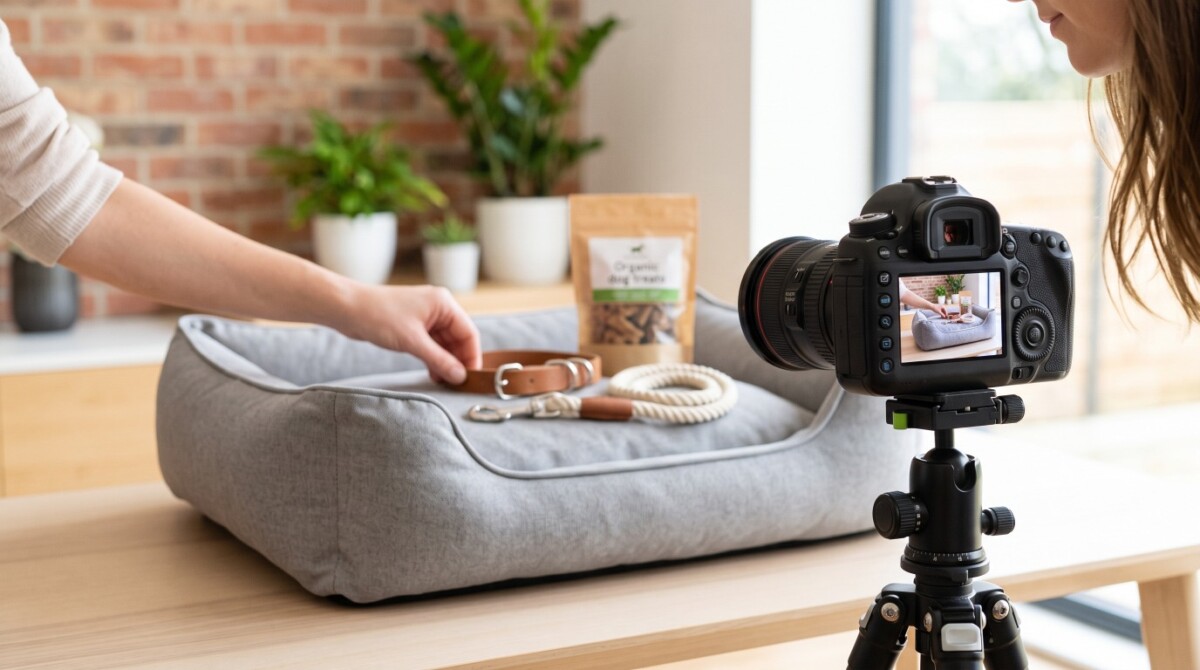
Strong pet product photography drives more clicks and more confident purchases by making the product clear, the pet relatable, and the buying decision feel low-risk. The highest-converting images combine product-first clarity, authentic pet interaction, and consistent editing across every listing.
The best pet product photos do two jobs at once: they prove the product is worth buying, and they help the shopper picture their own pet using it right now.
Perfect photos = more clicks and sales!
Quality pet images are much more than just photographs—they help customers make a buying decision. However, getting pets to “model” alongside the product is difficult. Pets move around, get distracted, or won’t pose how we want them to. And it takes careful pet photo editing to make sure that the product is clear and desirable.
So, if you are a pet product retailer, what makes a pet product image irresistible to your customers? Keep reading to find some simple tips that will make your images stand out and bring more buyers to your online store.
Sharp, clear, quality photos build trust with customers for ideal pet products because they enable customers to see pet products at their best. When shoppers see sharp, detailed images, they feel confident in their selections before purchase.
The product photos also allow customers a clear understanding of critical details such as size, texture, mobility, etc. The visuals can answer questions that descriptions cannot solve and alleviate indecision and product returns.
MDG Advertising’s research study indicated that 67% of consumers indicate the quality of the image of a product is “very important” in choosing and purchasing a product. That’s why a review of your competitors’ photo content will reveal gaps and opportunities to better showcase the edge of your ideal pet products.
Knowing and studying your target audience is the first step in developing successful pet product images. Are you targeting everyday pet owners purchasing dog essentials for daily use, or are you targeting gift buyers looking for unique gift items? Different customer personas have different expectations; therefore, it is important to tailor your photos to their expectations.
Branding and style are also important! Using a consistent style and branding across photos helps build recognition and trust. When your photos have a consistent style in any way, whether it’s lighting, background, or color palette, your products become instantly recognizable and look very professional.
If your brand tone is fun and playful, your photos should have fun and playful energy too! If your brand tone is luxury or professional, your photos should fall in line with that tone. There are tools available that help achieve the proper balance of stylized and edited photos in line with the brand voice.
Before the shoot, a well-groomed pet is a must. A clean fur, cut nails, neat, and tidy pet creates a polished look that catches the attention and enhances the look of your images.
Next, prepare your pet products with care. Make sure they are dirt-free, not scratched, and in perfect condition. Showing products for pets in pristine condition will create trust and create quality perception, making your prospective buyers click the “add to cart” button.
Finally, choose props and backgrounds that enhance instead of clutter. Simple, clean backgrounds keep attention on the product, and props should complement, but not distract or detract from the item.
Once you are done with the shoot and want to consider product photo editing, you can bring out these colors and correct blemishes to make every detail shine. By preparing to shoot the product like this, you set yourself up for clear, professional images that your customers can’t resist.
Lighting is the most important aspect of pet product photography. Natural light can help eliminate harsh shadows and overexposure, resulting in softer, more organic photos that capture the product and pet details.
To control light with confidence, try:
Try to keep the backgrounds simple. This could be a plain white background or other neutral colors so you can ensure your product and pet remain the focus, and colors and textures can pop. You do not want a lot of unnecessary or busy scenes that will take away from the product and the viewer. A simple background is ideal to ensure the product displays clearly and allows the prospective customer to consider and visualize it in their own home.
For breathtaking pet images, you must choose to shoot in manual mode, where you will have total control of exposure, aperture, and shutter speed. Having this control lets you adjust things to get clear, well-lit images of your pet products without allowing the camera to make guesses automatically.
Sharpness is also important. Make sure you focus carefully, so that both your pet and product are in focus and detailed. Blurry images can’t hold attention, and not focusing properly can hinder buyers from seeing the quality they want to see. Also, the use of a tripod can help obtain steady shots.
You can also explore different views to showcase your product:
When you’re done taking photos, you can improve your pet images using pet photo editing tools. You can color correct to create true colors, sharpen to define textures, and make use of a background remover to isolate the product, giving you clean and professional images that have impact. These editing techniques are an effective way to ensure your pet products are love at first sight for your customers.
There is nothing more convincing than seeing a product in action with happy pets. MarketPlace states that 70% of pet parents say they make purchases online, highlighting the importance of effectively displaying pets on a website. Therefore, snapping authentic instances of pets or your dog essentials with infused motion, personality, and trustworthiness can improve and level up your pet product photography.
To stop action and avoid blur, use a fast shutter speed. Aim for 1/500s or faster, especially when making pictures of active or playful moments.
Make pets feel relaxed and engaged using:
After you finish taking pictures, edit your images with a dog photo editor. You may want to try:
Remember: well-shot action photos are about more than just features – they tell a story.
After the shoot, product photo editing can help make your output a high-performing one. Editing tools like Lightroom or Photoshop can help you refine the details. With a few specific adjustments, your products for pets can look clean, vivid, and ready for any digital platform.
Make these major adjustments:
Effective, consistent pet product photography builds trust with customers while establishing interest. With the right edits, your pet product not only looks great — it sells itself!
Consistency is everything when dealing with dozens of pet products. When your shop’s listings have the same look, it builds your brand’s identity, and customers can easily recognize your listings.
To achieve uniform success, set up a dedicated shooting area to capture your dog essentials or products for pets in a controlled environment with consistent lighting and a background. When you control your environment, there isn’t any guesswork, and all images of dog essentials or pet products will match your tone and clarity.
To streamline your process and maintain efficiency, try these strategies:
If you’re scaling up, make sure to invest in automated equipment, such as turntables, lightboxes, or even a pet-friendly studio. This will help you speed up your pet product photography without sacrificing quality. Using the right setup combined with your workflow will help you automate your product photo editing process while growing your catalog.
When it comes to selling pet products online, a high-quality photo is not just a luxury; it is a vital factor in persuading a customer to click “buy.” First impressions matter, and a vibrant, well-lit image allows the quality and details of the product for pets to shine, enticing more shoppers to imagine it in their own home.
When you edit them well, you can elevate your product photo editing to the next level, showcasing your products against the competition and gaining your audience’s trust.
After all, pet product photography is an ongoing journey. With every photoshoot, you learn something new. So, always spend time discovering different styles and techniques until you find the style that works for your brand and your customers.
Understand that the images you take will be what draws the eye and will help tell your story. Continue honing your craft and taking risks when necessary, remembering that each photo is an opportunity to connect and generate income. Your legacy will be defined by your images. Your pet product photography represents your passion, credibility, and growth.
A strong pet product listing should usually include 5 to 8 images that combine clean product shots, detail shots, and at least one lifestyle or action image. That gives shoppers enough visual proof to judge quality, size, and real-world use without overwhelming the page. The exact number depends on product complexity, but the goal is always the same: answer the buyer’s likely questions before they need to ask them.
No, you do not need expensive camera gear to create effective pet product photography if your lighting, setup, and composition are controlled. A modern smartphone or mid-range camera can produce strong results when the product is well prepared and the scene is clean. Better gear can help at scale, but clarity and consistency matter more than price alone.
The best background for pet product photos is usually a simple, neutral one that keeps attention on the product and the pet. White, soft gray, and other understated tones work well because they reduce distraction and make later editing easier. The right choice depends on your brand, but busy environments usually hurt clarity more than they help storytelling.
You keep pets calm during a product shoot by building in breaks, using familiar commands, and rewarding cooperation with treats or toys. A rushed or overstimulating session usually creates stress, which shows up in posture and expression. Short sessions, patience, and a pet-friendly environment almost always lead to better images.
The editing changes that improve pet product photos the most are brightness correction, contrast balancing, white balance adjustment, sharpening, and background cleanup. These edits help the product look clearer and more consistent across your catalog without misrepresenting what the customer will receive. The goal is not to make the product look different. It is to make it easier to evaluate.




