Free every Thursday · 60,261 Readers
Fastlane Insider Newsletter: What's working for Shopify in the AI era?
Free every Thursday · 60,261 Readers
Fastlane Insider Newsletter: What's working for Shopify in the AI era?
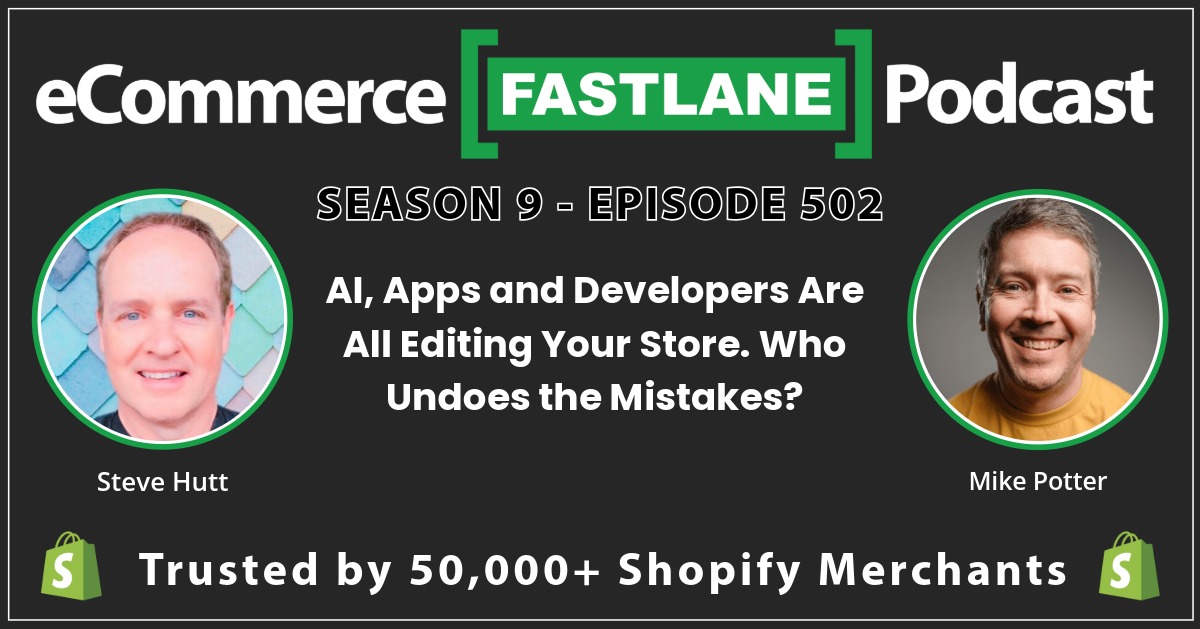
Shopify backs up your store. That backup just isn’t built to save you. It exists for the day the whole platform fails, not the afternoon one CSV upload wipes your product images or an AI agent rewrites half your catalog in seconds.
If you’re heading into BFCM with a dozen apps installed, a team with admin access and an LLM now connected to your store, the odds of a self-inflicted data disaster are higher than they’ve ever been. This episode is for Shopify founders and operators crossing $1M a year who have never once tested what happens when something in the store breaks.
Mike Potter is the co-founder and CEO of Rewind, the Ottawa-based company behind one of the first backup and restore apps on the Shopify App Store, which now protects data for more than 25,000 companies across Shopify, Klaviyo, QuickBooks Online, GitHub and Jira. He was also one of my very first guests, back in episode 10 in July 2018, right after he went full time on Rewind. Nearly 500 episodes later, he’s back.
In this conversation, Mike breaks down the three ways most stores lose data, the fourth one that’s growing fastest, and the pre-BFCM lockdown he’d run this week if it were his store on the line.
Let’s dive in. 👇
✅ Why Shopify’s own backup can’t rescue a single store: the all-or-nothing way SaaS platforms are built, and why that surprises so many merchants.
✅ The saying Rewind’s team lives by about CSV files: plus the product image disaster that hit a well-known, multimillion-dollar brand.
✅ A quick vetting test for any third-party app: the simple checks Mike runs before an app gets read and write access, including one clue hiding in the website footer.
✅ Why AI mistakes land harder than human ones: what changes when machines are working with machines, and why the damage rarely stops at one product.
✅ What “AI resilience” actually looks like for a Shopify brand: how monitoring, alerts and rollback work together to catch problems before customers do.
✅ The pre-BFCM lockdown Mike would run this week: including the one connection he’d consider switching off before Black Friday.

This episode is brought to you by Walmart Marketplace.
Holiday starts early on Walmart Marketplace. If you’ve got a proven product and you’ve been weighing a second sales channel, this one comes with serious reach: roughly 280 million customers and members shop Walmart’s stores and websites every week. There are no setup or monthly fees, just a referral fee on what you actually sell.
New sellers can unlock up to $75K in New-Seller Savings, including discounted referral fees, up to $2,000 in Walmart Fulfillment Services credits for fast 2-day shipping, and advertising credits to get discovered. Build your seasonal assortment with Customer Favorites, products Walmart shoppers are already searching for, and you could get up to 100% off referral fees on eligible items.
Get holiday-ready with Walmart Marketplace. Visit marketplace.walmart.com/ecomfastlane and sign up today.
*Conditions apply. New-Seller Savings runs through January 31, 2027. See Walmart’s offer details for eligibility.
Most merchants assume their store is safe because it lives in the cloud. Mike Potter has spent more than a decade proving otherwise. Shopify absolutely backs up its data, but that backup is designed for a platform-wide failure. When one store breaks, pulling its data back out is, in Mike’s words, like picking a needle out of a haystack. The same is true for Klaviyo, QuickBooks, GitHub and nearly every SaaS tool you run your business on. That gap is exactly why Rewind exists.
The story starts with a single customer. Shortly after Rewind launched as a free app, an inventory syncing app deleted that merchant’s entire product catalog right before Christmas. That moment turned a side project into a real business. Mike and his co-founder kept building nights and weekends until early 2018, when he quit his job to go full time, which is right about when he and I first sat down for episode 10. Since then, the hardest part hasn’t been the backups themselves. It’s been keeping restores working while Shopify’s data structure keeps evolving, from metafields to Shopify Markets.
You’ll get the real story on what actually breaks stores. Mike sees three recurring culprits: CSV uploads (one brand lost every product image after a single file went in with outdated image locations), third-party apps with less testing than the core platform, and growing teams where good people make honest mistakes. He’s seen it all, including a cat walking across a keyboard and saving a broken theme file.
Then there’s the fourth risk, the one Mike says is showing up more and more in Rewind’s support queue: AI. He’s a big believer and uses it heavily at Rewind, but he’s clear about the trade-off. An employee’s mistake usually touches one or two products. An LLM with API access can touch your whole catalog in moments, without ever ignoring your instructions.
Mike closes with the exact steps he’d take a week out from Black Friday, plus an exclusive 30-day free trial for eCommerce Fastlane listeners. This isn’t a pitch to fear your tools. It’s a blueprint for using them without betting your best sales week on nothing going wrong.
👉 Don’t confuse cloud hosting with a backup you control. Shopify’s backups protect the platform, not your individual store, and the same is true for most SaaS tools you rely on. If you can’t restore one product, one theme file or one customer record yourself in minutes, you don’t really have a backup. Test a restore once before you ever need it.
👉 Treat every CSV upload like surgery. Mike’s team says friends don’t let friends upload CSV files, and it’s the single most common cause of the problems they see. If you’re editing a product, customer or inventory file in bulk, take a fresh backup first. The more people making bulk changes, the more that fresh backup matters.
👉 Vet apps before they get write access. Call the support line and notice who answers. Check for a real privacy policy, and look at the copyright date in the website footer to see whether anyone is actively maintaining it. These small signals tell you a lot about how carefully the software touching your store is built.
👉 Use least privilege as your team grows. Whether you’re Growing ($10K to $100K a month) and just added your first VA or Scaling with staff across time zones, give each person access to only what their job needs. Most mistakes are honest ones. Once in a while a working relationship goes bad and someone deletes data on purpose, which is rare but very expensive. Fewer admin seats means fewer ways for either to happen.
👉 Put guardrails on AI before you give it the keys. Mike recommends every merchant explore AI, and he means it. But when an LLM, Sidekick workflow or third-party AI tool can edit products at machine speed, one bad action can hit your entire catalog at once. Back up before you connect any AI tool to your store, and keep a clean restore point you trust.
👉 Run a code freeze about a week before Black Friday. Finish a full backup (larger stores can take a while, so start now), then stop installing apps, stop catalog edits and stop granting new access. Remove apps you no longer use that still have store permissions, and consider disconnecting AI tools until the weekend is over. Mike says that in Rewind’s 11 years he’s never seen a major Shopify outage on Black Friday, so your biggest risk is your own store, not the platform.
Mike Potter
Co-founder and CEO, Rewind
Mike leads Rewind, the backup and recovery company he co-founded with CTO James Ciesielski in Ottawa. What began as a free Shopify app now protects data for more than 25,000 companies, covering Shopify, BigCommerce, Klaviyo, Mailchimp and QuickBooks Online, plus development tools like GitHub, Jira and Confluence. Rewind’s Protection Suite adds 24/7 monitoring and change alerts for Shopify stores, and over time the company has focused on the mid-market and enterprise brands running metafields, multiple markets and complex app stacks.
Mike’s obsession with backups is personal. Years ago, a hard drive crashed while he was speaking in front of a few hundred people, and he’s been on a mission ever since to make sure nobody else loses months or years of work. He’s been building businesses since the mid-1990s, and he was one of my first guests in episode 10 back in July 2018.
That mix of founder scar tissue and 11 years of watching stores break (and come back) is what makes his advice so practical. He’s not selling fear. He’s showing you how to recover fast when something goes wrong.
Featured in This Episode:
Shopify Features Mentioned:
Over 9 seasons, I’ve been incredibly fortunate to chat with some of the brightest founders building amazing Shopify brands, as well as the partners shaping the app and marketing ecosystem. Every conversation has taught me something new, and I’m grateful for the chance to learn alongside you.
What matters most is that this podcast helps you solve real challenges and discover new ways to grow. Your support, feedback, and stories have made this journey truly special. Thanks for tuning in, sharing your wins and losses, and being part of the eCommerce Fastlane community.
Stay Connected: Leave an Honest Rating/Review on Apple Podcasts or Spotify. Follow & Subscribe on YouTube for new episodes.
Steve Hutt: Hey there. Welcome back to eCommerce Fastlane. I’m your host, Steve Hutt. Today is one I’ve been looking forward to for quite some time. Back in 2018, this show was barely getting off the ground. I had a handful of episodes, almost no one was listening, and I was asking people to take a chance on a brand-new podcast. One of the first people to say yes was Mike Potter, co-founder and CEO of Rewind. He was on episode number 10. I can’t believe I’m saying that right now, and I’ve never forgotten that particular episode. Those were crazy times when I first launched. Rewind really was the first name I thought of when it came to protecting a Shopify store’s data. When I was a merchant success manager at Shopify, one of the first things I did with a merchant was an app audit. If Rewind wasn’t in the stack, I strongly recommended adding it, literally every time. Your store’s data is the business. When something goes wrong, you want a way to get it back. That’s why I’ve started bringing more of the people behind the tools I recommend onto the show. You get real conversations with the folks building tools you’re likely depending on every day, or very well should be. The stakes right now are even higher than they were back in 2018. A lot of stores are running a dozen apps. AI tools are editing products and themes, and one bad import during a big sales weekend can cost a brand real money. Here we are, eight years and 500 episodes later, and the guy who took a chance on me is back. Mike, welcome back to the show.
Mike Potter: Hey, Steve. Great to be back. Thanks for that. That’s an awesome intro.
Steve Hutt: My pleasure. Take us back to 2018. I know the business is older than that, but I had you on the show because I was recommending Rewind in the early days when I was on the success team. I was saying, “This is a default install for you. You need to protect your store.” I knew from the inside what Shopify was like, and I knew they didn’t have a rewind or backup button. Yes, it was in the cloud, but you couldn’t just pick up the phone, call somebody, and say, “I made a mistake.” Do you remember where Rewind was when we first talked? Let’s talk about the platform in those early days.
Mike Potter: We launched in the App Store in June 2016. We were the first backup and restore app in the App Store, and we made it free when we first launched. One of our customers had a problem that Christmas. They had installed a third-party inventory syncing app that deleted their entire product catalog. That was the key moment when Rewind turned from an idea into a business, because we knew people actually had the problem we thought they did. We had done a little research before making Rewind. Shopify had, and I think still has, a support page that talks about how to back up your store. Clearly, the need was there, but we didn’t know whether the problem was pervasive. When that happened in December 2016, we immediately converted it from a part-time idea into a business. We continued working on it nights and weekends for about a year and a half, then went full-time in early 2018. I would have been talking to you just after quitting my job and moving on to Rewind full-time. We would very likely have been in the thousand-customer range at that point. It’s been quite the journey since then.
Steve Hutt: It’s been pretty wild. I’ve been following from the sidelines, and it’s been really cool. What are some of the biggest things that have changed about Rewind since then? The original concept was to help Shopify merchants at the store level. Shopify talked a lot about uploading CSV files to make edits, and a lot of crazy things can happen. Rogue employees can be a challenge, but sometimes people simply make mistakes. The original concept was, “We can solve these things so your store stays running. If there’s a problem, we can quickly roll it back and start over.” What has changed since then? What else has been added to the platform eight years later?
Mike Potter: The biggest change has been the evolution of Shopify and having to maintain a backup that can restore data across all the changes Shopify has made. I think of major changes to their data structure, with metafields being one and Shopify Markets being another. Those changes have been massive. Updating Rewind to handle all the changes from a Shopify data structure perspective over eight years has been super challenging. One of the biggest things we’ve done since the company started is making sure we could restore data even though the underlying data structure was changing. Adapting Rewind to Shopify’s changes has been the most challenging thing. A lot of backup companies back up Windows, Mac, or Linux file systems. There are a ton of companies that do that. The file systems on those operating systems don’t change. You can write a backup script for a Windows machine, and it’s going to run the same 20 years later. How you read a file is locked and loaded. But a product on Shopify has evolved over the years. The data catalog has evolved. How items relate to each other has evolved a lot. Maintaining Rewind to make sure customers’ data is protected and can be restored if something happens has been a challenge we’ve accepted.
Steve Hutt: I totally get it.
Mike Potter: That’s been the biggest challenge: maintaining Rewind as Shopify’s data structure changes for customers.
Steve Hutt: I’d also argue that a lot of brands have become more sophisticated. I use the phrase “premature complexity” a lot on this show, and I write about it a lot. Brands develop more business acumen, grow larger and more complex, and generate more GMV. Because of that, they start adding more platforms and tools to Shopify. That’s some of the iteration I’ve seen with Rewind. Now you have a connector with Klaviyo, for example, and you protect QuickBooks data from a financial perspective. You would think Klaviyo or QuickBooks would have a backup. Yes, they’re in the cloud, but what was your mindset around that? It’s more than Shopify and its evolving data structures and metafields. There are other connected pieces of technology that need to be protected as part of the overall business, and Rewind is there for those separate pieces.
Mike Potter: That’s been driven by our customers asking us to make sure their business is protected. What most people don’t understand is that the problem we solve in Shopify is not a Shopify problem. It’s how SaaS itself is architected. It’s the same problem whether it’s a Shopify store, a QuickBooks account, a Klaviyo account, a Jira or Confluence account, or even GitHub. All these pieces of software that run in the cloud essentially have the same problem: the platform itself has a backup. Obviously, Shopify has a backup of its data, but that backup is essentially an all-or-nothing proposition. If the whole system fails, that’s what the backup is for. But if one part of that system fails, if one store or account has a problem, that backup is useless. It would be like picking a needle out of a haystack to go in and pick the data out. That’s consistent across virtually every SaaS application. Rewind has expanded to protect more of the Shopify ecosystem, as you mentioned. We do Mailchimp, Klaviyo, and QuickBooks Online. We’ve also seen an evolution in the sophistication of Shopify merchants. We protect the development workflow as well. We protect GitHub, and we’ll protect Jira and Confluence if companies use the Atlassian tool stack. We see customers using Rewind to protect the entire operation, not just a Shopify store, but also the development operation behind it, to make sure the entire workflow and business are backed up and protected in case something happens.
Steve Hutt: That’s amazing. I love asking this question because there are case studies, some public and some more anecdotal, about the benefits of what Rewind has done over the years. Is there a typical “oh no” moment? You must take calls, or hear about calls from your success team, where something has happened to a merchant. Is there something typical happening with Shopify brands today that Rewind helps them recover from? Or has the platform expanded so much that there are too many use cases? I’m curious whether something happens particularly often.
Mike Potter: There are generally three things that kick-start somebody needing Rewind. We have a saying at Rewind: “Friends don’t let friends upload CSV files.” CSV files are the cause of most problems. We’ve seen major brands, brands people would recognize, editing product catalogs with CSV files and uploading them. We don’t like to talk about customers and the problems they’ve had, but these are well-known, multimillion-dollar brands. In one case, a customer lost all their product images because they uploaded a CSV file and the image locations had changed. Typically, this is being done relatively close to launch. You’re actively developing your store and getting ready to launch. That’s when most of the changes are happening, when most people are working on the store, and when most of the problems happen. That’s the first one: CSV files. If you’re uploading a CSV file into your store, whether it’s a product file, a customer file, or something else, and you don’t have a proper backup, you should really hesitate before uploading it. The second is the increasing use of apps. As brands get larger and need third-party applications, they turn to the App Store and install them. In some cases, those applications don’t have the same level of testing as the main Shopify platform. We’ve seen a lot of examples where third-party applications have bugs and unfortunately delete data from the stores where they’re installed. If you’re installing a third-party app, you want to make sure you’re vetting it first. I often tell people to try calling the 1-800 number or support line and see what they get. Does somebody answer their personal cellphone, or are you calling a company? Do they have a privacy policy? One simple check we recommend is looking at the copyright on their website. Has the date been updated? A lot of this shows the level of care they’re putting into the software they’re building. Before installing something that can read and write all sorts of data to your store, you want to have done some due diligence. If you’re installing a third-party app, I highly recommend having a backup of your store first.
Steve Hutt: Go ahead. You have a third point.
Mike Potter: The other one comes as stores grow. You talked about how merchants have increased in size and complexity. The Shopify platform is amazing. It has tools to help with visibility and attracting customers, and the checkout is amazing. We all know that. You see a lot of success on the platform, and with success tend to come multiple people and complexity. As you get employees with access to the store, you want to use the concept of least privilege, giving them access only to the data they need to do their jobs. But employees make mistakes. Humans make mistakes. As you grow in complexity, the store becomes more valuable, and more people get involved, you want to make sure you have a backup. It’s no longer just you making changes. It’s a team of people, sometimes in different locations, with access to the store. Of course, we’ve seen the occasional nefarious actor where the relationship has gone bad and they purposely delete data. Fortunately, that’s not very common, but we’ve seen it. Over the 11 years since we launched Rewind, we’ve literally seen it all. I’ve seen cats jump on keyboards, change theme files, save them, and break people’s stores. Those are the three most common things we’re seeing: employees, apps, and CSV files. Those are where you want to make sure your data is protected.
Steve Hutt: I’d argue there’s probably a fourth, which is a good pivot to how AI is changing that risk picture. Shopify is all in on this with Sidekick, Shopify Magic, and their MCP connections. Some people don’t get all of this, but with plugins and skills, there’s a lot happening. People are using Claude or ChatGPT as a source of truth and connecting them to tools to do things. I think that’s creating a lot of risk because the disclaimers are always at the bottom: “Claude is AI and can make mistakes.” That can happen. What’s your thought on the new risk profile as it relates to AI and how it works with all the tools in a business?
Mike Potter: I agree with you. We’re seeing in Rewind’s support channels that AI is increasingly causing problems. Again, it’s local to your store. This is not an overall platform issue. As people give AI access to an increasing part of their store, the risk grows. You and I were talking about how AI is transforming businesses, and it is an amazing productivity tool. I would absolutely recommend that every merchant explore the possible use cases where AI can save them time and money. But you have to understand the risk. It does make mistakes, and mistakes can happen. With third-party access through APIs, third-party applications, CSV files, and Claude, problems happen very quickly when machines are working with machines. When we’re dealing with these issues, it tends to be a catastrophic event that touches multiple products, if not the entire product catalog. By comparison, an employee might accidentally delete a product, make an edit they shouldn’t make, edit a theme file they shouldn’t be editing, or modify a customer file. Those things tend to happen to one or two objects at a time, and they’re relatively easy to restore. You can restore them very quickly if you have Rewind. But when you’re talking about API access or giving access to AI and the LLMs out there, these are machine-to-machine problems, and they tend to be catastrophic in their outcome. I can’t recommend AI enough. We’re big believers in AI and use it extensively here at Rewind. But if you’re connecting an LLM to your online store, you need to make sure you have a proper backup of your data. It takes only one mistake from the LLM, not even in your instructions, to cause a massive outage in your store.
Steve Hutt: I know. You’ve built something that I’d almost argue is a dedicated product, but I think you’re calling it AI resilience. Can you talk about what that is? I’m sure it’s a culmination of what you’re talking about now, with people using these frontier models to do work or assist with work directly related to financial things that could impact the business. Talk about AI resilience as a piece of software or a methodology. What does it encompass?
Mike Potter: Resilience is about increasing your ability to withstand a problem. That’s the core tenet. From a Rewind perspective, we have tools that can help stop the problem before it happens. In our Protection Suite, we have Alerts and Monitoring, which are two separate products. Monitoring actively monitors your store. Alerts does exactly what it sounds like: it alerts you to problems we detect in your online store. That helps you become more operationally resilient and hopefully catch problems before they become major issues. That, combined with the ability to roll back through Rewind, is what we describe as AI resilience. It’s the ability to handle any problem while trying to be as proactive as possible in diagnosing issues before they become major problems.
Steve Hutt: I see. Is the Protection Suite more for mid-market and enterprise brands, where it’s incredibly important to monitor the site in real time beyond what Shopify is doing? This is monitoring happening within Rewind’s infrastructure.
Mike Potter: Generally speaking, as customers become more successful, we see them become more interested in the whole set of Rewind products, whether that’s backup and restore, Alerts, or Monitoring. As your store becomes more valuable and generates more revenue, the risk of losing that data becomes larger. One of the changes Rewind has made over the 11 years we’ve been in business is to target those larger merchants and make sure they’re getting the products and solutions they need. We talked about the work we’ve done for metafields and Shopify Markets. Those tend to be Shopify features that mid-market and enterprise customers use, as opposed to somebody just getting started who likely isn’t concerned about selling in multiple currencies. They may not even be concerned about losing their store’s data because they’re just starting out. But if you get into million-dollar GMV territory, you start building an incredibly valuable brand, and you want to protect the revenue and the source of data behind it. That’s where we tend to see a better fit for Rewind. As customers move upmarket and become more successful, they tend to look for a solution to protect their store.
Steve Hutt: I see. It’s a crawl, walk, run approach, then. Rewind Backups is the starting point, and from there, customers can move into Monitoring, Alerts, and other parts of the suite.
Mike Potter: Generally, that’s how we see it working. Certainly, there are people who are like me. The reason we started Rewind was that I’d lost data before. I had a hard drive crash while speaking in front of a few hundred people about 15 or 20 years ago. That’s the original reason I wanted to start this business. If you’ve experienced data loss in any way, shape, or form, you understand how painful it is, and you want to make sure it never happens again. We see customers who are just starting out but have experienced data loss and want protection right away. It’s part of their getting-started process. They make sure everything they have has a backup. Increasingly, though, the better fit for Rewind is when the store is more successful, selling to more customers, with more people involved and more third-party apps.
Steve Hutt: With BFCM a week and a bit away, Q4 is a big time for a lot of brands. What do you say to a founder listening to this recording before BFCM? What should they do right now to be ready?
Mike Potter: I’d certainly make sure they have a backup. Depending on the size of the store, that can sometimes take a little while, so you want to get it started right away. We talked earlier about having a cutoff for changes to the store. Implement a code freeze where no third-party applications are being installed, no changes are being made to the product catalog, no new access is being granted, and the backup is complete. Those are the things I’d be most concerned about going into Black Friday: making sure everything is locked and loaded. I’d tend to do that in the next couple of days. About a week out from Black Friday, you want your store locked down with no more changes, just to reduce the potential for errors. I’m generally not worried about Shopify’s infrastructure. They’ve been doing this for around 20 years, and in the 11 years Rewind has existed, we’ve never seen a major outage from Black Friday. That’s not something I think merchants necessarily need to worry about. It’s more about protecting their own store than thinking about the platform underneath it. Lock it down, make sure you have a backup that’s somewhere you can easily restore it if something happens, and minimize changes. Maybe disconnecting AI would be a good idea so you remove that link that allows AI to change your products. Obviously, you can’t disconnect all your third-party apps, but taking an inventory of them might be a good idea. Make sure anything with access needs that access, and that you haven’t installed an app you’re no longer using that still has access to your store. I’d certainly disconnect that. I’d look through those apps regularly, and maybe do the same with users. It’s all about minimizing changes to the store and making sure the data is protected in case something happens.
Steve Hutt: It’s interesting that you mention Shopify’s infrastructure. I remember being inside the company and watching a dedicated internal war room channel. People were physically working shifts and watching everything, and we could see the data throughput and what was happening. The infrastructure they have is so interesting. I’m sure lots of large SaaS companies have something similar, but it’s very specific for Shopify because of the massive amount of traffic hitting merchants on the network. You’re right about outages being rare. Shopify has been intelligent about organizing certain stores based on GMV into dedicated containers so it isn’t a platform-wide problem. It’s more localized challenges. There were times when one of my merchants was down, but others weren’t, and they always wondered why. That’s part of the failover setup: the whole platform isn’t going down. Unless there’s a Stripe issue, although I’m sure Stripe has its own failovers and ways of routing traffic as Shopify’s business partner through Shopify Payments. If there’s too much traffic, they can start limiting the number of people going to checkout with a countdown timer. That happens so the checkout flow doesn’t become overly congested. I think we’re going to be safe with Shopify’s infrastructure.
Mike Potter: We have similar attention to detail over Black Friday and Cyber Monday. We understand the importance from a Shopify perspective. We make sure we have support on hand in case something goes wrong. Customers can restore data on their own; they don’t need to contact Rewind support. But if they need us, support is there and available. We’re watching our services very closely over that weekend, too. In a lot of cases, companies have had 10-plus years of Shopify scaling. To a certain extent, the amount of growth you can expect year over year is fairly predictable. Through good software development and testing practices, everybody’s ready for it.
Steve Hutt: This is amazing. We chatted before recording, and you’ve created an exclusive offer for eCommerce Fastlane listeners. Instead of the seven-day free trial, there’s a 30-day free trial. Can you talk about that and how people can take advantage of it?
Mike Potter: We’re looking to make sure people are protected for Black Friday and Cyber Monday. As I said, I experienced data loss personally. I started this company because I’m on a mission to make sure nobody else experiences the same problem, fear, and anger that come with losing months or years of work. That’s my personal mission. We want to make sure people have their stores protected. A lot of our customers and a lot of Shopify stores make the vast majority of their sales in the next month or so. We want to make sure that revenue is protected, and they can take advantage of the offer. I think you’re going to link it in the show notes. That’s the primary reason we make the offer available: to protect that revenue and make sure nothing jeopardizes it. If something happens, you have a complete backup, and we can restore the data exactly as it was before the problem. I’ve experienced that data loss myself. It’s the reason we changed from an idea into an actual company 11 years ago, and we’re happy to make that offer available to your listeners.
Steve Hutt: Perfect. It’ll be ecommercefastlane.com/rewind, which will redirect to this beautiful landing page with my smiling face on it and that special 30-day free trial. I really appreciate that. Mike, thank you so much for coming on the show. From the early days of Shopify, I’ve always been a fan of Rewind and have always recommended it. You’ve had personal experience with data loss, and I’ve seen it firsthand from the merchant side while managing accounts. I’d say, “If you’d had Rewind installed, these CSV problems would have been resolved quite quickly.” That’s why it almost felt like a default install to me. I’d always do an app audit for any new brand I worked with, look at what they had, and ask why they had certain apps. Then I’d ask, “Have you heard of Rewind?” If not, I’d give them a link and tell them to go there. It’s very affordable, and the upside is business protection. It’s a bit of an insurance policy, but it’s an important part of your business when you think about the financial losses that can happen without a full backup. Thank you for coming on the show, Mike. Make sure you come back at least once every eight years, I guess. When’s the next one? 2034?
Mike Potter: 2034. Let’s book it in.
Steve Hutt: Let’s book it in our calendars now. Thank you again for recording, Mike. I really appreciate it. Thank you for being a big proponent of Shopify businesses and helping them over the years. You’ve been doing this a long time, and you’re solving some great challenges and problems for brands. Keep iterating. I really appreciate it.
Mike Potter: I appreciate the kind words, Steve. It’s great to be here. Thanks so much.
Steve Hutt: All right. Take care.