


Retail growth rarely breaks because your team lacks effort—it breaks because information can’t keep up with reality.
Customer conversations happen on the sales floor, in the stockroom, on the road, and in DMs, not in a tidy back-office workflow. When profiles, orders, preferences, and follow-ups live in separate places, you get fragmented customer history, slow handoffs, inconsistent service, and missed replenishment or loyalty moments. This guide frames mobile CRM for retail around what operators actually need: a practical definition, a feature lens, and real use cases that improve execution across stores and e-commerce. You’ll also see how a collaboration suite like Lark can support mobile-first processes without turning the CRM into “one more tab” your team avoids.
Mobile CRM for retail is a customer relationship system designed for frontline execution, not just viewing data on a smaller screen. Its purpose is to help store associates, managers, and service teams act in the moment of truth—when a customer is in front of them, messaging in a DM, calling about an order, or returning an item. A true retail mobile CRM makes it easy to (1) pull the right context fast, (2) capture what just happened with minimal friction, and (3) trigger the next step so nothing gets lost after the interaction ends.
“CRM on a phone” is usually a desktop-first system squeezed into mobile. It may technically open and show records, but it’s not built for the reality of retail work. Mobile CRM for retail is different because it’s designed around speed, simplicity, and operational reliability under store constraints. Here’s what separates a true mobile retail experience:
Retail is a high-velocity environment: Attention windows are short, staffing changes frequently, and conversations happen everywhere—on the floor, in the stockroom, at curbside pickup, and across messaging channels. If updating a record takes too long, people stop doing it. And when capture is inconsistent, the downstream effects are immediate: Personalization becomes guesswork, segments become unreliable, service becomes uneven, and managers can’t coach from trustworthy data.
The best retail CRM plans don’t start with features. They start with repeatable scenarios where speed and consistency change outcomes. Below are the use cases that tend to create immediate operational lift when implemented well.
Retail clienteling works when associates can personalize without guessing. Mobile CRM enables that by making context available during the interaction.
The operational goal is simple: Fewer missed moments, more relevant outreach, and better continuity from one visit to the next.
Support issues become expensive when context is fragmented. Mobile CRM helps unify the story so any team member can pick up the thread.
This is where a unified customer record stops being a “nice-to-have” and becomes a service standard.
Execution breaks down when ownership is unclear between the store, warehouse, and support. Mobile CRM supports cleaner handoffs when paired with consistent internal workflows.
In practice, this is where an automated workflow is often the difference between a controlled exception process and a recurring operational fire drill.
Mobile CRM for retail has become less about “selling on the go” and more about running consistent customer experiences across stores, e-commerce, and support. Retail happens on the floor, in the stockroom, on the road, and in DMs—not at a desktop. When customer history is fragmented and follow-ups are manual, teams move more slowly, service feels inconsistent, and loyalty moments slip through the cracks. This article focuses on what operators actually need: A practical feature checklist and a selection framework you can use to evaluate a retail CRM mobile app.
A strong Mobile CRM for Retail should help your team do three things reliably: Access the right context fast, capture what happened with minimal friction, and turn that information into consistent next actions. Use the checklist below to pressure-test options against real store conditions, not just demo screens.
A customer 360 view is the foundation for retail clienteling and omnichannel service. It should be easy to see the full relationship at a glance, not buried behind tabs.
In retail, “we’ll follow up” often means “no one follows up.” Your mobile CRM needs tasking that feels natural for frontline work.
If input is slow, data quality drops—and your CRM becomes a reporting tool instead of a growth tool.
Offline CRM capability is not a niche requirement if you operate in malls, pop-ups, events, or older buildings.
Automation is where consistency shows up. It also prevents the CRM from depending on heroic individual effort.
If you are mapping processes across systems, it helps to document where an automated workflow should trigger and where a human decision is required.
Frontline leaders need visibility without exporting spreadsheets. Mobile dashboards should focus on coaching and execution.
Mobile CRM value compounds when it connects to the systems that already run your business.
Retail CRM data includes personal information and sensitive purchase history, so governance is not optional.
We’ll look at three options that match different retail operating needs: Lark as an all-in-one execution layer for frontline collaboration and structured follow-through, Salesforce as an enterprise-grade CRM for complex omnichannel operations and deep customization, and HubSpot as a user-friendly platform for growing retail and ecommerce teams that want faster adoption with lighter setup.
Overview
Lark is best understood as an execution layer that can sit alongside your existing CRM and retail stack—and it also functions as one of versatitle, lightweight project management tools. In practice, it helps teams turn scattered conversations into structured records, assign owners and deadlines, and keep store-to-support handoffs visible. If your goal is a more reliable omnichannel CRM, this approach can reduce the “lost in chat” problem while still respecting that your POS, e-commerce platform, and helpdesk are systems of record.
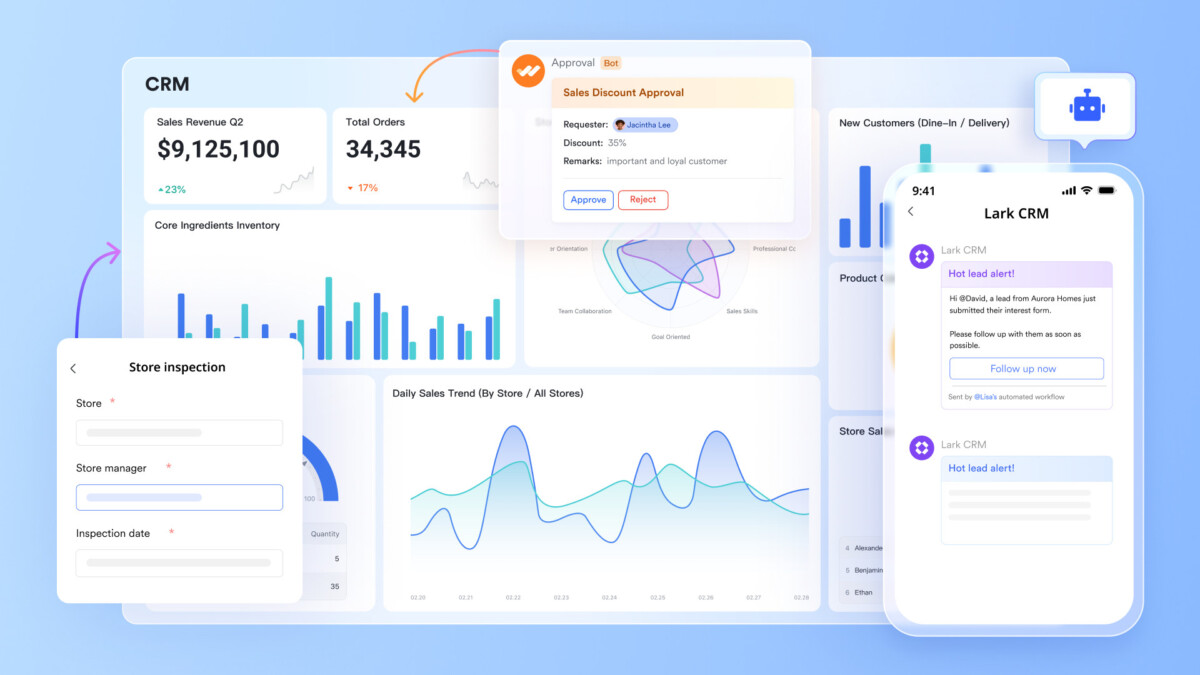
Image source: larksuite.com
Key features
A mobile-first CRM workspace that adapts to retail workflows: Lark Base works well as a flexible “CRM layer” for retail because it lets you model customer relationships the way your business actually operates. You can set up tables for customer profiles, store visit logs, clienteling notes, service issues, and follow-up pipelines, then present them as role-specific views (e.g., an associate’s “today’s follow-ups” vs. a manager’s “escalations queue”). Because Base is built for day-to-day collaboration, it’s easier to keep customer context current—especially when interactions happen on the floor, not at a desk.
Fast, structured capture at the moment of truth: Retail teams need speed and consistency, so structured capture matters. With Lark Forms, you can standardize common inputs like new VIP signups, fitting-room requests, product sourcing needs, and service incident reports. The advantage of a retail CRM mobile app workflow is simple: Fewer skipped fields, fewer messy notes, and a cleaner customer timeline that supports more reliable segmentation and follow-ups.
In-the-moment collaboration that keeps CRM actions moving: A mobile CRM fails when it becomes “another place to update later.” Lark Messenger helps reduce that friction by letting teams coordinate handoffs in real time and share links to specific Base records or docs in context. Instead of copying details across tools, store teams can discuss a customer situation, confirm the next step, and capture the outcome where everyone can find it—without losing the thread in separate chat apps.
Centralized playbooks and governed knowledge for consistent execution: Great retail mobile CRM outcomes depend on consistent behaviors, not just software. Lark Docs and Lark Wiki make it easier to keep SOPs, customer service scripts, and store playbooks accessible in the same environment where work happens. Wiki also supports permission controls at the user and department levels (for viewing, editing, copying, printing, and exporting), which is helpful when you need to share guidance broadly but protect sensitive operational content.
Meeting intelligence and searchable notes for clearer follow-through: Store ops and regional teams often lose momentum between meetings and execution. Lark Meetings supports real-time translated subtitles (useful for distributed teams), while Lark Minutes and AI Meeting Notes help convert discussions into searchable summaries and clear action items. That’s valuable for retail CRM execution because it reduces “what did we decide?” confusion and keeps customer-facing initiatives—like clienteling routines or service recovery standards—consistent across locations.
Why should you choose Lark
Pricing
Overview
Salesforce is a comprehensive CRM platform that can serve as the backbone of a mobile CRM for retail strategy when you need deep customization, enterprise-grade governance, and strong ecosystem support. For retailers, its biggest advantage is the ability to unify sales, service, marketing, and commerce data into a shared customer record—helpful for retail clienteling, complex case resolution, and consistent experiences across stores and e-commerce. Salesforce is often chosen by teams that have multiple channels, multiple regions, or specialized workflows (e.g., VIP programs, high-touch outreach, returns exceptions, and service recovery) and want those processes reflected in the CRM rather than managed in spreadsheets. It typically requires more implementation planning than lightweight tools, but it offers long-term flexibility when your data model and integrations (such as POS integration, e-commerce platform connectors, and helpdesk alignment) are strategic priorities.
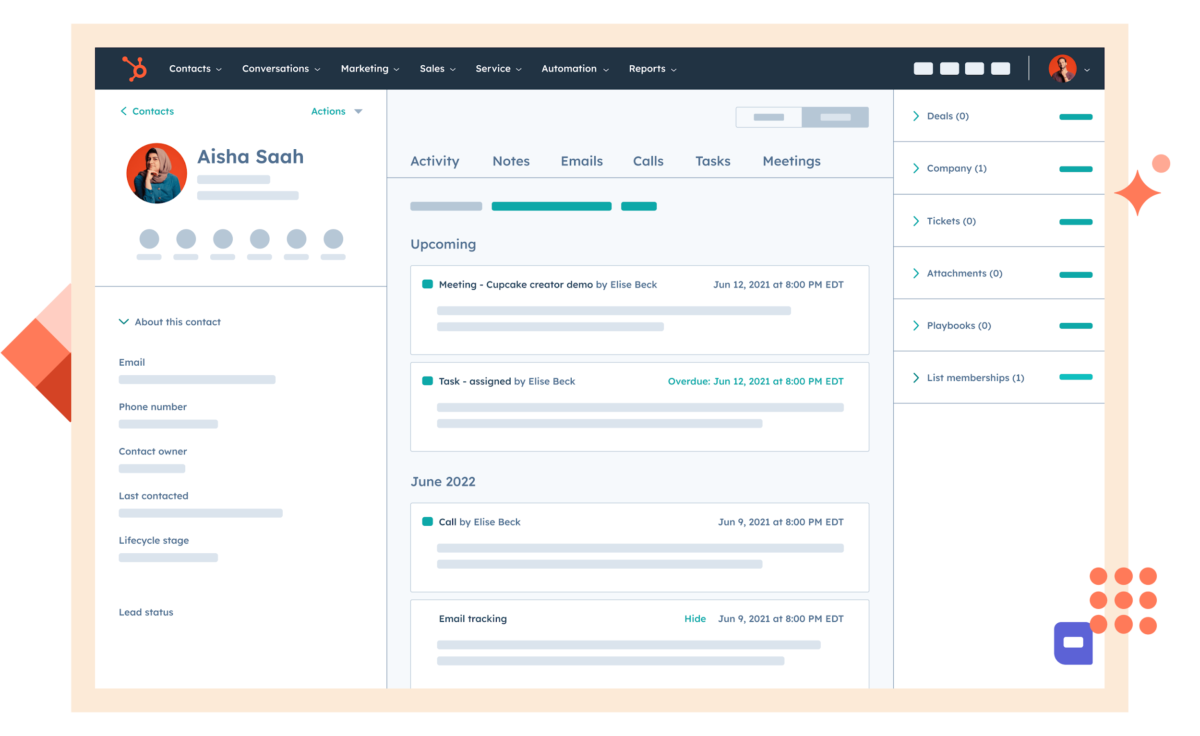
Image source: salesforce.com
Key features
Why should you choose Salesforce
Pricing
Overview
HubSpot is a unified CRM platform that many growing retail and e-commerce teams consider when they want a faster path to adoption and a simpler operating experience across marketing, sales, and service. In a mobile CRM for a retail context, HubSpot is often appealing for teams that want to connect lead capture, customer communications, and support workflows without a heavy implementation cycle. It can work well when your retail motion is strongly e-commerce-led, when you need clean pipeline management for partnerships or wholesale, or when your support team needs a straightforward way to manage tickets and customer conversations. HubSpot’s strength tends to be usability and time-to-value: teams can create pipelines, automate follow-ups, and report on performance without building a highly customized data model. For retailers, the key is to confirm how you’ll connect order and POS data so frontline teams can act with context, and to define what “customer 360” means for your brand.
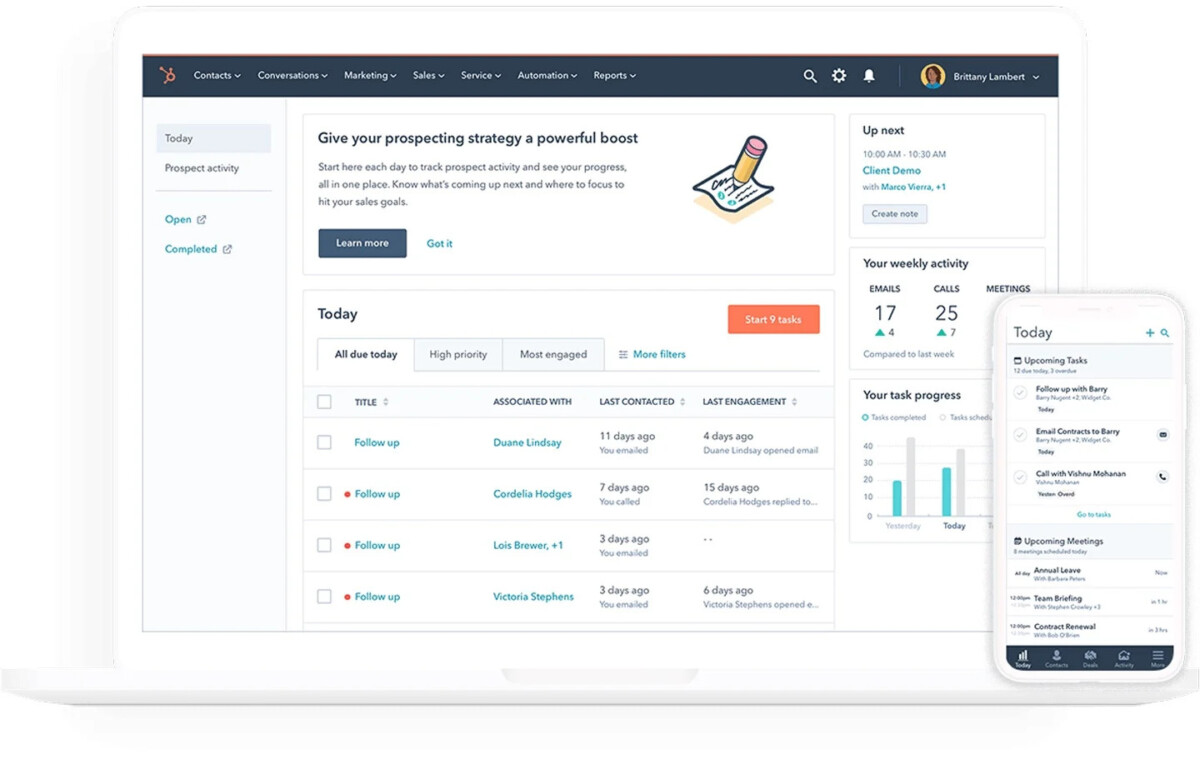
Image source: hubspot.com
Key features
Why should you choose HubSpot
Pricing
Choosing Mobile CRM for Retail isn’t about finding a “perfect” platform—it’s about matching the tool to how your stores actually run. The right choice is the one teams will use consistently under real floor conditions, while making customer experiences more reliable.
Name the 2–3 “moments of truth” where mobile speed and consistency change outcomes (e.g., VIP follow-ups, service recovery, store-to-support handoffs). This keeps you from buying a feature-rich system that fits the org chart better than the store.
Don’t judge from demos—run a five-minute reality test on a phone:
If these basics feel slow, adoption will drop, and your customer record won’t stay trustworthy.
Omnichannel unification is a journey. For day one, many retailers start with identity + orders + service history. Add preferences and clienteling notes once capture habits are stable, then consider advanced scoring/”next best action” only after data quality is strong.
Prioritize integrations that answer the questions customers ask most: order status, return eligibility, purchase history, and escalation context. If you’ll need heavy custom work, confirm you have clear ownership to maintain it over time.
Ask: “Can we pilot this in one region without disrupting everything?” Look for clear task ownership and lightweight training. If your teams already operate through a collaboration hub, a tool like Lark can be a practical execution layer—turning chats into structured follow-ups, approvals, and handoffs—while Salesforce fits deeper enterprise complexity and HubSpot suits faster adoption for growing retail/ecommerce teams.
Done well, your CRM becomes an operating rhythm—not just a database—helping people do the right thing consistently, even on a busy Saturday.
Even in a mobile-first world, retail still has a desktop backbone: Merchandising, support escalations, reporting, vendor communication, and store ops planning. If that backbone is sluggish or fragmented, your mobile motions become slower and noisier, and your CRM data becomes less reliable.
Running operations out of dozens of browser sessions can create real friction. When teams keep “50 Chrome tabs” open for dashboards, webmail, docs, and CRM pages, memory pressure increases, and performance degrades, especially on shared or older machines. The result is predictable:
Native desktop productivity apps (or well-optimized desktop clients) can reduce overhead by handling caching, background sync, and notifications more efficiently than a tab-heavy browser workflow. That matters because CRM value depends on timely, accurate inputs—especially when you’re trying to operationalize a customer 360 view across channels.
Retail teams don’t just need “apps.” They need the operating system to help them execute. Look for desktop tools that integrate cleanly with daily workflows:
These are unglamorous features, but they are the difference between “we meant to follow up” and “we followed up today.”
Retail productivity improves when you design a stack instead of chasing a single tool to do everything. A durable stack usually includes:
When these pieces fit together, your CRM becomes a living system rather than a repository. That’s also where a project management tool can make CRM adoption more durable—by tying customer follow-ups to clear owners, deadlines, and store-level routines.
Mobile CRM for retail only delivers value when it’s easy for frontline teams to use and consistent enough to keep customer data trustworthy. Start by aligning your mobile workflows with the moments that matter—VIP capture, follow-ups, service recovery, and store-to-support handoffs—then connect them to your POS, ecommerce, and helpdesk systems. Salesforce can power complex, enterprise-wide orchestration, while HubSpot helps growing teams move quickly with less setup. If you want a more lightweight way to link execution, collaboration, and approvals into one mobile experience, Lark is a practical option to consider alongside your existing stack.





