

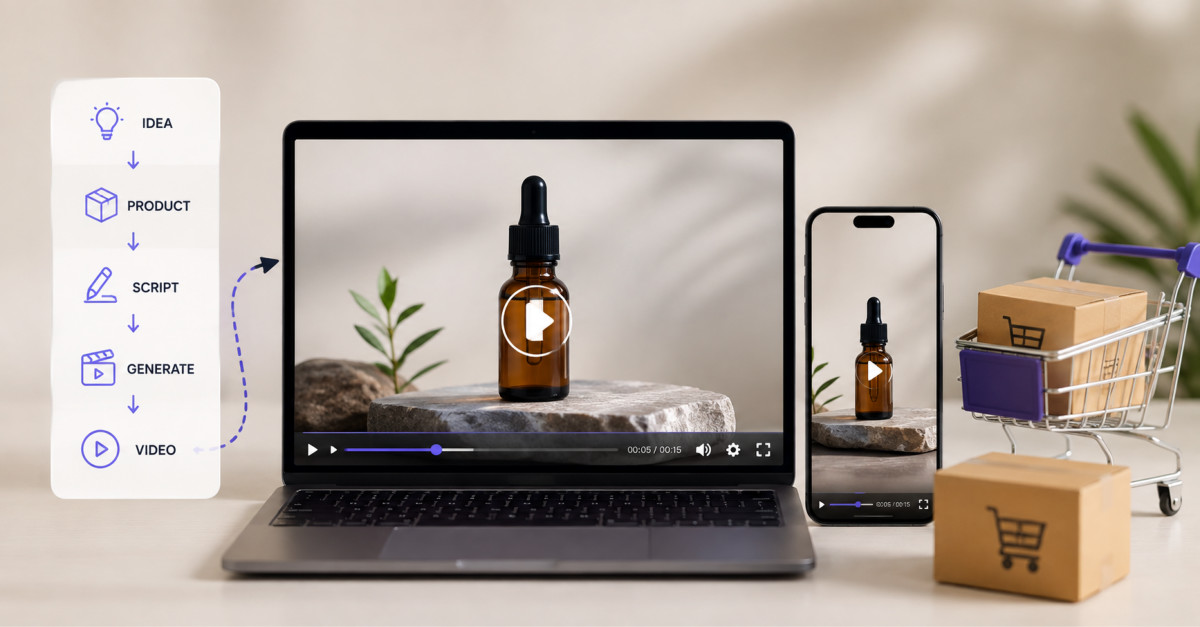
Product demo video improves Shopify performance when it resolves a specific buying hesitation, such as size, mechanism, material, or real-world use. Use actual product imagery, verify every visual claim, place the clip without hurting page speed, and judge success by returns and support demand as well as conversion rate.
Demo video earns its place when it answers a purchase question that photography and copy cannot answer quickly enough. If it does not reduce uncertainty, it is just page weight.
Every product page is trying to answer one question the shopper has not asked out loud: what is this actually like?
Photography answers part of it. Copy answers part of it. But there is a category of question neither format handles well. How big is it really, how does it move, what happens when you use it, does it work the way I am imagining. These questions produce hesitation, and hesitation on a product detail page produces either an abandoned cart or a return.
Demo video is the format built for exactly those questions. It is also, on most stores, either absent or badly implemented.
A mid-sized homewares store sells a collapsible silicone travel kettle. It is a good product with a bad conversion rate.
The numbers told the story before anyone looked at the page. Return rate on that SKU was 14 percent against a store average of 6. The stated return reason on most of them was some version of smaller than expected. Pre purchase support received the same question repeatedly: does it actually collapse flat enough for a carry on, and how does the lid seal?
Two hesitations, both about mechanism and scale, neither answerable by a studio photograph on white.
This article follows that one SKU through the full workflow: identifying the hesitation, generating the clip, checking it for accuracy, placing it on the page, and measuring whether it worked.
The first step in adding demo video is not producing a video. It is identifying which hesitation your product actually triggers, and most stores are sitting on the answer without reading it.
Demo video resolves four things reliably:
Scale ambiguity. The most common source of size related returns. A product photographed against white has no size. A video showing it held, worn, or placed in a normal environment resolves this in two seconds. Apparel, homewares, furniture, and accessories all suffer badly.
Mechanism confusion. Anything that opens, folds, adjusts, attaches, or transforms. A copy describing a three step assembly is harder to follow than four seconds of footage.
Material uncertainty. How fabric drapes, how a surface catches light, whether a finish is matte or satin. Still photography is heavily art directed and shoppers know it. Motion under changing light is more credible.
Use context gaps. Where does this live in my life? A product shown in an ordinary environment answers something a studio shot cannot.
The kettle triggered the first two. So the video had exactly one job, written down before anything was generated: show the kettle collapsing flat next to an ordinary object for scale, then show the lid sealing. One sentence. Everything after this point serves it.
Your return reasons and your pre purchase support questions are the best available data for this, and most stores already have both sitting unexamined.
The reason most stores have no demo video is cost. A short product video traditionally meant a shoot, and a shoot is only economic for hero SKUs. A catalogue of four hundred products was never getting video, so it got none.
Generative video changes that arithmetic for a specific subset of this work, not by replacing product photography but by animating it. Starting from an image you already own and generating motion from that image produces a short clip in minutes rather than days. For a catalogue wide rollout that is the difference between viable and not.
For the kettle, the store used two existing images: the hero shot of the kettle expanded, and a secondary shot of it collapsed, both already retouched and approved. A Seedance 2.5 demo illustrates the two specifications that make this practical for commerce. Thirty second native single clip output, long enough to contain a complete demonstration with setup and resolution rather than a fragment. And reference based conditioning, so the product’s actual appearance constrains the generation.
That second point deserves emphasis, because it is the difference between an asset and a liability. Generating a kettle from a text description produces something that looks like your kettle. Generating from your actual product photography produces your kettle in motion.
The prompt used, with the two product images attached as references:
“The collapsible kettle stands on a pale wooden table beside a standard coffee mug. The camera pushes in slowly. The kettle remains fixed in the centre of the frame. Soft daylight from the left, no on screen text.”
Twelve seconds. Vertical, matching the store’s gallery frame. Four attempts, the first three failing because the mug kept changing size, which is exactly the kind of failure a scale demonstration cannot tolerate. Adding the mug as its own reference asset fixed it on the fourth.
This needs stating plainly, because it is where stores get into trouble.
Anything on a product page is a representation of the product. If a demo video shows a feature the product does not have, an assembly step that does not work that way, or a finish that is not what ships, that is a false representation. Legally in many jurisdictions, and practically in terms of returns and reviews.
Generated video invents details. That is what it does. Which makes the review step mandatory, run by someone who did not generate the clip:
On the kettle, the first accepted version was rejected at this stage. The collapse in the clip went slightly flatter than the real product does, which would have replaced one accuracy problem with another. It was regenerated with the collapsed reference image weighted more heavily.
The workable rule: generated video is fine for showing the product. It is not fine for demonstrating a claim you cannot substantiate. A clip showing a bag rotating in natural light is a representation. A clip showing it holding a laptop it does not fit is a lie, whether or not a human filmed it.
Many stores are also disclosing AI assisted imagery. Platform policies are tightening and shoppers increasingly notice. Disclosure costs a line of text and protects trust that took years to build.
Where and how you place it determines whether it earns anything.
Gallery position two, not the hero. The main product image stays first. Shoppers arriving from a listing want to confirm they landed on the right product before being asked to watch something. The kettle clip went in slot two.
Silent first, always. Autoplaying product video must be muted, so the demonstration has to work visually. If it only makes sense with narration, put it behind a play control further down.
Loop short. Eight to fifteen seconds looping cleanly outperforms a thirty second narrative in a gallery slot. Save longer complete sequences for a dedicated section below the fold.
Poster image set, space reserved. An unposted video is a blank rectangle during load and an unreserved container causes layout shift. Both cost conversions directly.
Keep the file small. Under 2MB for a gallery clip, H.264, audio stripped, served from a CDN. Product page load time has a well documented relationship with conversion and an unoptimised video will erase whatever the video earns.
Generate at the ratio you display. Cropping wide footage into a square gallery frame loses the subject often enough to matter.
Split test. Not “we added video and revenue went up.”
Run video and no video variants on a matched set of products long enough to reach a defensible sample. Then look at three numbers.
Conversion rate on the tested pages. The primary metric.
Return rate on those SKUs over the following period. The underrated one. Demo video that resolves scale and mechanism ambiguity should reduce returns, and for many stores the return reduction is worth more than the conversion lift.
Support contacts referencing the questions the video answers. A drop here is direct evidence it is doing its job.
Do not treat play counts as a result. They confirm placement and nothing more.
On the kettle, over six weeks: conversion moved 4 percent on the variant, which was inside the noise band and not claimable. Return rate went from 14 percent to 9. Support emails asking about carry on size dropped by roughly two thirds. The conversion lift was not the story. The returns were, and the returns were worth more.
Start with twenty SKUs chosen by evidence. Your highest return products and your highest support volume products. These carry the most ambiguity and therefore the most upside.
Write the specific question each video answers before producing anything. One line, like the kettle’s.
Generate from your existing product photography, not from descriptions.
Review every clip against the accuracy checklist, with a reviewer who did not produce it.
Split test, measure conversion and returns, then expand into the categories where it worked and stop in the ones where it did not.
Demo video works when it answers a real question the shopper is already asking. It fails when it is decoration, and decorative video on a product page costs page weight and returns nothing.
The production cost of getting this right has fallen enough that catalogue wide rollout is realistic for stores that could never previously justify it. The accuracy obligation has not fallen at all, and stores treating generated product video as a creative asset rather than a product claim will find that out through their return rate.
Answer the question. Show the actual product. Measure returns as well as conversion. That is the whole play.
Demo video answers product questions about scale, movement, mechanism, material, and real-world use best. Use it when shoppers need to see how large an item is beside a familiar object, how it folds or attaches, how a material drapes or catches light, or how the product works in an ordinary environment. Review return reasons, support tickets, product reviews, and on-site search before creating anything. The best video begins with one documented question, such as “Does this fold flat enough for travel?” or “How does this lid lock?” A clip without a specific question to resolve is usually decorative rather than commercially useful.
AI-generated product video can be used on Shopify product pages when the merchant verifies that the footage accurately represents the shipped product and does not imply unsupported features, capacity, fit, performance, or safety claims. Generate from approved product imagery where possible, then have a separate reviewer compare the clip against the physical product, specifications, packaging, and existing product-page claims. Reject footage that changes color, proportions, moving parts, included accessories, or product behavior. Shopify supports product video media, but the merchant remains responsible for truthful product representation and a fast, usable customer experience.
A product demo video should usually appear in gallery position two, after the primary product image, because shoppers first need to confirm that they reached the correct product page. Keep a gallery demonstration short, silent-first, and visually understandable without narration. Place longer setup, instructional, comparison, or care videos lower on the page near related product copy, FAQs, or reviews. Use a poster image, reserve space to prevent layout shift, and test the mobile crop before publishing. The right placement depends on the question the video answers, but it should never obscure product recognition, variant selection, or the add-to-cart path.
A Shopify store should measure product demo video performance through conversion rate, return rate by reason, and support contacts related to the hesitation the video was designed to answer. Use an A/B test or matched product set instead of attributing every revenue change to the video. Record a baseline before launch, then allow enough time for returns to occur before evaluating the result. For a size demonstration, track size-related returns. For a mechanism demonstration, track support questions about setup or use. Play counts are secondary diagnostics because they show exposure, not whether the video improved customer confidence or unit economics.
An ecommerce store should establish a clear policy for disclosing AI-generated product video, especially when generated footage materially changes how a shopper may interpret the product. Disclosure supports customer trust and can help brands respond to evolving platform and regional requirements. More importantly, the footage must remain accurate: disclosure does not make a false product claim acceptable. For Google Merchant Center, generative-AI product images must retain relevant AI-source metadata, and Google provides AI label settings for certain image and video assets. Review the requirements for each channel, maintain internal approval records, and use clear customer-facing disclosure when it helps prevent confusion.





