

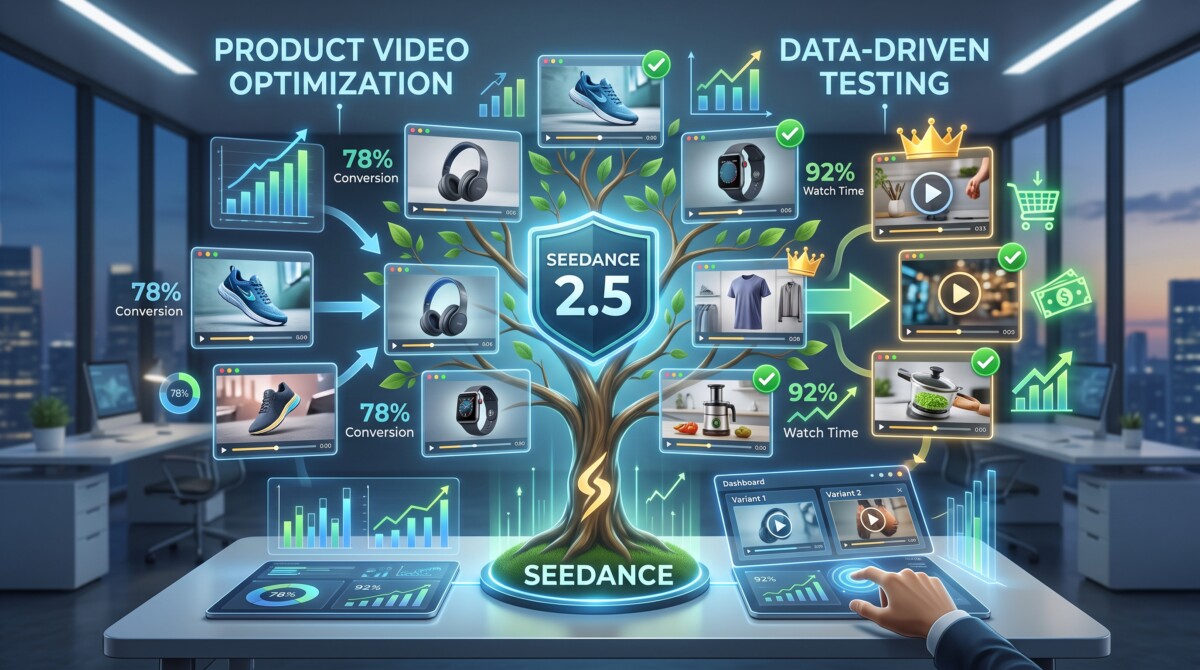
Seedance 2.5 generates 30 second clips from up to 50 reference files, which makes it genuinely useful for Shopify product video. Run these nine tests before committing ad budget, because reference control and rights clearance decide fit more than raw clip quality does.
ByteDance claims 20 percent better prompt adherence. No spec sheet tells you whether the model can hold your product label steady for 30 seconds, and that is the only number your ad account actually cares about.
ByteDance announced Seedance 2.5 in June 2026 with a specification sheet built for exactly this moment: 30 seconds of continuous video in a single generation, and up to 50 reference files in one prompt. For a Shopify merchant, none of that answers the only question that matters, which is whether the clip that comes out is worth putting money behind.
The gap between an impressive demo reel and a usable ad asset is where most AI video budgets quietly disappear. A model can produce a stunning cinematic sequence and still fail to render a legible product label, hold a consistent bottle shape across four variants, or leave enough headroom for a caption. Those failures do not show up in a vendor showcase. They show up when a creative that looked fine in preview stops earning its CPM in week two.
The nine tests below are ordered by how early they can disqualify a workflow. The first four expose whether the model can render your product at all. The middle three cover whether the output fits your channels. The last two cover whether you can legally run it and whether the result repeats. Work through them in order and stop when something fails badly enough to matter.
The change that matters most for ecommerce is reference capacity, not clip length. Seedance 2.5 accepts up to 50 multimodal inputs in a single generation, up from 12 in the previous version, and those inputs can include images, audio, style references, and 3D white models. For comparison, Google’s Veo 3.1 accepts three reference images. On ByteDance’s own model page, the framing is 30 second storytelling with precise reference control and post generation editing.
That distinction is the whole story for a catalogue. A film maker wants a longer take. A merchant wants the same SKU to look identical across nine clips, three aspect ratios, and two seasonal treatments. Reference capacity is what buys that consistency, and it is the first thing to test.
Two secondary changes carry practical weight. Audio is generated in the same pass as the video rather than layered afterwards, which matters for sound on placements. And ByteDance claims a 20 percent improvement in prompt adherence, which in operator terms means fewer wasted generations per usable clip.
One caveat worth holding onto before you test anything. Launch coverage described native 4K output, while several platforms shipping the model list 1080p as their ceiling. That gap decides whether a clip survives on a desktop product page. Check the resolution on the specific platform you generate through, not the resolution in the announcement.
Each test isolates one failure mode, takes under 30 minutes, and produces a clear pass or fail rather than a subjective impression. The full set runs in about three hours on a single hero product.
Run one product brief through three distinct visual directions, cinematic, commercial, and social native, and count how many come back usable without rework. This is the fastest way to learn which register the model actually handles for your category, and it takes about 25 minutes.
Write the brief as a shot list rather than a paragraph. Name the subject, the camera move, the lighting, the surface, and the intended platform. A brief that reads “product on a matte concrete surface, slow push in, soft window light from camera left, vertical 9:16” gives the model something to adhere to. A brief that reads “make my candle look premium” gives it nothing, and the resulting variance tells you nothing about the model.
The useful output here is not a winning clip. It is a map of where the model is strong for your product type. Skincare and beverage tend to survive cinematic treatments because the hero object is simple and reflective. Apparel and anything with fine text on packaging usually falls apart faster. Once you know which direction holds, every later test runs inside that direction instead of across all three.
This mirrors the logic behind turning a single product shoot into a library of on brand ad variants: lock the guardrails first, then generate inside them.
Generate three reveal shots and check whether your product stays legible and structurally correct at full playback speed. Label integrity is the single most common disqualifier for ecommerce use, and it fails silently because reviewers watch clips scrubbed rather than played.
Set the shot so the product enters frame and settles: a hand placing it down, a slow orbit, or a rack focus onto the label. Then watch each clip three times at normal speed without pausing. You are looking for text that morphs mid clip, logos that drift or invert, cap threads that change count, and edges that soften as the camera moves.
The bar is not perfection. The bar is whether a customer who already knows your packaging would notice something wrong in the first viewing. If the answer is yes, the clip cannot run as a product page asset, and it probably cannot run as a retargeting ad either, because the audience seeing it has already handled the real thing.
Budget 20 minutes. If two of three reveals fail, stop testing reveals and shift the model toward lifestyle and atmosphere shots where your packaging never holds centre frame.
Play every clip at half speed and look specifically at hands, gait, and object physics, because these are where generated video still breaks most visibly. Reviewing at normal speed hides the failures that a viewer’s eye registers as wrongness without being able to name it.
Three checks cover most of it. Hands that hold or open the product should keep five fingers and consistent knuckle geometry through the whole action. Anyone walking should have a gait where the weight lands on the correct foot. Anything poured, dropped, or squeezed should obey gravity and viscosity, so liquid does not hang or accelerate oddly.
The reason to care is not craft pride. Uncanny motion suppresses hold rate in the first few seconds, and hold rate is what most short form platforms optimise against. A clip that loses viewers at second two never gets the chance to communicate the offer, so the creative reads as a targeting problem when it is actually a rendering problem.
Budget 20 minutes across your existing clips rather than generating new ones. If hands fail consistently, restrict the model to product only compositions and source human elements from real footage.
Generate four clips with the same lighting description and check whether they could sit next to each other in one campaign without a colour grade. Consistency across a set, not quality within one clip, is what determines whether the model can support a catalogue.
Use one lighting brief, for example soft daylight from camera left with a warm neutral background, and vary only the camera angle. Then place the four clips side by side and compare the white point, the shadow density, and the colour of the background surface. Small drift is fixable in an editor. Clips that read as four different days in four different rooms are not, at least not at a cost that makes the workflow worth running.
This test matters more the larger your catalogue. A store with 12 SKUs can hand grade everything. A store with 400 SKUs needs the model to hold a look across dozens of generations, or the labour saved on production returns as labour spent in post.
Budget 25 minutes. The model’s 10-bit colour output gives you more grading headroom than earlier versions if you do need to correct drift.
Generate five different openings for the same product idea and judge each one on frame one alone, with sound off. Nothing in a short form ad matters until the opening earns the next two seconds, so the hook deserves its own test rather than being folded into a general quality review.
Vary only the opening. Keep the middle and the end identical so the comparison isolates the variable. Useful variants include a problem visual, a result visual, an unexpected angle, a product in motion, and a close macro texture. Then look at each first frame as a still image and ask whether a stranger could tell what is being sold.
Sound off is not a preference, it is the default viewing condition on most feeds. A hook that depends on generated audio to land will underperform even though the audio is genuinely well synchronised in this model.
The hook patterns themselves are well documented, and it is worth pairing this test with the five UGC hook types that consistently earn the first three seconds rather than inventing openings from scratch. Budget 20 minutes.
Load your real product photography as reference material and measure how closely the generated output matches it across several variants. This is the test that most directly exercises what Seedance 2.5 changed, and it is the one most likely to decide whether the model belongs in your stack.
Feed in three to five images of the same SKU from different angles, then generate four clips with different camera moves. Compare each output against the source photography on three specific attributes: colour accuracy of the product itself, proportion between the product and its surroundings, and consistency of any distinguishing detail such as a seam, a cap, or a texture.
The reference ceiling here is genuinely high. The model accepts up to 30 images, 10 videos, and 10 audio clips in a single input, with access rolling out through Jimeng AI and the Pro tier of Doubao, and API access on Volcano Engine’s Ark platform. For merchants comparing how reference handling performs across cinematic, social, and product led briefs, YouArt Seedance 2.5 sits naturally in the middle of this testing process as a place to run the comparison.
Budget 30 minutes. Weak reference adherence here is close to disqualifying for catalogue work.
Take your best clip into an editor and confirm it survives the cuts your channels actually require. A clip that only works at the length and aspect ratio it was generated in is a demo, not an asset.
Check four things. Whether the composition survives a crop from 16:9 to 9:16 without losing the product. Whether there is dead space at the top and bottom for captions and platform interface elements. Whether there are clean cut points at roughly six, 12, and 15 seconds. And whether the final frame holds still long enough to carry an end card.
Placement drives the requirements. A clip destined for a product page can run longer and wider, and adding a video section to your Shopify storefront is straightforward on most current themes. A clip destined for paid social needs vertical framing and a caption safe zone from the start, which means specifying it in the brief rather than fixing it afterwards.
For teams comparing outputs more systematically across prompt notes, reference behaviour, and editability, Buzzy Seedance 2.5 sits closer to this evaluation layer of the workflow. Budget 15 minutes.
Confirm what the model refuses to generate, what it stamps onto your output, and what you are obliged to disclose before any of this reaches a live campaign. This is the test most merchants skip, and it is the one that can invalidate everything upstream of it.
Three constraints carry real operational weight. The Seedance line blocks generation from images containing real faces and applies C2PA Content Credentials to output, alongside visible watermarking and copyrighted character filtering. For a merchant, the face restriction is the sharp edge: you cannot feed in a founder portrait or a customer’s user generated photo as a reference and expect it to process.
Availability is the second constraint. Regional rollout for the Seedance family started in seven markets, with the United States and India absent from that initial list, so confirm access in your own market before you build a workflow around it.
Disclosure is the third. EU AI Act transparency obligations took effect in August 2026 and require machine readable marking of generative output, which matters directly if you sell into Europe. Meta and TikTok both maintain their own AI content labelling requirements on top of that. Budget 20 minutes and treat any failure here as a hard stop.
Score every clip you generated against the same fixed criteria, then regenerate two of them and score again to see whether the results hold. A model that produces one excellent clip out of 15 is a lottery, not a production tool, and only a scorecard makes that visible.
Use five criteria and rate each from one to five: product accuracy, motion realism, lighting consistency, hook strength, and editability. Record the score alongside the prompt that produced it. After scoring, take the two highest rated prompts and run them again unchanged.
The number you care about is the gap between the two runs. If the same prompt scores within one point across both attempts, the workflow is repeatable and you can plan capacity around it. If it swings by two or three points, your real cost per usable clip is several times what the credit price suggests, because you are paying for the rejects.
This is also where the 20 percent prompt adherence claim gets tested against your own brief rather than a benchmark. Budget 15 minutes, and keep the scorecard, because it becomes the baseline you compare the next model release against.
The same test results justify different decisions depending on revenue, because the value of saved production time scales with how much creative you actually need. A pass rate that is exciting at $100K is unusable at $5M.
Under roughly $250K in annual revenue, the win is existence rather than volume. If tests one, two, and seven pass, you have product motion where you previously had stills, and that is enough. Do not build a testing programme yet. Generate three clips a month, run them, and spend the saved time on the offer.
Between $250K and $2M, the constraint is usually creative velocity against a small team. Tests four, six, and nine become the deciding ones, because you need consistency across a set and predictable output, not a single good clip. This is the stage where premature complexity does the most damage: adding a generation tool before the hook and the offer are working simply produces more variations of a creative that was not converting anyway.
Above $2M, treat this as a sourcing decision rather than a tooling one. Reference control and rights clearance dominate, because you are coordinating a catalogue, an agency, and a compliance posture at once. If test eight fails in your market, nothing else in the list matters. Merchants ready to formalise the surrounding process can work from a full AI video marketing workflow spanning objectives, formats, production, and distribution.
Seedance 2.5 is capable enough for Shopify product video in most categories, with the practical limit being packaging text and fine product detail rather than overall clip quality. The model generates 30 seconds of continuous video in one pass and accepts up to 50 reference files, which is what allows a product to stay consistent across multiple clips. Where it still struggles is small legible text, intricate textures, and hands interacting with objects. The workable pattern for most merchants is lifestyle and atmosphere footage generated by the model, combined with real photography for close detail shots where accuracy is not negotiable. Test label integrity on your own SKU before assuming the category result applies to you.
Seedance 2.5 accepts up to 50 multimodal reference inputs in a single generation, made up of as many as 30 images, 10 video clips, and 10 audio files. That is a substantial increase over the 12 references supported by the previous version, and considerably more than competing models such as Google’s Veo 3.1, which accepts three reference images. For ecommerce specifically, the image allowance is the part that matters. Loading multiple angles of the same product gives the model enough information to keep proportions, colour, and distinguishing details stable across a series of clips, which is the difference between generating one usable ad and generating a consistent set for a catalogue.
No, the Seedance line blocks video generation from images or videos containing real faces, a restriction ByteDance introduced after deepfake controversy around the previous model version. This applies regardless of whether the face belongs to you, an employee, or a consenting customer, because the filter operates on the input rather than on permissions. For merchants, this rules out several common use cases: animating founder photography, turning customer testimonial stills into video, and generating spokesperson content from a real likeness. If your creative strategy depends on a recognisable human face, you will need either real footage or a platform that supports licensed avatar generation, and you should confirm that before building a workflow around this model.
In most cases yes, and the obligation comes from several directions at once. EU AI Act transparency requirements took effect in August 2026 and mandate machine readable marking of generative AI output, which applies if you sell into European markets. Separately, Meta and TikTok both maintain their own AI content labelling policies for advertisers on their platforms. Seedance output also carries C2PA Content Credentials and visible watermarking automatically, so the content is identifiable as AI generated whether or not you label it yourself. The practical approach is to disclose clearly, keep a record of which assets were generated, and check your specific ad platform’s current policy before launching, since these rules are still moving.
Budget about three hours of structured testing on a single hero product before committing any ad spend. That is enough time to run a full protocol covering creative direction, product accuracy, motion realism, lighting consistency, hooks, reference control, editability, rights clearance, and repeatability. The critical step is the repeatability check: regenerate your two best prompts unchanged and compare the scores. If output quality swings widely between identical runs, your true cost per usable clip is several times the credit price, because you are paying for rejected generations. Testing structure matters more than testing duration. Three focused hours with fixed criteria will tell you more than three weeks of unstructured generation.




