

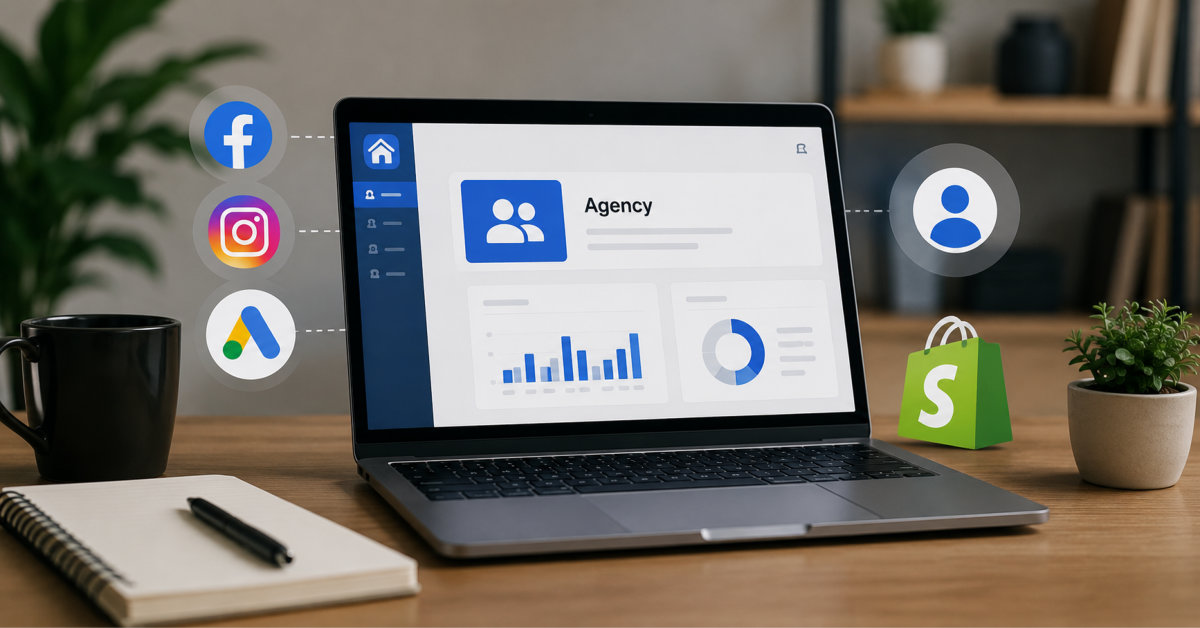
Agency ad accounts can help Shopify brands reduce paid-social operating friction, but only when the provider uses a transparent, policy-compliant access model and the brand retains ownership of its store, domain, data assets, and customer relationships.
The expensive mistake is not paying a provider fee. It is discovering during a launch that nobody can explain who owns the account, the pixel, the remaining balance, or the exit path.
As paid spend grows, the bottleneck is not always the creative or offer. Account capacity, a restriction during a launch, or a payment review can freeze campaigns while inventory sits ready to ship.
Agency ad accounts are one option for brands that have outgrown a basic self-serve setup. But there is plenty of confusion about what these accounts are, how access works, and what separates a legitimate provider from a risky shortcut. This guide walks through the process from application to launch, with the ownership and compliance questions Shopify brands should settle before they pay.
Many Shopify brands start with a self-serve ad account, and that setup may be enough at lower spend. Friction appears when billing, permissions, support or spending capacity cannot keep pace with a growing acquisition program.
New accounts may have conservative billing thresholds or spending controls. Rapid budget changes, new payment methods and policy reviews can also interrupt campaigns. When a restriction or payment review occurs, a self-serve advertiser may have limited support options while a launch is still running.
A disruption is not proof that the advertiser broke a rule. It does mean the brand needs to understand whether its bottleneck is compliance, billing, permissions or account capacity before changing account infrastructure.
An agency ad account is provisioned or managed through a provider’s business infrastructure. Access and ownership vary by platform and provider, so the agreement should state who owns the ad account, which Business Center or manager account holds it, and which permissions the advertiser receives. Meta supports sharing business assets with partners through Business Suite, TikTok supports formal media-agency partnerships in Business Center, and Google supports linking client accounts to manager accounts.
A well-run provider can offer flexible spending capacity, centralized funding, compliance screening and a direct support route. These are operational services, not a promise of faster approval or immunity from platform enforcement.
What it is not: a loophole. You still advertise under the platform’s rules, with your own page, your own domain, and your own products. The account changes; the standards do not.
Myth one: every agency-account arrangement is grey-hat. Legitimate providers use the platforms’ business and partner tools, screen advertisers and reject campaigns that do not meet policy. The warning sign is a provider that accepts any offer, hides the account structure or promises immunity from enforcement.
Myth two: they make you ban-proof. No account type removes the need for compliant creative, accurate claims and a policy-compliant landing page. Better infrastructure can improve support and operating continuity, but platforms can still reject ads or restrict accounts.
Myth three: they are only for very large brands. The decision should depend on economics. Compare the provider fee with the cost of downtime, billing failures, slow support and maintaining several provider relationships. Threasury Media currently requires at least $1,000 in monthly paid-social budget, but suitability still depends on the business and platform.
Here is what actually happens when a Shopify brand applies, step by step.
Step 1: The vetting review. With Threasury Media, you share your store URL, products, target regions and expected monthly spend. The compliance team reviews the store and offer before approving access. Be direct about prior restrictions and the claims used on product pages; hiding a problem during onboarding only delays it.
Step 2: Store preparation. Before access is granted, fix what the review found. Typical items: verify your domain, tidy policy pages, remove aggressive health or income claims, and make sure your Business Manager is in order.
Step 3: Confirm the access model. The provider grants access using the relevant platform’s business tools. Before accepting, document who owns the ad account and Business Center, which permissions your team receives, who controls billing, and what happens when the relationship ends. You should not need to transfer ownership of your Shopify store or brand page.
Step 4: Connect measurement assets. If your business owns the pixel or dataset and catalog, those assets can be shared with the new ad account using platform permissions. The assets and their historical event data remain in the owning business, but campaign learning from the old ad account does not automatically move to the new one. Test purchase events, catalog sync and attribution before scaling spend.
Step 5: Fund and launch. After funding and final checks, the account can go live. Eligible Threasury Media clients are typically provisioned within 24 to 48 hours after approval, although timing varies by platform, region and readiness. Real-time and automatic top-up tools can reduce balance-related pauses, but the brand should still keep alerts and funding controls in place.
Before funding an account, ask the provider to put the operating model in writing. The answers should cover: who owns the ad account and parent Business Center; which admin, campaign and reporting permissions your team receives; whether your business owns the pixel, catalog and audiences; how unused wallet balances and refunds are handled; what happens to live campaigns during offboarding; and whether replacement accounts change access to existing assets.
This matters because platform structures differ. Meta lets businesses share assets with partners, TikTok supports client-owned accounts with agency access as a recommended partnership model, and Google manager accounts can link to an existing client account without changing its history or default ownership. The contract should describe the structure you are actually receiving, not rely on the generic phrase “agency account.”
Official references: https://www.facebook.com/business/help/408759743051505 | https://ads.tiktok.com/help/article/about-media-agency-partnerships-in-tiktok-business-center | https://support.google.com/google-ads/answer/7456530?hl=en
Pricing across the industry follows two models.
Commission on spend. You pay a percentage of your ad spend as the provider’s fee. This suits brands testing the waters, because cost scales down when spend does.
Flat monthly subscription. You pay a fixed fee with no commission on spend. Past a certain monthly budget this becomes significantly cheaper, and the predictability makes finance planning easier.
Look for a provider that lets you start on commission and move to flat pricing as spend grows. Also check the details that pricing tables often omit: top-up timing, supported currencies, minimum funding, invoice format, refund treatment and what happens to unused balances during offboarding. Verify payment methods directly rather than assuming a particular rail is supported.
Seven questions separate solid infrastructure from resold risk:
Who owns what? Confirm the parent Business Center, ad account ownership, your permissions, pixel and catalog ownership, wallet balance treatment, and offboarding process before funding.
A short pre-flight list makes approval and launch faster: verify your domain, complete shipping, refund and contact pages, audit product claims, keep pixels and catalogs in your own Business Manager where possible, and document current audiences and event mappings. eCommerce Fastlane’s Meta Pixel setup guide is a useful reference for checking the tracking layer before access changes: https://ecommercefastlane.com/how-to-set-up-and-use-meta-pixel-formerly-facebook-pixel
Prepared, eligible Threasury Media clients are typically provisioned within 24 to 48 hours after approval. Fixing ownership, policy or tracking issues can extend that timeline.
Meta, TikTok and Google provide official tools for businesses and agencies to share or link account access. That does not validate every vendor arrangement. Confirm the ownership and permission model, and follow the same advertising policies that apply to any account.
Not if your business owns the pixel or dataset and grants the new account access correctly. The asset and historical event data remain with the owning business. Campaign learning associated with an old ad account does not automatically transfer, so verify events and attribution before scaling.
Eligible Threasury Media clients are typically provisioned within 24 to 48 hours after approval. Platform, region, ownership and policy issues can extend the timeline.
Be upfront during vetting. Reputable providers will tell you directly whether your vertical passes their compliance review rather than taking your money and letting you find out later.
Yes, and multi-platform providers let you manage Meta, TikTok, Google, Snapchat, and Pinterest accounts from a single dashboard with one billing relationship, which is the practical way to diversify off a single channel.
Start with an asset and policy audit before contacting a provider. Write down who owns your store, domain, page, pixel, catalog and audiences; confirm that your refund, shipping and contact pages are complete; then collect your current restrictions, target regions and monthly spend. That gives a provider enough information to assess fit without guessing.
When comparing offers, choose the provider that can explain the account structure and offboarding process clearly. A lower fee is not useful if your team does not understand its access, data portability or balance protections.
Author bio:
This article was contributed by the team at Threasury Media, a multi-platform agency ad account provider for ecommerce brands. Threasury Media manages 2,000+ ad accounts across Meta, TikTok, Google, Snapchat and Pinterest for 500+ active clients. Learn more at https://www.threasury.io/agency-ad-accounts.




