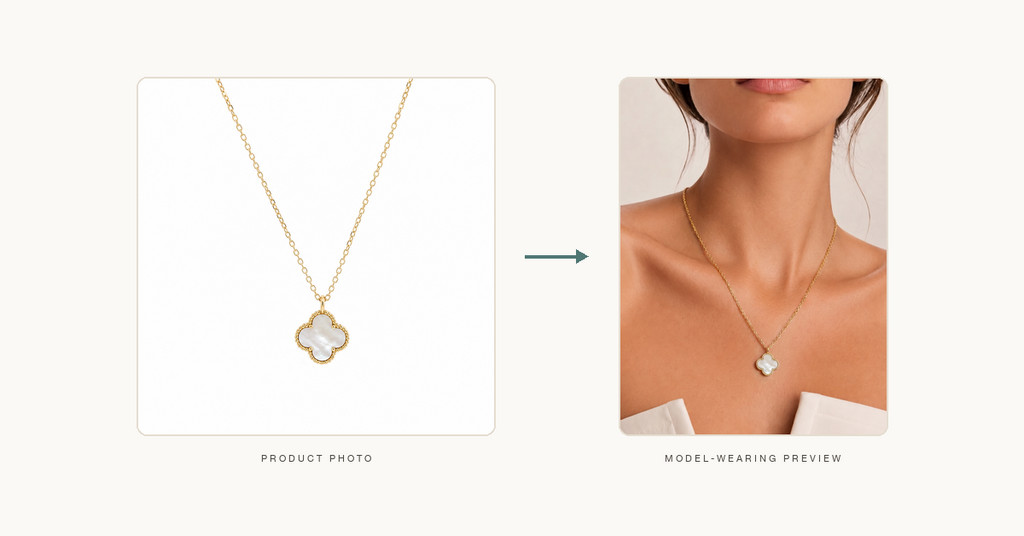
For most Shopify jewelry stores, product photography starts with the basics: clean white-background images, detail shots, packaging photos, and a few lifestyle images when time and budget allow.
That foundation matters. Shoppers still need to see metal color, stone shape, clasp details, texture, and craftsmanship. But if your store only shows product-only photos, something important is often missing: wearing context.
A customer can admire a ring on a white background and still wonder:
That gap matters because jewelry is not just purchased for its design. It is purchased for how it looks when worn.
The challenge is that creating model-worn jewelry photos at scale is expensive. A full studio shoot means finding models, booking a photographer, planning styling, organizing samples, approving retouching, and repeating the process every time you launch a new product or collection.
For many independent brands and growing Shopify stores, that is simply too slow and too costly to do for every SKU.
This is where AI can help.
Today, Shopify jewelry merchants can use AI to turn existing product photos into model-worn visuals that help customers understand scale, fit, placement, and style—without arranging a full studio shoot for every item.
The goal is not to replace all professional photography. The goal is to create a smarter workflow: use your core product photography as the base, then add AI-generated model-worn images where they provide the most value.
Jewelry sells differently from many other ecommerce products.
If you are selling a candle, a notebook, or a phone case, a product shot often tells most of the story. But jewelry is deeply tied to the human body. Customers need to picture the product in use.
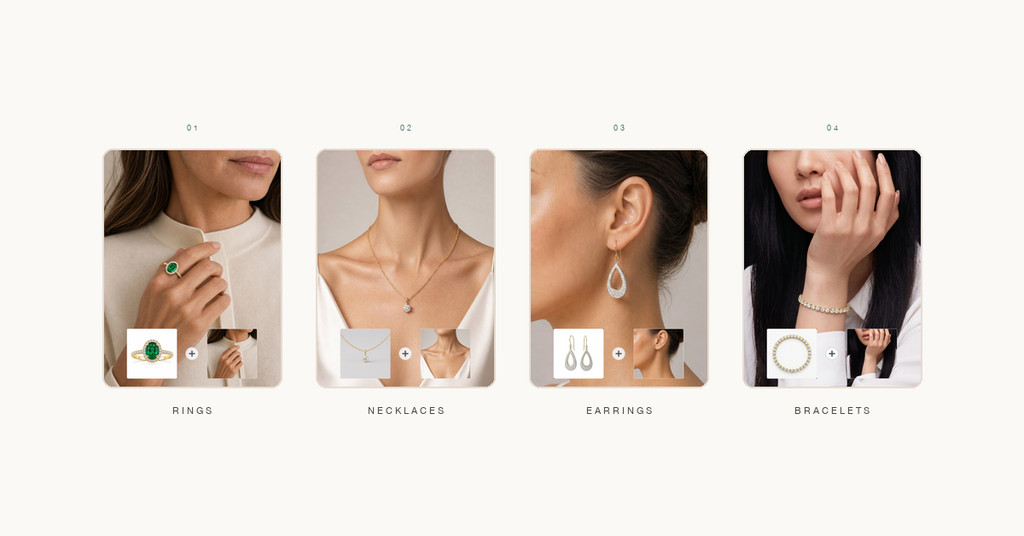
That is especially true for four common categories.
Shoppers want to understand scale, finger coverage, and how the ring reads on skin. A product-only image rarely communicates that clearly.
Customers often want to know where the pendant sits, how the chain falls, and whether the piece feels minimal or more prominent when worn.
A pair of earrings may look small or large depending on the angle of the product photo. Seeing them on a model helps customers understand size and overall presence.
Flat product shots do not always show how a bracelet sits on a wrist, how it layers, or how it looks in a more lifestyle-oriented context.
If your store lacks model-worn visuals, you are often asking customers to do extra imagination work. Some will do it. Many will not.
Adding model-worn jewelry photos can improve your product presentation in several practical ways.
First, they help communicate proportion. Customers can better estimate how a piece will appear when worn.
Second, they provide styling context. A necklace shown on a model often feels more aspirational than the same necklace shown alone.
Third, they increase merchandising flexibility. The same product can be used in product pages, collection pages, ads, landing pages, and social media creative.
Fourth, they help you create a more complete image stack.
A strong jewelry product page often includes:
Not every product needs a full editorial campaign. But many products benefit from at least one high-quality model-worn image.
So how can a Shopify jewelry store actually do this in practice?
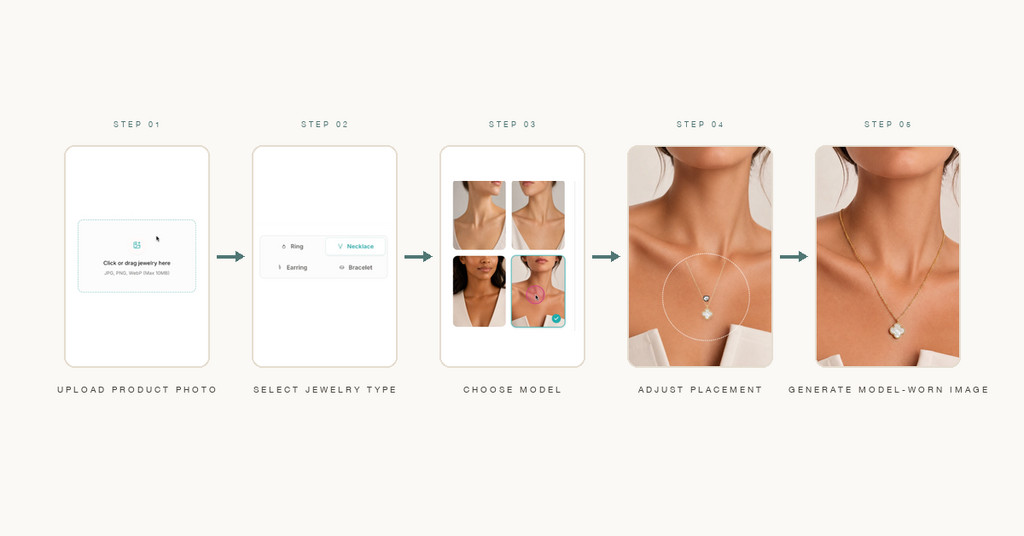
Here is a straightforward workflow.
The best AI outputs usually start with a strong source image.
Choose a jewelry product photo that clearly shows:
White-background images often work well because they reduce visual noise. If the jewelry is heavily obscured by props or photographed at a confusing angle, the output may be less reliable.
In other words, do not think of AI as a shortcut for poor product photography. Think of it as a way to get more value from the product photos you already have.
Not every model image has the same job.
Before generating anything, decide what the image is meant to do.
For example:
This step matters because it determines how realistic, commercial, or styled the final output should feel.
For jewelry, the model direction should support the product rather than overwhelm it.
That means thinking about:
For a necklace, a clean crop around the neck and collarbone may be ideal.
For earrings, the ear and side profile matter more.
For bracelets, the wrist and hand become important.
For rings, the hand position is everything.
The more closely the image composition fits the jewelry category, the better the result tends to be.
Once you have the product image and the right model direction, you can generate the model-worn result.
Tools such as AI Jewelry Model are designed specifically for this kind of workflow: turning jewelry product photos into model-worn visuals for ecommerce use.
This kind of workflow is especially useful when you want to:
The output should always be reviewed carefully before publishing, but it can significantly speed up visual production for stores with limited time or creative resources.
This is where human judgment still matters.
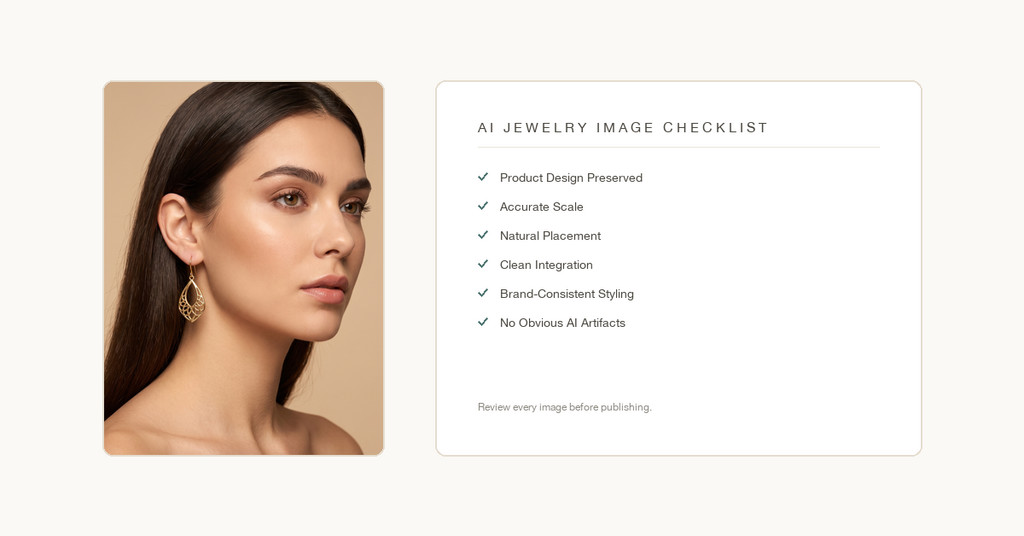
Before using an AI-generated model-worn image on your Shopify store, review it for:
For jewelry, small mistakes matter. A necklace that sits unrealistically or a ring that appears too large can reduce trust quickly.
AI should help you produce more images, but quality control remains non-negotiable.
Different jewelry types need slightly different review standards.
For rings, focus on:
A ring image can look polished at first glance but still feel wrong if the size reads incorrectly.
For necklaces, review:
This is especially important for pendants and layered pieces.
For earrings, check:
Earrings often benefit from very controlled framing.
For bracelets, pay attention to:
Bracelets often perform better when the image feels simple and elegant rather than over-styled.
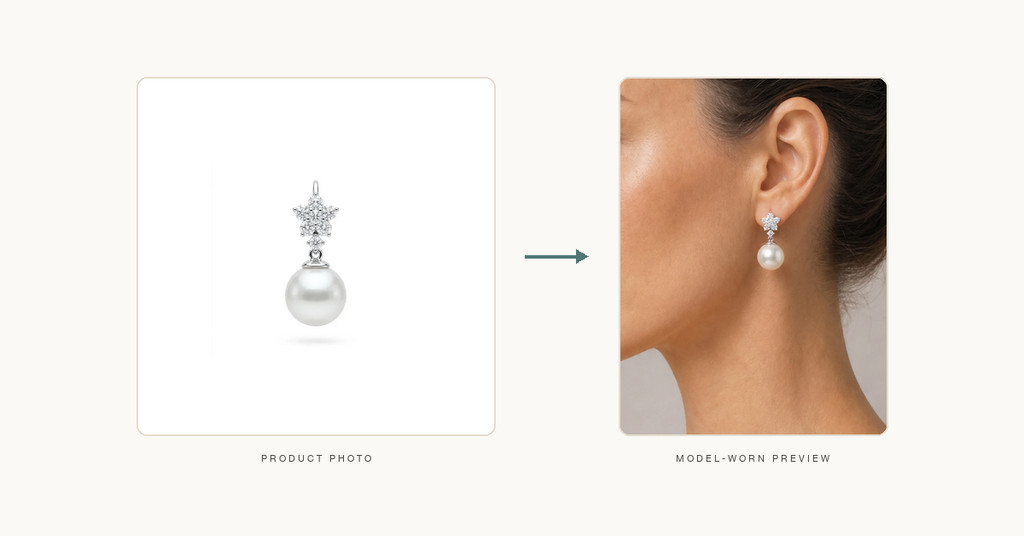
AI-generated model-worn visuals are most useful when they support everyday ecommerce and marketing needs.
This is the most obvious use case. A model-worn image helps customers understand what the piece looks like in context.
You may not want full editorial imagery for every collection thumbnail, but having a few model-oriented visuals can make category pages feel more polished and premium.
Ad creative often needs variety. AI-generated model-worn jewelry images can help you test more concepts without organizing repeated shoots.
Promotional emails can benefit from more styled visuals, especially around launches, gifting, and seasonal campaigns.
For Instagram, Pinterest, Facebook, and short-form creative assets, you often need more than static product-only images. Model-worn visuals provide a bridge between product clarity and aspirational branding.
AI is useful, but it is not the answer to every visual need.
Traditional photography is often still the better choice when you need:
The best way to think about AI is not AI versus photography. It is AI plus photography.
Use real photography for the images that define your brand. Use AI to scale the supporting visuals that help you sell more effectively day to day.
If you are adding AI model-worn images to your workflow, create a simple internal checklist.
Before publishing, ask:
If the answer is yes, the image is likely doing its job.
If not, revise it.
The goal is not simply to generate something attractive. The goal is to generate something useful for ecommerce.
Shopify jewelry stores no longer need to choose between plain product shots and expensive full-scale model shoots for every SKU.
A more practical middle ground now exists.
By starting with a clear product photo, choosing the right wearing context, generating model-worn visuals with AI, and applying strong quality control, jewelry merchants can build richer product pages and more flexible marketing assets without slowing down their launch process.
For stores selling rings, necklaces, earrings, and bracelets, model-worn visuals can answer the questions that product-only images often leave unresolved.
And in ecommerce, those small moments of clarity can make a meaningful difference.
No. AI is best used as a complement to traditional photography, not a full replacement. It is especially helpful for supporting imagery, fast iteration, and scaling product presentation.
Rings, necklaces, earrings, and bracelets are all strong use cases, especially when you already have a clean product photo to start from.
Yes, as long as you review the output carefully and make sure it accurately represents the product you are selling.
Speed and flexibility. It helps you create more useful visual assets without arranging a full shoot for every product.
Always review placement, scale, natural integration, product accuracy, and overall consistency with your store’s visual standards.