
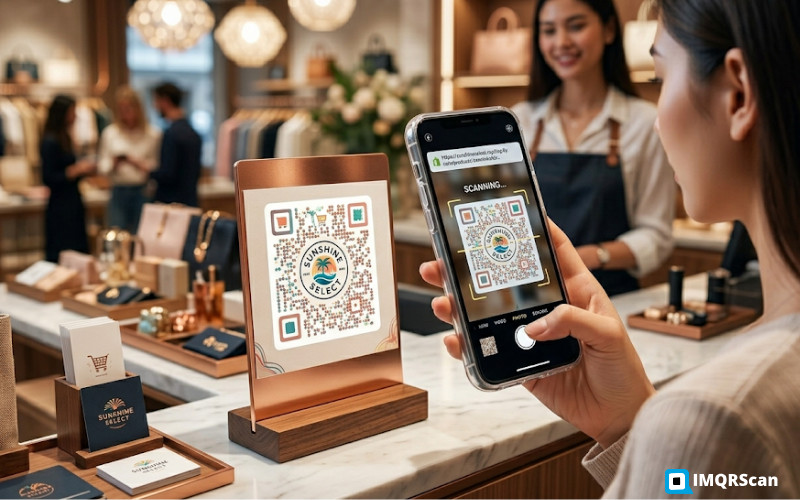
QR code scans increased 328 percent year over year in 2025, with 72 percent of scans coming from product packaging and marketing materials, according to Statista’s 2026 QR code adoption report. For Shopify stores, this represents one of the highest-ROI offline-to-online channels available.
Running a Shopify store is not only about getting people to visit your website once. The bigger challenge is bringing customers back, encouraging repeat purchases, increasing average order value, and building a stronger connection between your brand and the buyer after the first order.
Most ecommerce brands spend heavily on ads, email campaigns, influencer partnerships, and retargeting. These channels are useful, but many stores overlook one of the most direct and affordable touchpoints they already control: physical customer interaction.
Every package, product insert, thank-you card, flyer, receipt, event display, and retail label is an opportunity to send shoppers back to your Shopify store. The easiest way to connect those offline moments with online actions is through QR codes.
For Shopify merchants, QR codes are no longer just a basic way to share a link. They can become a practical sales tool. A well-placed QR code can send customers to a product page, discount offer, review page, loyalty program, WhatsApp support chat, reorder page, size guide, video tutorial, or limited-time campaign.
That means packaging and printed materials do not have to be passive anymore. They can become measurable ecommerce assets.
The biggest advantage of a QR code is simplicity. A customer does not need to type a URL, search your brand name, or remember a discount code. They only need to scan.
This matters because every extra step creates friction. If a customer receives a product insert with a long web address, many people will ignore it. If the same insert includes a clear QR code with a direct benefit, such as “Scan to get 10% off your next order,” the chance of action increases.
Shopify stores can use QR codes to connect physical moments with digital experiences. For example:
The idea is simple: when customers already have your product in their hands, give them a fast path to the next action.
Many Shopify brands treat packaging as a design expense. But packaging can also be a conversion channel.
When someone opens a package, they are usually at a high-attention moment. They are interested in the product, curious about the brand, and more emotionally engaged than they were while scrolling online. This is the right time to guide them toward another useful action.
A QR code on packaging can lead to:
For example, if a Shopify merchant sells fitness accessories, the QR code inside the box could open a page with workout videos and a discount on matching products. If the store sells candles, the QR code could lead to care instructions, scent recommendations, or a subscription page.
This makes the packaging useful beyond the first impression. It becomes part of the customer journey.
Product inserts are one of the most underrated marketing tools for ecommerce brands. They are inexpensive, easy to test, and placed directly in front of customers who have already purchased.
The problem is that many inserts are too generic. They say “Thank you for your order” and maybe include a discount code. But they do not make the next step easy.
Adding a QR code changes that.
Instead of asking customers to manually visit your Shopify store and enter a code, you can send them directly to a discount landing page. You can even create different QR codes for different products, customer segments, or campaigns.
For example:
The clearer the benefit, the better the response.
A product insert should not only thank the customer. It should guide the customer toward the next useful action.
Some ecommerce brands assume print is outdated. But many Shopify stores still use flyers, postcards, pop-up event materials, retail displays, packaging cards, and local promotions.
The challenge with print is attribution. If you hand out flyers, how do you know whether they generated sales? If you put posters in a retail partner’s store, how do you track interest? If you sponsor an event, how do you measure visits from that event?
QR codes help solve this problem.
A Shopify store can create separate QR codes for:
This allows the brand to see which offline materials are actually sending traffic to the store. For dynamic QR codes, the destination can also be changed later, which is useful when campaigns change or offers expire.
For example, a QR code printed on a spring campaign flyer could first point to a seasonal collection. Later, the same QR code could be updated to point to a summer sale page without reprinting the flyer.
That flexibility is valuable for Shopify stores that run frequent campaigns.
One of the most practical use cases is linking directly to Shopify product pages.
A product page QR code can be used on:
This is especially useful when customers see a product offline but want to learn more online. A QR code can send them directly to the product page where they can check details, reviews, variants, and pricing.
For example, a beauty brand selling through a boutique could place QR codes beside each product. A customer scans the code and lands on the Shopify product page with ingredients, reviews, and bundle options.
This creates a better bridge between offline discovery and online purchase.
Discounts work best when they are easy to redeem.
Instead of printing a code and asking customers to remember it, Shopify stores can use QR codes that open a discount link directly. The customer scans the code and lands on the store with the discount applied or clearly explained.
This can be used for:
A simple example:
The QR code removes friction and makes the action immediate.
Customer reviews are extremely important for Shopify stores. They build trust, support conversion, and help new buyers feel more confident.
But asking for reviews through email alone is not always enough. Many customers miss emails or ignore review requests.
A QR code can be added to packaging or a thank-you card with a simple message:
“Love your order? Scan to leave a quick review.”
This works because the customer sees the request while they are interacting with the product. The timing feels natural.
Depending on the brand’s review strategy, the QR code can send customers to:
The key is to keep the process short. If customers scan and face a long form, many will drop off. The landing page should be mobile-friendly and quick to complete.
Not every QR code has to drive a sale. Some can reduce support friction.
For example, a Shopify store can use QR codes to help customers access:
This is useful for products that require setup, sizing, assembly, or usage instructions.
A furniture brand can add a QR code to packaging that opens an assembly video. A clothing brand can link to a size exchange page. A tech accessory brand can send customers to a setup guide.
When customers get help faster, the support team receives fewer repetitive questions. It also creates a better post-purchase experience.
Shopify merchants should understand the difference between static and dynamic QR codes before printing them.
For example, if a store prints 5,000 thank-you cards with a static QR code pointing to a Valentine’s Day sale, that QR code becomes less useful after the campaign ends.
With a dynamic QR code, the store can update the destination later to point to a new offer, collection, or landing page.
Dynamic QR codes can also provide scan analytics, such as how many people scanned, when they scanned, and where the scans came from. This helps merchants understand which offline materials are actually working.
For Shopify brands that print at scale, dynamic QR codes are usually the safer option.
Creating a QR code for Shopify is straightforward. The merchant only needs the destination URL.
This could be:
After copying the Shopify link, the merchant can paste it into a QR code tool, customize the design, test the code, and download it for printing.
For ecommerce campaigns, merchants should also think about the message around the QR code. The call-to-action matters as much as the QR itself.
Customers need a reason to scan. A QR code without a benefit is easy to ignore.
For Shopify stores that want a simple way to turn store links, product pages, discount URLs, and campaign pages into QR codes, IMQRScan is a useful option. Merchants can use a Shopify QR code generator to create QR codes for Shopify URLs and use them across packaging, flyers, inserts, labels, retail displays, and offline campaigns.
IMQRScan is designed for businesses that need more than a basic QR image. It supports static and dynamic QR codes, branded QR designs, scan tracking, editable destinations, and multiple QR code types for marketing and customer engagement.
For Shopify brands, this means one QR code can support many practical campaigns, such as product discovery, repeat purchase offers, customer reviews, WhatsApp support, digital catalogs, and multi-link landing pages.
This is especially useful for merchants who want to measure offline-to-online performance instead of guessing whether printed materials are working.
Different Shopify stores can use QR codes in different ways.
The best QR code campaign is not always the most complicated one. Often, the best campaign is the one that solves a real customer need at the right moment.
QR codes should not be added randomly. They work best when they are connected to the customer journey.
For example:
The placement should match the customer’s mindset.
Many QR campaigns fail because the QR code is treated as an afterthought.
Here are common mistakes Shopify stores should avoid.
One of the main benefits of using QR codes in ecommerce is the ability to measure offline engagement.
Shopify stores can track performance by using different QR codes for different placements.
For example:
By separating the codes, merchants can see which channel drives the most scans and which campaigns deserve more investment.
The store can also use UTM parameters to track traffic in analytics tools. For example, a QR code on a product insert might include a UTM source like “packaging_insert” and a campaign name like “repeat_purchase_offer.”
This makes reporting much easier.
Instead of saying, “We think our packaging insert worked,” the team can see scan volume, traffic, and conversions more clearly.
Shopify stores already invest time and money into packaging, product inserts, flyers, events, and customer experience. QR codes help make those physical touchpoints more useful and measurable.
A QR code can guide customers to the next step, whether that is buying again, leaving a review, joining a loyalty program, watching a product guide, contacting support, or discovering related products.
The most successful QR campaigns are simple. They have a clear purpose, a strong call-to-action, a mobile-friendly destination, and a way to measure results.
For Shopify merchants, this creates a practical bridge between offline attention and online sales.
Packaging, flyers, and product inserts do not have to end the customer journey. With the right QR code strategy, they can become the start of the next purchase.
Areeba Wasim is the founder of IMQRScan, a platform focused on dynamic QR codes, real-time analytics, and digital interaction systems. With a background in data engineering and large-scale data processing, she specializes in bridging physical and digital environments through measurable and scalable technologies.
A QR code should be at least 1 inch by 1 inch (2.5 cm by 2.5 cm) to scan reliably from a typical smartphone distance. Larger is better, especially if your packaging is textured or has a busy background. A 2 inch by 2 inch QR code is ideal for product packaging because it is large enough to scan from any angle and any distance. The key is to ensure there is at least a quarter-inch white border around the QR code (called the quiet zone) so the scanner can properly read it. Test your QR code on multiple devices and backgrounds before printing to ensure it scans reliably.
Yes, you can track QR code scans using a QR code tracking service or by using UTM parameters in your QR code URL. A QR code tracking service shows you the number of scans, the device type, the location, and the time of scan. UTM parameters allow you to track QR code traffic in Google Analytics and Shopify Analytics. For example, a QR code URL might look like: yourstore.com/discount?utm_source=packaging&utm_medium=qr&utm_campaign=repeat_purchase. This allows you to see exactly how much traffic and revenue your QR codes are driving. UTM parameters tracking is essential for measuring QR code ROI.
Link your QR code to a mobile-optimized landing page or discount code, not to your homepage. A customer who scans a QR code on packaging is looking for a specific incentive (a discount, a survey, an SMS signup). If you link them to your homepage, they have to navigate to find what they are looking for, and many will abandon. Instead, link them to a landing page that clearly states what they will get (e.g., “Get 15% off your next order”) and makes it easy to claim the offer. A single-page mobile experience with a clear call-to-action will convert 3 to 5 times higher than linking to your homepage.
You should update your QR codes every 3 to 6 months or whenever you change your promotional offer. If you are running a seasonal promotion, update your QR code to reflect that promotion. If you are running a year-round repeat purchase incentive, you can keep the same QR code on your packaging for 6 to 12 months. The key is to monitor scan rates and conversion rates. If scan rates are declining, it may be time to refresh your QR code with a new offer or a new design. Customers who have seen the same QR code multiple times may be less likely to scan it, so periodic updates keep the channel fresh.
The ROI on QR code campaigns is typically very high because the cost of implementation is low. Creating a QR code is free, and the cost of printing a QR code on packaging is negligible (a few cents per unit). If your QR code drives even a 2 to 3 percent repeat purchase rate increase, the ROI is positive. Most Shopify stores see a 5 to 15 percent increase in repeat purchase rates after implementing QR codes on packaging, which translates to a 300 to 500 percent ROI. The key is to track your baseline repeat purchase rate before implementing QR codes, then measure the improvement after implementation.
You should create unique QR codes for each marketing channel so you can track which channels are driving the most traffic and conversions. A QR code on packaging should be different from a QR code on a flyer or a QR code in an email. This allows you to see which channels are most effective and allocate your marketing budget accordingly. For example, if your packaging QR code drives 10 percent scan rate and your flyer QR code drives 3 percent scan rate, you know that packaging is a more effective channel and you should invest more in packaging QR codes. Unique QR codes for each channel also allow you to optimize each channel independently.




