

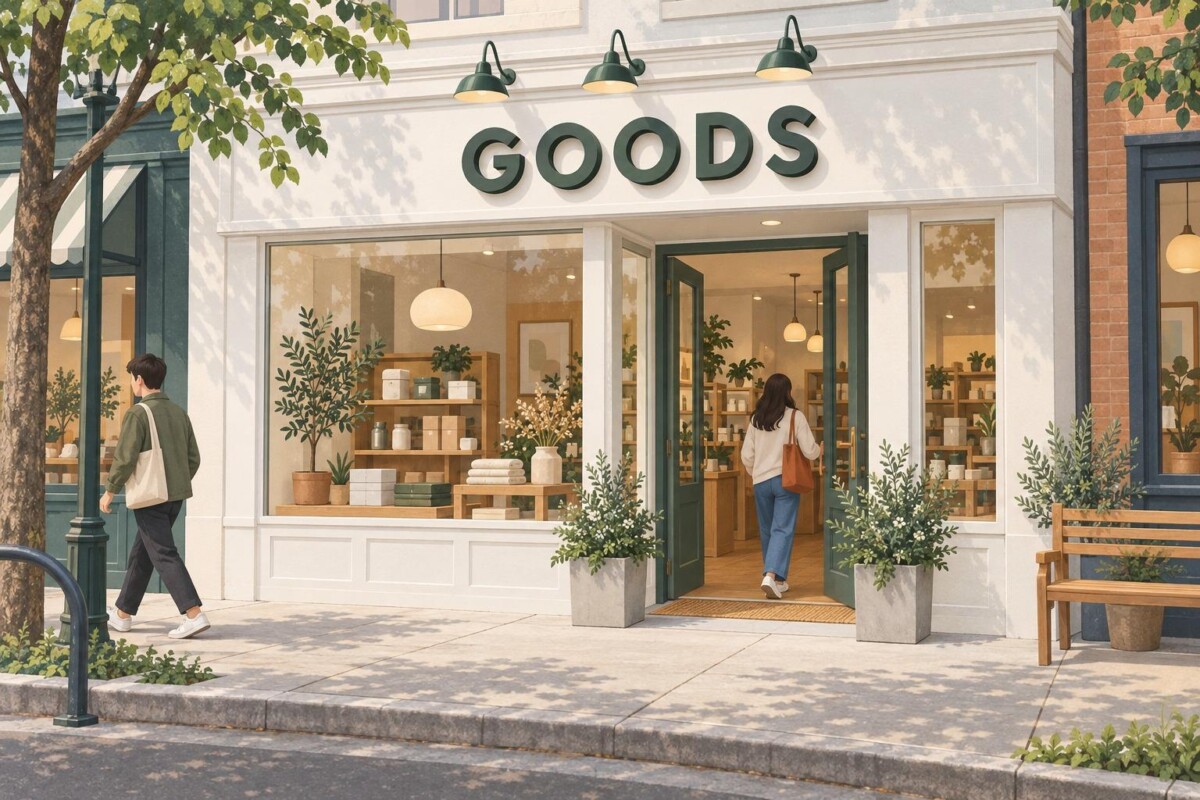
An online brand’s first storefront needs a sign brief, not a bigger website header. Define the job of each sign, adapt the logo to the real facade, keep the name identical to your Google Business Profile, and send every supplier the same schedule before comparing quotes.
Your storefront sign is part of how Google decides your listing is real. If the name on the building doesn’t match the name on your profile, the problem goes beyond looks.
Picture the first Saturday at a new showroom. The brand has a polished Shopify header, a recognizable box, and a solid email list. A customer who booked online parks across the street, looks at a row of storefronts, and can’t tell which one is yours. She checks Google Maps, walks to the wrong door of a shared building, and arrives annoyed. Nothing about the product failed. The sign did.
That gap is common when an online brand opens its first physical location, because everything the team knows about branding was learned on screens. People can zoom and tap a website header. A permanent sign has to identify one place in its actual surroundings, at a distance, in changing light, next to neighbors competing for the same glance. That calls for a physical sign brief, not a larger copy of the website header.
This guide walks through that brief: what each sign must do, how your exterior sign connects to your Google listing, how to adapt the identity, and how to hand suppliers a schedule they can actually quote. Whether you are opening a single appointment only showroom or the first of several stores, the same sequence applies; the budget simply scales with the stage. If you are still weighing location, layout, and in-store atmosphere, start with this guide to taking an online business onto the high street and come back once the space is settled.
Each permanent sign should do one job: the exterior sign identifies the business from the approach, the entrance sign confirms the right door, and the reception sign reinforces the brand once the customer is inside. The same name may appear in all three places, but the signs do different work, and a sign asked to do all three jobs usually does none of them well.
Start with the customer’s arrival, not the brand book. The exterior sign has to be read from the sidewalk, the parking lot, or a passing car. A sign near the entrance confirms the right door, which matters more than most brands expect when the unit shares a building, sits behind a lobby, or has an offset entry. Inside, a reception sign can carry more of the brand’s character because the customer is standing still and already knows where they are.
Imagine an online merchant opening a small showroom. Customers book visits on the website, then arrive on foot or by car. The site handles the appointment details. The exterior sign helps them recognize the place. Permanent identification should not have to carry every promotion, seasonal offer, and social handle, because those change much faster than the business name and location. Window graphics and A-frame boards exist for the changeable messages.
For each proposed sign, write down who will read it, from where, and at what moment. Until the team can answer that, choosing a sign type is premature. An expressive reception wall cannot make up for missing exterior identification, and a large facade sign may still leave visitors unsure which door to use. If you are earlier in the journey and still testing demand, the pop-up formats brands use to test physical retail before signing a lease are worth reviewing first, because a temporary space changes what permanent signage you need.
Your exterior sign is part of your local search presence, because Google’s rules tie a Business Profile that shows an address to permanent signage at that address. The guidelines for representing your business on Google state that businesses showing their address “should maintain permanent fixed signage of their business name at the address,” and that your listed name should reflect the real world name used consistently on your storefront, website, and stationery.
For an online brand this is a bigger deal than it sounds. Many DTC brands trade under one name on the website, a slightly different one on packaging, and a legal entity name on the lease. The sign is where you have to choose. Put the name customers already search for on the building, then make sure your Google Business Profile, your Shopify store name, and your receipts all say the same thing. Mismatches between the sign and the listing are exactly the kind of inconsistency that makes a profile harder to verify and harder to trust.
Verification is the practical moment this shows up. Google’s video verification process for Business Profiles asks owners to show outside signs, nearby businesses, or a street sign that confirms the location. If the permanent sign is still in fabrication when you open, plan for that gap: confirm with your supplier when installation is realistic, and do not rely on a paper sign in the window as your long term answer.
The same consistency carries into the rest of your stack. If you run in-store sales on Shopify POS, the location name you set up there appears on receipts and in your reporting, so it is worth aligning with the sign before launch rather than renaming it later. The goal is simple: a customer who finds you in search, walks up to the building, and pays at the counter sees one name the whole way through.
Adapting the identity means choosing the logo version that names the business clearly from the street, checking it against the real frontage, and accepting that the physical version will differ in detail from the screen version. Enlarging the website header skips all three steps, and it is the most common shortcut online brands take.
Open the original brand files before browsing sign catalogs. Find the version that contains the full business name, then review any horizontal, stacked, or compact alternatives. An icon that works as a social avatar may tell a new visitor nothing about the business on the building. Choose a preferred exterior version and note which alternatives are acceptable if the available surface changes the layout. A long, narrow fascia above a shopfront calls for something very different from a square panel beside a door.
Review color on the real frontage. A mark designed against a white browser window can lose contrast on glass, dark cladding, or patterned brick. Place the identity over a photograph and inspect it from the point where a customer will first look for the business. Dimensions taken from that mockup are not site measurements, so label them as estimates until someone measures the facade.
Separate what must stay fixed from what needs supplier input. The exact business name and approved artwork belong in the brief. Finish, backing treatment, and placement may still be open. If the logo contains small supporting words, such as a tagline or a “since” date, decide whether they matter from the street or belong closer to the entry. The physical version should feel like the same brand without copying every detail from the screen. Our guide to building a brand identity that holds up beyond your website covers the same principle across packaging, merchandise, and events, and it is a useful companion before you brief a sign supplier.
A sign schedule is a single working document that lists every proposed sign, its job, what is confirmed, and what is still open, so the merchant, the property team, and every supplier work from the same facts. Enter what the team knows and leave unanswered questions visible rather than guessing from a lease drawing.
A first version for a hypothetical showroom might look like this:
Notice that nothing in the schedule claims a confirmed measurement yet. That is deliberate. Replace the hypothetical entries as the team confirms actual site information, and keep the open column even after choosing a visual direction. A preference for an illuminated exterior treatment is useful, but the team still needs to discuss power, access, mounting, and property review before anyone can price it.
Add a short note under the schedule recording the exact business name as it appears on your Google Business Profile. It sounds redundant, but it stops a supplier from setting the legal entity name or an old tagline in metal.
If only the exterior sign is part of the opening plan, leave the other rows for later. Do not quietly turn the first quote into a larger rebrand or interior buildout project. A schedule with one confirmed row and two parked rows is a perfectly good opening plan.
Test the sign concept by overlaying it on real photographs of the storefront taken from the angles customers actually approach from, and by asking someone who doesn’t know the site to find the entrance on that image. A mockup on a white background tells you almost nothing about how the sign will perform on the street.
Photograph the storefront head-on and from the angles visitors use. Keep the full facade, neighboring tenants, and entrance in view. A tight crop makes almost any logo look prominent. The wider scene reveals the tree, awning, or neighboring sign that may compete with it. Ask someone who does not know the site to point out the proposed entrance on the concept image; if they hesitate, the entrance cue needs more work.
A photo overlay can help compare placement and hierarchy. It is not a survey, a material sample, or a finished lighting study. Label it as a concept, request available measurements and property criteria, then ask qualified suppliers and other responsible professionals what must be checked at the site.
Use the merchant’s real customer flow when reviewing the exterior. If appointments continue into the evening, explore how the identity reads after dark. If customers enter through a shared lobby, a clear door cue may matter more than a second large facade sign. The arrival route should drive that decision, not the number of references in a mood board.
Check accessibility at the same time. Under the 2010 ADA Standards, the U.S. Access Board’s guide to entrances, doors, and gates explains that signs showing the location of the nearest accessible entrance are required at each inaccessible public entrance, using the International Symbol of Accessibility with directional information. If your branded customer door is not the accessible one, that sign belongs in the schedule too. Requirements differ outside the United States, so confirm local rules with your landlord and supplier.
Spend on permanent, illuminated exterior signage once the location is a long term commitment, and keep everything else as simple as the customer flow allows. The right sign budget depends far more on how long you plan to stay and how customers arrive than on how polished the brand looks online.
The pattern eCommerce Fastlane sees most often with brands in the $500K to $2M range is premature complexity: adding channels, tools, and tactics before the fundamentals are solid. Physical signage invites the same mistake. A team excited about its first space orders an illuminated facade sign, a blade sign, frosted window graphics, and a feature wall for reception before the first customer has walked in. Every one of those may be justified eventually. Very few are required on day one.
Here is a stage aware way to think about it. If you are testing physical retail through a pop-up or short lease, use removable signage and invest in the entrance cue, because a temporary space rarely justifies fabricated letters. If you are opening an appointment based showroom, prioritize the exterior identity and the door cue, since booked customers need to find you once and then return. If you are signing a multi-year lease on a store that depends on walk-in traffic, the exterior sign becomes a core piece of infrastructure, and illumination, durability, and night visibility deserve real budget.
Larger brands planning several locations face a different question: which elements become a repeatable standard and which adapt to each site’s codes. The DTC physical retail playbook for moving from Shopify to a storefront covers readiness thresholds, permitting, and multi-location brand standards in depth, and it pairs well with the schedule approach here.
Supplier quotes become comparable when every supplier receives the same package: the chosen name and artwork, frontage photos, the sign schedule, confirmed measurements, property criteria, and the open questions. Without that, you end up comparing a quote for fabrication alone against one that includes installation, permits, and electrical work.
Describe the preferred sign direction without presenting it as an approved technical choice. Signage.com offers custom storefront signs, including channel letters, lightboxes, blade signs, dimensional letters, and custom logo signs, and can use a brief like this to start a quote. Whichever suppliers you approach, send the identical package so the responses line up.
Ask each supplier to state what the response includes. That may cover artwork preparation, fabrication, delivery, installation, or proposed illumination. Ask for exclusions as well as assumptions involving field verification, power, mounting, and property review. When two quotes cover different scopes, compare them against the schedule before comparing price. A lower number that excludes installation and permit drawings is not cheaper; it is incomplete.
A supplier may recommend a different format from the first mockup. That is often useful, because they see constraints your team doesn’t. Review what the change does to the business name on the arrival path, the facade, and the entrance cue. Keep the approved brand version and unresolved site questions in view. Changing the sign type does not require abandoning the identity customers already know online.
Finally, ask every supplier who handles the permit application and what lead time they assume. Sign permits are set locally, so the realistic timeline depends on your municipality and landlord, and it is better to learn that before you announce an opening date.
A brief is ready for final quotes when every blank the team can resolve has been resolved, every remaining blank has an owner, and the schedule, photos, and artwork travel together. At that point a supplier can price the job instead of guessing at it.
Before requesting final quotes, confirm the preferred logo version, label the proposed locations on the frontage photos, collect property documents, and note which measurements are still pending. Assign each open item to the person who can answer it. The merchant owns the branding decisions and the business name, the property team addresses what it controls, and qualified suppliers explain what they need to verify on site.
Keep the schedule attached to every round of feedback. If the exterior location changes, update that row and the annotated frontage photo together instead of sending a stray new image. Version the file by date so nobody quotes against an old layout.
When the sign goes up, close the loop online. Confirm your Google Business Profile name matches the sign exactly, add fresh exterior photos to the profile, and check that the location name in your point of sale and on receipts says the same thing. The physical and digital versions of the brand should now point to one place.
The opening team can then judge the whole project against one practical standard: whether a first time visitor can recognize the business from the street, find the right door, and match what they see to what they found online.
An online brand’s first storefront sign should carry the business name customers already know and search for, in the logo version that reads clearly from the street. Leave taglines, social handles, promotions, and URLs off the permanent exterior sign, because they change faster than the name and clutter the one job the sign has: identifying the business from the approach. Use the same name that appears on your Google Business Profile, Shopify store, and receipts so customers see one consistent identity. Changeable messages belong on window graphics, A-frame boards, or an entrance panel that can be updated cheaply.
Google’s guidelines say businesses that show their address on Google should maintain permanent fixed signage of their business name at that address. Google also expects the listed name to reflect the real world name used consistently on your storefront, website, and stationery. During video verification, owners may be asked to show outside signs, nearby businesses, or a street sign that confirms the location. If your permanent sign is not installed by opening day, plan the verification timing around installation, and keep the name on the sign identical to the name on the profile to avoid inconsistencies.
Compare sign quotes by sending every supplier the identical package first: the approved name and artwork, frontage photos, a sign schedule, confirmed measurements, property criteria, and open questions. Then ask each supplier to list exactly what is included, such as artwork preparation, fabrication, delivery, installation, illumination, and permit handling, plus any exclusions and assumptions about power, mounting, and site verification. Line each response up against your schedule before looking at price. A cheaper quote that excludes installation or permits is not actually cheaper, it simply covers a smaller scope.
An illuminated storefront sign makes sense when customers arrive after dark, when the store depends on walk-in traffic, or when you have committed to a long lease. For an appointment based showroom that closes before evening, a well lit non-illuminated sign and a clear entrance cue may be enough. Illumination also adds questions about power, mounting, landlord approval, and local sign rules, so record it as a preference in your sign schedule rather than a decision, and let suppliers and the property team confirm what the site allows before you commit.
An online brand should start the sign brief as soon as the lease is close to signed, because landlord review, local permits, fabrication, and installation all take time that varies by municipality and property. Begin with the sign schedule and frontage photos, request property criteria early, and ask suppliers who handles the permit application and what lead time they assume. Avoid setting a public opening date until the exterior sign has a realistic installation window, since a missing sign affects both first visits and your Google Business Profile verification.




