
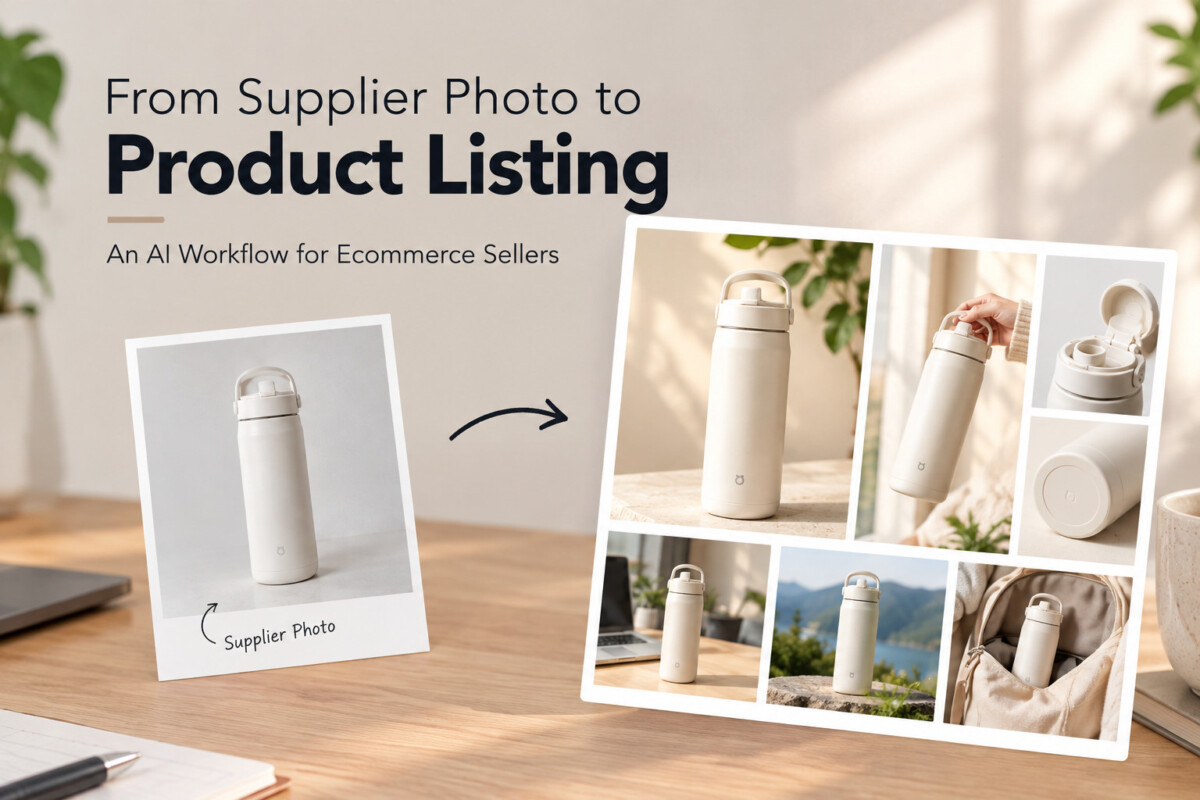
One usable supplier photo can become a complete product listing: clean the main image, then build lifestyle, feature, and detail visuals from that same asset, and check every image against the real product. The workflow fits product testing; proven bestsellers still justify a real photoshoot.
The goal is not more images. It is five images that each answer a different question a shopper has before they buy, built on a product that still looks exactly like the one they will receive.
Launching a new product doesn’t always start with a professional photoshoot. Sometimes, all you have is a few basic images from your supplier. They show the product, but they may not be ready for your store. The background may look generic, the image quality may be limited, and you may still need lifestyle photos, product details, and other visuals to help customers understand what they’re buying.
For small ecommerce sellers or dropshippers testing a new product, investing heavily in visual production before knowing whether it will sell may not make sense.
With a Face AI-based workflow, you don’t have to create every image from scratch. You can start with vendor-provided photos, optimize them, generate different product visuals, and turn them into product display images ready for your store.
Whether you’re doing your first $1,000 month or you run a catalog where new products launch every week, the steps below are the same. What changes by stage is how many products you push through this workflow at once, and how quickly a winner graduates to real photography.
Supplier photos usually show the product clearly but are not built for your store, your page layout, or the questions your customers ask before buying. The product itself may be perfectly usable. The challenge is turning a raw image into a set of visuals that feels like it belongs on your product page.
Supplier photos are designed to show the product, not to fit your particular store. You may receive an image with a plain or distracting background, inconsistent lighting, limited resolution, or a composition that doesn’t work with your product page. There is a second problem many new sellers miss: the same supplier often sends the same photos to every reseller, so a shopper comparing listings sees the identical image on five different stores. Your listing looks interchangeable before the shopper has read a word.
A single product photo shows what an item looks like, but it cannot answer every question a customer has. They also want to know what it looks like in use, how large it is, what its key features are, what the material or texture looks like, and how it fits into their everyday life. That’s why a strong product listing usually needs several types of visuals rather than one product image repeated in different crops.
If you’re launching an established bestseller, professional photography may be a worthwhile investment. But what if you’re testing a product for the first time? You may not know whether it will generate sales, whether customers will respond to it, or whether you’ll still be selling it next month. In that situation, creating usable visuals from existing assets gives you a practical way to test the product before committing to a larger production budget.
Start every listing with the single best supplier photo you already have, and confirm you are allowed to use and edit it before you generate anything new. Everything in the rest of this workflow builds on that one image, so a weak or unlicensed starting point carries through to every visual you make.
If your supplier provides several photos, choose the one that clearly shows the product and contains enough visual information to work with. Look for a clearly visible product with minimal obstruction, image quality that is at least good enough to enhance, accurate product color, and visible details that matter to customers. You don’t need a perfect photograph. You need a useful starting point. Before you build on it, ask the supplier to confirm in writing that you may use and modify their images in your listings and ads. A one line email now is far cheaper than a takedown request after your ads are running.
Look at the image from the perspective of your product listing. Is the background distracting? Is the image too small? Does the product need to be shown in a real environment? Are important features hard to see? The answers give you a short list of visual problems to solve rather than randomly generating new images.
Consistency is the most important principle when using AI for ecommerce visuals. The goal is to improve the presentation of the product, not to redesign it. Its shape, color, proportions, materials, and important details should stay consistent with the actual item you’re selling, because the customer will hold the real one in their hands and compare.
A clean main product image is the selected supplier photo with its background removed or replaced and its resolution improved, so the product reads instantly at thumbnail size. It becomes the foundation every other visual in the listing is built from.
A supplier may use a background that doesn’t fit your store or makes the product difficult to focus on. Removing or replacing the background can create a cleaner product image and make the item stand out.
For example:

This gives you a reusable product asset that can also be used as the starting point for other visuals.
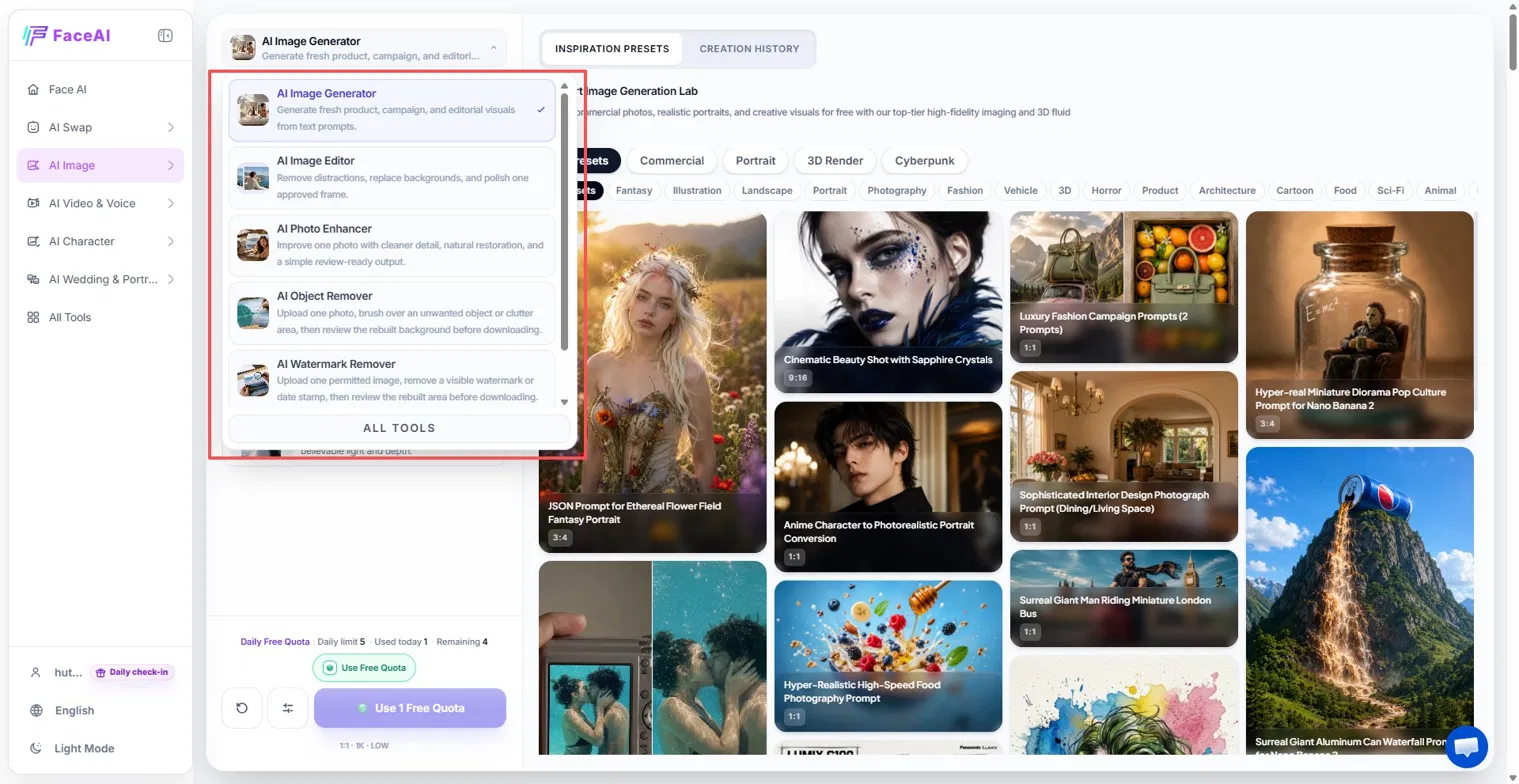
If the original image is low resolution or lacks detail, enhance it before creating additional versions. Image enhancement and upscaling can help make the product clearer and give you a better source for later visual creation. Do this first, because every variation inherits the quality of the source: a blurry base image produces blurry lifestyle scenes, and fixing it afterwards means redoing every one.
Your main product image doesn’t need to be complicated. Its job is to make the product immediately understandable, so keep the focus on the item and skip extra visual elements simply because an AI tool can generate them. If you also sell through Google Shopping, the main image has rules of its own. Google Merchant Center’s image requirements say the primary image must show the exact item being sold, with no promotional text, watermarks, or borders, and that images made with generative AI must keep the metadata that identifies them as AI generated. Google has also announced a minimum of 500 by 500 pixels for all product images from January 31, 2027. Keep a clean, unannotated main image for feeds, save your feature callouts for the secondary images, and before you upload, confirm your tool’s exported file keeps its AI metadata rather than stripping it.
If you’d rather stay inside your Shopify admin, Shopify Magic’s media generation can remove a background, generate a new one from a short prompt, or extend an image beyond its original borders, and it adds an invisible watermark to what it generates. Our guide to every AI tool inside the Shopify admin covers where it fits. A built-in editor is enough for many first tests; a dedicated tool earns its place when you need enhancement, scene generation, and repeat edits on the same asset in one place.
A lifestyle image shows the product inside a realistic scene so customers can picture it in their own life, which a clean product shot cannot do. A clean product image answers “what does this look like?” A lifestyle image answers “what would this look like in my life?”
Context makes a product easier to understand. A desk lamp can be shown on a workspace. A piece of furniture can be placed in a living room. A pet product can be shown in a home with a pet. A beauty product can be presented in a realistic personal care setting. The product remains the focus, but the surrounding environment shows how it fits into everyday life. The principles behind good lifestyle product photography apply whether a camera or a model produced the scene: real settings, believable light, and nothing staged so hard it looks fake.
Instead of arranging a separate photoshoot for every environment, you can use your existing product image as the starting point for different lifestyle concepts. In simple terms, the workflow takes a product image, places it in a lifestyle scene, and gives you a new product visual. This is particularly useful when you need several variations while testing a product.
More images aren’t automatically better. A lifestyle scene should help customers understand the product or imagine using it. A beautiful image that has nothing to do with how the product is actually used adds visual variety without adding useful information, and it can set an expectation the product will not meet. Think about the situations in which your customer would realistically use the product, then build your visuals around those situations.
Feature visuals turn the questions shoppers still have after the main and lifestyle images (size, material, how it works) into images built from the product’s real specifications. Lifestyle images show the product in context; this step explains what makes it useful.
After seeing the main image and lifestyle photos, customers may still wonder how large the product is, what it’s made of, how it works, what features it has, and how it should be used. Size is one that many listings skip. In Baymard Institute’s research on in-scale product images (published 2017, based on usability testing and a benchmark of 60 large ecommerce sites), 42% of users tried to judge a product’s size from its images, yet 28% of the sites benchmarked offered no image showing scale. Each open question is an opportunity to turn product information into visual content.
Instead of leaving every detail inside a long product description, highlight important information visually. The workflow runs from the product, to one key feature, to a visual that explains it. A backpack could have visuals showing its laptop compartment, storage capacity, and waterproof material. A kitchen product could show its dimensions, components, and different ways to use it. The exact information should always come from the actual product specifications rather than being invented by AI. A generated infographic that shows the wrong capacity is not a design flaw; it is a promise your product breaks.
Some product qualities are difficult to communicate through a standard product photo. Close-up visuals can highlight texture, materials, construction, buttons or controls, connectors, stitching, and small functional details. The purpose isn’t simply to make the product look more attractive. It’s to give customers information they need before making a purchase. Close-ups are where an invented stitch or port is easiest to miss, so compare each one against the real item.
A complete listing gives each image a different job, so five images answer five different questions instead of repeating one view of the product. At this point the goal isn’t to generate as many images as possible. It’s to build a listing where each visual has a specific purpose.
A simple structure could look like this:
Instead of creating five versions of essentially the same picture, each image should add something new. The images are one part of the page; how they sit alongside your description and add to cart button is covered in our breakdown of high converting Shopify product pages.
The biggest advantage of this workflow is that you don’t have to treat every image as a separate project. You build on the same core product asset in sequence: supplier photo, clean product image, lifestyle visual, feature visual, detail visual. Each step adds another layer of information to the same product, and because every visual starts from the same cleaned source, the product looks the same in all of them.
A good visual sequence gradually answers the customer’s questions: What is it? What does it look like in use? What does it do? What makes it useful? What details should I know? That is more useful than simply filling a product page with images. The objective is to help customers understand the product with as little friction as possible, so order the images in the same sequence their questions arrive.
Adapting the visuals means resizing the same core images for each placement, confirming the product still matches the real item in every version, and checking each file at the size customers will see it. Once the core visuals are ready, this step gets them ready to publish.
A product image created for a product listing may not work perfectly for every other placement. Product pages, mobile storefronts, social media, promotional banners, and short form content each favor different ratios. Instead of recreating the visual from scratch, adapt the same core product asset to each format, extending the background rather than squeezing or stretching the product to fit.
Changing the background or aspect ratio shouldn’t change the actual product. Before publishing, compare every image with the original product and make sure the shape, color, proportions, materials, and key features all remain accurate. Consistency matters because customers should receive the same product they saw in your listing.
Before adding your visuals to the store, check each image at the size customers will actually see it, on a phone as well as a desktop. Look for distorted product details, unnatural shadows, incorrect or garbled text, strange AI-generated elements, poor cropping, images that are too busy, and any change in the product’s appearance from one image to the next. AI can speed up visual production, but the final quality check still belongs to the seller.
An AI image workflow does not replace professional photography for established products, major campaigns, or listings that depend on real people using the product. It is a way to test a product quickly and cheaply from assets you already have, and to decide later whether the product deserves a bigger production budget.
For established products, major campaigns, or situations that require real people interacting with physical products, professional photography is still valuable. Real photography gives brands precise control over the physical product, lighting, models, locations, and every other element in the frame. If you want a middle path, a phone, window light, and a white backdrop go further than most sellers expect; our complete guide to taking product photos walks through that setup.
An AI workflow is most useful when you’re testing a new product, working with limited source images, running a small ecommerce operation, creating multiple visual variations, testing different product concepts, or working with a limited content budget. In those situations, starting from existing assets makes visual production far more flexible. The stage matters too. Sellers under $50K a month testing one product at a time get the most from it. A brand doing $1M a year launching several products a month can use it to screen which ones deserve a shoot, rather than shooting everything.
The point isn’t that every ecommerce seller should stop using professional photography. It’s that you don’t always need a complete photoshoot before you can start testing a product. If you already have a usable supplier photo, you can improve it, build additional visuals around it, and create a more complete listing first. Then, if the product proves successful, you can decide whether to invest in professional photography. A simple trigger keeps that decision honest: once a product is still selling after its first restock and you plan to keep it in the catalog, book the shoot and replace the AI set with real photos.
Yes, supplier photos can be a useful starting point for your store, especially when you’re testing a new product, as long as the supplier allows it. Ask them to confirm in writing that you may use and modify their images in listings and ads, because rights vary by supplier and marketplace. Then improve the images before publishing: clean up or replace the background, raise the resolution, and add lifestyle, feature, and detail visuals. Because suppliers often send identical photos to every reseller, editing them also stops your listing from looking exactly like everyone else’s.
You can improve a supplier product photo by enhancing its quality, removing or replacing the background, adjusting the composition, and upscaling it. Do the enhancement first, before you create any variations, because every later image inherits the quality of the source. The goal is a clean product image that keeps the real product’s shape, color, and details exactly as they are, so you can reuse it as the base for lifestyle scenes, feature graphics, and close-ups without the product changing from one image to the next.
Yes, AI image tools such as Face AI can use an existing product photo as a starting point and place the product in different environments or usage scenarios. This helps ecommerce sellers create lifestyle visuals without arranging a separate photoshoot for every scene. Choose scenes that match how customers would realistically use the product, and check that the product itself has not changed shape, color, or proportion in the generated scene. A scene that misrepresents the product creates expectations the real item cannot meet.
There isn’t one fixed number of product images that works for every product or platform, but five images with five different jobs is a practical starting point. Instead of focusing only on quantity, make sure your images answer different customer questions: what the product looks like, how it is used, what its key features are, what important details it has, and how large it is. Size is a question many listings leave unanswered, so include at least one image that shows the product next to something familiar.
Yes, an existing product image can be used as the basis for AI-generated infographics that show key features, dimensions, materials, or usage information. However, every factual detail in the graphic should come from the actual product specifications and be checked before publishing, because AI tools can invent measurements or features that look plausible. Keep these callouts on secondary images. If you sell through Google Shopping, the main image must stay free of promotional text and graphic overlays.
Yes, a single product photo can serve as the starting point for several types of ecommerce visuals, including a clean main image, lifestyle scenes, feature graphics, and detail images. Building them all from the same cleaned source keeps the product consistent across the whole listing and makes it easier to create a complete set without producing every asset from scratch. You can then resize the same core images for product pages, mobile storefronts, social media, and ads instead of recreating them for each placement.
AI cannot replace professional product photography in every situation. It is useful for testing new products, working with limited source material, and creating visual variations quickly, but it does not replace professional photography for established products or campaigns that require real models, physical products, or highly controlled photography. A sensible rule is to use AI visuals while a product is unproven, then book a real shoot once the product keeps selling after its first restock and you plan to keep it in your catalog for the long term.
You don’t always need a full photoshoot to give a new product a strong visual presence. With the right approach, even a few basic product photos can become a starting point for exploring different ways to present and market a product. Tools like Face AI can make this process more accessible, especially for small ecommerce sellers who need to move quickly and test new products. Start from your best supplier photo, give every image a job, check each one against the real product, and let sales tell you when the product has earned a real photoshoot.




