Free every Thursday · 60,261 Readers
Fastlane Insider Newsletter: What's working for Shopify in the AI era?
Free every Thursday · 60,261 Readers
Fastlane Insider Newsletter: What's working for Shopify in the AI era?
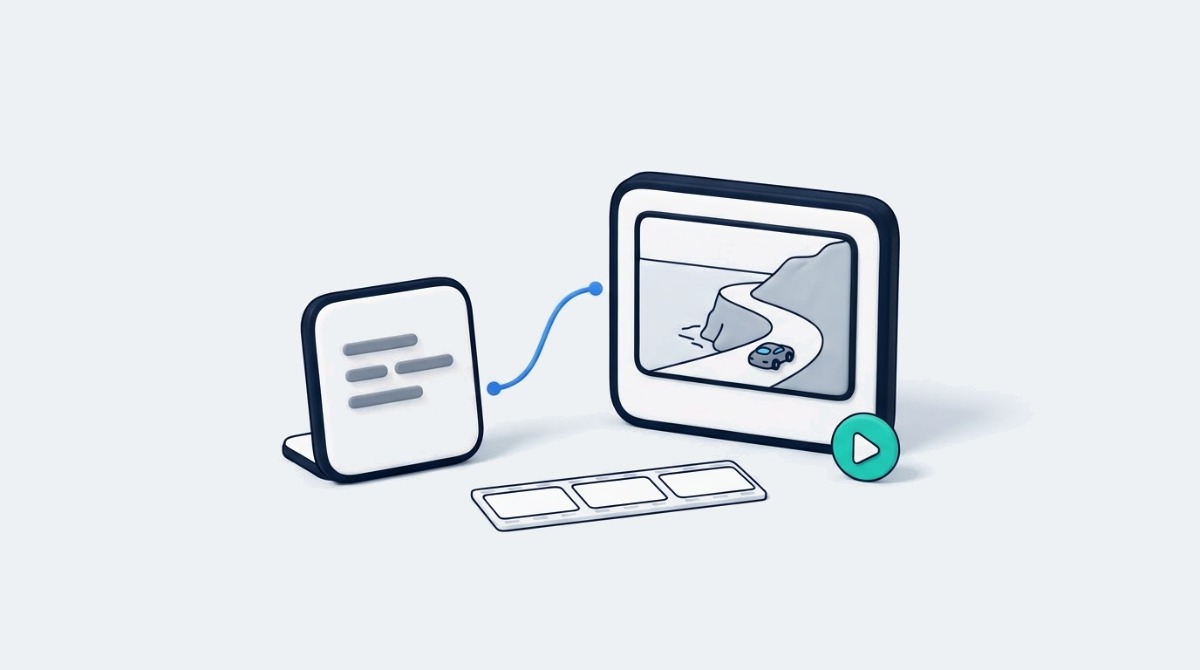
It used to be that a written idea had to be translated into moving pictures, meaning cameras, locations, equipment, and skills in editing. Dreamina AI takes the guesswork out of that with its ability to turn descriptive prompts into video concepts — without any pre-recorded footage. It offers an innovative working environment that includes video generation, image creation, and photo editing for various visual projects. See the scenes from movies, product presentations, social media videos, and imaginative animations, and read the directions. The secret is in the details and the actions that can be seen, not abstract concepts. Initial ideas can be transformed into more cohesive visual narratives with focused prompts and purposeful revisions.
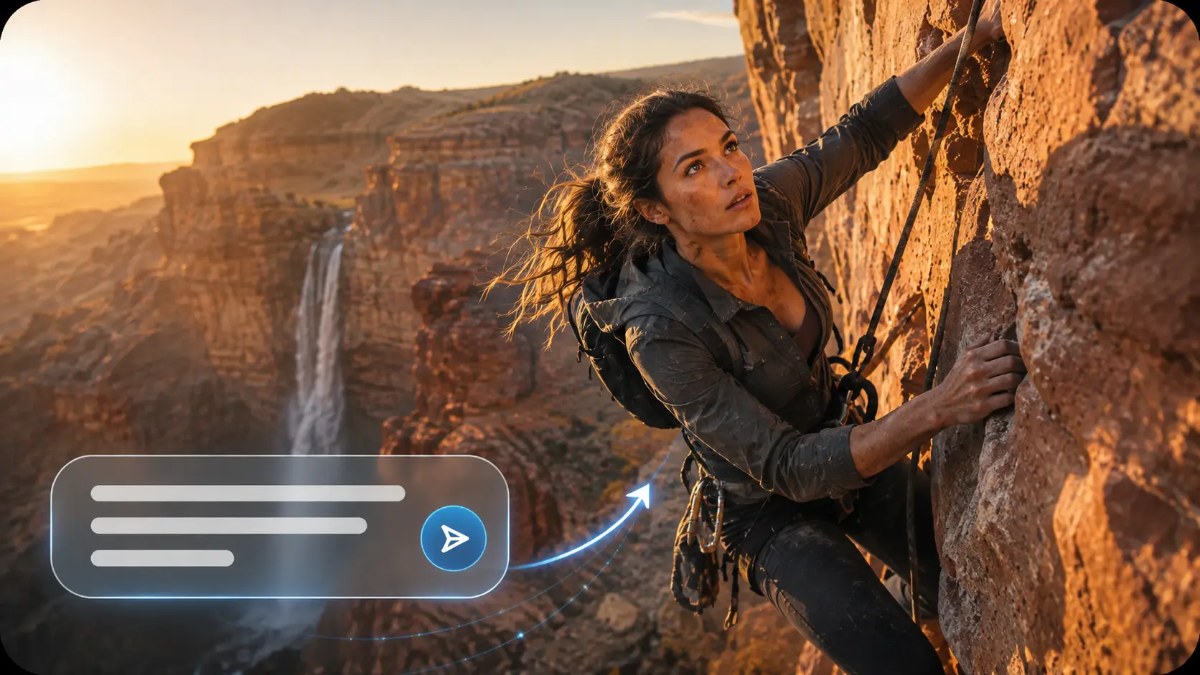
The AI video generator is the process of converting written instructions into moving visuals that are a reflection of what is being written. Dreamina AI takes in information regarding topics, scenes, actions, lighting, and visual styles to produce a preliminary scene. However, unlike image generation, this process also entails interpreting movement and relations between elements over time. For instance, a prompt that says “ocean waves crash into a rocky shore” conveys both a setting and an action that can be seen. Variations in language can yield different meanings for the same idea. But generated footage is the model’s interpretation, not an actual recreation of all of the details one could imagine.
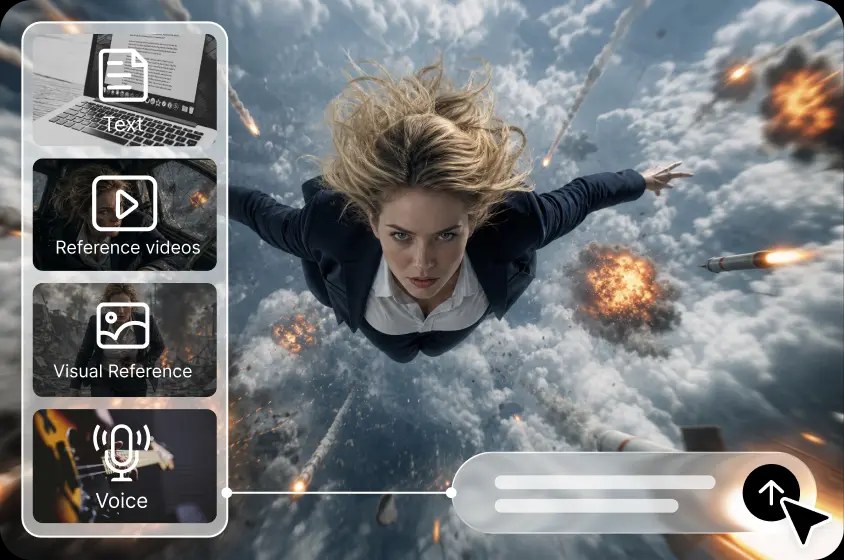
Visual prompts are more actionable when they describe events viewers can observe. Rather than writing a description of ambition, use words like ‘glides’, ‘unfolds’, ’emerges’, ‘spins’ and ‘drifts’ to describe movement. The subject is clearly defined, and there is one dominant action that helps to set the visual focus of the scene. Distantly located background elements like clouds or moving grass can help to create atmosphere but not detract from the primary action. However, if multiple actions are unrelated and are grouped in one short prompt, competing visual instructions may be created. Clear descriptions make a better beginning point for experimentation.
Step 1: Start With a Short, Vivid Prompt
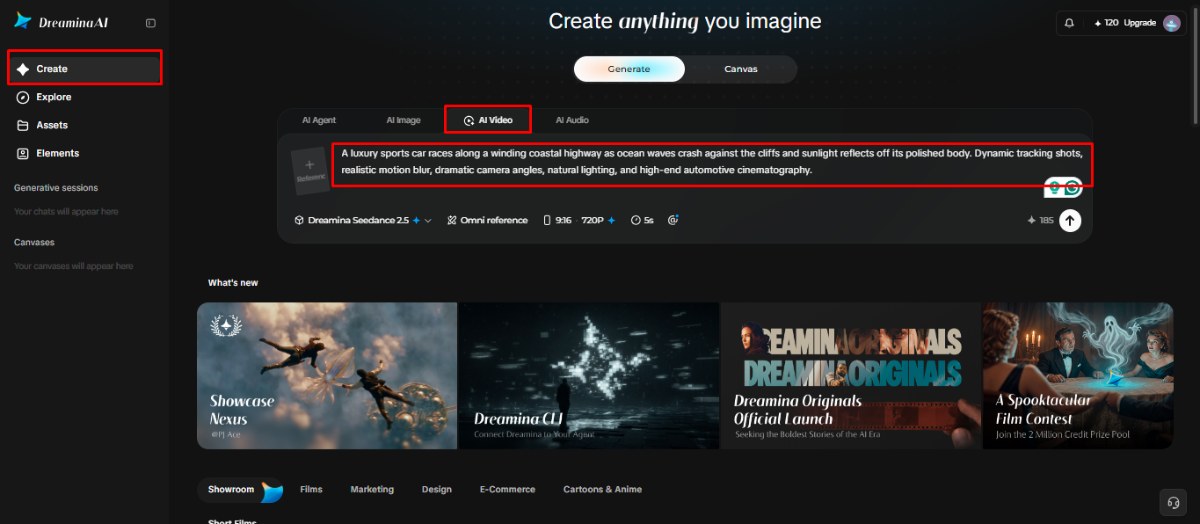
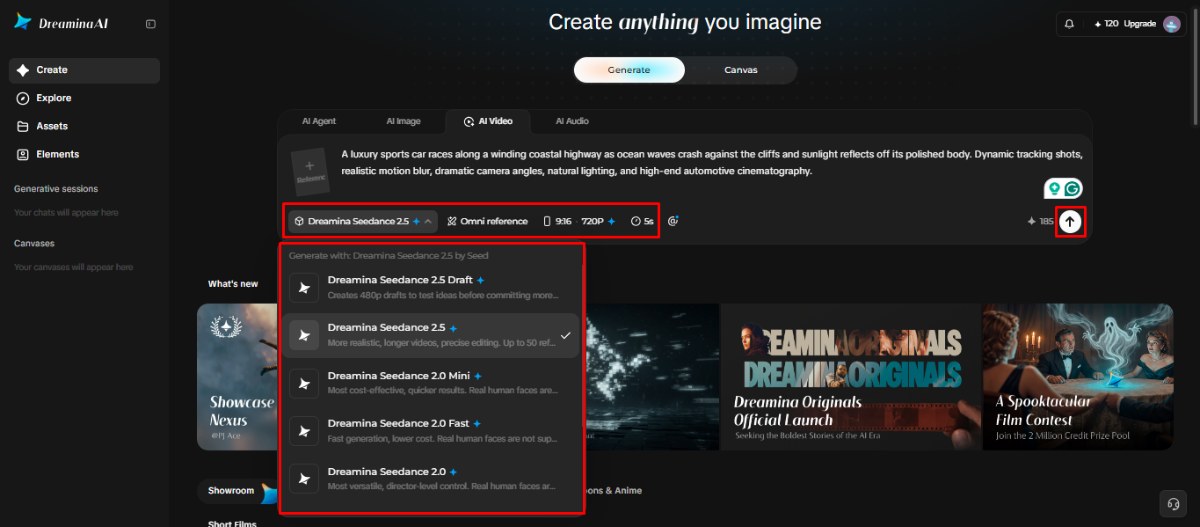
Step 2: Pick a Model and Let the Visuals Build
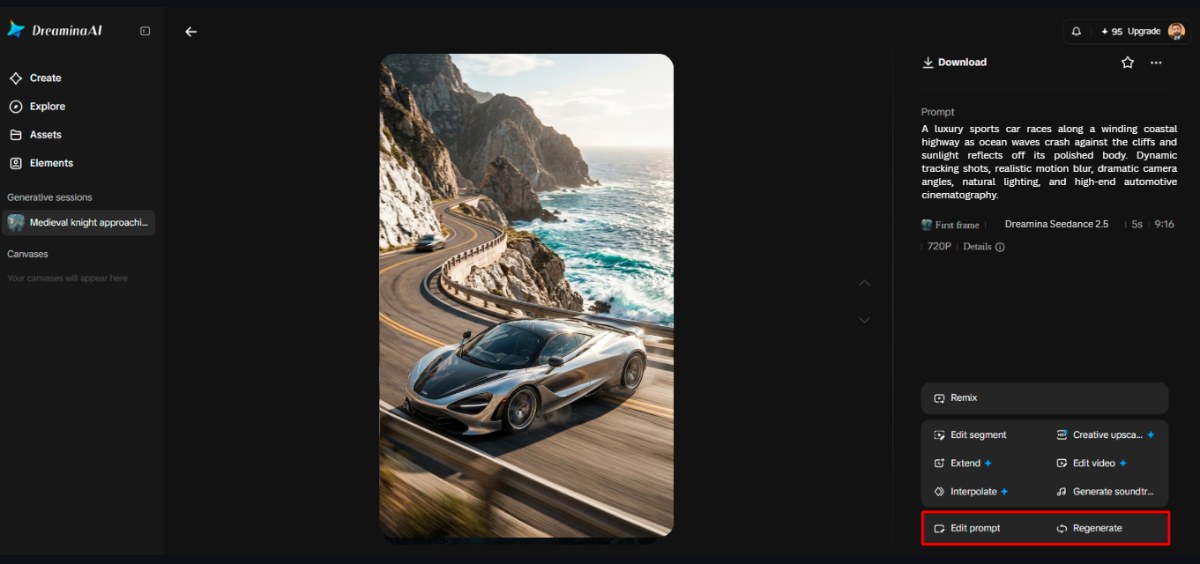
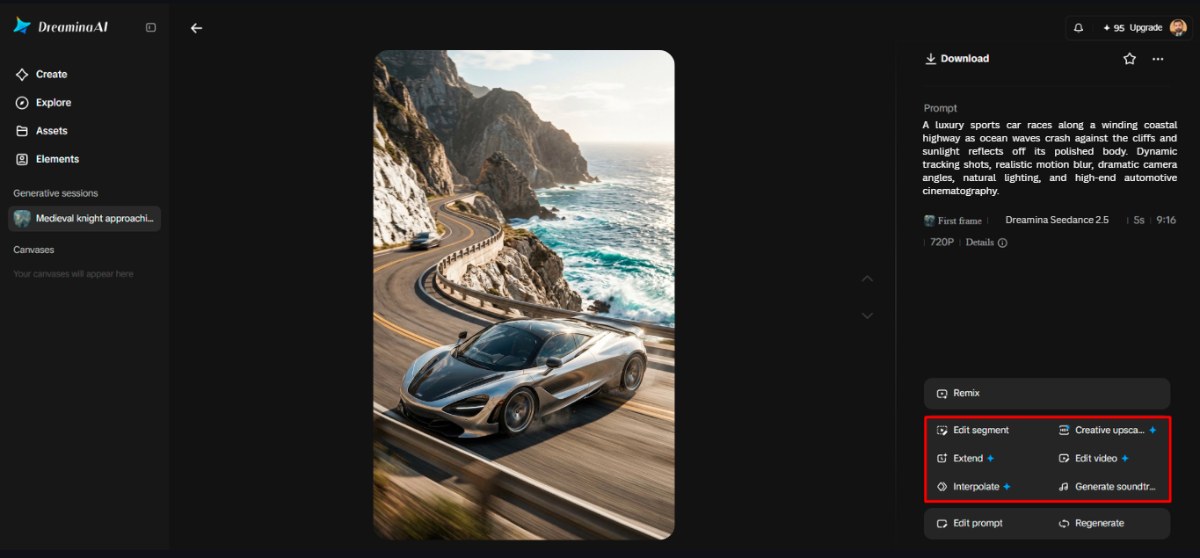
Step 3: Refine the Result and Export
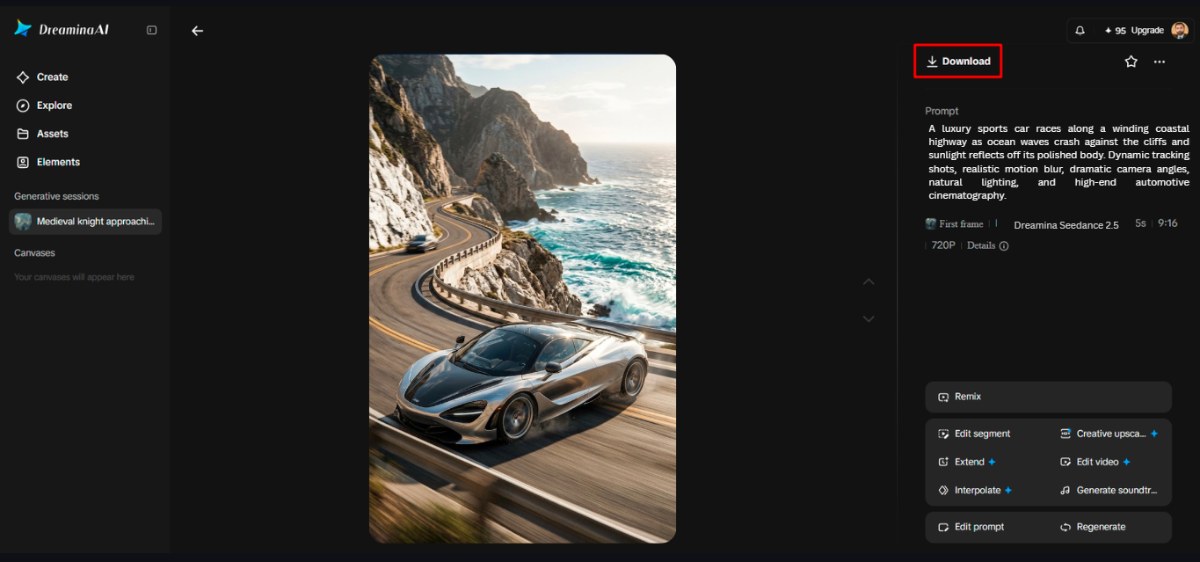
Effective prompts combine several visual instructions without overwhelming the central concept. Focus on these six elements when writing descriptions for Dreamina AI:
Several creative formats can be based on one concept with variations in framing, atmosphere, and presentation. For social media clips, make sure there are familiar topics and visual activity. Surroundings can be carefully described; reflective surfaces, movement, and colors can be coordinated; and the product can be displayed. Dreamina AI also provides cinematic exploration, enabling creators to explore the composition of a scene, lighting, and atmosphere before shooting. Educational material may be abstract processes, which can be conveyed by means of visible demonstrations or symbolic images. Rhythm-inspired movement, colour changes, and expressive environments can be explored through music and mood videos but not necessarily in sync. While the clips are great for the visual content, sometimes the videos need to be captioned, voice-overed, set to music, and even edited.
A rigorous revision process ensures that effective features are kept and issues are resolved. First, determine the largest weakness, whether in any of the subjects, in movement, framing, lighting, or background details—vary one or two prompt elements to understand their influence. When a scene is already functional, consider localized editing, if possible, rather than rebuilding the entire thing. Depending on the editing capabilities supported by Dreamina AI, it may be possible to tweak specific elements or sections of the image while keeping the rest intact. Compare alternative versions for clarity, consistency, and relevance (not for complexity). Prior to export, check for obvious distortions in faces, hands, object edges, and moving backgrounds. Determine if the final product conveys the desired message.
Dreamina AI allows you to use written ideas as a stepping stone for visualizing motion. Creative intentions are expressed through specific subjects, observable actions, clear settings and consistent stylistic details. It has generation and editing tools to explore options and hone good scenes. However, experimentation, careful examination, and realistic assumptions about the interpretation of models are needed to get useful results. Begin with a single visual concept, make a sketch, and find out what’s lacking. Purposeful revisions can develop a simple prompt into a more compelling visual foundation.