Free every Thursday · 61,308 Readers
Fastlane Insider Newsletter: What's working for Shopify in the AI era?
Free every Thursday · 61,308 Readers
Fastlane Insider Newsletter: What's working for Shopify in the AI era?

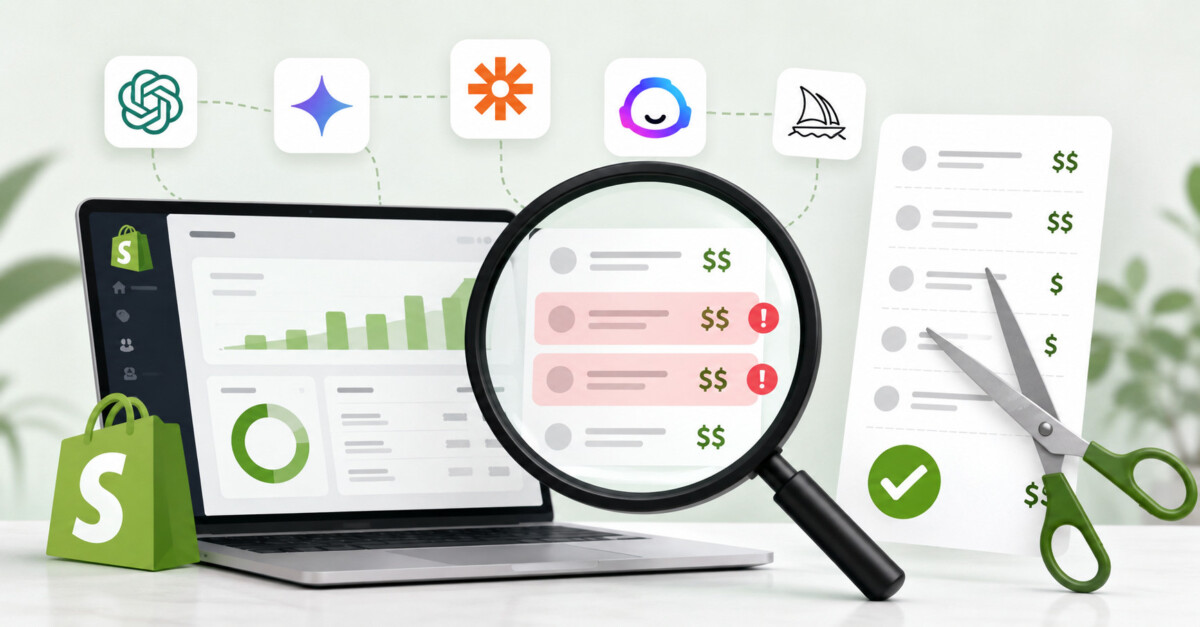
Most Shopify stores under $5M need two or three AI tools, not five or six: keep apps that automate a store-specific workflow, consolidate general model access where it removes duplicate subscriptions, and assign one person to review the stack every quarter.
The expensive part of AI sprawl is rarely the $20 subscription. It is the operator who becomes the unpaid integration layer between five tools that all promised to save time.
Open your bank statement and count the AI charges. For most small DTC tems, the number lands somewhere between three and six.
None of them is large on its own. Together, your Shopify AI stack is often the third or fourth biggest line in the software budget. It sits quietly below the shipping app and the email platform that everyone actually scrutinises at renewal.
Nobody decided to build it this way. It happened one reasonable purchase at a time.
The pattern repeats across stores of every size, and it is worth recognising because it explains why the problem is so hard to see from the inside.
You launch a collection with 40 new SKUs and need descriptions for all of them, so you subscribe to a writing tool. Six weeks later you are testing creative for Meta, and the copy tool cannot generate images, so you add a second subscription.
Then a supplier sends product photos shot against a beige warehouse wall. You need backgrounds replaced, so that is a third tool. Video becomes non-negotiable for TikTok, so there is a fourth.
Meanwhile your VA has quietly expensed a chat subscription because it is faster than waiting for you to write customer service macros.
Each of those decisions was correct at the time. The problem is the shape they make together.
Every purchase sat below the threshold that would trigger a real review. A $20 monthly charge does not get a procurement conversation. It gets approved in a Slack message, or not approved at all because someone put it on a personal card and expensed it.
This is not a small-business problem. Industry research on software spend finds the same pattern at every scale. Analysts tracking enterprise SaaS estimate that roughly a quarter of software spend goes to tools that are unused or barely used, and that the average company now runs far more applications than it did five years ago. Larger organisations have procurement teams and still end up here.
Shopify merchants just get there faster, because the tools are cheaper and the buying decision sits with whoever hit the problem first.
The duplicated spend is the obvious cost. It is usually the smallest one.
Four of your tools can write a product description. You are paying four times for one capability, because each tool was bought to solve a different problem and happens to include the same underlying function.
Studies of software portfolios consistently find a meaningful share of licences sitting unused inside organisations that have no idea it is happening. The mechanism is identical in a five-person DTC team, just at a smaller dollar value.
A single product launch touches copy, imagery, video, and support macros. Four tools means four interfaces, and four times explaining your brand voice, your customer, and your positioning.
Nothing carries context to the next step. You become the integration layer. On a 40-SKU drop, that is not a rounding error — it is hours of repeated setup that produces nothing new.
Your copywriter uses the model they have access to. Your media buyer uses the model they have access to. Nobody is running the same product description through two models and comparing which one actually converts, because nobody has both.
The result is optimisation inside a tool rather than a choice between tools. You get very good at prompting whatever you happened to buy first.
When a contractor leaves, their subscriptions leave with them. So does the prompt library they spent three months tuning to your brand voice.
Most merchants discover this the week after someone hands in notice. Recovering a password from a former freelancer is a bad position to be in, regardless of what the subscription costs.
Try answering a simple question: what did the store spend on AI last quarter?
If the charges are spread across four vendors and two personal cards, you cannot answer it. And if you cannot answer it, you also cannot evaluate whether any of that spend produced revenue.
Before you can consolidate anything, you need to separate the jobs from the tools. Most merchants are buying tools without ever listing the jobs.
For a typical DTC store, the work falls into five buckets.
Descriptions, bullet points, meta titles, size guidance, care instructions. High volume, repetitive, and heavily dependent on brand voice consistency.
Background replacement, lifestyle scenes, colourway variants, and seasonal refreshes of existing shots. This is where merchants most often discover their tools overlap, because image generation has become a standard feature rather than a specialist product. If you are comparing options here, it is worth reviewing a current comparison of AI image generators rather than relying on which tool you bought eighteen months ago.
Short-form ad variations, product demos, and UGC-style content for paid social. This is the newest bucket and the one where subscription costs escalate fastest, since video generation is priced well above text. Merchants evaluating whether it pencils out should look at a realistic cost and ROI breakdown for small business video generation before committing to an annual plan.
Macro drafting, response tone adjustment, and multilingual replies. Often the first job a store automates and the last one anyone audits.
Reviewing returns data, summarising customer feedback, drafting supplier emails, and cleaning up spreadsheets. This work rarely gets its own tool, which is why it usually lands on whichever subscription someone already has open.
Here is the distinction that makes consolidation decisions straightforward.
Some tools earn their subscription because of the workflow built around the model. A tool that syncs with your Shopify product catalogue, writes descriptions back into the correct fields, handles variants, and respects your metafield structure is doing real integration work. That integration is the product. The model is a component.
Other tools are a general-purpose model with a text box and a markup. The value is access, not workflow.
The first category is worth paying for. The second is a consolidation candidate, because you are paying a premium for something you could reach another way.
Applying this test usually cuts a five-tool stack down to two or three quickly. eCommerce Fastlane’s roundup of AI tools for e-commerce is a useful reference point for which categories genuinely involve deep integration and which are thinner than they look.
The approach gaining ground is to separate model access from workflow tooling, and to route the model access through a single account rather than a stack of separate subscriptions.
Platforms such as GlobalGPT work this way. It is an independent platform providing access to 100+ models — including GPT-5.6, Claude Sonnet 5, and Sora 2 — through one subscription from $5.8/month, covering text, image generation and editing, and video in one interface. It also offers a command-line option for merchants who want to script bulk work against a product feed.
For a 40-SKU launch, that means drafting descriptions, generating lifestyle imagery, and producing ad variations without moving between four billing relationships. When a new model ships that handles product copy better than what you used last quarter, you test it that afternoon rather than evaluating whether it justifies a fifth subscription.
The command-line angle matters more than it used to. Shopify’s own tooling has moved in this direction, and the Shopify AI Toolkit now connects AI clients directly to store management. Merchants who are comfortable scripting can process an entire catalogue in one pass instead of pasting SKUs one at a time.
Run this once a quarter. It does not need a spreadsheet template or a consultant.
1. Find every AI charge. Include personal cards and expensed subscriptions. Ask your team directly rather than checking the company card, because the personal expenses are usually half the total and never appear where you would look first.
2. Write down the job each tool was hired for. Not what it can do — what you actually use it for this month. Most merchants find two or three tools hired for jobs that substantially overlap.
3. Apply the wrapper test. If the value is the Shopify integration, the proprietary data, or the automation, keep it. If the value is access to a model you could reach another way, mark it for consolidation.
4. Check your offboarding exposure. Any subscription only one person can access is a risk, independent of cost. Move it to a shared account or a company email before you do anything else.
5. Cancel one thing. Not everything. Pick the clearest duplicate and cancel it, then work for a month without it. If nothing breaks, continue. If something breaks, you have learned what that tool was actually doing.
6. Give the stack an owner. Sprawl returns the moment nobody tracks it. This does not need a process — just one person who knows what the store pays for.
Consolidation can go too far, and it is worth naming the cases where keeping a separate tool is the right call.
Anything holding proprietary data. If a tool has learned from your store’s performance history, that history does not transfer.
Anything in a compliance path. Tools touching customer data, payment information, or regional privacy requirements should not be swapped casually to save $30 a month.
Anything your team is genuinely fast in. A tool your merchandiser has used daily for two years has real switching costs that do not appear on the invoice. Speed is worth paying for.
Anything tied to a channel workflow. As agentic commerce develops, some tooling is becoming channel-specific in ways that general-purpose models cannot replace. eCommerce Fastlane’s agentic commerce readiness guide covers where that line currently sits.
There is no correct number, but there is a useful test. Every tool should map to a job you can name, and no two tools should map to the same job unless you can explain what each does better. Most stores under $5M land at two or three once they apply that test honestly.
It can, if you consolidate the wrong things. Swapping a deeply integrated Shopify app for a general model usually costs you more in manual work than it saves in subscription fees. Swapping a thin wrapper for direct model access rarely changes output at all, because the underlying model is the same one.
Quarterly is enough for most stores. Run it more often during periods of rapid hiring or after a big seasonal push, since both tend to generate new subscriptions that nobody documents.
Cancelling one clear duplicate and working a month without it. It costs nothing to try, it produces a definite answer, and it builds the habit that keeps the stack from drifting again.
There is nothing unusual about what is happening with AI tooling. Every software category follows the same arc.
Fragmentation comes first, because early on nobody knows which capabilities matter or which vendors will survive. Buying five tools is a reasonable hedge when the category is six months old.
Then the work stabilises, the overlap becomes obvious, and teams consolidate.
Email and SMS went through this. Reviews and UGC went through it. Subscription apps are going through it now. In each case, the merchants who came out ahead were not the ones who adopted the most tools — they were the ones who stopped to ask what they were already paying for.
AI tooling is early in the same curve. The audit above takes half an hour, and most stores that run it find at least one subscription they forgot they had.
That is usually enough to pay for the time.
Most Shopify stores under $5M need two or three AI tools once they separate workflow apps from general model access. A practical setup often includes one or two store-connected tools for catalog, support, or marketing execution, plus one approved general AI workspace for writing, research, and creative exploration. You may need more if a tool holds proprietary data or runs a critical channel workflow. The test is simple: every subscription must map to a job you can name, and two tools should not own the same job unless you can explain the distinct advantage of each.
Consolidating AI tools will not usually hurt quality when you remove a duplicate wrapper and preserve the workflow tools that add real integration or specialist capability. Quality drops when a team replaces a Shopify-connected catalog workflow, a proven creative process, or a compliance-aware platform with a generic chat interface. Run the same product brief through the current and proposed setup during a live campaign cycle. Compare usable output, approval time, revision count, and performance rather than deciding based on feature lists or a lower monthly price.
The fastest way to find hidden AI subscriptions is to review 90 days of company-card charges and expense claims, then ask every team member which AI tools they personally pay for. Company billing records alone miss the subscriptions bought by freelancers, agency partners, and employees who expense a personal card. Include Shopify app invoices, software reimbursements, and any account connected to a former contractor. The goal is a complete list before you make cancellation decisions, because the hidden account is often where the prompt library, project history, or billing owner lives.
You should use one multi-model AI platform only if it replaces direct subscriptions and gives your team enough capacity, privacy, and reliability for its actual workload. It is a good fit when people regularly need different models for writing, research, images, or video and currently pay for several separate accounts. It is not a good fit when one direct model already solves the team’s core job, when a specific vendor integration matters, or when credit limits make your production workflow unpredictable. Test it for 30 days before ending direct subscriptions.
Most Shopify teams should audit their AI stack quarterly, with an extra review after a seasonal launch, hiring burst, agency change, or contractor offboarding. Quarterly is frequent enough to catch duplicate renewals without turning a small software budget into a procurement process. The audit should take about 30 minutes: find charges, identify the job each tool performs, check account ownership, compare overlap, and test one cancellation. Assign one owner to maintain the list, because sprawl returns when nobody owns the stack between reviews.