

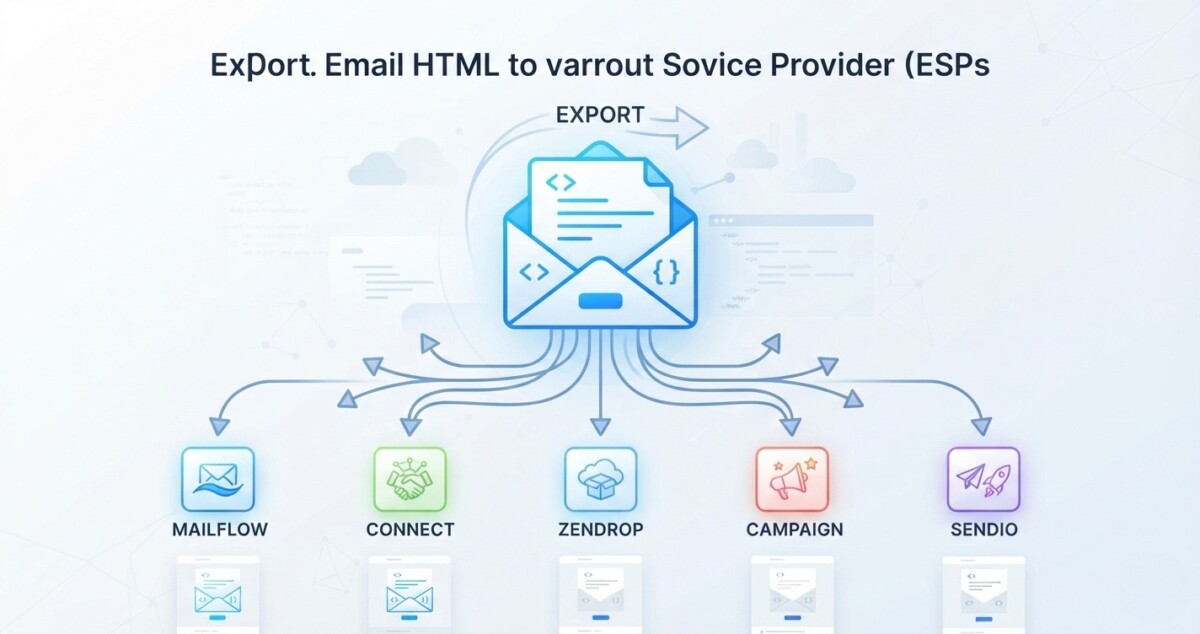
Every ESP rewrites imported email HTML. Klaviyo, Omnisend, Mailchimp, and Shopify Messaging each strip or relocate CSS, replace merge tags, add their own unsubscribe element, and route links through click tracking. Prepare the template for its destination, then test the version the ESP holds.
The email that leaves your builder and the email that lands in an inbox are two different files. The gap between them is where campaigns break.
A designer sends over a finished template. It previews perfectly in the builder. It goes into the ESP, the campaign sends, and the product buttons land on a collection page that was retired in March while the first name field renders as literal placeholder text in forty thousand inboxes.
Nothing in that sequence was a design failure. The template was correct when it left the builder. It stopped being correct the moment another system took possession of the code and applied its own rules to it. An HTML email is not a finished artifact just because it looks right in an editor, and the handoff between the place a template is built and the place it is sent is the least tested step in most Shopify email programs.
If you build campaigns outside your sending platform, you need to know what survives that handoff and what the ESP changes. This matters most between roughly $500K and $10M, where there is usually a designer or an agency producing templates but not yet a dedicated email developer checking the imported version. Using an email template builder reduces the repetitive production work, but the rule still holds either way: test the version that reaches the ESP, not only the original template.
An ESP parses your HTML before it saves or sends it, and it changes the code in about seven predictable ways. It removes tags it does not support. It moves, inlines, or ignores your CSS depending on where the CSS sits. It replaces personalization variables with its own syntax or leaves them broken. It adds compliance elements you did not write. It rewrites links so it can record clicks. It may rehost your images. And it adds platform specific metadata of its own.
Most of that is necessary rather than hostile. The platform has to insert subscriber data, honor unsubscribe requests, attribute revenue back to a campaign, and prepare the message for its own sending infrastructure. None of that happens if the code arrives untouched.
The trouble starts when the source template assumes none of it will happen. A template built as though it will be transmitted byte for byte is a template that will break somewhere, and the break will surface in a live send rather than in a preview.
The safer goal is not unchanged code. It is code prepared for its destination. That reframing is small and it changes the whole workflow, because it moves the export step from the end of production, where it gets treated as administrative, to the point where the design decisions are still open.
Inline your critical CSS before export, because every platform treats document level styles differently and some discard them outright. An external stylesheet is already a poor choice for email. The rules that carry your design, typography, spacing, background colors, and table cell formatting, are safest applied directly on the elements that need them.
The head is where this gets platform specific. Omnisend’s current import instructions for custom HTML templates require you to strip the doctype declaration and the entire head section before uploading, and its HTML content block accepts body markup only, with CSS rules and media queries pasted into a separate styles input.
Mailchimp goes the other way. Its paste in code workflow includes an automatic CSS inliner you switch on in the settings tab, which converts embedded styles into inline ones for you.
Same file, two opposite requirements. That is the whole argument for inlining before the template leaves your hands. Stripo’s compilation process inlines CSS by default in its compiled output, and most builders offer an equivalent setting. Media queries and other progressive enhancements will still need a style block, which is fine, because the test that matters is whether the design survives when those rules are dropped. If it collapses without them, the design is leaning on something email cannot promise.
Merge tags do not transfer between platforms, so convert them to the destination syntax before export rather than after a failed test send. There is no universal personalization language, and the four platforms Shopify merchants actually use look nothing alike.
Mailchimp wraps its tags in asterisks and pipes, so a first name is *|FNAME|* and the required unsubscribe tag is *|UNSUB|*. Klaviyo uses double curly braces for variables and a brace plus percent construction for template tags, giving you {{ first_name }} and {% unsubscribe %}. Shopify Messaging uses Liquid, with store data exposed through variables such as {{ shop.name }} and a required {{ unsubscribe_link }} or {{ unsubscribe_url }} in any custom coded email.
Paste Mailchimp’s *|FNAME|* into Klaviyo and nothing converts it. Klaviyo’s own import documentation is explicit that tags and variables from another provider will not be supported if they are denoted by different characters, which is a polite way of saying the personalization simply will not render.
This is the argument for treating export as part of the build rather than as a transport step. When the target platform is already known, you can export email templates to your ESP with the correct syntax already in place instead of hand replacing every variable afterwards. Stripo’s integrations page currently lists direct export to more than 90 platforms, although parts of its own help centre still cite 70 and 80, so confirm your specific ESP is on the live list rather than trusting a number in a support article.
Every one of these platforms requires its own unsubscribe mechanism, so reserve a footer zone in the layout plan rather than treating compliance elements as text you drop in after the design is finished. A custom footer can look complete in the source file and still need rebuilding after import.
Klaviyo will not accept a custom HTML template without an unsubscribe tag in its own syntax, and it flags the omission at import. Mailchimp requires *|UNSUB|* in every email and will append its own footer if you leave it out. Omnisend is blunter still: its import documentation tells you to manually delete the personalization tags, view in browser links, and unsubscribe links that came from your previous provider, because Omnisend adds its own versions and duplicates cause problems. Shopify Messaging requires the unsubscribe variable in any custom Liquid email, plus an open tracking variable if you have open tracking enabled.
For whoever owns the design, the practical lesson is structural. Build a footer region with room for an element you do not control, and keep one approved footer module that you adapt per platform rather than redesigning the visual hierarchy every time. At $2M and above, where the same footer sits inside a dozen live automations, that modularity is the difference between a ten minute compliance update and a week of template archaeology.
Click tracking replaces the destination URL in every link with a redirect through the ESP’s servers, which means link QA has to happen after tracking is enabled rather than before. A button that points at your new arrivals collection in the source file points somewhere else entirely in the delivered message, and that is normal behavior rather than a bug.
Mailchimp is explicit about this in its documentation on how click tracking modifies click through URLs: tracking information is added to each link and the recipient is routed through Mailchimp’s servers before being delivered to the real address. Omnisend does the same thing, using a shared tracking domain by default and offering a branded link subdomain you verify yourself. Shopify appends its own click identifier parameter to links in sent campaigns, which has surprised more than one merchant who assumed their carefully constructed query string would arrive intact.
So the checks that matter run on the delivered email, not the draft. Confirm that product URLs still resolve to the correct product rather than a redirect chain. Confirm UTM parameters survive the rewrite, because attribution quietly dies when they do not. Confirm discount parameters still apply at checkout. Confirm anchor links have not been converted into absolute tracked URLs. And confirm no redirect loops were created between the ESP, your domain, and any URL shortener in the path.
A campaign can be visually flawless and still fail commercially if the buttons go to the wrong place. This is the single highest value check in the list because it is the one that costs revenue on the day it breaks.
Klaviyo moves imported image assets onto its own CDN and rewrites the references inside your template, while Omnisend and Mailchimp expect your images to stay on a public server you control. Klaviyo’s custom HTML template import process accepts a zip of assets alongside the file and updates the paths automatically. Other workflows leave the original URLs exactly where they were.
That difference creates an ownership question worth answering deliberately: after export, who owns the image host? If nobody has asked, the answer is usually whoever set up the last template, which is not a durable arrangement.
The stakes scale with how long the email lives. A one day promotion referencing an image on an agency’s staging server will almost certainly outlast the problem. A welcome flow, an abandoned cart sequence, or a post purchase series sending continuously for three years will not. Broken images in an evergreen automation are among the most common quiet failures in Shopify email programs, because nothing alerts you and the send keeps succeeding.
The four platforms solve the same sending problem with four different import contracts, and the differences concentrate in import method, unsubscribe syntax, and image handling. None of this ranks one platform above another. It is a reason to prepare the template for whichever one will send it.
One naming note that trips people up in 2026: what most merchants still call Shopify Email now appears in Shopify’s documentation as Shopify Messaging, and the custom Liquid documentation lives under that name. Same product, different search term. It also imposes limits the others do not: 50 KB for a custom Liquid section and 500 KB for a fully custom coded email.
For merchants weighing Klaviyo specifically as the destination platform, this Klaviyo guide for Shopify brands covers fit by revenue stage. And for merchants deciding where email sits in a wider Shopify workflow, we also cover Shopify email automation and campaign workflows. If the choice itself is still open, the Shopify Email and Klaviyo comparison covers the trade offs before you commit a template library to either.
Use an HTML file import when you need an archived artifact, paste in code for a one off transfer, and a direct integration when the same template has to reach more than one platform. Those three methods cover almost every email integration in use.
A file import gives you a versioned artifact you can store, diff, and hand to someone else, which matters when templates outlive the people who made them. The cost is that you will often need to adjust tags, assets, or document level markup before the upload succeeds. Pasting code is faster for a single transfer and fine for a one time move, but the destination editor may accept only part of the document, which is exactly the Omnisend body only case. A direct integration or API connection removes most of the manual handling and can apply platform specific details during the export itself.
Here is where stage discipline matters more than tooling. Below roughly $500K in annual revenue, the native editor inside Klaviyo, Omnisend, or Shopify Messaging is almost always enough, and adding a separate builder is premature complexity: another subscription, another handoff, another place for a template to drift out of sync. The pattern that stalls merchants between $500K and $2M is rarely a missing tool. It is three tools doing one job.
If you do reach the point where a dedicated builder earns its place, usually when template volume, brand consistency across several senders, or a multi platform stack makes rebuilding untenable, Stripo is one option among several. Beefree, Postcards by Designmodo, Litmus Builder, and Knak occupy the same space with different strengths around collaboration, code control, and enterprise review workflows. Evaluate them on export behavior for your specific ESP, because that is the part that will actually cost you time.
Test the copy of the template that sits inside the destination ESP, because that is the file that will be sent, and it is not the file you exported. The source template is not the final test target, and treating it as one is how broken campaigns reach production.
Run the same eight steps every time. Open the template inside the destination ESP and look at it there rather than in your builder. Check that every personalization and unsubscribe variable resolves in the platform’s own preview. Send a real test campaign rather than relying on the preview pane. Click every important product and call to action link from that delivered message. Check that images load when viewed from an external inbox you do not control. Test desktop and mobile layouts. Confirm tracking and UTM parameters are arriving in your analytics. And review the footer after the ESP has added its required elements, because that is the part of the email you did not write.
For Shopify stores, add a ninth: test anything that depends on store or customer data. Dynamic product links, discount URLs, and personalized product blocks are the pieces most likely to look fine in preview and fail against a real customer record. If any of this surfaces deliverability problems rather than rendering problems, our guide on improving email deliverability in 2026 covers the authentication layer underneath.
What none of this buys you is identical rendering everywhere. ESP export is one layer. Gmail, Outlook, Apple Mail, and every mobile client still apply their own rules to whatever arrives. Promising a designer that one template will look the same in every inbox is a promise nobody can keep.
Separate the design from the delivery logic: build the reusable structure once, then handle merge tags, compliance syntax, CSS compilation, and export rules per destination. That division is what makes a template library maintainable instead of a set of one off files that nobody wants to touch.
In practice that means keeping headers, product blocks, buttons, and footer layouts modular, and treating anything platform specific as a layer applied at the end rather than baked into the design. A builder can sit in front of the sending platform to manage that layer, and reusable modules make it far easier to update a common element across a library before export.
The benefit is not that the ESP stops modifying your HTML. It will keep adding whatever its infrastructure needs. The benefit is that those changes become an expected part of the workflow instead of a discovery made five minutes before a campaign is scheduled to send.
For an ecommerce team, that is the whole goal: build once, understand the handoff, and test the version that will actually be sent.
Your email looks different after import because Klaviyo parsed the file and applied its own rules to the code. The most common cause is CSS that lived in a head section or an external stylesheet and did not survive the import, which strips your typography, spacing, and background colors back to defaults. The second most common cause is images that were referenced from a host Klaviyo could not reach, so the references broke rather than transferring. Inline your critical CSS before you export, upload image assets alongside the template file so Klaviyo can move them to its CDN, and compare the imported version against the source in Klaviyo’s own preview rather than in your builder.
Yes, merge tags have to be rewritten in the destination platform’s syntax because there is no shared personalization language across ESPs. Mailchimp uses asterisk and pipe wrappers such as *|FNAME|*, Klaviyo uses double curly braces for variables and brace percent constructions for template tags, and Shopify Messaging uses Liquid variables. Copying a tag from one platform into another does not convert it; it renders as literal text to your subscribers or fails validation at import. Convert the tags before export rather than after a failed test send. If you use a template builder that supports ESP specific merge tags, set the destination platform before you export and the syntax is applied during compilation.
UTM parameters usually survive click tracking, but you have to verify it rather than assume it, because the ESP replaces your original URL with a redirect through its own servers. Mailchimp, Omnisend, Klaviyo, and Shopify Messaging all rewrite links when click tracking is enabled, and some append their own identifiers to the final destination URL on top of your parameters. The only reliable check is to send a real test campaign, click the link from the delivered email, and confirm the parameters land correctly in your analytics. Do this after tracking is enabled, because a preview or a draft will show you the original URL rather than the delivered one.
Inline your critical CSS before export, because platforms disagree about what to do with document level styles and some discard them entirely. Omnisend requires the doctype and head removed before an import will succeed and takes CSS in a separate styles input. Mailchimp offers an automatic inliner you switch on during the paste in code workflow. Relying on each destination to handle your source CSS the same way is what produces a template that renders correctly in one platform and collapses in another. Keep typography, spacing, background colors, and table cell formatting inline. Media queries and other enhancements can stay in a style block, as long as the design still holds when they are stripped.
Most Shopify merchants under roughly $500K in annual revenue do not need one, because the native editors in Klaviyo, Omnisend, and Shopify Messaging handle campaign design well enough at that volume. A dedicated builder starts earning its cost when template volume is high, when several people or brands need consistent modules, or when the same design has to reach more than one sending platform. Below that threshold it adds a subscription, a handoff, and another place for versions to drift. If you do add one, evaluate it specifically on export behavior for your ESP, since that is the step where time is actually lost.




