Proactive maintenance protects WooCommerce revenue by keeping pages fast, plugins patched and checkout online. Stores that wait for something to break pay for it in lost conversions, downtime and security cleanup, so a routine of updates, monitoring and audits is the safer default.
A WooCommerce store rarely fails all at once. The expensive problems start small: a slow product page, a plugin that stopped getting patches, a checkout nobody retested after the last update.
A WooCommerce store earns or loses money on technical details that never show up in a marketing report: how fast a product page renders, whether a plugin update broke the cart, and whether anyone noticed the site went offline overnight. Many owners hand that routine to a specialist offering WordPress Maintenance & Support, so updates, monitoring and repairs happen on a schedule instead of after a customer complaint. Others run it in house or lean on a managed host. This guide covers what that work protects, what the published numbers say, and how to decide who should own it. It is written for owners who run WooCommerce themselves or with a small team, not for stores on hosted platforms.
A slower store loses conversions and order value, and the best documented evidence is the Deloitte and Google study Milliseconds Make Millions, where a 0.1 second mobile speed gain lifted retail conversion by 8.4% and average order value by 9.2%.
Read the conditions before borrowing that number. The research was commissioned by Google, published in 2020 and built on mobile data from 37 large brand sites in Europe and the US collected in late 2019. The gain only appeared when every page in the shopping journey improved four separate speed measures by 0.1 seconds. That makes 8.4% a good indicator of the size and direction of the effect at scale, not a forecast for your store.
The practical question is where your own pages stand. Google’s Core Web Vitals give a public yardstick: a good experience means the largest element renders within 2.5 seconds, interactions respond within 200 milliseconds, and layout shifts stay under 0.1, measured at the 75th percentile of real visits. Test your product pages and your checkout separately, because checkout loads payment and tracking scripts that product pages never see.
On WooCommerce, speed usually leaks in familiar places: oversized product images, plugins that add scripts to every page, database tables that have never been cleaned, and hosting that was sized for a smaller catalog. Mobile shoppers feel each of these first, since they abandon pages that stall on slower connections. Fastlane’s checklist of checkout fixes covers load speed, mobile layout and clear pricing, which are the three places a slow checkout tends to lose sales.
An hour offline costs you at least the sales you would have made in that hour, and you can estimate it from your own order data before an outage happens.
Start with the average: divide annual revenue by 8,760 hours in a year. Illustrative example, assuming $1,000,000 in annual revenue spread evenly: that is about $114 per hour. Revenue is never spread evenly, so check your analytics for your busiest hours and use those. If a Friday evening brings in ten times the average, the same outage costs about $1,140 in direct sales. Run the calculation with your own figures, and use your highest earning hours as the worst case.
Direct sales are only the floor. Paid ads keep sending clicks to an error page, support inboxes fill with questions, and a returning customer who hits a dead site may not try again. Search engines can also struggle with a site that is repeatedly unavailable.
Stage changes the risk. Under about $500K a year, the realistic danger is rarely a dramatic crash. It is an outage that goes unnoticed for hours because nobody is watching, often overnight or on a weekend. Uptime monitoring that alerts a phone closes that gap and is one of the cheaper routines on the list. Above $1M a year, add a tested recovery plan: how long a restore takes, who runs it, and whether your host’s backups include the database as well as the files.
Plugin vulnerabilities are serious enough to treat patching as a revenue task, because Wordfence’s weekly vulnerability report for October 19 to 25, 2026 logged 269 new vulnerabilities across 183 WordPress plugins and 15 themes in that single week.
Those figures cover all of WordPress, not only WooCommerce extensions, and most of any week’s vulnerabilities will not touch your store. The risk sits in the ones that do. A store with payment, shipping, email, tax and analytics plugins has many entry points, and each unpatched one is a way in.
The costliest outcome is checkout skimming, where a malicious script copies card details as customers pay. In May 2026, Sansec researchers reported attackers exploiting a critical flaw in the Funnel Builder plugin for WooCommerce, according to Security Affairs. Visitors with no login could change plugin settings and plant a script that stole card numbers and billing details at checkout. A fix shipped in version 3.15.0.3, and stores that had not updated stayed exposed.
For a sense of scale on the cost side, the Australian Signals Directorate’s Australian Cyber Security Centre reported in its 2024 to 2025 annual cyber threat report factsheet that the average self reported cost of a cybercrime report for a small business was $56,600 (Australian dollars), up 14%. That figure covers all small businesses that filed reports, not WooCommerce stores specifically, so read it as an order of magnitude. Reputation is the cost that never appears in it: customers who see their card details misused remember which store they last paid.
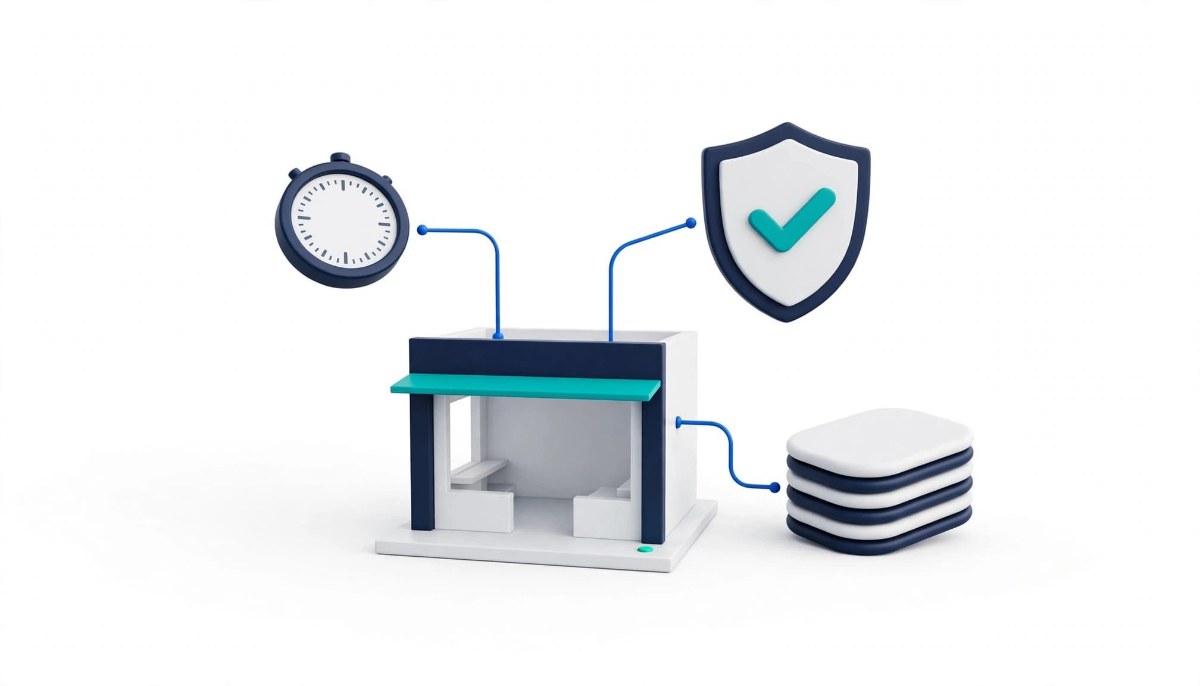
Proactive maintenance covers four routines: scheduled updates, uptime monitoring, performance audits and firewall protection, all backed by backups you have tested.
Scheduled updates. Update WooCommerce core, your active theme and every plugin on a fixed cadence, and apply security fixes as soon as you have tested them. Test on a staging copy first so a bad update never reaches checkout, and take a fresh backup immediately before each change so you can roll back.
Uptime monitoring. Use automated checks every few minutes that alert a real person the moment the store goes down. Monitor the checkout URL as well as the homepage, because a homepage can load normally while checkout throws an error.
Performance audits. Run speed tests on product pages and checkout every month, looking for oversized images, bloated code and slow database queries. Compare results month to month so a slow creep shows up before customers feel it.
Application firewall protection. A web application firewall filters malicious bots and known exploit patterns before they reach your code, which goes beyond basic server defenses. It reduces risk between the day a vulnerability is disclosed and the day you patch.
Tested backups. A backup only protects revenue if it restores. Once a quarter, restore a recent backup to a staging site and confirm that orders, customers and the checkout all work.
Hand maintenance to a specialist when nobody on your team owns it every week, or when a failed update would cost more in lost sales than the routine costs to run.
There are three realistic options. Running it yourself works for a short plugin list, a revenue stream that can absorb a few hours of downtime, and an owner comfortable with staging sites and restoring backups. A managed host takes over part of the load: Fastlane’s comparison of managed WordPress hosting and standard web hosting explains what a managed host typically covers, such as core updates, security patches and backups, and what you give up in control and cost. A specialist adds the work hosts often leave out, such as plugin testing, checkout monitoring and fixes when something conflicts. If you are still building the store, Fastlane’s guide to set up WooCommerce on WordPress shows that a basic foundation is straightforward to establish, while keeping it healthy takes ongoing attention to themes and plugins to prevent code conflicts and performance bloat.
Whichever route you choose, ask the same questions. What is monitored, and who is alerted? How quickly does someone respond to an outage? Are updates tested on staging before they go live? How are backups restored, and when was that last tested? A provider who can answer all four plainly is doing the work. One who cannot is selling the idea of it.
Start with a one hour audit: confirm a backup restores, list your plugins with their last update dates, set up checkout monitoring and test your checkout on a phone.
Take them in that order. First, restore your latest backup to staging, since every other fix depends on being able to undo a mistake. Second, export your plugin list, delete anything inactive, and flag any plugin that has not been updated in a long time, because an unmaintained plugin no longer receives security fixes and is the likeliest weak point. Third, set an uptime check on the checkout page with alerts to a phone. Fourth, place a test order on a mobile device and note anywhere it stalls. Finally, run your product and checkout pages through Google’s speed tools and write down the baseline.
If bot orders or fake sign ups appear while you audit, Fastlane’s walkthrough of WooCommerce fraud prevention with Sensfrx covers one tool for that layer and names other options to compare. An online store is only as profitable as the technology supporting it, so these routines belong on the same calendar as marketing and product work.
Proactive WooCommerce maintenance is a scheduled routine of updates, monitoring, backups and performance checks that catches problems before customers see them. Instead of reacting to a broken checkout or a compromised plugin, you apply patches on a cadence, test changes on a staging copy, watch uptime with alerts and audit page speed every month. The goal is to protect the three things that drive revenue: pages that load quickly, a checkout that works, and customer payment data that stays safe. Stores can run this routine themselves, through a managed host or with a specialist, depending on how much technical time the owner has.
Check for updates at least weekly and apply security fixes as soon as you have tested them. Feature updates can follow a slower monthly cycle. Test every update on a staging copy first, because plugin conflicts are a common reason a checkout breaks after an update, and take a fresh backup immediately beforehand so you can roll back. Prioritize plugins that touch payments, checkout and customer accounts, since those are the most valuable targets for attackers. If a plugin has not been updated in a long time, plan to replace it, because an unmaintained plugin no longer receives security fixes.
Divide your annual revenue by 8,760 hours to get an average hourly figure, then replace it with real numbers for your busiest hours from your analytics. For example, assuming $1,000,000 in annual revenue spread evenly, the average is about $114 an hour, but if a busy hour brings in ten times that, an outage then costs about $1,140 in direct sales. Add the costs that never appear in orders: ad clicks you still pay for, extra support tickets and customers who do not come back. The result is a figure you can compare with the cost of monitoring and maintenance.
Yes, but the size of the effect depends on your store and your traffic. In a Deloitte study for Google published in 2020, a 0.1 second mobile speed improvement raised retail conversion by 8.4% and average order value by 9.2%, though the sites studied were large brands and every page in the journey had to improve. Treat that as evidence of direction, not a forecast. The practical step is to measure your own product and checkout pages against Google’s Core Web Vitals thresholds, fix the slowest pages first and watch your conversion rate after each change.
Handle it yourself if your plugin list is short, your revenue can tolerate a few hours of downtime, and you are comfortable using a staging site and restoring backups. Hire help if nobody on your team owns maintenance every week, if checkout drives most of your revenue, or if you run custom code. A managed WordPress host covers part of the work, such as core updates and backups, but what it includes varies by provider, so confirm whether plugin testing and checkout monitoring are covered. Whoever does the work, ask what is monitored, how quickly they respond and how backups are tested.