

Every Shopify operator has hit the same wall: you’ve got a great product photo, a launch date on the calendar, and no time or budget for a proper video shoot. Paid social wants motion. Your product page wants motion. Your ad creative burns out in two weeks and needs replacing. And the agencies quoting you $3,000 per video clip aren’t exactly solving the “we need this by Friday” problem.
This is the gap a new wave of AI video tools is closing — and one platform worth understanding is X Imagine AI, which has quietly become one of the go-to stops for creators and small teams who need image generation and video generation without juggling five different subscriptions.
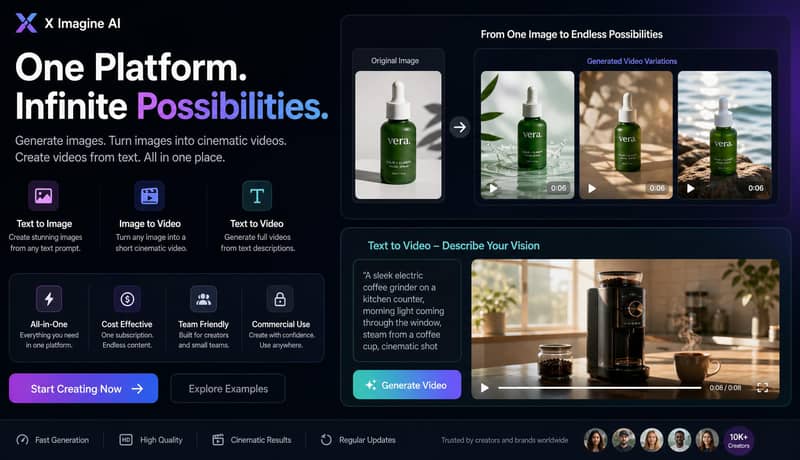
At its core, XImagine AI is a creative suite that does three things in one place: generates images from text prompts, turns a still image into a short cinematic video clip, and generates full video directly from a text description. For a DTC brand, that maps almost perfectly onto the content bottleneck: you shoot (or generate) one clean product photo, and from there you can produce a stack of variations — different backgrounds, different framing, different motion — without re-booking a studio.
What separates X Imagine AI from a lot of single-purpose AI generators is the model selection. Instead of locking you into one engine, the platform routes your generation through multiple state-of-the-art models — including options comparable to Kling, Google’s Veo, and Flux — so you can match the engine to the brief.
One model worth calling out specifically is Seedance, ByteDance’s video generation model. It’s built for exactly the kind of motion consistency that product video needs — camera movement that doesn’t warp the product shape, lighting that stays coherent across frames, and short clips that hold together instead of drifting into visual noise after a second or two. For a still-to-video pass on a physical product, that consistency is the difference between a usable clip and something you’d never put in front of a paying audience. Having Seedance available alongside the other engines means you’re not stuck with a one-size-fits-all model when the brief specifically calls for clean product motion.
A moody cinematic product shot calls for a different model than a fast-motion UGC-style clip, and most tools don’t give you that choice. X Imagine does.
This is the part that matters most for ecommerce teams. You upload a still product image — the same one already sitting in your Shopify media library — and the tool animates it into a short clip: a slow pan, a rotation, a subtle zoom that gives the product life on a feed where static images scroll right past. It’s a genuinely different workflow than a traditional shoot, because you’re not filming the product, you’re extending an asset you already own.
For anyone experimenting with this for the first time, the Grok imagine video tools inside the platform are a reasonable starting point — upload an image, pick a motion style, and see a rendered clip in under a minute. It won’t replace a full production for a hero campaign video, but for the volume of variant creative that paid social demands week over week, it closes a real gap.
Small and mid-size Shopify brands are being squeezed on two sides right now: ad costs keep climbing, and creative fatigue means winning ads burn out faster than ever. Teams that can produce five creative variants a week instead of one have a structural advantage over teams that can’t — regardless of budget size. Tools like X imagine ai aren’t a replacement for a real brand video, but they compress the cost and turnaround time of the volume creative that keeps a paid social account from going stale.
There’s also a quieter use case worth mentioning: rapid concept testing. Before committing budget to a full shoot for a new angle, generating a rough AI version first lets you gauge whether an idea is worth the production spend at all. A few teams are already using x imagine this way — as a cheap first draft, not a final deliverable.
You don’t need to overhaul your creative pipeline to benefit from this shift. The realistic move is smaller: take a product photo you already have, run it through an image to video pass, and see whether the resulting clip earns its place in next week’s ad set. If it does, you’ve just found a cheaper, faster lane for the creative volume that used to require a studio day. If it doesn’t, you’ve lost twenty minutes, not a production budget.
As more of these multi-model platforms mature, the operators who experiment early with tools like X Imagine AI will likely have a head start on the next shift in how ecommerce creative actually gets made.




