

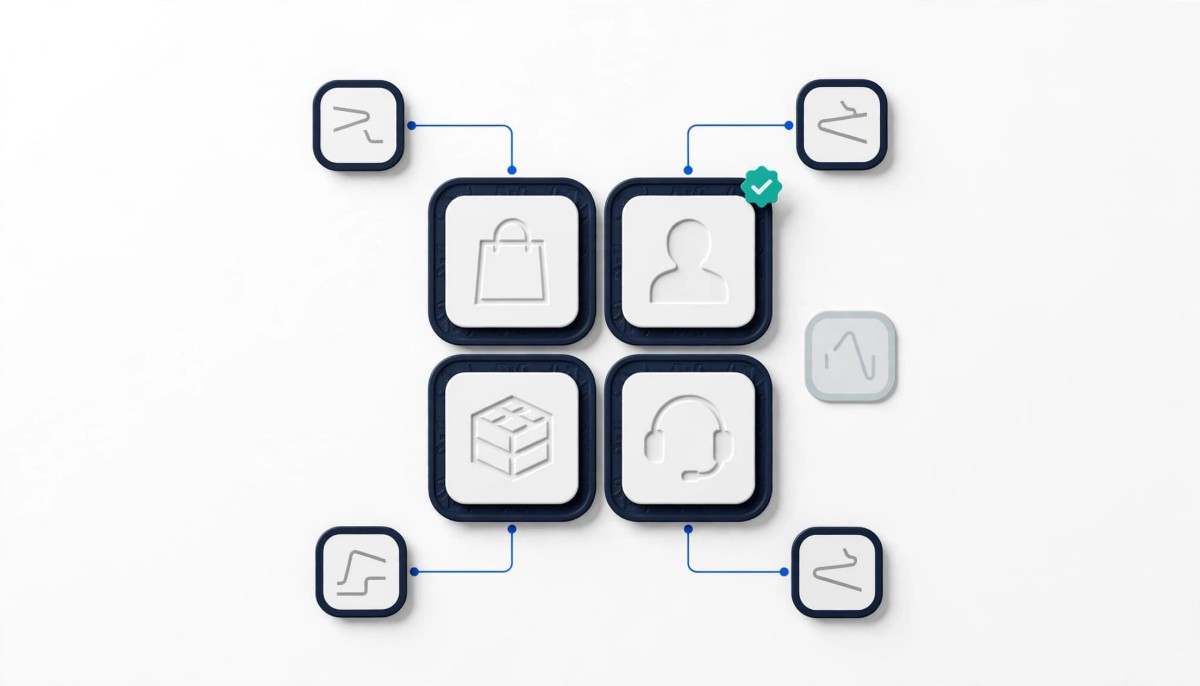
A Shopify tech stack needs fewer apps than most lists suggest. Pick one system of record for orders, customers, inventory and support history first, then add an app only when it owns a job those systems cannot do and writes its data back to them.
The cost of a messy stack is rarely the monthly bill. It is the second copy of a customer, an order or a stock count that nobody remembers is out of date.
Open the apps page of a Shopify store doing $1M a year and it is common to find fifteen to thirty apps installed. When I was a Merchant Success Manager at Shopify, with a book of brands I spoke to every month, the app list was one of the first screens I asked to see, because it told me more about how the business ran than the dashboard did. The pattern was consistent. Stores did not get into trouble because they had the wrong review app or the wrong email tool. They got into trouble because three different apps each held their own version of the same customer, and nobody could say which one was right.
That is why the useful question is not which apps you need. It is which system owns each record, and what every other app is allowed to do with it. Whether you are on your first $10K month or your hundredth, that question gives you a shorter stack and fewer silent failures.
A Shopify tech stack needs an owner for four records: orders and catalog, customer marketing profiles, inventory, and support history. Everything else is a feature that reads from or writes to one of those four. A system of record is simply the one place your team agrees is correct for a given type of data. When two tools disagree, the system of record wins and the other tool gets fixed.
For most stores the assignments look like this. Shopify owns orders, products, discounts and the core customer record, because every other app reads from it through the Shopify API. An email and SMS platform such as Klaviyo or Omnisend owns the marketing profile: consent, engagement history, segments and flows. Inventory lives in Shopify until you sell in more than one place at volume, at which point it often moves to a dedicated inventory system. Support history lives in a helpdesk such as Gorgias once tickets outgrow a shared inbox.
Money is the one record that sits outside this question: your accounting system owns it, and it connects to Shopify rather than competing with any app. That is the whole skeleton. Reviews, loyalty, subscriptions, upsells, page builders and analytics tools are all valuable, but none of them should become a fifth record. A review app that keeps its own customer list, a loyalty app that holds a points balance your email platform cannot see, and a subscription app with its own discount logic are the three most common ways a stack quietly splits in two.
Any list of recommended tools is a snapshot of one year’s vendors. The four records do not change. The vendors that fill them do, and so does how much of the work Shopify itself now does, which is the next thing to check before you pay for anything.
The system of record test is one question: which record does this app own, and which records does it copy? An app earns a place in your stack when it owns a job none of your four systems can do, and when anything it creates (a review, a points balance, a subscription, a return) flows back into the system that owns that record.
Run it on an app you already have. Take a reviews tool such as Judge.me. It owns a genuine job, collecting and displaying reviews, that Shopify does not do natively. The test is what happens to the data. If review requests trigger from your email platform’s flows and review events sync into the customer profile, the app is a feature on top of your records. If it sends its own emails from its own list with its own branding, you now have two marketing systems talking to the same customer, and the one you pay more for has no idea the other exists.
The same test applies to the big categories. A subscription platform such as Recharge owns recurring billing, which is a real job; it passes when subscription status reaches your email platform and orders land in Shopify like any other order. A page builder owns layout; it fails when it stores product content that should live in your catalog. An analytics tool owns reporting; it should never become the place where anyone edits data.
Three answers mean cancel. The app duplicates a job one of your systems already does. The app holds data no other tool can read. Or nobody on the team can say what it does this month. Georgiy Slobodenyuk, Director of Technology at AbsoluteWeb, closed his conversation on Shopify development on episode 363 with advice that reads like a stack policy:
Keep solutions simple. Don’t overengineer. Put features in front of users sooner. Try to keep good hygiene around apps and, remove that which you do not use.
If you want a fuller cleanup process once the test has flagged candidates, the Shopify tech stack audit guide for clearing app bloat and operational drift walks through it step by step.
Shopify now covers several jobs natively that stores used to buy apps for, including automation, forms, basic email and SMS, bundles and custom product data. Check this list before installing anything new, because a native feature writes straight into Shopify’s own records and cannot drift out of sync with them.
Automation is the biggest one. Shopify Flow is a free app on the Basic, Grow, Advanced and Plus plans, according to Shopify’s help center, and it handles tagging, alerts, inventory notifications and order routing rules that many stores still pay for one app at a time. Email and SMS have a native starting point too: the Shopify Messaging app listing shows the first 10,000 emails each month free, then pricing from $1 per 1,000 emails, with email, SMS and WhatsApp campaigns in one place (pricing as listed in October 2026). Shopify Forms covers signup popups that capture leads into your Shopify customer list, and Shopify Bundles is a free app for fixed bundles and multipacks.
Native is not always enough. A store with heavy segmentation, browse abandonment and a large list will outgrow native messaging, which is exactly why a dedicated platform owns the marketing profile from roughly the growth stage onward. The point is sequencing. Start native, and move a job to an app when you can name what the native version cannot do for you.
Shopify keeps absorbing categories, so this list moves. When Shopify shipped native versions of three paid app categories between July 27 and July 29, 2026, we broke down what to cancel and what to keep when Shopify ships a free version of your app. The short rule from that piece holds here: below about $500K a year, cancel the overlapping app; between $500K and $2M, run a switch test; above $2M, keep the app and renegotiate.
One warning about cancelling. Shopify’s guide to uninstalling apps notes that some apps add code to your theme that is not automatically removed, and some keep data you cannot get back afterward. Export first, check the developer’s cleanup steps, and look at your theme after the uninstall.
Inventory should stay in Shopify until you sell the same stock through more than one channel at meaningful volume, and then it needs a dedicated system of record that every channel reads from. Before that point, a separate inventory app is usually a second copy of a number Shopify already tracks well.
The trigger is not revenue. It is channel count. A $3M store selling only on its own site can run inventory in Shopify comfortably. A $600K store selling on Shopify, Amazon and TikTok Shop, with a wholesale account on the side, is already counting the same units in four places. Ben Hussey, co-CEO of Katana Cloud Inventory, described the moment that changes on episode 484 on multichannel inventory:
When you talk about multichannel and when we talk about connected multichannel, what we’re saying is that at the core of it, you need a single source of truth that understands the full picture of what do I have in stock and where is it?
The single source of truth matters because orders arrive from several places in real time. A one channel store does not have that problem, and buying an inventory platform to solve it adds a second record without a reason. Some inventory vendors argue the switch makes sense from the second channel at any volume, and entry tiers have come down in price, so treat volume as a judgment call rather than a hard line. When you do cross that line, the inventory system (Katana is one option, especially for brands that manufacture) becomes the owner, and Shopify becomes a channel that reads stock from it rather than a place anyone adjusts counts by hand.
Order routing follows the same logic one step later. Once you ship from more than one location, the question of which warehouse fulfills which order becomes its own job, and our guide to where Shopify’s native order routing runs out covers the point at which an order management system earns its place.
Custom data about products, orders and customers should live in Shopify metafields and metaobjects rather than in a separate app or database, because every other app in your stack can then read it from one place. This is the record most merchants do not realize they are splitting.
The examples are mundane, which is why they slip through: a delivery date on a food order, care instructions on a garment, a customer’s pet names or children’s ages for personalization, a size chart per product. Stores often install an app for each of these, and each app stores the field in its own database. Georgiy Slobodenyuk described the alternative on episode 363 when talking about merchants who wanted to keep customer details such as a list of pets on the account:
And instead of creating a separate back end where we have to store and copy and synchronize to some extent this information, all of these problems, right, can be solved with metafields and metaobjects.
Shopify’s help center guide to metafields covers how to set up metafield definitions in the admin, starting with products, with no developer needed for the basic definitions; the same custom data settings extend to variants, customers and orders. Once the field lives there, your email platform can segment on it, your theme can display it and your helpdesk can show it on a ticket, with nothing to sync.
There is a stage caveat. Under about $250K a year, with one person running the store, a simple app that handles one custom field is often fine; the cost of the second record is low when only one person touches it. The rule tightens as soon as a second person or a second system needs the same data. At that point, a field that lives inside one app’s database is a field the rest of your stack cannot see.
Rebuilt around its four records, one composite apparel store’s 22 app stack drops to 13 apps with no revenue feature lost. What follows is an illustrative composite, built from the kind of app lists I reviewed with merchants during my Shopify years. It is not a real store, and every figure in it is hypothetical.
Picture an apparel brand doing about $900K a year, sold only through its own Shopify site, run by two founders and a part time support contractor. It has 22 apps installed. Running the test on each one gives a clear picture. Shopify holds orders and catalog. Klaviyo holds the marketing profile. Inventory lives in Shopify. Support runs through a shared inbox plus a live chat app.
Four apps fail on duplication. A standalone popup tool collects emails into its own list and syncs to Klaviyo nightly, so new subscribers miss the welcome flow for up to a day; Klaviyo’s own forms do the job. A second email tool, kept for “transactional” messages, sends shipping updates Shopify already sends. A countdown timer app and a free shipping bar app each inject their own script for a job the store’s current theme already handles natively. Three apps fail because nobody can say what they do: a currency converter left over from a market the brand exited, an old review importer, and an SEO app whose last change was eighteen months ago. Two more fail on the custom data rule: a size chart app and a product tabs app, both of which store content that belongs in metafields.
That is nine apps cancelled and 13 kept, with no revenue feature lost. The call I would make first is the popup tool, because it is the one costing money every day through missed welcome emails, not just a line on the bill. What I would not do is replace the live chat app with a full helpdesk yet. At this ticket volume, a shared inbox is a reasonable support record. That call changes at around twice the order volume, or the first time a customer has to explain the same problem to two different people.
The right Shopify stack at each stage is the smallest set of apps that gives each of the four records one clear owner, with new apps added only when a named job outgrows the native option. The grid below is a starting point, not a shopping list.
If you are just starting, the discipline is restraint. Shopify, its native tools and one reviews app will carry most stores to their first $250K, and every app you skip is one less record to reconcile later. If you are in the growth band, the email and SMS platform is the one move that pays back fastest, because it becomes the owner of the customer relationship. If you are scaling or multichannel, the work shifts from choosing apps to watching the connections between them; our piece on why Shopify orders fail at the integration layer covers what to monitor once the records live in different systems.
For specific app recommendations inside each category, the stage by stage guide to the best Shopify apps for growing stores goes category by category. Use it after this test, not before, so every app you add has a record to report to.
There is no correct number, but from the app lists I have reviewed, most stores under $2M a year can run well on roughly 8 to 15 apps once each of the four core records has one owner. The count matters less than duplication. Ten apps that each write back to Shopify or your email platform are healthier than six apps where two of them keep separate customer lists. Start by listing which app owns orders, customer marketing profiles, inventory and support history. Anything left over should own a job none of those systems can do. If it does not, or if nobody on your team can say what it did this month, it is a cancel candidate. Export its data and check your theme for leftover code before you uninstall it.
A new Shopify store needs very few apps first: Shopify’s native tools plus one reviews app will cover most stores until they reach steady monthly sales. Shopify Flow is free on the Basic, Grow, Advanced and Plus plans for automation, Shopify Messaging includes 10,000 free emails a month and adds SMS and WhatsApp campaigns in the same app, and Shopify Forms handles signup capture into your Shopify customer list. Add a reviews app once you have customers to ask, because social proof is a job Shopify does not do natively. Hold off on loyalty, upsell and subscription apps until you can name a specific problem they solve, because each one adds a record you will need to keep in sync later.
A system of record is the one tool your team treats as the correct source for a specific type of data, such as orders, customers, inventory or support history. When two tools disagree about a stock count or a customer’s email consent, the system of record wins and the other tool is corrected. For most Shopify stores, Shopify is the system of record for orders and catalog, an email and SMS platform owns marketing profiles and consent, and a helpdesk owns support history once tickets outgrow a shared inbox. Inventory stays in Shopify until you sell through several channels at volume, when a dedicated inventory system usually takes over. Every other app should read from and write back to these owners.
Move inventory management out of Shopify when you sell the same stock through more than one channel at meaningful volume, such as Shopify plus Amazon, TikTok Shop or wholesale. Revenue alone is not the trigger. A single channel store doing several million a year can run inventory in Shopify comfortably, while a smaller store on four channels is already counting the same units in four places and risks overselling. At that point a dedicated inventory system becomes the single source of truth and each channel, including Shopify, reads stock from it. Before that point, a separate inventory app usually adds a second copy of a number Shopify already tracks, which creates more reconciliation work rather than less.
Uninstalled Shopify apps can still affect your store, because some apps add code to your theme that is not removed automatically when you uninstall them. Shopify’s help center says this directly and recommends checking the app listing or contacting the developer for cleanup steps. Leftover scripts or snippets can keep loading on your pages even though the app is gone. After uninstalling, review your theme code or ask your developer to check for references to the old app, and test your key pages. Export any data you need before removal too, because some apps keep data you cannot recover afterward. Uninstalling also cancels future recurring charges, though the current billing cycle may still be charged.




