

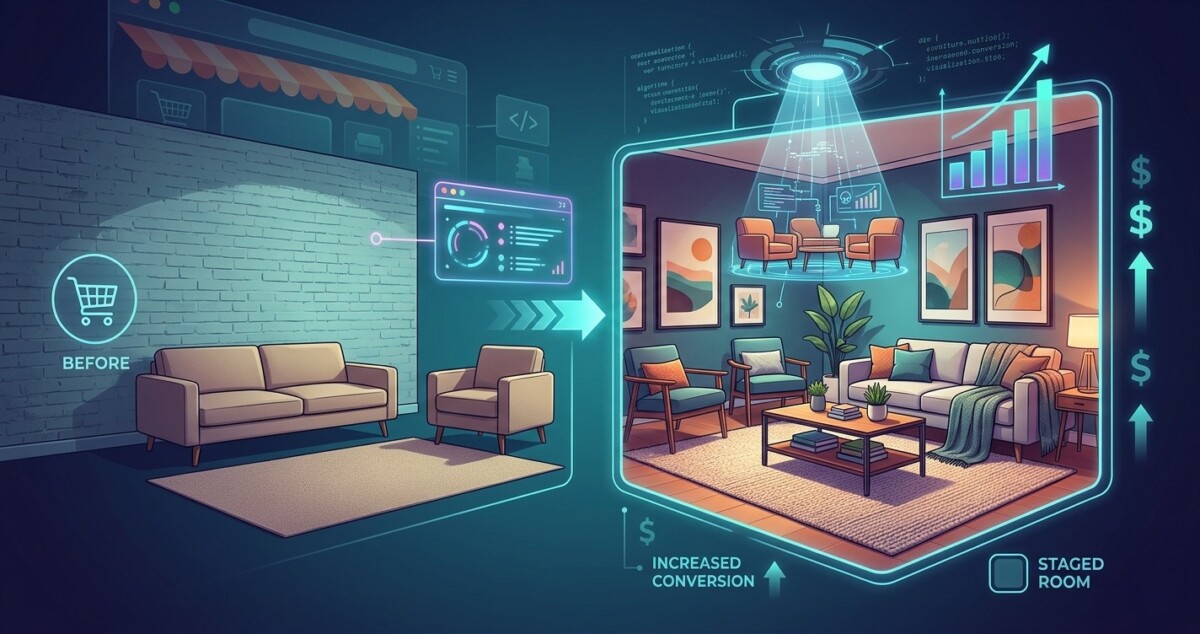
The brands converting at 4% and above in the home goods category are not spending more on paid acquisition. They are spending more on making their products look like they already belong in the buyer’s home.
A furniture brand doing $800K a year came to me with a problem. Their paid traffic was converting at 1.1%. Their product was genuinely good. Their pricing was competitive. Their copy was solid. The issue, when I looked at their product pages, was immediately obvious: every image was a white-background studio shot. Clean, professional, technically correct, and completely disconnected from how anyone actually thinks about buying a sofa or a side table.
Buyers of home goods do not think in product specifications. They think in rooms. They are trying to answer one question before they buy: will this look right in my space? A flat, isolated product image cannot answer that question. A staged lifestyle image can. The brands doing $2M and above in home and decor have known this for years. The ones stuck at $300K to $800K usually have the traffic and the product to break through, but they have not solved the visual problem that is quietly killing their conversion rate.
What has changed in 2026 is that solving this problem no longer requires a $5,000 to $15,000 lifestyle photography shoot. AI room staging and AI home design visualization tools have matured to the point where a merchant with a basic product photo and a clear sense of their target customer can generate credible, conversion-ready staged imagery in a matter of hours. This guide covers the workflow, the honest trade-offs, and the specific approach that is working for merchants at every stage from $10K months to $1M months.
The conversion problem in home goods and decor is not a traffic problem or a pricing problem. It is an imagination problem. Research from Shopify’s commerce data consistently shows that products in categories where spatial context matters, including furniture, lighting, rugs, art, and decorative objects, see return rates of 20% to 30% when buyers cannot adequately visualize the product in their own environment before purchasing. The return is not because the product was bad. It is because the expectation did not match the reality of how the item actually looked in a real room.
The flip side of that data is where the opportunity lives. Merchants who provide three or more lifestyle context images alongside their standard product shots see conversion rates that run 30% to 40% higher than those who rely on isolated product photography alone. That gap is not driven by the quality of the lifestyle shot in the way you might expect. Buyers are not grading your photography on aesthetic merit. They are using the image as a spatial reference. They want to see the scale, the color in context, the way the piece interacts with other furniture and with natural light. A well-executed AI-staged image delivers all of that at a fraction of the cost of a traditional shoot.
If you are doing $10K months and wondering whether this matters yet: yes, it does. The earlier you build the habit of presenting products in context, the faster you compound the conversion gains. If you are doing $500K to $2M and have not systematically addressed your lifestyle imagery, this is almost certainly one of the largest untapped conversion levers in your store. The math on product image quality driving conversion is consistent enough that treating it as optional is genuinely expensive.
AI room staging works by taking an existing product image, typically a clean white-background shot or a basic photo, and compositing it into a generated interior environment. The better tools, including platforms built on generative AI, allow you to specify the room type, the design style, the lighting conditions, and the surrounding decor. The output is a photorealistic image of your product placed in a credible room context. Done well, it is indistinguishable from a staged photography shoot to the average buyer.
The technology has improved dramatically since 2023. Earlier versions of AI staging tools produced outputs that looked obviously artificial, with lighting inconsistencies, shadow errors, and proportional distortions that experienced buyers would immediately recognize as fake. The current generation of tools handles lighting and shadow physics substantially better, and the best platforms allow you to iterate quickly across multiple room styles without starting from scratch each time. A merchant selling a mid-century modern side table can generate versions staged in a minimalist Scandinavian living room, a warm industrial loft, and a classic transitional bedroom in the same session, giving them three distinct lifestyle contexts from a single product photo.
What AI staging tools cannot do reliably is handle products with highly complex textures, transparent or reflective materials, or unusual proportions. A glass vase with intricate surface detail will produce a less convincing staged result than a solid wood dining chair. Fabric products like upholstered furniture require careful review because AI-generated fabric rendering can look slightly off to trained eyes, particularly in close-up zoom views. The honest assessment is that AI staging is excellent for approximately 70% of home goods categories and requires human review and occasional manual correction for the remaining 30%. That is still a dramatically better economics profile than traditional photography for most merchants.
The workflow I have seen work consistently across merchants at different stages follows four steps. The key is treating this as a production process rather than a one-off experiment, because the value compounds when you apply it systematically across your catalog rather than testing it on a single SKU.
Start with your source image. The best AI staging results come from a clean, well-lit product photo against a white or neutral background. If your existing photos are blurry, underexposed, or shot at an angle that distorts the product’s proportions, fix that first. AI staging amplifies what is already in the source image. A sharp, well-composed source photo produces a staged result that looks professional. A poor source photo produces a staged result that looks like a poor photo in a room. The enhancement step matters, and how AI enhancers improve product images and video for ecommerce is a workflow worth understanding before you start staging.
Second, define your room context before you generate. The merchants who waste time in AI staging tools are the ones who generate outputs without a clear brief. Before you upload your product image, decide specifically: what room type, what design style, what lighting condition, what time of day, and what surrounding furniture or decor elements should appear. The more specific your input, the more useful your output. “Modern living room, warm afternoon light, neutral tones, minimal surrounding furniture” produces a more usable result than leaving the style parameters open. Tools like the ai interior design free platforms allow you to specify these parameters in detail, which is what separates a credible staged image from a generic AI-generated room that does not match your brand’s aesthetic.
Third, generate multiple variants and select for conversion intent, not just aesthetic quality. The goal is not the most beautiful image. The goal is the image that best answers the buyer’s question: will this work in my space? Generate at least three to five variants per product across different room styles and lighting conditions. Review them specifically for scale accuracy, shadow credibility, and whether the product reads clearly as the hero of the image rather than disappearing into the background. A staged image where the product is hard to identify is worse than no staged image at all.
Fourth, integrate the staged images into your product page in the right sequence. The first image slot should always be your clean product shot on a neutral background. This is what buyers expect as the primary reference and what most marketplaces require. The staged lifestyle images belong in slots two through four. Buyers who are engaged enough to scroll through your image gallery are the buyers who are closest to purchasing. That is exactly the moment when a well-executed staged image closes the gap between interest and confidence. The sequence matters more than most merchants realize.
If you are at $10K to $50K months, the priority is getting staged images on your five highest-traffic product pages before you do anything else. You do not need to solve your entire catalog at once. Run the workflow on your top five SKUs, measure the conversion change over 30 days, and use that data to justify expanding the process. At this stage, the free tier of most AI staging tools is sufficient to produce usable results, and the time investment is low enough that a founder can run this personally.
If you are at $50K to $500K months, this should be a systematic production process, not an ad hoc project. Build a catalog audit into your quarterly operations: identify the 20% of SKUs that drive 80% of your revenue, ensure every one of them has at least three staged lifestyle images, and set a standard for new product launches that includes staged imagery before the product goes live. The cost at this stage is negligible relative to the conversion impact. Pairing staged imagery with strong AI product descriptions at scale creates a product page that works harder at every stage of the buyer’s decision process.
If you are at $500K to $2M months, the question is no longer whether to do this but how to do it at scale without sacrificing brand consistency. At this revenue level, AI staging tools need to be paired with brand guidelines that govern room style, color palette, and furniture aesthetic so that your staged images feel cohesive across the catalog rather than like a collection of randomly generated rooms. The brands that do this well look like they have a dedicated studio operation. The brands that do it poorly look like their product pages were assembled by different people with different tools and no shared visual language.
Traditional lifestyle photography still produces better results than AI staging for certain categories and certain brand positioning goals. If your brand’s identity is built on a specific aesthetic, if you sell at a price point where buyers expect luxury production values, or if your product requires human models or complex environmental staging that AI cannot replicate convincingly, then traditional photography remains the right investment. The mistake is treating it as a binary choice. The merchants getting the best results in 2026 are using AI staging for the bulk of their catalog and traditional photography for their hero products, their campaign imagery, and their brand-level content.
The economics are straightforward. A traditional lifestyle photography shoot for a catalog of 50 SKUs runs $8,000 to $20,000 depending on location, stylist, photographer, and post-production. AI staging for the same catalog runs $200 to $800 in tool costs and 20 to 40 hours of operator time. The quality gap between the two has narrowed significantly, but it has not closed entirely. For a brand at $200K annual revenue, the AI staging economics are obvious. For a brand at $5M annual revenue investing in a flagship collection launch, traditional photography is still worth the premium. Knowing which situation you are in is the judgment call that separates smart allocation from wasted spend.
The other honest trade-off is time-to-market. Traditional photography requires scheduling, logistics, and post-production timelines that can run four to eight weeks from brief to final assets. AI staging can produce usable imagery in hours. For merchants who launch new products frequently or who need to respond quickly to seasonal demand, that speed advantage is worth a meaningful quality trade-off. A good image available on launch day converts better than a perfect image available six weeks later. Boosting sales with product page optimization is ultimately about removing friction at the moment of purchase decision, and a missing lifestyle image is friction that costs you sales every day it is absent.
The categories that see the largest conversion lift from AI-staged lifestyle imagery are furniture, lighting fixtures, rugs and floor coverings, wall art, and decorative objects. These are all categories where the buyer’s primary question before purchasing is spatial: will this fit, will it match, will it look right in my room? Products with solid surfaces, clear proportions, and defined color profiles produce the most convincing AI-staged results. Products with complex transparent or reflective surfaces, like glass or polished metal, require more careful review of AI outputs before publishing, because current tools handle light interaction with those materials inconsistently. As a general rule, if your product’s appeal depends on how it looks in a room rather than how it looks in isolation, AI staging is worth testing immediately.
Three staged lifestyle images is the minimum that consistently moves return rates in the right direction. One image establishes context. Two images begin to answer questions about scale and fit in different environments. Three images give buyers enough visual evidence to make a confident purchase decision without needing to see the product in person. Beyond three, the incremental return rate reduction diminishes unless you are selling a product where color accuracy across different lighting conditions is critical, in which case four to five images showing the product in warm, cool, and natural light is worth the additional production effort. The practical priority is getting to three high-quality staged images per SKU before you optimize further.
Yes, with caveats. AI staging tools work for any product category where environmental context changes the buyer’s perception of fit or desirability. This includes small appliances shown on kitchen countertops, bath products shown in bathroom settings, outdoor products shown in garden or patio environments, and organizational products shown in office or closet contexts. Where AI staging does not add value is in categories where the product’s appeal is entirely intrinsic, such as food, supplements, software, or commodity items where the buyer’s decision is based on specification and price rather than visual context. The test is simple: would a buyer’s confidence in purchasing this product increase if they could see it in a realistic setting? If yes, staged imagery is worth the investment.
The four criteria that matter most for ecommerce use are: shadow and lighting accuracy, scale fidelity, style control, and output resolution. Shadow and lighting accuracy determines whether the staged image looks photorealistic or obviously artificial. Scale fidelity determines whether your product appears at the correct size relative to the room and surrounding furniture. Style control determines whether you can match the generated room aesthetic to your brand’s visual identity. Output resolution determines whether the staged image holds up at the zoom levels that mobile buyers use when evaluating products. Tools that allow you to specify room style, lighting conditions, and surrounding furniture in detail, like the more advanced ai interior design free platforms, give you the control needed to produce consistent, brand-appropriate results across a catalog.
The cleanest measurement approach is a before-and-after comparison on the same product pages over equivalent traffic periods. Update the five product pages with the highest traffic and lowest conversion rate, add staged lifestyle images, and measure conversion rate for 30 days against the 30-day baseline before the update. At typical Shopify traffic volumes, 30 days is enough to see a statistically meaningful signal if the change is real. If you have the traffic volume to run A/B tests, Shopify’s native theme testing or a tool like Google Optimize lets you serve the original images to half your visitors and the staged images to the other half simultaneously, which eliminates seasonal and traffic quality variables from the comparison. The merchants who have run this test consistently report conversion rate improvements of 15% to 35% on pages where staged imagery replaced isolated product shots.





