
AI helps Shopify founders stand out on LinkedIn by speeding up the parts of a personal brand that take time: a professional headshot, a matching banner, a clear About section, and consistent post visuals. The brand still rests on your real face, your store’s story, and your own opinions.
On LinkedIn, the person behind a Shopify store is often the first thing a wholesale buyer, investor, or future hire checks. AI can polish how you show up. It cannot supply the reason anyone should care.
LinkedIn is more than a digital CV. For a founder, it is often the first place people look you up before they decide whether to take your meeting. A buyer at a retailer considering your product, a podcast host deciding whether to book you, a candidate weighing your job offer: each of them opens your profile before they open your store. Personal branding is how you make that quick visit count.
Words and experience still matter, but people usually notice your photo first. That is where many founders stall, because booking a photographer feels like a luxury when you are packing orders yourself. AI has made the visual side faster and cheaper, and it can help with the writing side too, as long as you stay in charge of what it says.
In this guide, you’ll learn how to use AI to create a cohesive LinkedIn profile, strengthen your personal brand, and make it work for your store whether you’re at your first $10,000 month or running a $10M brand.
A founder’s personal brand matters on LinkedIn because it is where the people who shape a Shopify brand’s growth (retail buyers, partners, investors, journalists, and future hires) decide whether they trust the person behind the store. Many social platforms help build personal brands, but LinkedIn stands out for professional networking, partnerships, and knowledge sharing.
In a busy feed, clear beats complicated. Buyers and partners do not have time to piece together a scattered career history. If they can sum up what you do in one sentence, such as “she founded the sustainable dog treat brand stocked in 40 pet stores,” you are easier to remember and easier to recommend. A headline that still shows a job title from a previous career tells visitors nothing about the business you run today.
Your profile and posts show what you know. When your brand is coherent, your achievements sit in a clear frame: the product you developed, the problem it solves, the lessons you learned scaling it. People can see your expertise without you having to prove it in every conversation. For early founders, that expertise is usually the product and the customer. For larger brands, it shifts toward operations, team building, and the category itself.
Trust and authority come from a personal brand people can check. LinkedIn gives visitors a quick view of your headshot, your career history, and your recent activity, and they read all three together. Founder-led branding has become one of the ways smaller brands compete with bigger budgets, a pattern explored in our creator economy playbook on personal branding for ecommerce. A profile that looks abandoned undercuts that trust, even when the store itself is thriving.
AI helps a founder’s LinkedIn brand in three practical ways: it gives more objective feedback on your profile and posts, it keeps your visuals consistent, and it helps you read what your content performance is telling you. Each saves time; none replaces your judgment about what to say.
It’s hard to get truly objective feedback on your LinkedIn content. Friends, family, and even your team may say good things about you, even when they are not completely true. AI can review your profile and posts, help you interpret your LinkedIn analytics, and suggest how to tighten them. If you chat with AI, it may also tell you what you want to hear. You can add a prompt like, “Please maintain an objective attitude when reviewing my LinkedIn content.” This can help you get clearer and more honest feedback. Asking it to review your profile “as a skeptical wholesale buyer” or “as a candidate deciding whether to apply” works even better, because it forces the feedback to come from the reader you care about.
You may have trouble designing your banner, headshot, and post images so they look like they belong together. AI tools like ChatGPT, Claude, and Gemini can help you develop a cohesive look. Simply describe the look and feel you want, ideally borrowing your store’s colors and photography style, and they can generate visuals that match across your profile and posts. A founder whose LinkedIn looks like their brand makes the connection between person and store immediate.
When you start posting, it may seem like nobody is viewing your content for the first few weeks. Some of that is normal for a new account with a small network. AI tools can help you work out what is happening: whether your posts give people a reason to stop scrolling, whether your headline makes clear what you do, and which topics drew the most comments. AI may not be 100% accurate, but it gives you a useful reference for understanding your performance and deciding what to post next.
Building a founder brand on LinkedIn with AI comes down to five steps in order: headshot, banner, About section, experience, and a steady posting rhythm. Take the time to do each one properly rather than rushing all five in a single sitting.
Your headshot is the first step, because it creates the first impression on buyers, investors, recruits, and anyone else who finds you. Taking a professional headshot at home or hiring a photographer takes time and money, especially if you update your look as the brand evolves, and it may not be worth booking a new shoot every time.
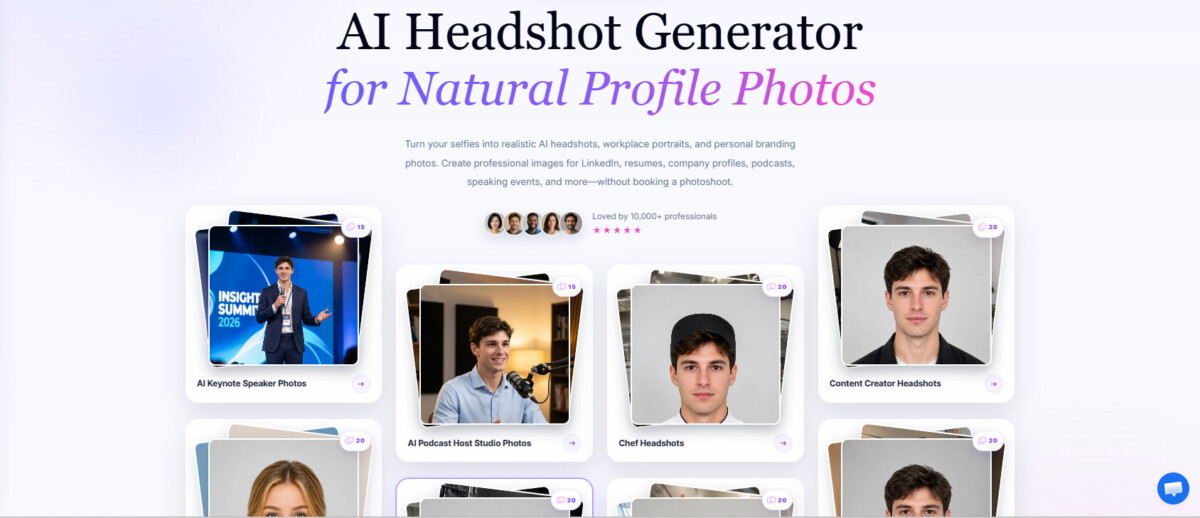
There are many AI tools, like AIKissfiy’s AI Headshots Generator, that can help you create professional headshots from your own selfies. The appeal is straightforward: a more professional result than a cropped holiday photo, fast generation, and the freedom to try different styles before you settle on one.
Whatever tool you use, the result has to look like you on a video call. LinkedIn’s profile photo guidelines say the photo must reflect your likeness, and a headshot that flatters you into a different person creates an awkward moment the first time a buyer meets you. Pick the version your team would recognize instantly.
Many founders leave the banner blank or use a casual photo. However, the banner is the largest image on your profile, and for a founder it is free advertising space for the brand. AI tools like ChatGPT, Claude, and Gemini can help you create one at no cost: your product on a clean background, your store’s colors, or a single line about what the brand does. Just make sure it matches the style and tone of your headshot, and keep important elements away from the lower left corner, where your profile photo overlaps the banner.
Your headline and About section should be short, specific, and about the business, because a bio that is too short says nothing and one that is too long does not get read. A few examples of the tone that works: “Founder of a plastic-free cleaning brand sold on Shopify and in 120 independent stores.” “Cofounder and head of product at a DTC sleepwear brand, sharing what we learn about fabric sourcing.” “Building a Shopify skincare brand from my kitchen table, posting the numbers as we grow.” Once you finish writing, use AI to check for mistakes and to flag vague phrases (passionate, innovative, results driven) that make it harder for people to understand what you actually do.
You can also use AI to help present your skills and experience, as long as you don’t overdo it. Put your current company first, with a description of what the brand sells and one or two concrete milestones. If you launched straight out of college, your college experience is better than an empty profile. Once the business has a track record, earlier roles can shrink to a line each, since older experience can make the profile feel outdated. Ask AI to rewrite each role in plain language, then delete any accomplishment it embellished.
A complete profile is only half the work; activity is what keeps you visible. Posting has to come from you, but AI can help along the way: it can broaden your perspective on what to post, help you plan a regular schedule, and check drafts for mistakes. A founder posting once a week about real decisions (a supplier change, a launch that flopped, what a wholesale buyer asked for) gives people far more reason to follow than daily motivational quotes. If part of your growth plan is selling wholesale, our guide to using LinkedIn for B2B lead generation without being spammy covers how to turn that visibility into conversations with decision makers.
AI improves a founder’s LinkedIn visuals by making it fast to test styles, match images to your goals, and keep every photo and post graphic consistent with your store’s look. A visually coherent profile makes your personal brand more memorable and makes the link to your store obvious.
Your visuals should fit where you are going. Before creating anything, be clear on three things: what you want to be known for (the product, the category, or how you run the business), what you need from LinkedIn right now (wholesale buyers, a cofounder, investors, press), and where you want the business to be in a few years. A founder pitching retail buyers needs a different look than one recruiting a creative team.
AI tools like AIKissfiy make it easy to explore different visual styles and find the look that best represents you. A founder of a playful snack or apparel brand might try a bolder, more creative style that reflects the brand’s personality. A founder who hosts a podcast or does a lot of interviews can choose a relaxed, approachable look. A founder raising money or selling into big retail accounts will usually want a polished, professional headshot that builds trust. A wellness or fitness brand founder might choose an energetic, active look, and a founder who also consults for other brands can pick a clean, confident portrait.
Your personal brand should have a consistent visual style across your profile and posts. Each post can cover a different topic, but the visuals should share a common theme, ideally the same colors and lighting as your store’s product photography. AI can help you create consistent post images with simple prompts, for example: “Create a professional LinkedIn post image about launching a new product using a clean, modern style in [your brand colors],” followed by “Create a LinkedIn post image about our first wholesale order using the same visual style as the previous image.” Save the prompt that works, and reuse it.
Posting too much similar content can make your audience lose interest. Use AI to review your content performance and identify which topics get the most engagement, then expand on popular topics or explore new ones to keep your content fresh. Test real product and behind-the-scenes photos against polished graphics in your own feed, and treat AI images as a supplement to your own photos rather than a replacement.
AI is a helper, not a replacement for who you are, so use it to save time and keep everything you publish recognizably yours. These checks keep an AI-assisted brand from tipping into one that feels manufactured.
If you use AI tools to create your profile and content, check each piece before it goes live. In your headshot, check the hands, clothing, background, and whether it actually looks like you. In your banner, check for garbled patterns, invented logos, and any text the AI misspelled; a clean, simple banner is fine if you are new. Check that your About section is clear and easy to understand, and that each post meets your audience’s needs. Also know that LinkedIn shows a small “CR” label on images that carry Content Credentials, the industry metadata standard some AI tools attach, and that label can reveal when an image was made with AI when the credentials survive upload, as Fortune reported in November 2024. Assume people can tell, and only post what you would be comfortable explaining.
AI tools can draft posts and articles quickly, but the content may look too artificial to be trustworthy. If you use AI to create content, add your own opinions, numbers, and stories, and adjust the wording before publishing. A useful test: if a competitor could have posted it word for word, it is not ready. The case for doing this well is laid out in our piece on humanizing AI content as a competitive advantage.
AI tools can help you build your personal brand more efficiently, but relying on them too much makes your content feel less authentic. Find a balance by using AI to support your ideas while keeping your own voice and personality. That matters more for founders than for most people on LinkedIn, because your credibility and your brand’s credibility are the same thing. Shoppers already distrust content that feels faked, as our look at what Shopify merchants need to know about AI-generated fakes shows, and an obviously synthetic founder profile feeds that suspicion. Remember, AI is a tool to help bring your ideas to life. The creativity and perspective behind your personal brand come from you.
A personal brand is not a one-time job. Refresh your headshot when your look changes, and update your banner, headline, and experience whenever the business reaches a new stage: a rebrand, a major retail partner, a new product line, or a new role for you as the team grows. An outdated banner advertising last year’s launch tells visitors you have stopped paying attention.
You can keep your LinkedIn photos consistent by picking one visual style and reusing the same settings every time. Save the prompt, color tones, and lighting settings in your AI tool, such as AIKissfiy, then reuse them for each new headshot or post image. For founders, the simplest anchor is your store’s own look: borrow the brand colors and the lighting style from your product photography so your profile and your store feel like they belong together. Revisit the style only when the brand itself changes.
Yes, you can use AI-generated photos on LinkedIn as long as they look realistic and genuinely look like you. LinkedIn’s profile photo guidelines require the photo to reflect your likeness. Good AI headshots are a fast, cheaper alternative to a studio shoot, which makes them practical for early founders. Choose the version people would recognize on a video call or at a trade show, and avoid versions that smooth away your features. If you have budget for a real shoot later, use it for brand photos where you appear alongside your product.
You can keep AI-generated content authentic by using AI to shape and polish your own thoughts, experiences, and photos, not to replace them. Start every post from something that actually happened in your business, such as a customer message, a supplier problem, or a launch result, and let AI help with structure and clarity. Then read the draft aloud and cut anything you would not say in person. The substance should stay yours, because readers follow founders for their perspective, not for generic advice.
Check your LinkedIn photos and profile copy every 6 to 12 months, and review your content approach every three months or whenever your goals change. For founders, business milestones are the better trigger: update your headline, banner, and experience when you rebrand, land a major retail partner, raise money, launch a new product line, or change your role. A profile that still describes last year’s business tells buyers and partners you are not paying attention to how you show up.
Your LinkedIn profile should focus on you as the person behind your Shopify brand, while your company page carries the brand itself. People connect with founders more readily than with logos, so your personal profile is where you share decisions, lessons, and the story of building the business. Keep the brand visible through your headline, banner, and experience so every visitor can find the store. Early on, you and the brand are effectively the same; as the business grows, your posts can shift toward leadership and the category.
AI has made a strong LinkedIn presence far more accessible to Shopify founders: you can now build and maintain a polished, cohesive profile with much less time and expense. However, a strong personal brand takes more than a polished appearance. It also depends on your expertise, a clear professional identity, and the value you bring to the people who follow you. AI tools like AIKissfiy can help you present yourself more effectively, letting you create a professional LinkedIn headshot that aligns with your personal brand. That gives you a consistent visual identity while keeping your skills, your story, and your business at the center.




