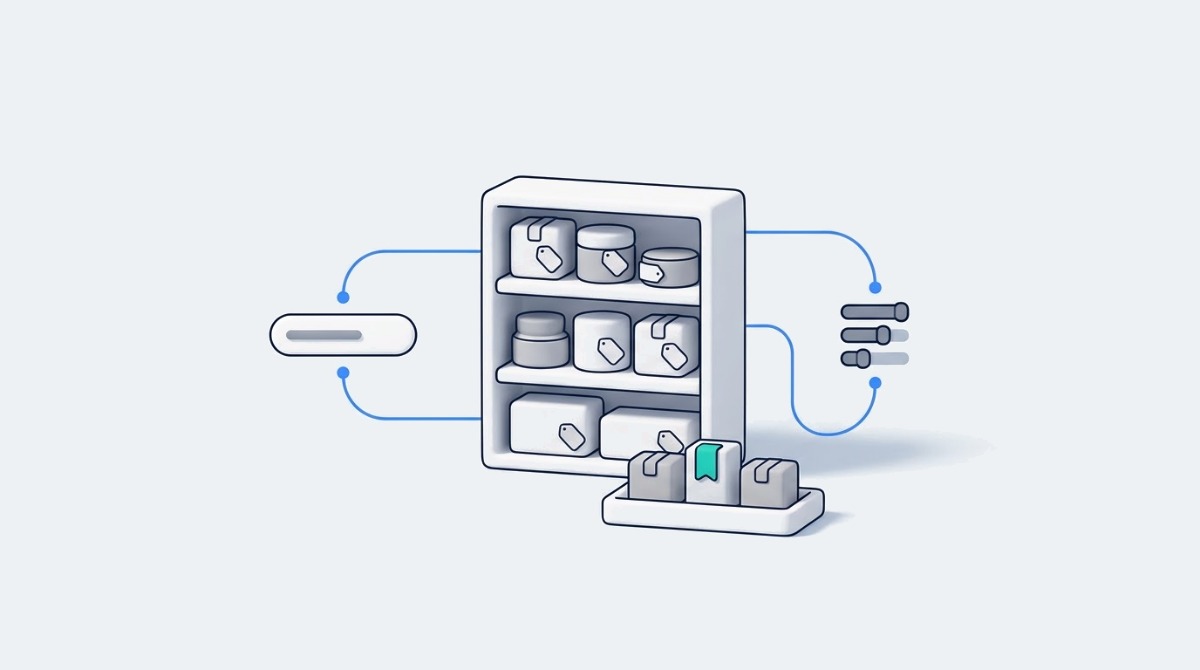
A recommendation engine leans on what your product data describes. Give it vague titles and empty attributes, and it will confidently put the wrong product in front of the right shopper.
Greg Tull, Director of Marketing at Classy Llama, told me a story on episode 424 of eCommerce Fastlane that I keep coming back to. He bought a pair of pants online, and at the end of checkout the store offered him a second pair in another color, already in his size, at 30 percent off. He took it. A few days later the president of his agency bought the same pants from the same store, and the recommendation broke. It offered him women’s tops.
Greg’s verdict on upsells like that was blunt: “My response to that would be as long as it’s working, I think it could be okay. But if it’s not working, then it’s a definite negative.”
That is AI personalization in two sentences. The upside is real: McKinsey’s 2021 research on personalization put the typical revenue lift at 10 to 15 percent, with company specific results ranging from 5 to 25 percent. But that lift belongs to the companies that get it right, and a broken recommendation does more harm than no recommendation at all. When a recommendation breaks like that, the first place to look is the data the engine is reading. This guide is written for founders in the Growing stage who are being pitched personalization apps, with notes for each stage on either side.
AI personalization ranks and recommends products using the information in your catalog, so vague or missing product data caps what any tool can do, free or paid. Shopify says this plainly. Its help page on modifying search with Search & Discovery explains that semantic search uses your title, description, product type, product category and tags to work out what a shopper means, and that product images are not used. Its product recommendations documentation lists three signals for automatic recommendations: purchase history, product descriptions (English storefronts only) and related collections.
Read that list again with your own catalog open. If your best seller is titled “The Aurora” with no product type and a thin description, semantic search has much less context to connect it to what a shopper typed. If a product has no sales history yet and sits in only one broad collection, the automatic recommendations have little to work with. Paid engines add their own signals, such as browsing behavior across their merchant network, but they still read your catalog to know what each product is, which is why swapping tools rarely fixes a data problem on its own.
Jim Boudreau, co-founder and CEO of Studio 1119, put the chain reaction simply on episode 494: “if your fundamental description is not sound, your metadata is going to be less sound.” Everything downstream inherits the weakness, including the recommendations.
The fixes are unglamorous and cheap. Put the plain product type next to the creative name, using the method in Fastlane’s guide to fixing Shopify product titles. Assign a product category to every item. Add the attributes your buyer checks first (size measurements, compatibility, materials), which the breakdown of product data and conversion rate calls the fitment gate. The same fields feed AI shopping assistants too, which the generative engine optimization pillar covers, so this work pays twice.
There is a subtraction step here as well. Matt Stafford of Build Grow Scale said on episode 411: “Typically, more products doesn’t make your site sell better. It makes it sell worse.” His team’s early wins come from making the few products that drive most revenue easier to find before anything gets personalized.
As of November 2026, every Shopify store gets automatic product recommendations, semantic search, search boosts and discovery reports at no extra cost, and stores on the Grow plan or higher can run native A/B experiments. The free Shopify Search & Discovery app is where most of it lives.
Recommendations. Shopify generates related product recommendations for every product automatically. In Search & Discovery you can add up to 10 complementary products (things bought alongside) and up to 10 related products (substitutes) for any product, and choose whether your manual picks replace or sit ahead of the automatic ones. Your theme needs the recommendation sections switched on. Unlisted and zero priced products are left out, complementary products need inventory above zero, and a related product with no stock only shows if you allow selling when out of stock.
Search. Shopify’s help center now describes semantic understanding as included in online store search with nothing to turn on, and it also shapes predictive search suggestions. Product boosts let you pin specific products to up to 10 search terms each. The custom synonyms control many merchants relied on is no longer documented, so test your top queries rather than assuming old synonym groups still work.
Search keeps improving without you. In its Fall ’26 Edition, Shopify says shoppers searching on your store now get better suggestions as they type, and that add to carts from search have improved by 8 percent. Per shopper ranking based on browsing and purchase history arrived too, but inside the Shop app’s own search, not on your online store, so do not count it as storefront personalization.
Testing. According to Shopify’s Rollouts requirements, rollouts are available on Basic and higher, and experiments (a treatment against a control) need the Grow plan or higher.
Where native stops: it will not rank a collection automatically by margin or inventory, personalize collection pages for anonymous visitors, or run the cart, bundle and post purchase recommendation logic dedicated apps are built for. Shopify’s new storefront agent also offers personalized recommendations inside chat, but chat belongs to conversational commerce, not this guide.
Pay for a personalization tool when a gap survives your data fixes and the lift you can reasonably expect is worth more each month than the tool, its setup and the time to run it. Shopify’s Search & Discovery analytics covers the last 30 days and gives you three screening reports. They show symptoms, not profit, and they leave out predictive search interactions, so treat them as the first filter, not the final answer.
Searches with no results shows queries that return nothing. Fix the data behind the top ten, wait 30 days and look again. If the list is still long and your catalog runs into the thousands of products, a dedicated search app has a real job to do.
Searches with no clicks shows queries that return results nobody wants. Boost the right products for those terms first. If shoppers still skip the results, you need ranking rules native search does not offer.
Product recommendations with low engagement flags weak recommendations on your top sellers. Add manual complementary picks to your 20 best sellers before concluding the algorithm has failed.
Collections need a fourth check that native analytics does not give you. Julia Wawrzynek, Marketing Manager at Mezereon, which makes the SortWise collection sorting app, gave the rule on episode 471: “if you have high collection views but no clicks, you’re showing the wrong products.” If you are re-sorting collections by hand every week to keep sold out items down and winners up, the labor itself is the gap, and it can justify a tool before any report does.
Catalog size matters more than revenue here. A store at $60K a month with thousands of SKUs and fast moving stock can have a real search or merchandising gap long before a store at $150K a month with 40 products. The stage advice below is a rule of thumb, and a large, complex catalog is the main exception to it.
Then do the money check. Illustrative example, assuming a store at $60,000 a month where visits that include a search produce 20 percent of revenue: a search tool that lifts that slice by 10 percent is worth about $1,200 a month. A $39 plan clears that easily. A $500 plan barely does once you count setup time, and only if a proper test confirms the lift.
Stores in the Starting stage (pre-launch to $10K a month) rarely need paid personalization, and Growing stores ($10K to $100K a month) should set up the native tools properly before paying for one targeted app. Recommendation engines learn from traffic and purchase history, and early stores usually have little of either.
If you are just starting, your money is better spent on navigation and product pages. Baymard Institute’s research on small catalog DTC sites found that only 15 percent of users on those sites ever looked for a search tool during testing, and only after browsing had failed. Baymard’s advice is to prioritize clear navigation and rich product information instead. Put your two or three best sellers in the main menu and write descriptions that answer the buyer’s first question.
If you are growing, spend an afternoon in Search & Discovery. Add complementary picks to your top 20 products, boost the right items for your top ten search terms, and put a monthly reminder on the calendar to read the three reports. Most Growing stores I would leave there.
If a report shows a gap that survives the data fixes, buy one inexpensive tool for that one gap. Prices below are in US dollars as of November 2026:
Searchanise. Choose Searchanise if your no results report stays long after you fix your data and your catalog is a few thousand products or fewer; its Basic plan is $19 a month for up to 1,500 products and Essential is $39 a month for up to 7,500, with a separate Basic for Plus plan at $49.
LimeSpot. Choose LimeSpot if your gap is cart and bundle recommendations at low order volume; its Turbo plan starts at $9.99 a month and rises with orders ($19.99 at up to 250 orders), though Turbo plans are not compatible with Shopify Plus.
Scaling stores ($100K to $1M a month) should buy one paid personalization tool per measured gap rather than a stack of overlapping ones, and Leading brands ($1M or more a month) should consider a full platform only when someone owns it full time. The trap at this stage is rarely buying the wrong tool. It is buying three that do the same job.
When I was a Senior Merchant Success Manager at Shopify, the first thing I did with a brand doing a few million a year was an app audit, as I described on episode 430 with Mac King of Domaine, and it was common to find dozens of apps running. Recommendation widgets from two different apps on the same product page, a search app nobody had configured, a bundle app layered on top. Each one had been bought to fix something, and together they slowed the store. That is the premature complexity I see most often in brands doing $500K to $2M a year, and personalization tools are a common source of it.
Rebuy. Choose Rebuy if your cart and post purchase pages are the gap and you are past a few hundred orders a month. As of November 2026 its Cart & Merchandising package is $45 a month up to 500 orders and $89 at 1,000, and post purchase offers sit in a separate Checkout & Post-Purchase package at $25 and $49 for the same volumes, with discounts when you bundle packages. Fastlane’s walkthrough of Rebuy’s cart and post purchase setup shows where those touchpoints sit.
Nosto. Choose Nosto if you need search, recommendations and merchandising in one platform and have the traffic to feed it; it is free to install as of November 2026, with the Nosto account billed separately. Nosto makes its own case for when native is not enough in its piece on Shopify native versus a personalization platform, and it is worth reading as the vendor’s argument.
Klevu. Choose Klevu if search is your main gap on a large catalog and you want AI search with merchandising controls; it is also free to install, with charges billed separately by Klevu, now part of Athos Commerce.
Dynamic Yield and Bloomreach. Choose either only if you are Leading, have a dedicated personalization owner and developer time, and have outgrown a mid market tool; both are quote based. Fastlane’s comparison of AI personalization tools by stage covers them in more depth.
Judge a personalization tool by revenue per visitor and margin against a group of shoppers who did not see it, not by clicks on its widgets or the revenue its own dashboard credits to itself. A vendor’s attributed revenue tells you which orders passed through its widgets, not which orders would not have happened without them. Ask every vendor how it attributes revenue, and then ask what it measured against a control group.
Julia Wawrzynek made the same point about collections on episode 471: “RPV is the ultimate truth teller here.” She meant revenue per view, the money a collection page produces each time it loads. For the store as a whole, the equivalent is revenue per visitor. Both capture whether shoppers bought more, not just whether they clicked more, and a widget that pulls clicks away from the add to cart button can raise engagement and lower revenue in the same week.
The cleanest test is a holdout. If you are on Grow or higher, a Rollouts experiment can compare your theme with the recommendation section against the same theme without it. If the tool sits outside the theme, ask whether the vendor can run its own A/B test with a true control group, and ask during the trial rather than after. Decide in advance what lift would justify the fee, run the test for at least two full weekly cycles and longer on lower traffic, treat a result that is too close to call as inconclusive rather than a win or a loss, and watch margin, not just order value, because a recommendation that pushes discounted bundles can lift order value while costing you profit. The guide to AI personalization levers that move conversion lays out a fuller set of guardrail metrics, and testing method itself lives under conversion rate optimization.
Before adding a personalization app, remove the recommendation and search widgets that overlap, because two engines ranking the same page slow the store and give shoppers conflicting suggestions. Subtraction is often the cheapest personalization upgrade a Scaling store can make.
Start with duplicates. Open your top product page and count the recommendation blocks. If your theme’s “You may also like” section sits above an app’s carousel, pick one. Then test your 20 most common search queries in native search. If the results are good, a search app installed years ago only for typo tolerance may now be doing a job Shopify does for free.
Next, look at where the personalization sits. Homepage carousels that change per visitor get a lot of attention in sales demos, but search, collections and product pages are where shoppers with intent actually land. A personalized homepage on top of a search that returns nothing is the wrong order of work.
Finally, question your collection sort. I said on episode 471 that there is a line between sorting for popularity and sorting for profit, and that sorting for profit is probably the wiser long term choice. Best selling sort rewards whatever already sells, including low margin items. A few manual pins for your highest margin products in each collection cost nothing, and they are worth testing before you pay for a tool that optimizes for clicks.
The order that works is the same at every stage: fix the data, set up native, read the reports, then buy one tool for one gap. Personalization in email and SMS, and repeat purchase programs, follow the same logic and are covered under retention and loyalty.
No app named in this guide paid to be included. Prices were checked on each vendor’s pricing page or Shopify App Store listing in November 2026 and change often.
AI personalization in ecommerce is software that decides which products each shopper sees, and in what order, based on their behavior and your catalog data. On a Shopify store it shows up in four places: search results, collection page sorting, product recommendations on product pages, and offers in the cart or after checkout. The software learns from signals such as what a shopper browsed, what similar shoppers bought and how products are described. That last signal is why product data matters so much. A tool cannot recommend a product accurately if the catalog never says what the product is, who it fits or what it pairs with. Personalization through chat assistants is a related but separate category, usually called conversational commerce.
Yes, Shopify generates related product recommendations for every product automatically and lets you add manual picks through the free Search & Discovery app. Automatic recommendations use purchase history, product descriptions on English storefronts and related collections. In Search & Discovery you can add up to 10 complementary products and up to 10 related products per product, and choose whether your picks replace the automatic ones or appear ahead of them. Your theme needs product recommendation and complementary product sections for them to display. Shopify’s semantic search also works out what shoppers mean from your titles, descriptions, product types, categories and tags, with nothing to switch on.
As a rule of thumb, Shopify stores under $100K a month get more from fixing product data and setting up Shopify’s free tools than from a paid personalization app, unless they run a large or fast changing catalog. Check three reports in the Search & Discovery app first: searches with no results, searches with no clicks and product recommendations with low engagement. Fix the product titles, categories and tags behind the worst entries, wait 30 days and look again. If a gap survives those fixes, or you are sorting collections by hand every week, and the expected lift is worth more than the app and the time to run it, buy one tool aimed at that gap. Small catalog stores in the Starting stage usually gain more from clear navigation and better product pages.
Shopify personalization apps range from free native tools to quote based enterprise platforms, with most mid market apps priced by order volume or catalog size. In US dollars as of November 2026, Searchanise’s Basic search plan is $19 a month for up to 1,500 products. LimeSpot’s Turbo plan starts at $9.99 a month and rises with orders. Rebuy prices each package by monthly orders, with Cart & Merchandising at $45 a month up to 500 orders and post purchase offers in a separate package. Nosto and Klevu are free to install on Shopify, with the account billed separately by the vendor, and enterprise platforms such as Dynamic Yield and Bloomreach are quote based. Check the vendor’s current pricing page before you commit, because these prices change often.
Product recommendations are working when revenue per visitor and margin rise for shoppers who see them compared with a group who do not, not when the widgets simply get clicks. A vendor’s attributed revenue shows which orders passed through its widgets, not which orders the widgets created. The most reliable check is a holdout test: on the Grow plan or higher, Shopify Rollouts can run an experiment comparing your theme with and without the recommendation section, and some paid apps can run their own test against a control group. Run tests across at least two full weekly cycles and treat a close result as inconclusive. Inside Search & Discovery, the recommendation reports show click rate, purchase rate and low engagement recommendations on your top sellers.