

Amazon Attribution is Amazon’s free measurement tool that shows what happens on Amazon after a shopper clicks a tagged link in your Meta, Google, TikTok, email or creator campaigns: detail page views, add-to-carts, purchases and sales, credited to that click for 14 days. For brand-registered sellers in Amazon’s US store, those tagged sales can also earn the Brand Referral Bonus, which Amazon describes as a bonus averaging 10% of qualifying sales, paid as a credit against future referral fees.
If your Shopify brand also sells on Amazon, you are probably already paying for traffic that ends up there. A shopper sees your Instagram ad, opens the Amazon app, searches your brand and buys with Prime. Shopify shows a lost sale, Meta shows a weak campaign, and nobody gets credit. This guide shows how to measure that traffic and get paid back on part of it.
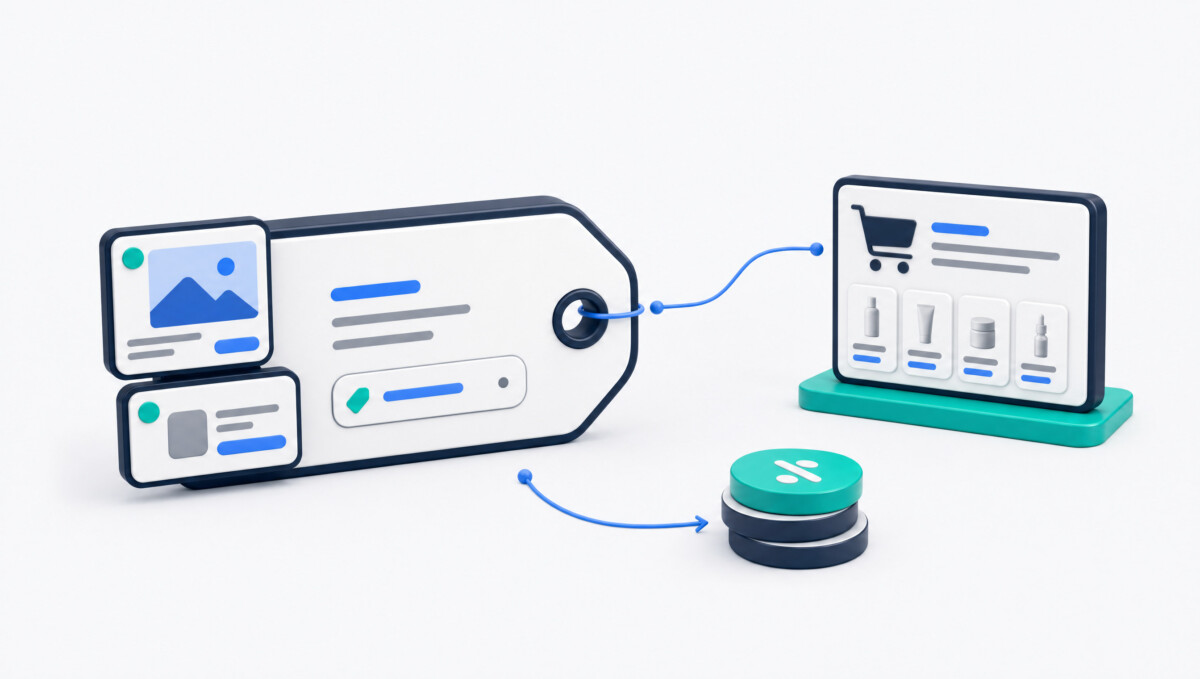
Amazon calls Attribution a free, self-service measurement solution for marketing that happens outside Amazon: search, social, display, video, email, and affiliate or influencer campaigns. You create a campaign in your Amazon Ads account, Amazon generates a unique URL for each placement (the Amazon Attribution tag), and you paste that tag into your outside ad instead of the plain Amazon link.
Amazon’s guide sets out the rules:
Who can use it. Amazon lists professional sellers enrolled in Brand Registry, vendors, KDP authors, and agencies whose clients sell on Amazon. Its guide names the US, Canada, the UK, Germany, France, Italy and Spain. So UK and Canadian brands can measure outside traffic, but Amazon describes the Brand Referral Bonus as a program for sellers in its US store.
What it costs. Amazon says Attribution is free. You still pay Meta, Google or TikTok for the clicks.
Attribution does not send purchase data back to Meta or Google on its own. You cannot put the Meta Pixel on an Amazon product page, so Meta never sees the sale. Amazon offers Attribution through the Amazon Ads API, and some third-party tools use it to show Amazon sales next to your ad data. Without one, you read the Amazon Attribution reports and make budget calls by hand.
Here is what Amazon currently says on its Sell on Amazon and Amazon Ads pages:
Amazon’s own example uses a $100 backpack with a 14% referral fee and a 7% bonus, which lifts net profit on a later sale from $86 to $93. Note the 7%. Check your own category rate before you budget on 10%.
This is the step I would fix first. When you pay Meta to send a shopper to your Amazon listing, you deliver a warm buyer to a page where other sellers can advertise.
Amazon says Sponsored Products ads can appear on product pages, and Sponsored Brands ads appear at the top of search and on product pages. Competitors can target your ASINs and your brand name. The shopper you paid for can land on your listing and see a cheaper rival under your buy box, or search your brand later and find a competitor above you.
Before you scale outside traffic, put these in place:
To be clear about scope: PPC Jumpstart manages the Amazon side only. Your in-house team or your Meta and Google agency runs the outside campaigns. Our job is to make sure the listing, brand defense and Sponsored ads are ready to catch that traffic, and to read results on total Amazon sales. If you are new to Amazon ads, check how much it costs to advertise on Amazon before adding an outside budget on top.
Amazon’s current help pages call the Amazon Ads console “Amazon Ads Agent.” These steps follow Amazon’s own guide. If a label looks different in your account, look for the same steps in the same order.
Sign in to your Amazon Ads account and find Measurement and Reporting, then Amazon Attribution. In the campaign manager, create a campaign and choose a creation method: manual, or a bulk file upload.
The name is only visible to you. Add every product in the ad, including size and color variations. If products are missing or another brand’s products appear, Amazon points you to the brand settings under Access and Settings.
Each ad group generates one Amazon Attribution tag. Set a name, a publisher (from the list, or add a new one), a channel, and a click-through URL: a product detail page or your Brand Store. After you create the campaign, Amazon shows one tag per ad group to copy or download as a CSV.
Use a naming pattern you can read later, such as META_Prospecting_HeroSKU_Q4 for the campaign and META_UGC_Video1 or META_Static_Offer for ad groups. Amazon recommends a separate tag for each ad, link and button.
In Meta Ads Manager, paste the tag into the ad’s destination URL field in place of the plain Amazon link. For larger accounts, Amazon’s bulk option supports Facebook and Instagram: export campaigns from Ads Manager, fill Amazon’s template, upload it, and import the returned tags back into Meta. Amazon says one file can cover up to 8,500 Facebook or Instagram ads.
For a few ads, paste the tag as the final URL. For search at scale, the bulk option supports Google Ads and up to 100,000 search keywords per file. Bulk-created campaigns also get Amazon’s keyword-level report, which manual campaigns do not.
Bulk upload covers only Google search and Facebook or Instagram, so TikTok tags are made manually. Choose TikTok as the publisher (or add it as new), pick the social channel, and paste each tag into the matching TikTok ad’s destination URL. Do the same for each email button, and give every creator their own tag.
Amazon suggests waiting one to two days, then comparing Attribution clicks with the ad platform’s clicks. It calls a 10% to 20% gap normal. If the gap is bigger, check date ranges and shared tags. Then enroll your brand in the Brand Referral Bonus program in Seller Central. Tags alone do not earn the bonus.
Product detail page. Amazon suggests it when the goal is sales of one product. It is the shortest path to purchase, with Prime, reviews and fast checkout, which is also why brand defense comes first.
Brand Store. Amazon suggests your Store when shoppers should consider several products, and describes it as a dedicated brand environment for your catalog.
Your Shopify store. You keep the customer email, full margin and the Meta Pixel signal. For first purchases from cold audiences, many DTC brands still want to own the customer.
Amazon quotes one brand, Honest Paws, saying conversion was “3 to 4 times better, in some cases 10 times better” when shoppers clicked the Amazon link. That is one brand, not a benchmark. Run your own split test: one hero SKU, same creative and audience, half the budget to Shopify and half to an Amazon Attribution link. After two to four weeks, compare contribution margin per dollar spent, counting the bonus on the Amazon side and customer data on the Shopify side.
This is where most Facebook ads for Amazon tests get killed too early. Attribution only shows sales it can credit. It misses the shopper who saw your TikTok, searched your brand on Amazon three days later and bought without clicking a tag.
| Metric | Formula | What it tells you about outside traffic | Blind spot |
|---|---|---|---|
| ACoS | Ad spend divided by ad-attributed sales, times 100 | Cost of each attributed sales dollar from one campaign | Ignores brand halo, organic lift and the Brand Referral Bonus |
| ROAS | Ad-attributed sales divided by ad spend | ACoS turned upside down; easy to compare with Meta and Google reports | Same blind spots; a 2.0 ROAS can be profitable or not, depending on margin |
| TACoS | Total ad spend divided by total Amazon sales (organic plus paid), times 100 | Whether all advertising, outside spend included, makes the Amazon business more or less ad-dependent | Does not prove margin health alone; pair with contribution margin |
| MER | Total revenue across channels divided by total marketing spend | Whether total marketing pays across Shopify, Amazon and everything else | Too broad to show which channel or campaign works |
My recommendation: use ACoS and ROAS inside Attribution to pick winning creatives and audiences, then judge the program on TACoS, with outside spend added to Amazon ad spend. If total Amazon sales grow faster than total ad spend, the traffic is earning its place. Watch MER so you do not starve Shopify to feed Amazon. Our free Amazon TACoS calculator does the math in your browser: enter monthly ad spend and total Amazon sales, plus ad-attributed sales if you also want ACoS.
These numbers are illustrative, not client results.
Baseline month: $60,000 total Amazon sales, $6,000 Amazon ad spend. TACoS is 10%.
Test month: you add $3,000 of Meta spend pointed at Amazon Attribution links. Amazon ad spend stays at $6,000.
Whether that is good depends on contribution margin. At a 35% margin before ads the test made money. At 20%, it did not. Check the untagged lift against seasonality too, by comparing with last year or holding a similar SKU back.
Amazon’s Attribution guide lists increasing glance views, “which can help support organic rankings,” as one reason to send outside traffic. Treat rank gains as something to watch for, not something to plan around.
PPC Jumpstart is a boutique, founder-led Amazon PPC agency based in Vancouver, British Columbia. It manages Sponsored Products, Sponsored Brands and Sponsored Display for established brands doing $1M+ a year or spending $3,000+ per month on Amazon ads, with the goal of lowering TACoS and growing profitable sales. It optimizes for total account profitability and contribution margin rather than ad spend. PPC Jumpstart is Amazon-only: it does not run Meta, Google or TikTok campaigns, and it is not a fit for brand-new sellers with no sales history.
Founder Vadim Soin is a former Amazon seller who built and scaled his own brand to over $500K before moving into PPC management. Engagements start with an audit delivered as a 6 to 10 slide deck in about three days. Pricing is a flat monthly retainer or performance-based, from $2,000 per month, month-to-month.
One published result: Schaaf Wood Carving Tools went from $50K to $100K/month in 60 days under profit-first management.
To get a second opinion on your Amazon brand defense before turning on outside traffic, book a 15-minute call on PPC Jumpstart’s website.
Amazon Attribution is a free Amazon Ads tool that measures clicks, detail page views, add-to-carts, purchases and sales on Amazon driven by your non-Amazon marketing, such as Meta, Google, TikTok, email and creator links. It uses a 14-day, last-touch model and is available to brand-registered professional sellers, vendors, KDP authors and agencies.
In your Amazon Ads account, go to Measurement and Reporting, then Amazon Attribution, and create a campaign. Add your products, then create one ad group per ad with a publisher, channel and click-through URL. Each ad group produces a unique Amazon Attribution tag to paste into your ad’s destination URL.
Amazon describes it as a bonus averaging 10% of qualifying sales, varying by category and price, for example an estimated 11% for clothing. It is a credit against future referral fees, arrives after about two months, and is open to US store sellers with a Professional plan and Brand Registry.
Test both with the same creative and audience. Amazon offers Prime, fast checkout and the Brand Referral Bonus; Shopify gives you the customer’s email, full margin and a Meta Pixel signal. Compare contribution margin per dollar spent, and set up Amazon brand defense ads first.
It can. Amazon’s guide says more glance views “can help support organic rankings,” but Amazon promises no rank change. Watch total Amazon sales, organic share and TACoS over several weeks.




